1. Check whether authorization is actually disconnected before treating a calendar mismatch as an access problem.
2. Reconnect the existing Airbnb account and listing IDs through the software provider's supported flow; do not publish replacement listings.
3. Match reservations received during the interruption by confirmation code before retrying imports or creating manual stays.
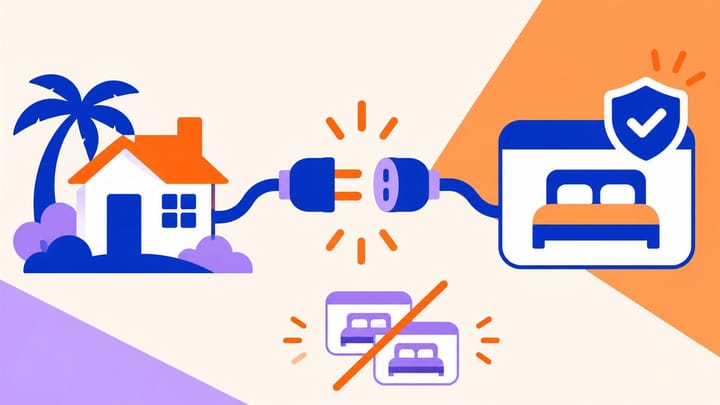
An Airbnb channel manager warning can leave a manager with two urgent questions: are bookings still arriving, and will reconnecting create them again? The safest recovery preserves the original listings and proves what happened during the interruption.
API here means a direct software connection, not an imported calendar link. Restoring permission is one task; proving the reservations and availability agree is another.
Confirm the Disconnection Before Removing Any Access
On Airbnb desktop, open Listings, select the affected listing, then open Settings in the listing editor and check Property management software. Compare that status with the warning in the connected software. Menu labels can vary by account and interface version.
Check whether one listing or the whole account is affected. A missing link for one apartment needs a different investigation from every listing losing the provider connection at once.
If the software remains connected but the calendar differs, start with the supported availability resync and rule checks. Do not disconnect software, delete a listing, or recreate it to repair a calendar mismatch. Escalate an unresolved mismatch to the provider.
If the provider reports a service interruption without an authorization error, repeated reconnect attempts may not help. Record the message and last successful update and follow the provider's recovery guidance. Do not invent a new access problem to explain every delayed update.
For a genuine disconnection, identify the Airbnb account authorized to manage the existing listings. Confirm that the person restoring access has the necessary authority. Being able to read a booking as a team member is not proof of permission to reconnect the account.
Preserve the Listings and Cover the Interruption
Before changing the connection, keep a short recovery record: Airbnb account, listing IDs, corresponding PMS units, last known successful update, and reservations created, modified, or cancelled since then. PMS means Property Management System.
Use listing IDs, not names alone. Two units can share a title, while a renamed listing can still be the original product. Save the existing match so a reconnect screen does not tempt staff to publish another version.
If availability cannot be kept reliable while recovery proceeds, use the approved temporary sales pause or listing snooze. Verify its effect on new sales. Pausing sales is not cancelling existing stays; continue to manage current guests and incoming reservation changes.
Set one staff member to control temporary bookings or room holds. For an urgent arrival missing from the PMS, first check the actual Airbnb confirmation. Use only the property's approved temporary record or hold, clearly cross-referenced to the source booking. It must be reconciled when imports resume, not left as a second stay.
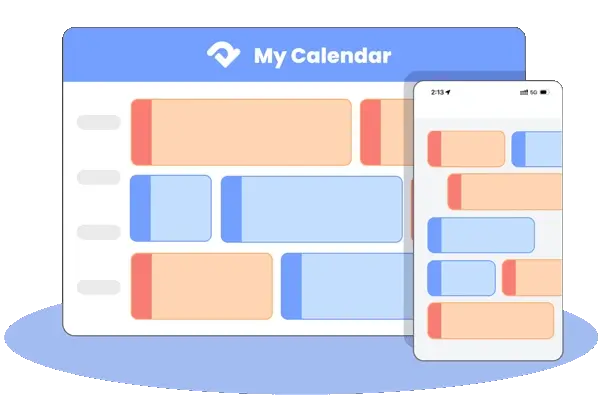
During the gap, a manual hold and an imported reservation can both consume the same unit. In Smart Order, review the Airbnb booking against the front desk reservation calendar so the team can identify the existing stay and its inventory effect before approving another record. Recovery should restore one operating booking, not simply remove a warning.
Keep One Stay Visible During Connection Recovery
Use the Smart Order calendar to check source bookings, temporary holds, and remaining room availability before normal channel updates resume.
Reauthorize the Account and Match Existing Listings
Begin from the connected software's supported Airbnb connection or recovery flow. Exact button names depend on the provider; do not use an unsolicited email link or share an Airbnb password with support.
- Choose the existing Airbnb connection that needs recovery. Confirm the intended property and account before continuing.
- Follow the provider's sign-in and permission flow. On the genuine Airbnb authorization screen, verify the account and requested access before granting it.
- Return to the software and match each existing Airbnb listing ID to its original PMS unit or room product. Use the existing-listing option, not a new-listing publication action.
- Confirm the intended sync scope. Restore the agreed arrangement for pricing and availability or broader listing content; do not change content ownership accidentally during recovery.
- Complete the provider's supported calendar and reservation synchronization. Recheck each listing's connection status and record any that still need attention.
If the correct listing is absent, stop before publishing a replacement. Check the signed-in account, listing access, and saved connection with the provider. A new listing does not repair the link to the old listing's reservations or reviews.
Do not remove the software's Airbnb access as a routine first step. That action disconnects all listings associated with it. Use a removal-and-reconnection sequence only when the provider confirms it is required and the affected listings are protected. A deliberate switch to another PMS is a separate migration, not an ordinary reconnect.
Reconcile Reservations Received While the Link Was Down
Build the affected list from Airbnb reservation records and compare it with the PMS. Use an overlapping review period before the last known successful update if the exact outage start is uncertain. Confirm the provider's import coverage rather than assuming every old stay will reappear automatically.
For each booking, match the Airbnb confirmation code and listing ID, then compare current status, dates, guest count, and room assignment. A guest name alone is a weak match: one guest may have two legitimate stays.
If one correct PMS record exists, verify that subsequent supported changes will update it. Do not import another copy merely because its latest date change is missing. If none exists, use the provider-approved retrieval route, then search again before creating anything manually.
Where a temporary record and a recovered import both exist, stop duplicate messages, payment requests, and further edits. Have the supervisor identify the connected record to retain and preserve any room assignment, notes, or financial activity before using the approved duplicate-resolution process. Never cancel the real Airbnb booking just to tidy the PMS.
Reconcile inventory once after the record decision. Removing an extra hold may already return a unit; manually adding another unit can oversell it. Check that cancellations release the correct nights and that modifications move the stay rather than creating a second arrival.
Resume Sales Only After the Booking Loop Agrees
A connected label is not the finish line. Check that the original listing remains the one linked, current bookings appear once, and Airbnb's calendar agrees with the hotel's actual available units. Inspect a normally open date and a protected date, plus a representative price and stay restriction.
Use Smart Order's Airbnb channel management to distribute the remaining availability from the reconciled PMS record. Then confirm the channel result. Do not remove a temporary sales pause until it is clear which system now controls those dates.
Where an approved test environment or booking procedure is available, verify a reservation change updates the same PMS record and cancellation releases the intended inventory once. Otherwise, monitor the next genuine events closely and retain that limitation in the recovery record.
Escalate with the listing IDs, affected confirmation codes, warning text, event times with time zone, and actions already taken if a listing remains disconnected or records do not match. Hide guest personal details that are unnecessary, and never include passwords or card data.
The recovery is complete when the original listings are connected, interruption-period stays are accounted for, and one agreed availability source is back in control—not when a second set of listings has been published.