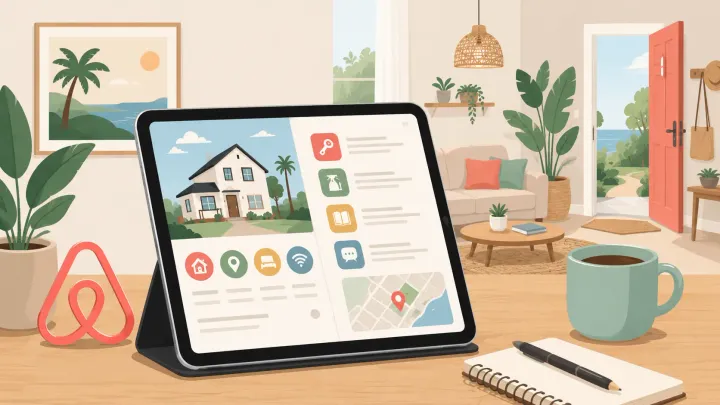
1. An Airbnb guidebook is a digital local guide visible on your listing before booking and in the guest's Trips tab after confirmation
2. Hosts who maintain a complete guidebook receive fewer pre-arrival support messages and generate stronger reviews
3. Seven sections every guidebook needs: welcome message, check-in instructions, house rules, Wi-Fi and appliance info, local recommendations, emergency contacts, and checkout instructions
4. Five example formats mapped to host type: minimalist, local expert, family-friendly, city apartment, and rural retreat
5. Digital guidebooks outperform printed versions for pre-arrival access and updatability — a QR code bridges both formats without extra work
What Is an Airbnb Guidebook?
An Airbnb guidebook is a custom digital travel guide that hosts create for their guests within the Airbnb platform. It covers the property itself — access instructions, appliance quirks, house rules — and extends to the surrounding area through local recommendations for restaurants, transport, activities, and anything else a guest would benefit from knowing.
Guests can find your guidebook in two places: on your listing page and host profile before they book, and in their Trips tab after a booking is confirmed. Airbnb also surfaces the guidebook automatically in its messaging tool — when a guest asks a question that your guidebook covers, the platform prompts you to send the relevant section as a reply.
The practical function of a guidebook is to answer the questions your guests would otherwise message you about. A host with a thorough guidebook handles check-in logistics, appliance confusion, and restaurant questions passively — before they become a support request at 10pm.
What to Include in Your Airbnb Guidebook
A guidebook that covers the right content in the right order reflects well on the host before a guest even arrives. These seven sections form the complete structure.
Welcome Message
Start with a short, personal note — not a boilerplate. Thank guests for booking, mention one thing you hope they enjoy about the property or the area, and set a warm tone for the rest of the guide. Two or three sentences is enough. The goal is to make the guidebook feel written by a person, not assembled from a checklist.
Check-In Instructions and Access Details
Cover everything a guest needs to physically get into the property: door code or key location, parking instructions, building access if applicable, and what to do if they arrive outside normal hours. If your property uses a smart lock, include the code and clarify when it activates and expires. Specificity prevents confusion — "the code is 4821, enter on the keypad to the right of the front door" is more useful than "check-in is self-guided."
House Rules
Keep this section clear but concise. The core rules — occupancy limits, noise hours, smoking policy, pet policy — belong here. For a full breakdown of how to write effective house rules and the specific language that protects hosts against disputes, see the Airbnb House Rules: Actionable Tips and Templates guide.
 Hannah Gong
Wi-Fi and Appliance Quirks
List the Wi-Fi network and password at the top of this section — guests ask for this before almost anything else. Then cover anything about the property that would confuse someone encountering it for the first time: a TV remote that requires a specific input sequence, a shower that takes 90 seconds to reach temperature, a washing machine with non-obvious settings, or a thermostat that controls only certain zones.
The test is simple: what would you need to explain if you were handing over the keys in person?
Local Recommendations and Neighborhood Guide
This section separates a memorable guidebook from a functional one. Generic recommendations — "there are many restaurants nearby" — add nothing. Specific, personal suggestions do.
Name the coffee shop you actually go to and why. Mention which grocery store has better produce. Point out the park that locals use but tourists miss. If a restaurant requires a reservation, say so. If a bar gets loud after 10pm and your property is nearby, mention it so guests can plan accordingly.
Include the address and website for each recommendation. Guests should be able to tap directly through to a location from your guidebook.
Emergency Information
List your contact number, the property's full address (guests in an unfamiliar area may not know it), the nearest hospital or urgent care, and any property-specific emergency procedures — gas shutoff location, circuit breaker, who to call if something breaks. This section takes five minutes to write and is rarely needed, but when it is needed, its presence makes a meaningful difference.
Consider printing a one-page version of emergency contacts and posting it inside the front door as a backup for guests who cannot access their phone.
Checkout Instructions
A clear checkout section protects your turnover schedule and your review score. List departure time, what guests should do before leaving — trash disposal, towel placement, locking the door, returning the key — and any property-specific requirements. Keep it short. A five-point checklist is more likely to be followed than three paragraphs of instructions.
Five Airbnb Guidebook Examples by Host Type
The right guidebook structure depends on your property and your guests. These five examples show how the same core sections take different shapes for different host types.
The Minimalist Host
Profile: A studio apartment in a city center, primarily booked for one or two-night stays by solo travelers or couples. Guests arrive late, leave early, and are largely self-sufficient.
This guidebook prioritizes brevity over breadth. Each section is one screen long on mobile. The welcome message is two sentences. Check-in instructions cover the key code and parking. The neighborhood section lists five places — one coffee shop, one restaurant, one bar, the nearest transit stop, and the nearest grocery store — with addresses only.
What the minimalist host avoids: lengthy house rules that guests skim past, restaurant lists with fifteen options, and repeated instructions for things that are self-explanatory.
The Local Expert
Profile: A two-bedroom apartment in a residential neighborhood, booked primarily by travelers who want to experience the area rather than stay near tourist attractions.
This guidebook leads with the neighborhood. The welcome message mentions two specific things worth doing within walking distance. The local recommendations section runs long — organized by category (coffee, dinner, outdoors, live music, day trips) with personal notes on each. The host has curated it over two years of hosting and updates it quarterly when businesses close or new favorites open.
The practical sections (check-in, Wi-Fi, house rules) are standard and brief. The value is entirely in the local knowledge, which is what these guests booked the property to access.
The Family-Friendly Host
Profile: A three-bedroom house with a garden, regularly booked by families with young children.
This guidebook is organized around what parents actually need to know: which rooms have blackout curtains, where the pack-and-play and high chair are stored, which appliances are within reach of small children, and what to do if someone needs urgent medical attention at 2am. The neighborhood section highlights playgrounds, family-friendly restaurants with kids' menus, and a nearby supermarket with a good selection of snacks.
The house rules section covers specific items relevant to a property with a garden — pool or trampoline safety rules if applicable, gate latch instructions. The checkout section is detailed about where to leave towels and bedding because high-turnover family stays require efficient housekeeping.
The City Apartment Host
Profile: A one-bedroom apartment in a dense urban area with no on-site parking, booked heavily by short-stay guests arriving by transit or rideshare.
Check-in instructions dominate this guidebook. The host covers: which transit lines stop closest to the property, how to navigate from the station, where rideshares can legally stop for drop-off, and how building access works if arriving outside reception hours. The local section focuses on walkability — what is within five minutes on foot, where to find a 24-hour pharmacy, which supermarket has the latest closing time.
Noise rules are specific: the building has thin walls, quiet hours begin at 10pm, and the host's contact number is prominent in case something comes up.
The Rural Retreat Host
Profile: A cottage or cabin in a rural or semi-rural location, booked by guests who may be unfamiliar with off-grid conditions or wildlife.
This guidebook has sections that urban properties do not need. Emergency access routes — including which road to use if the primary road floods — appear in both the emergency section and the welcome message. Wildlife guidance (what to do if you see a specific animal, how to secure food waste) is listed matter-of-factly, not alarmingly.
The appliance section is the most detailed of any host type: the well pump, the wood-burning stove, the generator if there is one, and what to do during a power outage. Local recommendations cover the nearest town for groceries, the nearest emergency services, and a handful of outdoor activities. Cell signal is addressed directly — which carrier gets the best coverage at this location.
Send check-in instructions automatically — no manual messages
Smart Order's PMS triggers pre-arrival messages at the right time so guests receive check-in details, access codes, and house rules without any manual action from your team.
Digital vs Physical Guidebook
A digital guidebook — accessed via link or QR code — outperforms a printed binder in almost every situation that matters.
Guests can read it before they arrive, which means they show up already knowing the check-in instructions rather than reading them for the first time at the door. You can update it instantly when a restaurant closes or a check-in procedure changes, without reprinting anything. It is accessible on the guest's phone throughout the stay, not sitting on a counter they may never notice.
The case for a printed copy is narrow but real. Guests who are less comfortable with digital devices may not open a link. Emergency information — property address, your phone number, the nearest hospital — is more accessible in a crisis on a sheet of paper posted inside the door than buried in a link that requires an unlocked phone. A single printed emergency sheet supplements a digital guidebook without replacing it.
A QR code bridges both formats. Print a card or sheet with the QR code linking to your digital guidebook and post it prominently in the property. Guests who want to browse the full guide can scan it. The emergency information on the same printed card remains accessible regardless.
How to Create a Guidebook on Airbnb
Creating a guidebook takes about 20 minutes and lives in your Airbnb host dashboard.
Step 1: Log into your Airbnb account and go to your listing manager. Select the listing you want to add a guidebook to.
Step 2: Navigate to the Guidebook tab within your listing settings. Airbnb organizes the guidebook by category — neighborhoods, food and drink, activities, transport, and a miscellaneous section for property-specific information.
Step 3: Add recommendations by searching for a place name within the platform. Airbnb auto-populates the address and a photo. Add a personal note explaining why you recommend it — this note is what distinguishes a useful guidebook from a generic list.
Step 4: Arrange sections in the order that matches how guests will use the information. Check-in logistics first, local recommendations after.
Step 5: Save and preview the guidebook as a guest would see it. Check it on mobile — most guests access it from a phone, not a desktop.
Your guidebook automatically attaches to your listing and becomes visible on your profile page. After booking, guests find it in their Trips tab alongside their reservation details.
Airbnb Guidebook Template: Section-by-Section Checklist
Use this as your starting structure. Fill in the prompts specific to your property.
Welcome Message
- Thank guests for booking
- Mention one thing you hope they enjoy (specific to your property or area)
- Include your contact number or preferred messaging method
Check-In Instructions
- Door code or key location
- Building access instructions (if applicable)
- Parking instructions
- What to do on arrival outside normal hours
- Smart lock activation details (if applicable)
House Rules
- Maximum occupancy
- Quiet hours
- Smoking policy (indoors and outdoors)
- Pet policy
- Any property-specific rules (pool, garden, parking)
Wi-Fi and Appliances
- Network name and password
- TV and streaming setup
- Heating and cooling controls
- Washing machine and dryer instructions
- Any appliances or features that need explanation
Local Recommendations
- Coffee (name, address, why you recommend it)
- Breakfast / brunch
- Dinner (2–3 options at different price points)
- Nearest supermarket
- Nearest pharmacy
- Transit stop or transport options
- One activity or local experience worth doing
Emergency Information
- Your phone number
- Full property address
- Nearest hospital or urgent care
- Gas shutoff location
- Circuit breaker location
- Property manager or emergency contact (if different from host)
Checkout Instructions
- Checkout time
- Trash disposal
- Towel and linen placement
- Locking and key return instructions
- Anything guests should leave running or switch off
Review your guidebook at the start of each season. Verify business hours, remove closed locations, update access codes if they have changed, and add any new recommendations since your last review.
Manage your Airbnb listing alongside every other OTA from one place
Smart Order connects Airbnb, Booking.com, Agoda, and your direct booking engine in one dashboard — with automated messaging and real-time availability sync.
FAQ
What is an Airbnb guidebook?
An Airbnb guidebook is a digital guide that hosts create for guests within the Airbnb platform. It covers practical property information — check-in instructions, Wi-Fi, house rules, checkout procedures — and local recommendations for restaurants, transport, activities, and nearby services. Guests can access it on a listing page before booking and in their Trips tab after confirmation.
What should I include in an Airbnb guidebook?
The seven core sections are: a welcome message, check-in instructions and access details, house rules, Wi-Fi and appliance information, local recommendations, emergency contacts, and checkout instructions. The local recommendations section — written with personal notes rather than generic suggestions — is what separates a high-quality guidebook from a functional but forgettable one.
Is my Airbnb guidebook visible to guests before they book?
Yes. Your guidebook appears on your listing page and host profile, meaning potential guests can read it before they commit to a booking. A well-written guidebook that signals local knowledge and thoughtful hosting can influence the decision to book, particularly for guests choosing between similar properties.
Should I use a digital or physical Airbnb guidebook?
Digital is the better primary format — it is accessible before arrival, easy to update, and viewable on any device. A short printed emergency sheet (property address, your phone number, nearest hospital) posted inside the door is a useful backup that does not require replacing the digital guide. A QR code printed alongside the emergency sheet links guests to the full digital version.
How do I create a guidebook on Airbnb?
Go to your Airbnb listing manager, select the listing, and open the Guidebook tab. Add recommendations by searching for place names within the platform — Airbnb populates address and photo automatically. Add a personal note to each entry. Arrange sections in the order guests will need the information and preview on mobile before publishing. The guidebook attaches to your listing automatically and appears in confirmed guests' Trips tab.
