1. Most OTA titles bury the selling point — the right structure puts it in the first five words
2. Cover photos are decided in under 3 seconds; composition and subject matter are not interchangeable
3. A gallery tells a story in a fixed sequence — order matters as much as quality
4. Concrete before/after title rewrites and a shot-by-shot gallery framework are included
Why Titles and Photos Make or Break Your Listing
When a traveler searches on Booking.com or Agoda, they land on a grid of results. What they see is a thumbnail photo and a title. That combination has roughly three seconds to earn a click.
Most hotels spend hours managing pricing and reviews. Very few give the same attention to the element that triggers the click in the first place.
This matters for ranking too. OTA algorithms measure click-through rate as a performance signal. A listing that travelers consistently skip gets pushed lower in search results. A listing that earns clicks gets rewarded with more visibility — which brings more bookings, which improves ranking further. Better titles and photos create a compounding effect. That is where optimization pays the most per hour of work invested.
What Makes an OTA Title Convert
The Structure of a High-Converting Title
Most hotel titles on OTAs are written for brand identity, not for guest decision-making. They lead with the property name, which tells a traveler nothing they need to act on.
A high-converting OTA title follows a different structure:
[Location or property type] | [Primary selling point] | [One supporting feature]
The location or property type goes first because it answers the guest's first filter. The selling point comes next — this is the reason to choose you over the property next door. The supporting feature adds one more reason to click before the traveler moves on.
Before & After: Title Rewrites Across Property Types
Here are five rewrites that apply this structure across different property types:
- Boutique hotel: "Hotel Maison du Lac" → "Lakefront Boutique Hotel · Free Breakfast Included · Terrace Views"
- Budget hostel: "City Center Hostel Bangkok" → "Central Bangkok Hostel · 5 Min Walk to BTS · Private & Dorm Rooms"
- Villa rental: "Beautiful Villa with Pool" → "3-Bed Private Pool Villa · 10 Min to Beach · Free Parking"
- Business hotel: "Airport Business Hotel" → "Airport Hotel · Free Shuttle Every 30 Min · Work Desk in Every Room"
- Family resort: "Family Friendly Resort" → "Beach Family Resort · Kids Club Included · All-Inclusive Option Available"
In every case, the rewrite leads with what the guest is filtering for, then adds the reason to choose this specific property over a competitor at a similar price.
Writing for the Guest's Intent, Not Your Brand Name
Guests don't search for your property name. They search for what they need. A couple booking an anniversary trip scans for "sea view" or "romantic." A solo business traveler looks for "fast WiFi" or "near metro." A family filters for "kids club" or "swimming pool."
Your title is the first place to match those signals. The property name can appear in the listing — but it should not lead the title. A guest who has already decided they want you will find you regardless. A guest who hasn't decided yet needs a reason in the first five words.
Cover Photo: The Single Frame That Earns the Click
What the Cover Photo Must Communicate in 3 Seconds
The cover photo has one job: make the traveler want to see more. It does not need to show everything. It needs to communicate the feeling and quality of staying at your property.
Choose a subject that reflects your strongest competitive advantage. A private pool villa leads with the pool. A mountain lodge leads with the view from the room. A design boutique hotel leads with the most visually striking space. The cover is not a summary of your property — it is your best argument for a click.
Strong vs Weak Cover Photos: What the Difference Actually Looks Like
A weak cover photo is usually one of these: a dark interior shot with harsh overhead lighting, a building exterior with no surrounding context, or a photo taken from the doorway that cuts off the ceiling and shows too much floor.
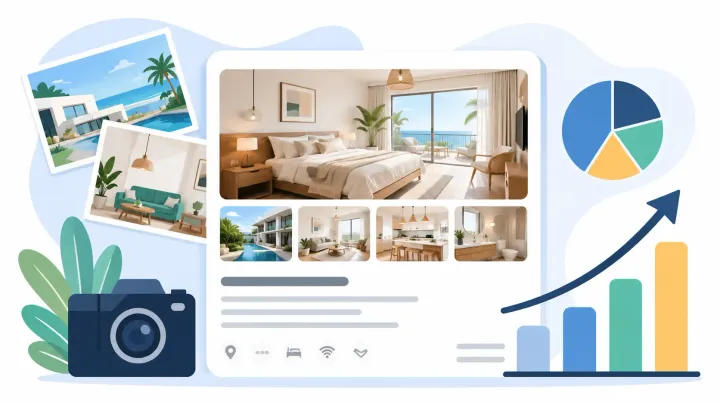
A strong cover photo is taken from the far corner of the room at eye level. Natural light comes through the window on one side. The full bed, a work surface or seating area, and the window are all visible in a single frame. The room reads as spacious, clean, and worth the rate.
The difference between these two types of photos is not always budget. It is angle, light source, and position.
Composition Rules That Work Across Property Types
Shoot from the far corner of the room, pointing diagonally across the space. This captures the most depth in a single frame. Use window light as the primary source — turn off overhead lights if they create orange casts or harsh shadows. Include the window itself in the frame so travelers can see light and context beyond the room.
Keep surfaces clear but not empty. One item on the bedside table reads as lived-in and welcoming. A completely bare room reads as sterile.
When real-time rate and room data syncs automatically across your OTAs through a channel manager, there is no gap between the room a guest sees in the photo and the room they arrive to find. That consistency protects the trust your cover photo builds.
Keep Every OTA Listing Accurate and Up to Date
Smart Order syncs your rates, availability, and room data across Booking.com, Agoda, Expedia, and more — so the listing guests see always matches what you're actually offering.
Gallery Sequence: The Order Travelers Expect
The Shot-by-Shot Framework
Travelers browse a gallery in sequence. The early positions carry the most weight. This is the order that consistently supports higher conversion:
- Position 1 (cover): hero shot — best room or most distinctive outdoor feature
- Positions 2–3: primary room interior — bed, full layout, natural light visible
- Position 4: bathroom — clean, well-lit, shower clearly shown
- Positions 5–6: pool, terrace, or key outdoor amenity
- Positions 7–8: common spaces — lobby, restaurant, rooftop bar if applicable
- Positions 9–10: views from room or terrace
- Positions 11+: additional room types, breakfast spread, surrounding area
Anything a guest would want to verify before booking belongs in this sequence. Staff areas, storage rooms, car parks, and utility spaces belong nowhere in the gallery.
Room-Type Coverage: One Photo Is Never Enough
If you list three room types, each needs its own dedicated photo set. Guests filter by room type, then look for images that match what they selected. A property that shows the same generic bedroom shot for every room category loses the trust of any guest trying to compare options before committing.
At minimum, each room type needs four images: a wide shot of the full room, a close shot of the bed, a bathroom photo, and a window or view photo.
Seasonal and Contextual Photos That Outperform Static Galleries
A pool photo taken in winter tells guests nothing useful about a summer stay. A breakfast spread photographed before service hours, with empty tables and dim lighting, signals an afterthought rather than an experience.
Refresh your gallery at least twice a year — before summer peak and before winter peak. Replace your seasonal hero image before each period starts. Update restaurant or common area photos after any layout or styling change. Properties with recently updated photos signal active management, which guests read as reliability.
Photo Techniques That Most Hotels Skip
Lighting and Angle: What Changes the Perceived Size of a Room
The two fastest ways to make a room look larger in a photo: shoot from the corner and use natural light from the window. A room photographed from the doorway under overhead lighting looks roughly half its actual size.
A wide-angle setting — the widest option on a quality smartphone works — combined with a corner position at eye level captures significantly more of the space. This single change improves the perceived room size without any renovation or redecorating.
Human Scale: Why Empty Rooms Convert Worse
An empty room gives no sense of how large the space actually is. A person sitting at the desk, reading on the bed, or standing at a terrace railing gives travelers a reference point they can relate to.
Properties that include lifestyle photos with people in them see higher click-through rates on OTAs. The photo stops feeling like a product catalog and starts feeling like an experience the traveler can picture themselves in.
When to Refresh and What to Replace First
Start with the cover photo. If your click-through rate is below your market average — check this in Booking.com's Opportunity Centre or Expedia's Partner Central dashboard — replace the cover before making any other change.
Next, replace any photo taken more than two years ago. Guests can tell when images are dated, even if they cannot articulate why. Finally, fill any room type that has fewer than four images. Those gaps create doubt exactly where a guest needs reassurance.
OTA Listing Optimization FAQs
What should an OTA listing title include?
A strong OTA title leads with location or property type, followed by the primary selling point, and closes with one supporting feature. Lead with what the traveler is filtering for — not your brand name. Think of it as matching the guest's search intent in the first five words.
How many photos does an OTA listing need to convert well?
Aim for 20 or more. Properties with 20+ high-quality images see significantly more bookings than those with fewer. More importantly, each room type should have at least four dedicated photos — wide shot, bed, bathroom, and view.
Does photo order affect booking conversion?
Yes. Travelers browse in sequence, and early gallery positions carry the most weight. The cover earns the click. Positions 2–4 confirm room quality. Everything after that supports the decision or answers specific questions the guest has before booking.
Should the cover photo show the room or the property exterior?
Show whichever communicates your strongest selling point. For city hotels, an interior room shot usually converts better. For beach properties, pool villas, or properties with exceptional views, the outdoor or exterior image often earns more clicks. Track your click-through rate after testing each option over a 30-day period.
How often should I update my OTA listing photos?
At minimum twice a year — before summer peak and before winter peak. Also update immediately after any room renovation, significant furniture change, or new amenity addition. Stale photos are one of the most avoidable causes of declining OTA conversion rates.
