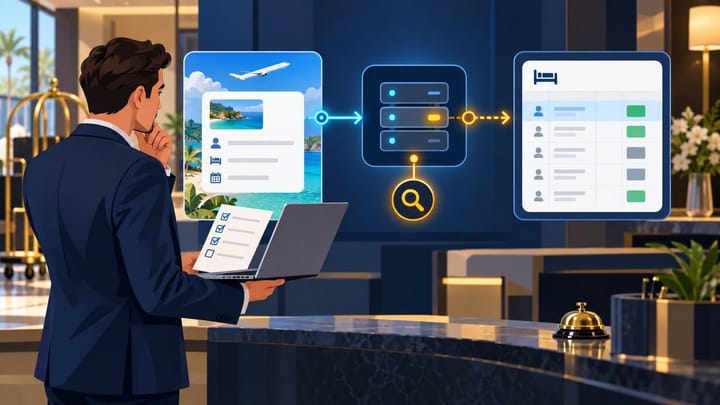
1. Confirm the reservation in the correct Expedia Partner Central property.
2. Protect the room once, without reducing inventory separately in several systems.
3. Search the whole PMS by itinerary ID, guest name, and stay dates.
4. Check only the connection warnings visible to hotel staff.
5. Contact the provider responsible for the first system where the booking is missing.
When an Expedia booking is not received by your PMS, the first priority is the guest and the room—not the technical delivery method. Start with Expedia Partner Central, confirm that the reservation is live, and complete the five checks below.
This is a 10-minute initial check, not a promise that every connection issue can be fixed in 10 minutes. Do not repeatedly sync the booking, create several manual reservations, or ask the guest to book again while you investigate.
The 10-Minute Check for a Missing Expedia Booking
Minute 0–2: Confirm the Booking in Partner Central
Sign in to Expedia Partner Central and make sure you have selected the correct property. Search for the reservation using the Expedia itinerary or reservation ID. If necessary, also search by guest name, stay dates, and booking date.
Open the reservation and confirm:
- its current status;
- the arrival and departure dates;
- the room type and rate plan;
- the number of guests;
- the payment instructions; and
- whether the reservation was modified or cancelled.
Expedia describes Partner Central as a primary place for lodging partners to manage reservations. If the booking is not there, recheck the property and identifier, then contact Expedia Partner Support through Partner Central. Do not create a PMS reservation from an unverified email or guest screenshot alone.
If Partner Central shows the reservation as confirmed, treat it as a live booking while you investigate why it is missing from the PMS.
Minute 2–4: Protect the Room
Check whether the booked room type is still available. If the arrival is close or the property is nearly full, place one documented temporary hold on the correct room or shared inventory pool according to your hotel's procedure.
Use only one containment action. Do not close the same room separately in the PMS, channel manager, and Partner Central, because that can remove too much inventory. Record who placed the hold, why it was created, and who will remove it after the incident is resolved.
Escalate immediately if this is a same-day arrival, the last available room, several missing Expedia reservations, or a payment question that prevents check-in.
Minute 4–6: Search the PMS Carefully
Do not rely only on today's arrivals screen. Search the full reservation list using the Expedia itinerary or reservation ID, the guest's surname, the arrival and departure dates, and the date the guest booked.
Include all properties and all statuses if your account manages more than one location. Check unassigned, modified, cancelled, archived, and duplicate records. Also confirm that a date, property, source, or user-permission filter is not hiding the booking.
If you find the Expedia ID on an incomplete record, do not create a second booking. Save the record and error details for support so the existing reservation can be corrected.
Minute 6–8: Check Visible Connection Warnings
Open the Expedia connection area in your PMS or channel manager. Look only for information available to hotel staff. This may include a disconnected or inactive Expedia connection, an expired authorization warning, an unmapped room or rate plan, a recent synchronization error, or an alert affecting more than one reservation.
Take a screenshot and note the time and time zone. Do not change a live room or rate mapping just to force one reservation through. An incorrect mapping change can affect future bookings and inventory.
A hotel channel manager can keep reservations and availability in one operational workflow, but the exact warning and recovery options depend on the provider and connection in use.
Minute 8–10: Contact the Right Support Team
Use the last system where the booking is visible to decide who should investigate next:
- Not found in Partner Central: verify the property and identifier, then contact Expedia Partner Support.
- Confirmed in Partner Central but absent from the connected PMS/channel manager: contact that software provider's support team first.
- Visible in a channel manager but absent from the PMS: contact the PMS provider and include the channel manager record.
- Visible in the PMS but missing from arrivals: check dates, status, room assignment, and filters before opening a technical case.
Avoid asking several providers to retry the booking at the same time. Give one support team a complete record, ask for a case number, and document every action.
Keep Expedia Bookings and Room Availability Together
Use Smart Order to manage connected reservations and room availability in one hotel workflow, with a free plan available for getting started.
Should You Create a Manual PMS Reservation?
Create a manual reservation only when the Expedia booking is confirmed, the guest or inventory is at immediate risk, and your hotel's approved procedure requires a temporary PMS record.
If you create one, label it clearly as pending Expedia sync reconciliation. Add the itinerary ID, stay dates, booked room, rate, occupancy, payment model, and the support case number. Do not copy a full payment card number or other protected payment data into general notes or an ordinary support ticket.
Assign one person to monitor the case. When the connected reservation arrives, compare the two records before deleting, cancelling, or merging anything. Otherwise, the hotel may send duplicate messages, collect payment twice, or reduce inventory twice.
Do not cancel the confirmed Expedia reservation or ask the traveler to rebook because the hotel's connected system has not displayed it.
What to Check When the Booking Appears
Finding the reservation is not the end of the incident. Before removing a temporary room hold, confirm that there is only one operational PMS reservation and that its itinerary ID, guest, dates, room, rate, occupancy, and status match Partner Central. Payment instructions should be visible only to authorized staff, inventory should have decreased once, and the guest should not receive duplicate confirmations, payment requests, or access messages. Also confirm that future modifications or cancellations can update the same reservation.
Record how the issue was resolved and close the support case only after the temporary hold or manual placeholder has been reconciled.
Information to Give Technical Support
Hotel staff can speed up the investigation without diagnosing the integration themselves.
Information Hotel Staff Can Collect
Include the following in one support case:
- property name and Expedia property ID, if visible;
- Expedia itinerary or reservation ID;
- guest name and stay dates;
- booking creation or modification time, including the time zone;
- a screenshot showing the status in Partner Central;
- a screenshot of the PMS search result or visible connection warning;
- the last time another Expedia reservation arrived normally;
- any hold, manual booking, mapping change, or retry already performed; and
- whether this involves a same-day arrival, the last room, or multiple missing bookings.
Do not include full payment card details, security codes, account passwords, or one-time verification codes.
Technical Checks to Request
Your PMS, channel manager, or Expedia technical team may need to inspect a message ID, reservation retrieval or API event, delivery response, import queue or rejection, and the property, room, or rate mapping layer.
You do not need to access or interpret these items. Ask the support team to identify the last successful step, explain the exact failure, and confirm the safe recovery action for your connection. Expedia supports different reservation technologies, so a resend or retry method that works for one provider may not apply to another.
How to Reduce the Risk Next Time
Add a short reservation reconciliation check to each shift. Compare recent Expedia reservations in Partner Central with the PMS, especially before sold-out nights and after connection or mapping changes.
Keep an internal note with your Expedia property ID, PMS account or property ID, approved support contacts, and the hotel's temporary-room-hold procedure. Train staff to escalate multiple missing bookings as a connection incident instead of creating a separate manual record for every reservation.
When changing a room type, rate plan, PMS, or channel manager, confirm who will validate existing and new reservations after the change.
Frequently Asked Questions
What should I do first if an Expedia booking is not in my PMS?
Check the correct property in Expedia Partner Central. Confirm the reservation status, itinerary ID, dates, room, and payment instructions before changing inventory or creating a PMS record.
Should I create a manual reservation?
Only as an approved temporary measure when the Expedia booking is confirmed and the guest or room is at immediate risk. Label it for reconciliation and assign one person to resolve the duplicate risk.
Who should I contact: Expedia, my channel manager, or my PMS?
If the reservation is not in Partner Central, contact Expedia. If it is in Partner Central but not your connected system, contact that software provider. If a channel manager has the booking but the PMS does not, contact the PMS provider.
Can rates update even when a reservation is missing?
Yes. Rates, availability, and reservations can use different connection capabilities and checks. A successful rate update does not prove that every reservation reached the PMS.
What proves the issue is resolved?
One PMS reservation matches Partner Central, inventory has changed once, any temporary hold or manual record is reconciled, and later reservation updates can reach the same record.
For hotel operators, the safest order is simple: confirm the Expedia booking, protect the room once, search the PMS, check visible warnings, and give the right support team a complete case.
