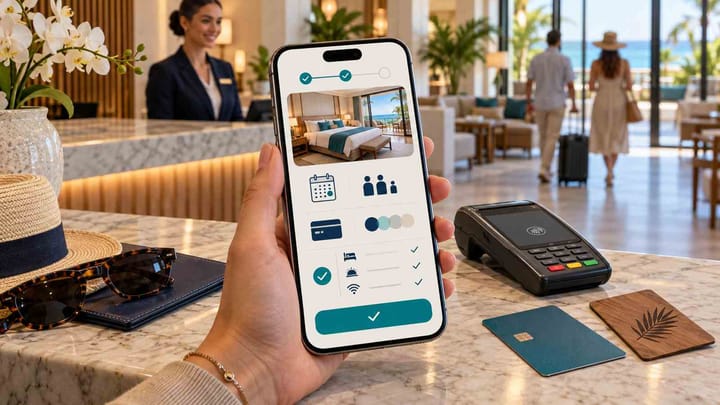
1. International conversion depends on a complete journey: understandable room content, clear prices, familiar payment options, and a checkout that works on a phone.
2. A language selector is not enough if policies, errors, taxes, payment screens, or confirmation messages return to another language.
3. Local payments should connect to the reservation so staff can see whether the guest paid, failed, cancelled, or needs follow-up.
4. Test the booking engine from search to confirmation using the devices, languages, currencies, and payment methods of your target markets.
A hotel booking engine can accept direct reservations from anywhere, but international guests face more uncertainty than local bookers. They may be comparing prices in another currency, reading cancellation terms in a second language, using an unfamiliar card, and completing the reservation on a phone while traveling.
The hotel therefore needs more than a translated booking button. The entire path from room search to confirmation must remain understandable, trustworthy, and connected to the property's operations. Use the following checks to assess whether a booking engine is ready for international demand.
Keep the Guest's Language Across the Whole Journey
Test every stage in the selected language: date search, room names, occupancy options, rate-plan conditions, taxes, payment instructions, validation errors, confirmation, and modification guidance. A language menu on the first screen adds little value if checkout or policies fall back to English.
Decide who maintains translations. Room descriptions and policies change, so the hotel needs a clear way to update every active language without leaving old terms online. Machine translation can help with drafts, but cancellation rules, payment conditions, accessibility details, and legal notices deserve human review.
Also test names, addresses, phone formats, and special characters. The form should accept an international guest's real details rather than forcing a local format that blocks checkout.
Present Rooms and Rate Plans Without Local Assumptions
International guests may not understand local bed names, meal terms, tax treatment, or whether a child is included in occupancy. Each room should show sleeping arrangements, maximum guests, key amenities, and any important access limitations in plain language.
Rate plans need the same clarity. Explain whether breakfast is included, when payment is due, what can be refunded, and which dates or guests the rule covers. Avoid abbreviations that make sense to revenue staff but not to travelers.
A flexible room is not necessarily a flexible rate. Keeping physical room details separate from price and cancellation choices helps guests select correctly and helps the PMS store the right booking.
Show the Final Price and Currency Early
Guests lose confidence when a total changes at the last step. The engine should identify the selling currency and explain mandatory taxes, service charges, deposits, and pay-at-property amounts before payment details are entered.
If the interface displays a converted reference amount, state which currency will actually be charged. Exchange-rate movement and card conversion fees should not be presented as hotel-controlled guarantees.
Run the same search for one adult, two adults, and a family. Confirm that occupancy, add-ons, taxes, and the final total remain consistent from room selection through confirmation.
Offer Payment Methods Guests Can Complete
Card logos alone do not prove that international checkout will work. Compare supported card networks, local payment options, authentication, deposits, full payment, pay-later rules, failed-payment recovery, refunds, and the countries where each method is available.
Smart Order's hotel booking engine supports secure online payments, major cards, and local payment options. The important operational benefit is the connection: a completed direct booking enters the PMS with its reservation and payment status rather than leaving staff to match a separate transaction manually.
The hotel should still decide which payment methods fit each market and policy. Too many choices can clutter mobile checkout, while too few can cause an otherwise interested guest to abandon the reservation.
When direct availability, the reservation record, and payment status move through one workflow, staff can follow up on genuine failures without asking every international guest to start again.
Give International Guests a Connected Direct Booking Path
Accept direct reservations through Smart Order with live PMS availability, clear booking details, and integrated online payment options.
Make Mobile Checkout the Primary Test
Many international guests research and book on a phone. Test the booking engine on a normal mobile screen, not only on a desktop demonstration. Buttons should be easy to tap, room comparisons readable, price details expandable, and forms short enough to finish without repeated scrolling.
Changing dates, guest count, room, language, or currency should not erase information already entered. The payment screen should remain inside a recognizable, secure flow, and the guest should know when the booking is complete.
Test on a slower connection as well. Large images, unnecessary animations, and repeated page loads can make an attractive engine unusable for travelers on mobile data.
Keep Availability and Rates Connected to the PMS
An international-friendly checkout is dangerous if it sells a room that is no longer available. The booking engine should read current inventory and prices from the hotel's operating system, then place confirmed direct reservations into that same calendar.
Smart Order synchronizes direct-booking availability, rates, and reservations with its PMS in real time. When a guest completes a booking, the reservation appears in the operating system and availability can be updated through the connected distribution workflow.
Use a hotel channel manager to keep supported OTA availability aligned with the PMS. Confirm which system controls rates, restrictions, room mapping, and inventory so staff do not maintain competing values in several places.
Send a Confirmation the Guest Can Act On
The confirmation page and message should repeat the property name, stay dates, room, guest count, price, currency, payment status, cancellation conditions, and contact method. An international guest also needs the property's address, check-in window, and any next action explained clearly.
Do not label a reservation “confirmed” if payment still requires action unless the distinction is obvious. If authentication fails or a deposit remains due, tell the guest what happened and provide a safe recovery route.
The front desk must see the same status. A polished guest email does not help when the PMS shows an unpaid booking with no explanation.
Localize Policies, Trust Signals, and Support
Trust is built through specific information. Display secure-payment cues, property contact details, cancellation terms, and privacy information where guests make the decision. Avoid badges or claims that are not tied to a verifiable checkout process.
Explain when support is available and in which languages. If the hotel cannot offer round-the-clock multilingual help, set an honest response expectation and provide a clear route for urgent arrival issues.
The best international experience is not the longest page. It is the one that removes uncertainty at the moment the guest needs an answer.
Connect Payments to Hotel Reconciliation
International transactions can involve authentication failures, currency differences, partial deposits, refunds, and processing charges. The reservation record should show what the hotel expected, what was collected, what remains due, and what was returned.
An integrated hotel payment solution reduces the need to match gateway records with bookings by guest name or approximate amount. Finance still needs settlement reports, but the operational team can see payment status beside the reservation before arrival.
Ask how refunds, chargebacks, failed authentication, and cancelled reservations appear. A successful checkout flow is only half the payment lifecycle.
Run an International Booking Test Before Launch
Choose two or three important source markets and complete the entire journey as a guest. Use a real phone, the relevant language, an international address and number, a representative room and rate plan, and each payment method you intend to promote.
Then check the hotel side. Confirm the reservation appears once, the correct room and rate plan are recorded, availability changes, payment status is clear, and the confirmation matches the booking. Cancel one test and process a refund or release where appropriate.
Repeat the test after changing room content, taxes, payment settings, or the website theme. International checkout is a workflow to monitor, not a one-time design task.
Frequently Asked Questions
What does a hotel booking engine do?
It lets guests search live availability, select a room and rate plan, enter their details, make any required payment, and receive a direct reservation confirmation through the hotel's website or owned booking page.
Does a multilingual website guarantee multilingual checkout?
No. Hotels must test the booking engine, policy text, validation errors, payment screen, and confirmation in every supported language. The website and checkout may use separate translation settings.
Which local payment methods should a hotel offer?
Prioritize methods guests in the hotel's main source markets recognize and can complete. Availability depends on the payment provider, property country, guest country, currency, and account setup, so test each method before advertising it.
Should hotels display several currencies?
Reference currencies can help comparison, but the charged currency and final amount must be clear. Hotels should not imply that a reference conversion protects the guest from card or exchange-rate differences.
How should a hotel test mobile checkout?
Complete searches, room changes, policy review, guest forms, payment, and confirmation on common phone sizes and a slower connection. Then verify that the PMS received the correct reservation and payment status.
