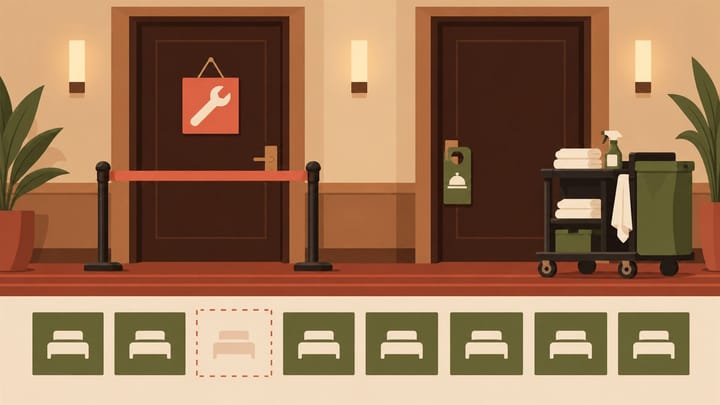
1. Out of order commonly removes a room from available inventory; out of service can leave it in the inventory count.
2. Assignment and reporting behavior depend on the PMS configuration, not only the abbreviation.
3. A clean room is not automatically repaired, and a repair completion is not automatically permission to resell it.
Should a leaking bathroom and a short maintenance visit use the same room status? The answer matters beyond housekeeping: the choice can change available room counts, arrival assignments, and reported occupancy.
Hotel front desk software should make that decision visible to reception, maintenance, and management. Use out of order (OOO) and out of service (OOS) according to their configured effects, not a rule that one always means “major repair” and the other always means “minor repair.”
What OOO and OOS Mean in Hotel Front Desk Software
In a common PMS convention, an out-of-order room is withdrawn from available inventory and cannot be assigned to a reservation. An out-of-service room remains in the inventory count even though it has an operational hold or service issue.
OOS is therefore not a reliable synonym for “the system has stopped selling this room.” Depending on the PMS and its settings, it may still permit reservation or assignment. Some systems use configurable room-hold names instead of this exact pair.
Confirm three effects in your Property Management System (PMS): does the status reduce inventory, prevent assignment, and alter the available-room count used in reports? These are separate controls. Verify them with a safe training example or administrator review rather than experimenting on an occupied room.
Cleanliness Answers a Different Question
Clean or inspected describes housekeeping readiness. It does not prove a fault has been fixed. A clean room with an unsafe electrical fitting must stay protected, regardless of which status the hotel uses.
Likewise, maintenance finishing a repair does not establish that the room is clean, vacant, inspected, or free of another guest's belongings. Keep the maintenance hold and the housekeeping release separate until both are resolved.
If a hold exists only in a paper maintenance book, reception may still assign the room shown as ready. In Smart Order's front desk room calendar, review the room's stay commitments and recorded status together before releasing it. Use the property's authorized blocking procedure to reflect the physical room condition; do not rely on a color change whose inventory effect nobody has checked.
Keep Maintenance Decisions Visible at the Front Desk
Review room commitments and status in the hotel workflow so reception can check the hold before promising a room to the next arrival.
Why One Status Can Change the Occupancy Percentage
Consider a hypothetical 20-room property with 17 rooms occupied and three rooms withdrawn for repairs. Assume its reporting setup removes all three OOO rooms from the available-room denominator. Reported occupancy is 17 divided by 17, or 100%.
If those three rooms remain in the reporting inventory under an OOS setup, the same 17 occupied rooms give 17 divided by 20, or 85%. Neither calculation creates another guest or repairs a room. The difference comes from the room count used by the report.
This is an illustration of two configured treatments, not a claim that every PMS calculates them identically. Establish what your report includes before comparing periods or properties.
Keep physical room stock, operationally sellable rooms, and the report's available-room denominator distinguishable. If an owner wants a view against all 20 physical rooms, provide that context rather than changing maintenance labels to improve a headline percentage.
Revenue per available room can also change when the available-room denominator changes. Check the relevant report definition through hotel reporting and analysis and keep withdrawn rooms explainable. Do not assume every revenue measure changes merely because an OOO or OOS label was selected.
Place a Hold That Protects the Actual Room Nights
Choose the control needed by the physical condition. If the room cannot safely be occupied, use a procedure that prevents assignment and protects the sellable inventory as required. A status that merely flags the room is insufficient.
- Confirm the physical room, fault, safety implications, and whether a guest currently occupies it or is assigned to arrive.
- Set the approved hold with its reason and affected dates. Review when it starts and when the room is expected to return.
- Check existing reservations across the whole period. Arrange any required reassignment or guest assistance without deleting the original stay or payment history.
- Verify the resulting room-type count and assignment restriction. Do not make a second inventory reduction if the hold already deducted the room.
- Assign the repair and review deadline. Keep the expected return date provisional until the responsible employee confirms readiness.
A three-day repair needs protection for the affected nights, not just today's arrivals. Equally, an expected completion time should not silently reopen an unresolved fault. Know whether the system returns a room automatically when the hold expires.
Check the Channel Count Separately
An online travel agency usually sells a room type, not physical room 204. A hold on that room may need to reduce the relevant room-type availability distributed to channels.
Review the resulting quantity through the hotel channel manager and inspect the affected channel dates. Do not assume an internal OOS label sends a stop-sell or inventory deduction. Do not close every room of that category if only one physical room must be withdrawn.
For example, if one of five otherwise sellable rooms is removed, the intended count may become four. If the PMS already made that deduction, manually reducing it again would leave only three for sale without a second physical fault.
Return the Room Only After Repair and Release Checks
Require the responsible employee to verify the repair, then complete any cleaning and inspection needed. Check the actual room, not only a completed work-order message.
Review the saved hold and dates before removing it. Confirm that reception can assign the room when intended and that the room-type count returns correctly. Preserve any unrelated closure, future maintenance period, or existing reservation.
If the repair is unfinished at the expected release time, extend the protection and review affected arrivals. If repairs finish early, obtain approval for the earlier return rather than waiting for a stale hold to expire. Record the actual return-to-service decision and who approved it.
At handover, staff should be able to answer: which room is held, why, for which nights, whether inventory was deducted, and who may release it. That small operating record is more useful than memorizing two abbreviations while leaving their effects untested.