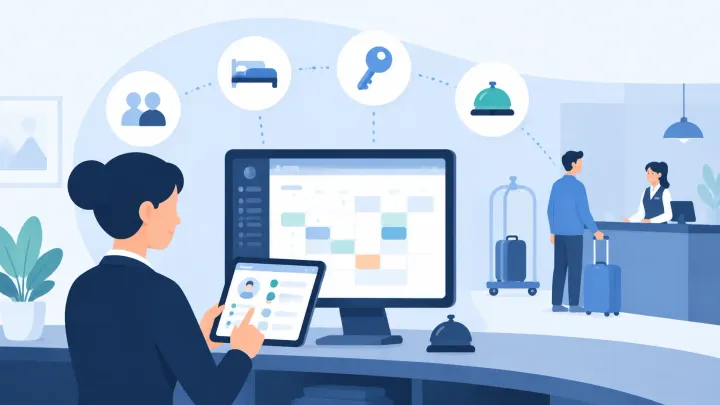
1. Front desk staff interact with the hotel PMS app during every shift — check-in, payments, room changes, guest lookup, and notes are the five operations that consume the most time
2. PMS vendor demos show best-case flows; what matters for front desk teams is how the system performs under real conditions: a three-guest queue, a payment dispute at checkout, a mid-stay room move
3. A hotel PMS app that adds steps to common tasks does not save time — it transfers the cost of a poor interface directly onto your front desk team and your guests
4. Mobile quality matters: a responsive browser wrapper is not the same as a real app designed for tablet or phone use at the front desk
What Front Desk Staff Actually Use the PMS App For
Hotel owners and managers evaluate PMS platforms. Front desk staff use them every shift. That gap matters, because the features that look impressive in a vendor demo are not always the features that determine whether a check-in takes two minutes or seven.
A front desk agent's interaction with the hotel PMS app typically concentrates around five tasks: processing check-ins from the arrival list, collecting payment and managing folios, reassigning rooms when guests request changes or maintenance issues arise, looking up returning guests before they reach the desk, and logging notes that the next shift will actually see.
The interface decisions a PMS vendor makes about these five tasks determine whether front desk staff move efficiently through peak arrival windows or spend significant time navigating around the system's limitations. This guide covers what separates a fast front desk experience from a slow one — by task, in the order it matters on shift.
Check-In Speed
Check-in is the highest-frequency task at the front desk. On a busy arrival day, a single agent may process 20 to 40 check-ins across a shift. The cumulative time impact of a slow check-in flow — even if each individual check-in only takes two extra minutes — is significant across a full shift and across a whole team.
A fast check-in flow in a hotel PMS app starts with a pre-sorted arrival list that shows each day's expected arrivals without requiring any search. From that list, selecting a reservation should open a single view that shows room assignment, rate, guest details, any pre-existing notes, and outstanding balance. The agent should be able to confirm the room, collect payment, and issue the key — or complete the equivalent digital confirmation — without navigating to a second screen.
Slow check-in flows share recognizable patterns: mandatory fields that have to be filled even when information is already captured, room assignment that requires a separate screen or manual calendar lookup, payment processing that opens a third-party window and then returns without confirming the result, and systems that refresh the full page on every action rather than updating the relevant section.
See the Front Desk Flow in Action
Smart Order's front desk module shows today's arrivals, room assignments, and folios in one view — no screen switching during check-in.
Payment Collection and Folio Management
Collecting payment and managing the guest folio touches almost every check-in and every checkout. When it works correctly, it is invisible. When it fails, it stops the interaction entirely while the agent works around the problem.
The most common folio friction points in hotel PMS apps are: card capture that requires a separate terminal interaction not integrated with the PMS record, charge disputes at checkout that require manager access to reverse, and split billing scenarios where two guests want to divide room charges differently than the original reservation specified.
A hotel PMS app built for front desk efficiency handles card capture within the same view as the reservation — the payment is attached to the folio without a separate login or window. Charge adjustments and basic refunds should be executable by a front desk agent within defined role permissions, without requiring a manager override for routine corrections. Split billing should be a standard folio function, not an exception that requires a workaround.
Ask during any PMS demo: show me how a checkout works when the guest disputes one night's charge and wants to pay the balance on a different card. That scenario reveals more about the payments module than any feature checklist.
Room Changes and Mid-Stay Reassignments
Room changes happen for several reasons: guest preference after seeing the room, maintenance issues that appear during a stay, an arriving guest's earlier request for an upgrade, or an overbooking resolution that requires moving a guest between room types.
In each case, the front desk agent needs to reassign the reservation to a different room without losing folio history, without requiring a cancellation and rebooking, and without creating a gap in the availability calendar that misrepresents the room as vacant for the dates already charged.
A hotel PMS app that handles room changes correctly allows the front desk to move a reservation from one room to another directly from the calendar or reservation view — preserving the folio, the guest record, and the rate plan. The original room returns to the available inventory correctly dated from the point of the move, not from the original check-in date.
A common broken flow in weaker hotel PMS apps requires agents to cancel the original reservation, create a new one in the new room, and manually transfer any charges. That process takes eight to fifteen minutes, creates risk of double-charging or folio loss, and leaves the agent unable to answer the guest's questions during the process.
Guest Lookup and Profile Notes
Returning guest recognition is one of the highest-value things a front desk agent can offer — and it requires the PMS app to surface the guest's profile and history before the guest reaches the desk, not after.
A front desk agent who can see, in the arrival list view, that the guest checking in this afternoon has stayed four times, prefers a high floor, and had a noise complaint on a previous stay can prepare accordingly. That information changes how the room is selected, how the agent opens the conversation, and whether a small proactive gesture — a room note, a preference already met — creates a different impression than a generic check-in.
Guest lookup speed matters outside of check-in too. When a guest calls the front desk mid-stay to request a late checkout or report an issue, the agent should be able to retrieve the guest's reservation from a name search in under ten seconds. A hotel PMS app that requires reservation number or exact date for lookup creates a routine friction point that compounds across every shift.
Notes are only useful if they are visible. A guest preference note buried three screens deep in the profile record will not be read before check-in. Notes that appear directly in the check-in flow — attached to the arrival card — are the notes that actually get used.
Mobile App Quality for Front Desk Use
Many hotel PMS platforms describe their offering as mobile-friendly. The gap between a mobile-responsive browser experience and a purpose-built hotel PMS app designed for front desk tablet or phone use is significant in practice.
A browser-based mobile PMS requires the agent to be connected at all times. Actions may trigger full-page reloads that break the interaction mid-task on a slow connection. The tap targets and layout designed for a desktop browser often require pinching and zooming on a tablet.
A real hotel PMS app built for mobile maintains its core functionality — reservation lookup, check-in, room status updates, folio viewing — on a stable mobile interface that does not degrade on a tablet mounted at the front desk. Shift handoff notes, outstanding tasks, and today's departure list should be readable at a glance without navigating through menus designed for a full-screen desktop session.
Ask any vendor to demonstrate the PMS on a phone or tablet before committing. Specifically ask: can an agent process a full check-in from a tablet without switching to a desktop browser at any point in the flow?
Hotel PMS App for Front Desk FAQs
What should a hotel PMS app include for front desk teams?
A hotel PMS app for front desk use should cover: a pre-sorted arrival list with one-click check-in, folio management and card capture in the same view as the reservation, room change and reassignment without rebooking, guest profile lookup by name within ten seconds, and visible notes attached to the check-in flow. Mobile access should be a native experience, not a browser wrapper.
How does a hotel PMS app affect check-in speed?
Check-in speed depends on how many screens and steps the PMS requires to complete the process. A hotel PMS app that shows arrival list, room assignment, guest notes, and payment in one view allows agents to complete a check-in in two to three minutes. Systems that require screen switching, manual room lookups, and separate payment windows add four to eight minutes per check-in — across a busy arrival day, that difference is hours of cumulative front desk time.
Can hotel PMS apps handle room changes without rebooking?
A well-built hotel PMS app allows mid-stay room reassignment directly from the reservation or calendar view, preserving folio history and rate plan without a cancellation and rebooking. Some systems — particularly older or lower-tier platforms — require agents to cancel the original reservation and create a new one to change rooms, which risks folio loss and takes significantly longer.
What is the difference between a mobile hotel PMS app and a mobile-responsive PMS?
A mobile hotel PMS app is built for phone or tablet use — stable, fast, with touch-appropriate interface elements and core functionality maintained on a small screen. A mobile-responsive PMS is a desktop browser product that adapts its layout to mobile screen sizes. The responsive version often requires full-page reloads, has small tap targets, and degrades on slow hotel network connections in ways a purpose-built app does not.
How important are guest notes in a hotel PMS app?
Guest notes are valuable only when they are visible at the moment they matter — during check-in. Notes buried in a profile sub-screen that agents must navigate to deliberately are rarely consulted during a busy arrival window. A hotel PMS app that surfaces preference notes and stay history directly in the check-in flow gives front desk staff the context they need to act on it before the guest reaches the desk.
Start With a Free Front Desk Account
Smart Order's free plan includes full Front Desk access, Mobile App, and Customer Management — no credit card, no time limit.
