1. A hotel PMS app for owners serves a different purpose than the front desk version — it is about visibility and control, not task execution
2. The five data categories an owner needs access to from anywhere: revenue performance, occupancy trends, channel mix, cashflow, and staff permission controls
3. Remote access to these reports is not a premium feature — it is the baseline expectation for any cloud PMS in 2026
4. The quality question is not whether reports exist but whether they surface the right numbers without requiring a manual export or a call to the property manager
The Owner's Use Case Is Different from the Front Desk's
A hotel owner who checks the PMS while traveling is not trying to process a check-in or reassign a room. They are trying to answer five questions: how much revenue did the property generate, what does occupancy look like against the forecast, which channels are producing bookings, is cashflow on track this month, and are staff accounts set up with the right level of access.
Those five questions require different screens than the ones a front desk agent uses. Many hotel PMS apps are built primarily for operational staff — the owner's reporting needs are added later, as a reporting module or a separate management dashboard. The result is that owners often get basic occupancy summaries when what they need is channel-level revenue and daily cashflow.
This guide covers each of the five owner-relevant data categories: what you should be able to see, what you should be able to control, and what it means when the PMS app cannot provide it without a manual process.
Revenue Performance
Revenue visibility is the most basic requirement for an owner using a hotel PMS app remotely. The minimum useful view is not just total room revenue for the month — it is revenue broken down by room type, by booking source, and compared against the same period last year.
An owner monitoring two or three properties needs to see each property's revenue separately, with a consolidated view available when evaluating overall portfolio performance. A PMS that requires logging into each property account individually to pull revenue numbers creates an unnecessary delay for anyone managing more than one location.
The revenue view should update in real time, not on a 24-hour report cycle. An owner who wants to know tonight's expected revenue from confirmed reservations should be able to see that number without waiting for an overnight report run.
What to check: can you see today's confirmed revenue, this month's total versus last month, and a breakdown by room type — all from the mobile app without exporting anything?
Revenue Visibility From Any Device
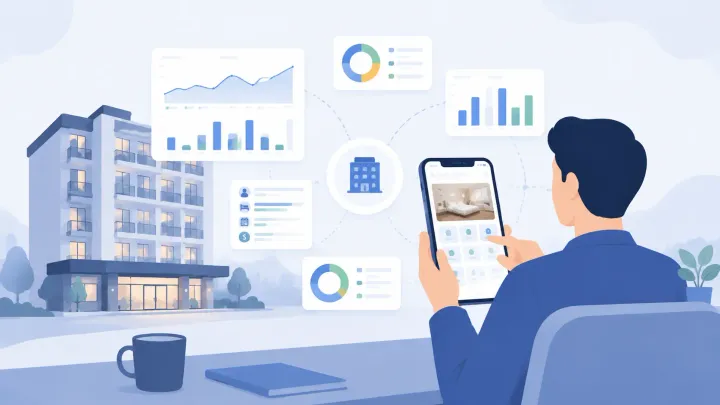
Smart Order's owner dashboard shows real-time revenue, occupancy, and channel performance — accessible from mobile without logging into a desktop system.
Occupancy Trends
Occupancy data becomes useful when it shows trends, not just today's number. An owner needs to see current occupancy against the prior month, the same period last year, and the forward-looking pickup trend for the next 30 and 60 days.
The pickup view matters most for pricing decisions. A hotel with 40 percent occupancy 30 days from now and a strong pickup trend has a different rate strategy available to it than one with the same occupancy and a flat or declining pickup curve. Without this data accessible remotely, owners cannot respond to demand signals between property visits.
Occupancy by room type adds another layer. Knowing that double rooms are running at 90 percent while suites are at 40 percent is actionable — it informs pricing, OTA rate plan adjustments, and direct sales focus. A PMS app that shows only aggregate occupancy flattens that signal into a number that does not tell you where to act.
What to check: can you see 30-day forward occupancy broken down by room type, with a pickup trend visible for the current period — from the PMS mobile app, without exporting to a spreadsheet?
Channel Mix
Channel mix reporting shows where bookings are coming from — which OTAs, what share of direct bookings, and how the mix is shifting month to month. For an owner, this is the data that informs channel strategy, OTA commission exposure, and whether direct booking investment is producing results.
An owner who can see that 74 percent of bookings in June came through Booking.com, 15 percent through Agoda, and 11 percent direct has a different conversation with their revenue manager than one who only knows total bookings. The commission cost embedded in that 74 percent Booking.com share is a real line item — knowing it allows the owner to model the impact of shifting even 10 percent of that to direct.
Channel mix data is frequently missing from base-tier PMS reporting. It is often placed in a higher-tier plan or listed as a "channel performance" add-on. Confirm whether channel-level booking breakdown is available at your intended plan tier — and whether it is accessible from the mobile app or only from the desktop admin panel.
Cashflow Visibility
Cashflow visibility from the PMS covers two related needs: what has been collected versus what is outstanding, and how the current week's deposits and payments line up against upcoming expenses.
The first need — collected versus outstanding — requires the PMS to clearly distinguish between reservations with payment collected, reservations with card on file but not yet charged, and reservations with no payment captured. An owner reviewing cashflow should be able to see the total of confirmed, collected revenue for the current period without including reservations that may cancel or cards that may decline.
The second need — payment timing — is less commonly available in basic PMS reporting. Knowing that 18 reservations have arrival dates in the next seven days and a combined outstanding balance of $4,200 gives the owner a forward cashflow figure that matters for operational planning.
What to check: does the PMS distinguish between collected revenue and authorized-but-not-charged revenue in its cashflow reporting? Can you see upcoming arrival payments without running a manual reservation export?
Staff Permissions and Account Controls
Staff permission controls are an owner-level responsibility that most hotel management literature underweights. The PMS contains guest payment data, full booking history, rate plan structures, and reporting data — not every staff role needs access to all of it, and not every role that has that access should have it by default.
An owner who can review and adjust staff account permissions from the PMS app remotely can respond quickly when a team member's role changes: limiting a new hire's access during a probationary period, revoking access immediately when someone leaves, or ensuring that housekeeping accounts cannot view payment data or export guest contact lists.
The practical test is not whether role-based access control exists — most PMS platforms support it in principle. It is whether the permission configuration is accessible to the owner without requiring an on-site IT session or a support ticket. If changing a staff account's permissions requires logging into a desktop admin panel that only the property manager has access to, the owner's control is theoretical.
What to check: can you create, modify, and deactivate staff accounts — with role-specific permission settings — directly from the PMS owner dashboard or mobile app?
What It Means When the Reports Are Not There
A hotel PMS app that requires the owner to call the property, log into a desktop system remotely, or wait for a manual report email is not giving the owner visibility — it is gatekeeping information through operational friction.
This friction compounds for owners who manage multiple properties or who spend significant time away from their properties. The value of a cloud PMS for owners is precisely that the data is accessible without physical presence. When that access is incomplete — revenue available but channel mix is not, occupancy visible but cashflow is not — the PMS app is partially meeting the owner's need and partially recreating the dependence on-premise software created.
When evaluating any hotel PMS app, ask the vendor to show all five data categories — revenue, occupancy, channel mix, cashflow, and staff permissions — in the mobile interface. Do not accept a demo that shows them on a desktop and describes the mobile view. The mobile experience is the product for an owner who is not at the property.
Hotel PMS App for Owners FAQs
What reports should a hotel PMS app show owners remotely?
An owner using a hotel PMS app remotely needs: real-time revenue by room type and booking source, forward occupancy with pickup trend, channel mix breakdown, collected versus outstanding payment summary, and staff account and permission management. These five data categories cover the monitoring and control functions an owner needs without being physically present.
How is a hotel PMS app for owners different from the front desk version?
The front desk version of a hotel PMS app is built for task execution — check-in, room changes, payment collection. The owner version is built for visibility and control — revenue monitoring, occupancy trends, cashflow, and staff permissions. Most PMS platforms serve both use cases through role-based access, but the quality of the owner-facing reporting varies significantly across platforms.
Can a hotel PMS app show channel mix and OTA commission exposure?
Channel mix reporting — bookings broken down by OTA source and direct share — is available in mid-tier and above plans on most PMS platforms. It is frequently absent from base plans. OTA commission exposure (the total commission cost implied by your channel mix) is usually a calculation you make from the channel mix data, not a native PMS report. Confirm whether channel-level reporting is included at your intended tier before signing.
What staff permission controls should a hotel PMS give owners?
Owners should be able to create and deactivate staff accounts, assign role-based permissions that limit which data each role can view or export, and adjust those permissions remotely without requiring on-site access or a support ticket. Critical permissions to control include: payment data visibility, guest contact list export, and rate plan modification access.
Is real-time revenue reporting standard in hotel PMS apps?
Real-time revenue reporting — showing confirmed booking revenue as it arrives rather than on a daily or weekly report cycle — is standard in cloud PMS platforms. What varies is the depth: aggregate revenue is almost always available in real time, while channel-level breakdowns, room-type splits, and forward pickup trends are more commonly found in higher plan tiers or as reporting add-ons.
Owner Access Included on Every Plan
Smart Order gives owners real-time revenue, occupancy, and channel reporting from mobile — with full staff permission controls and no management-tier paywall.
