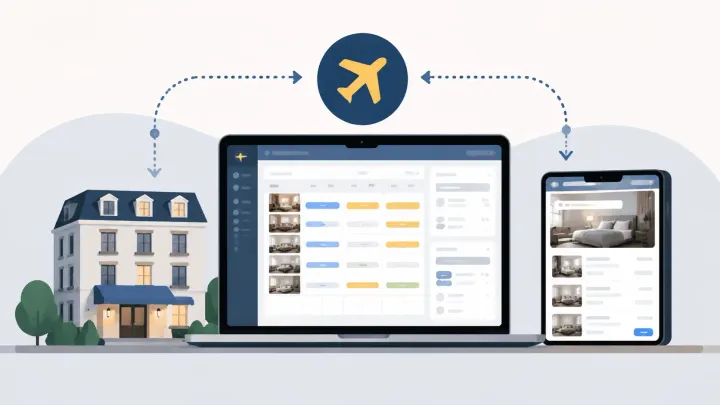
1. A hotel PMS Expedia integration normally exchanges rates, availability, restrictions, reservations, modifications, and cancellations through a connectivity provider.
2. Expedia room types and rate plans must map to the correct PMS products before live inventory is sent.
3. Independent hotels should test guest-facing prices, occupancy rules, Expedia Collect and Hotel Collect records, last-room availability, and failure alerts before launch.
A hotel PMS Expedia integration lets an independent hotel manage Expedia inventory and reservations from its Property Management System (PMS) or connected channel manager instead of repeating daily updates in Expedia Partner Central.
The connection is only safe when the commercial products match. “Standard Double” in Expedia must point to the intended PMS room type. Each refundable, non-refundable, package, or occupancy-based offer must connect to the correct rate plan. A technically active connection with bad mapping can distribute the wrong price or remove inventory from the wrong room.
This guide focuses on setup and operations. It does not repeat how to log in to Partner Central or how Expedia ranking works.
What the PMS and Expedia Need to Exchange
Expedia Partner Central remains the main Expedia interface for lodging partners. Expedia’s Connectivity Hub describes it as the place where properties manage reservations, availability, inventory, rates, reports, and payments.
When a connectivity provider is enabled, the PMS or channel manager becomes the operating source for supported fields. The normal flow covers rates and availability moving to Expedia, while new reservations, modifications, and cancellations return to the hotel system.
Restrictions may include closed dates, minimum stays, maximum stays, and arrival or departure controls, depending on the provider and Expedia connection. Content such as descriptions, amenities, photos, policies, and some promotions may remain managed in Partner Central.
Ask the PMS provider for a field-level scope. Staff should know which system owns every field. Editing the same base rate or availability in both places without a documented override process creates conflicts.
Prepare Partner Central Before Connecting
Complete the Expedia property setup before activating the data connection. Room types, rate plans, occupancy, cancellation policies, taxes, fees, and payment models need to exist in Partner Central so there is something valid to map.
Check user permissions. The person enabling the provider needs access to the property’s connectivity settings. Some accounts or managed properties may require Expedia or the existing distribution provider to enable or change connectivity.
Review the pricing model with the PMS provider. Expedia supports occupancy-based pricing, and missing occupancy values can lead to an unintended higher-occupancy price being used. Confirm whether the PMS sends a price per room, occupancy-level prices, or derived rates.
Also identify Expedia Collect and Hotel Collect flows used by the property. The reservation and payment information staff receive can differ, so the PMS setup should preserve the correct payment type and instructions.
Select the Connectivity Provider
In Partner Central, the hotel typically opens the Expedia Connectivity Settings area and selects its approved PMS, channel manager, or connectivity provider. The available labels and steps can vary by account and provider.
Enable the connection types required for operations. These commonly include availability and rates plus booking retrieval. Activating only one creates a partial workflow: the hotel might receive reservations without distributing fresh inventory, or push availability without receiving booking details automatically.
Do not disconnect the current provider until the replacement provider and Expedia agree on the cutover sequence. Two systems sending inventory creates conflicting updates, while a gap between providers leaves the hotel dependent on manual work.
Record the activation time, provider name, property ID, enabled connection types, and support contacts. That information shortens troubleshooting when a change is rejected.
When a reservation reaches the PMS, the room count should fall and the new availability should return to Expedia and every other connected sales channel. A hotel channel manager keeps that loop in one inventory workflow rather than relying on staff to update Partner Central after each booking.
Connect Expedia to the PMS Booking Loop
Smart Order brings Expedia reservations, hotel inventory, and rate updates into the same PMS workflow so staff can manage availability from one operational source.
Map Every Room Type and Rate Plan
Mapping connects Expedia product IDs with PMS product IDs. Names can differ, but the room and commercial terms must represent the same offer.
Start with room types. Compare occupancy, bed configuration, physical inventory pool, and whether Expedia sells a category or a specific unit. Do not map two unrelated PMS rooms to one Expedia room merely because the names look similar.
Then map rate plans. A flexible room-only offer should not point to a non-refundable breakfast rate. Check cancellation policy, meal inclusion, occupancy pricing, currency, taxes, package eligibility, and derived-rate relationships.
Avoid mapping inactive or test plans. Remove old mappings when a rate plan is retired, and repeat the review whenever the hotel adds a room, promotion, occupancy option, or cancellation policy.
Keep a mapping register with the Expedia ID, PMS ID, display name, status, and review date. This becomes the fastest way to diagnose a price arriving under the wrong product.
Load Rates, Availability, and Restrictions
After mapping, send inventory and prices for the hotel’s full booking window. A connection can appear healthy for the next month while future dates remain closed or empty.
Review sellable room counts by room type and date. Check base rates, occupancy supplements, child rules where relevant, minimum stays, closed dates, and arrival or departure restrictions.
Test ordinary weekdays, weekends, peak dates, and distant dates. Expedia Partner Central may show an accepted update before every cached public search page reflects it. Expedia’s official connectivity test guidance notes that some live-site rate displays can take time to refresh, while the checkout result should use the current price.
Do not repeatedly overwrite values while waiting for public cache changes. Confirm the update status in the provider and Partner Central, then test the final booking path.
Test the Reservation Cycle
Create a cancellable booking through an Expedia guest-facing site on a low-risk date. Confirm that the PMS receives the correct property, room type, rate plan, dates, guest count, price, taxes, Expedia confirmation number, payment model, and reservation status.
Availability should decrease once in the PMS and across other connected channels. If the reservation contains more than one room, verify the correct quantity.
Modify the dates or occupancy where the booking allows it. The PMS should update the existing reservation rather than create a duplicate. Then cancel and confirm that the status changes and inventory returns according to the intended replenishment rule.
Repeat with one remaining room. This last-room test exposes mapping and availability failures that an ordinary booking can hide.
Finally, ask the provider to demonstrate a rejected update or disconnected credential. Staff need to see the alert, affected dates, retry status, and escalation route.
Check Expedia Collect and Hotel Collect
Distribution sync and payment operations meet inside the reservation record.
With Expedia Collect, Expedia generally collects from the traveler and the property receives payment according to the configured settlement method. With Hotel Collect, the property is responsible for collecting according to the booking terms. Exact availability and handling vary by market and agreement.
The PMS should clearly identify the model, expected amount, currency, virtual card or payment instructions where supplied, and any balance the guest still owes at the property.
Do not treat the gross guest total as the hotel’s final revenue without considering taxes, fees, commission, discounts, and settlement terms. Front-desk staff need the operational payment instruction; accounting needs the later reconciliation.
Test both models if the property uses both. A correct room mapping does not guarantee that payment routing and revenue fields are understood correctly.
Common Expedia Integration Mistakes
The most common errors come from setup ownership rather than the API itself.
- Only one connection type is enabled: reservations arrive, but rates and availability remain manual, or the reverse.
- Room or rate mapping is wrong: an Expedia product updates the wrong PMS inventory or price.
- Occupancy pricing is incomplete: one-guest, two-guest, child, or extra-person values produce unexpected totals.
- Future inventory is missing: near dates work while later months appear sold out.
- Two providers remain active: old and new systems compete to update Expedia.
- Payment models are misunderstood: Expedia Collect and Hotel Collect bookings receive the same front-desk treatment.
Other problems include closed rate plans, expired credentials, incorrect currency, unsupported restrictions, and staff making routine changes in Partner Central after the PMS becomes the source.
Fix the cause, resend the affected data, and repeat the full guest-facing test. A green connection badge alone is not proof.
Monitor the First 48 Hours
Launch during a quieter selling window rather than immediately before a major event. Take a snapshot of Expedia availability and prices before cutover.
For the first two days, review every new, modified, and cancelled Expedia reservation. Compare the next 30 days of inventory and several representative prices between the PMS, Partner Central, and public checkout.
Watch for rejected updates, unmapped products, reservations not acknowledged, duplicate records, currency differences, and inventory that does not return after cancellation.
After stabilization, keep a daily exception review and a scheduled mapping audit. Review mappings whenever Expedia or the hotel changes room types, rate plans, occupancy rules, promotions, or policies.
FAQ About Hotel PMS Expedia Integration
Do independent hotels need a channel manager for Expedia?
Not always, but it becomes practical when the hotel sells through Expedia plus other OTAs or a direct booking engine. The channel manager distributes shared PMS inventory and reduces separate extranet updates.
What should sync between a PMS and Expedia?
At minimum, hotels usually need rates, availability, supported restrictions, new reservations, modifications, and cancellations. Content, promotions, payment fields, and policies depend on the provider and connection scope.
Why does Expedia show the wrong room price?
Common causes include incorrect rate-plan mapping, incomplete occupancy pricing, currency or tax configuration, a derived-rate error, promotion stacking, or a delay in a cached public display. Verify the final checkout price and trace the mapped product.
Can staff still edit rates in Partner Central after connecting?
Only when the documented workflow supports the specific override. If the PMS is the source for rates, routine Partner Central edits may be overwritten or create inconsistent results.
Treat Connection Status as the Beginning
A hotel PMS Expedia integration is ready when the full booking loop works, not when Partner Central merely lists a provider.
Prepare the Expedia products, enable the necessary connection types, map every room and rate, load the full booking window, and test booking, modification, cancellation, payment handling, and last-room availability.
For an independent hotel, that discipline turns Expedia from a separate extranet workload into a controlled part of the PMS distribution process.
