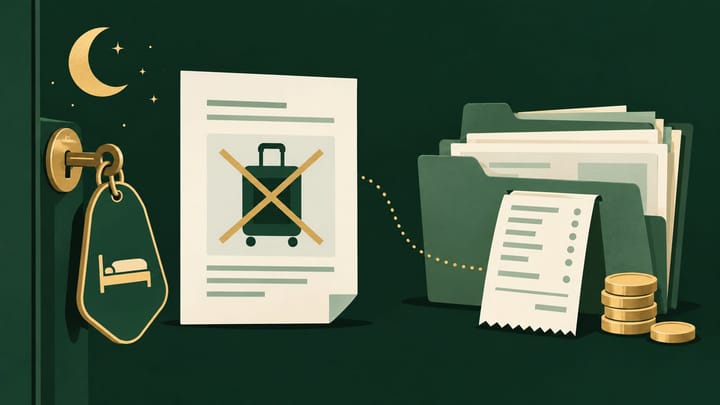
1. Confirm absence before reporting it, including late arrivals and partly occupied multi-room bookings.
2. Identify the Rakuten booking's payment route before deciding who should collect or refund money.
3. Keep the unused stay, retained fee, actual collection, and later channel charges distinct.
Hotel distribution channels can fill the same rooms but leave different payment work when a guest does not arrive. For a Rakuten Travel no-show, the missing guest is only the start: reception must settle the stay status, while finance must establish whether any fee is due and how it will be collected.
Use a reservation-specific review rather than applying another channel's no-show routine. The important result is one defensible record of absence, fee treatment, unused room nights, and money still outstanding.
Identify the Payment Route Before Chasing the Fee
First confirm that the guest truly did not arrive. Check the latest dates, agreed late arrival, reception notes, and any self-check-in evidence. A delayed guest with an accepted arrival arrangement should not lose the room merely because the night shift is closing.
Then open the Rakuten reservation and its original payment instructions. Separate an amount paid to the hotel from an amount collected through Rakuten. A guest's use of a credit card does not identify the route: a card charged online and a card charged at reception are different transactions.
For Japanese domestic bookings, local payment and online-card payment have different cancellation-charge collection paths. Local-payment charges are handled by the property; online-card cancellation charges are handled through Rakuten's process. Use that distinction to inspect the applicable no-show payment instructions, not to assume every Rakuten agreement worldwide uses identical controls.
For an international account or another contracted payment arrangement, use that booking's applicable terms. Record who is responsible for collecting any approved penalty and where the result should appear. Do not copy the payment procedure from a domestic booking into a different arrangement.
Do Not Turn a Pending Settlement Into a Second Guest Charge
Suppose an illustrative booking has a confirmed JPY 12,000 no-show fee. If the applicable record shows that amount already collected through the online payment route, a missing hotel remittance does not authorize another JPY 12,000 charge to the guest.
If the hotel is responsible for collection and no payment succeeded, JPY 12,000 may still be due. A no-show report is not cash received. If a manager approves a full waiver, record that decision instead of leaving the fee as an unexplained unpaid amount.
When front desk and finance work from separate notes, a prepaid fee can be mistaken for a fresh collection task. In Smart Order's reservation workspace, review the Rakuten booking against the hotel's stay and recorded payment information. Retain the confirmed outcome and the follow-up reference so the next employee does not start collection again.
Make the No-Show Record Clear Before Finance Follows Up
Review the channel booking and hotel record together so an unused stay, a retained fee, and an outstanding payment are not treated as the same event.
Record the Absence Without Erasing the Reservation
Use the no-show action supported for the account and reservation. Domestic and international layouts may differ, so work from the specific booking rather than following a menu path intended for another interface.
- Match the Rakuten booking number to the hotel's Property Management System (PMS) record, including property, dates, and affected rooms.
- Confirm absence after checking late-arrival arrangements and the applicable reporting opportunity. Keep guest-contact attempts and their outcome.
- Review the booked no-show terms and obtain approval for any fee waiver or exception. Do not substitute today's cancellation policy.
- Submit the appropriate no-show record and retain its confirmation, time, and resulting fee treatment.
- Compare the resulting channel status with the PMS. Correct a stale hotel record through the authorized workflow while preserving its original reference and history.
For a booking with several rooms, identify which parties arrived. For several nights, resolve whether the guest still has an accepted right to arrive later. Do not turn a partial absence into cancellation of occupied rooms or an agreed remaining stay.
If reporting is unavailable or unsuccessful, escalate the specific booking with the arrival evidence and intended outcome. A note in the PMS alone does not prove Rakuten received the report.
Separate the Unused Nights From the Retained Fee
A guest who never stayed should not create occupied room nights simply because a fee was retained. Use the hotel's accounting policy to record the fee appropriately rather than checking in a fictional guest to make revenue reports look complete.
Check the room commitments for all remaining nights. Where release is authorized, first inspect whether the reservation update already returned availability. Adding another room manually can overstate what the property can sell.
Review the connected count through the hotel channel manager and verify the affected Rakuten offer and dates. Keep valid maintenance blocks, sales closures, and restrictions intact. Yesterday's empty room cannot be recovered by increasing tomorrow's count.
An unsold night and an unpaid fee are different losses. Retaining the fee does not require holding a future room unnecessarily, while releasing a room does not waive a valid penalty by itself. Keep both decisions explicit.
Follow the No-Show Into the Correct Financial Record
For a hotel-collected fee, retain the successful payment or outstanding-balance reference. Do not expect Rakuten to send the same amount as a second payout. For a channel-handled payment, match the confirmed fee or adjustment to the applicable remittance record and actual receipt.
Check the current agreement and billing detail for any charge associated with the no-show or retained penalty. Do not assume that reporting every no-show removes all commission, payment charges, or cancellation-handling fees. A fee waiver can also require a later financial adjustment; the status label alone is not evidence that it has posted.
If points or coupons were involved, inspect their actual cancellation or no-show treatment. Do not convert redeemed points into a cash refund or deduct a coupon twice without a supporting record. Separate a guest-facing reduction from a hotel-funded contribution.
Use hotel reports and channel revenue records to review the hotel-side amounts against the reservation, then check Rakuten's corresponding settlement or invoice line. Do not replace the original booked amount with an unexplained net payment.
When a correction falls in a later period, carry the item forward with the booking number, expected amount, reason, owner, and next review date. Do not post a second fee simply because it appears on a later statement.
The record is complete when absence is confirmed, affected nights are accounted for, and the penalty is either waived, collected, or clearly outstanding. Any later channel adjustment should remain visible until finance can link it to the original booking and the actual money movement.