Smart Order has expanded its Airbnb API integration, bringing more listing, booking, and guest information management capabilities into the PMS.
This update covers listing content and photos, amenities and accessibility information, rates and availability, booking settings, arrival and departure instructions, reservation handling, and Airbnb-specific promotions. These capabilities are now available for API-connected listings, subject to account permissions, synchronization settings, and Airbnb’s applicable requirements.
For property managers, the update brings more Airbnb tasks into their daily PMS workflow, reducing the need to switch between systems and repeat administrative work.
Connect Your Airbnb Account and Manage Listing Synchronization
After authorizing your Airbnb account, Smart Order can identify the connected account and retrieve existing listing information for mapping and management.
You can map PMS room types or rooms to corresponding Airbnb listings and manage synchronization settings to define which supported data is synchronized. Smart Order also retrieves existing booking configurations, with supported changes managed through the relevant PMS features.
For connected listings, you can control listing visibility by listing or unlisting a property from Smart Order. Unlisting does not delete the listing or cancel existing reservations. These capabilities apply to existing Airbnb listings rather than creating new ones.
For step-by-step setup instructions, follow our Airbnb connection guide.
Update Listing Content, Photos, and Amenities
The expanded integration gives property managers more control over how connected properties are presented on Airbnb.
From Smart Order, you can maintain:
- Property details: Supported fields including property type, rental category, floor, year built, and property size.
- Listing descriptions: Titles, descriptions, guest access information, interaction details, and other notes in existing language versions.
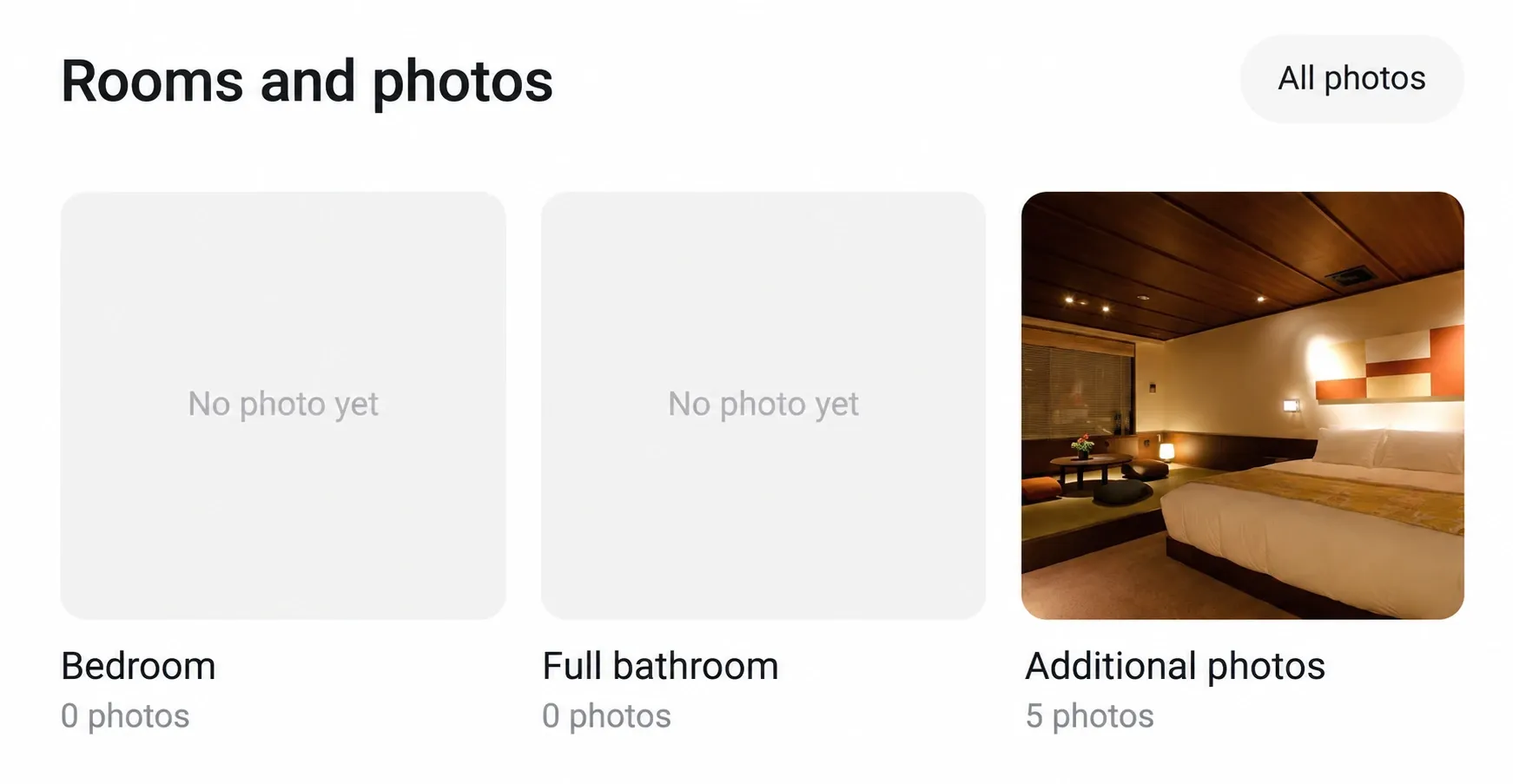
- Photos: Upload images to Airbnb, arrange their order, select a cover photo, edit captions, delete photos, and associate them with applicable spaces.
- Existing spaces: Supported details for bedrooms, bathrooms, living areas, and other spaces, including beds, privacy information, amenities, and photos.
- Amenities: Property-level facilities and their associations with applicable spaces.
These controls help keep listing content organized and give guests a clearer picture of the accommodation before booking.
Property addresses remain read-only, and space management applies to existing spaces. Description editing does not include automatic translation or the creation of additional language versions.
Manage Rates, Availability, and Booking Conditions
Smart Order synchronizes rates and available inventory according to your listing mappings and rate-plan configuration.
Availability checks during the Airbnb booking process complement routine synchronization, helping reduce the risk of inventory discrepancies.
You can also manage supported booking conditions, including:
- Cancellation policies: Maintain short-term and long-term policies separately, using the options available to your Airbnb listing.
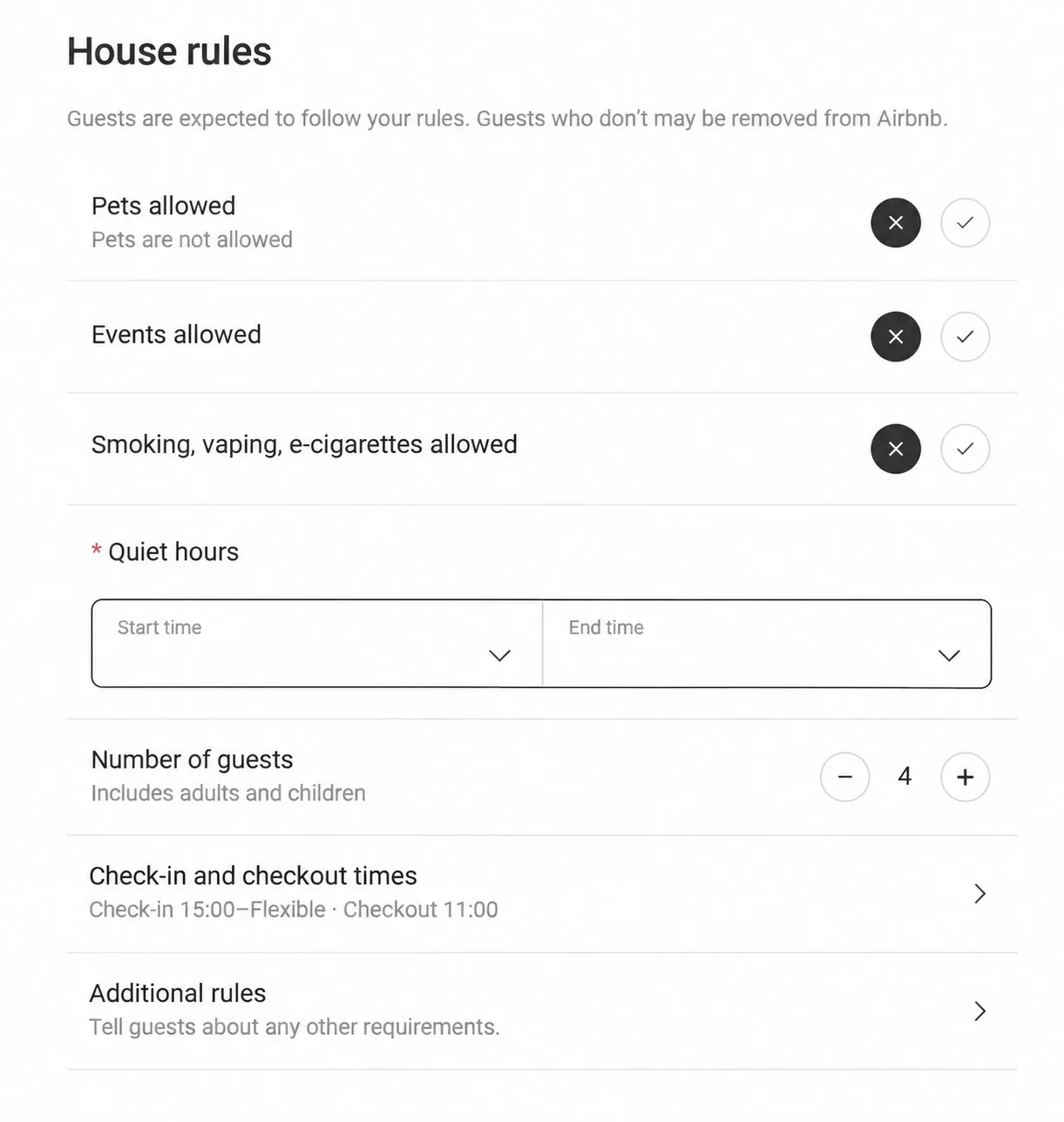
- Check-in and check-out times: Set the check-in window and departure time.
- House rules: Maintain requirements for pets and permitted pet numbers, smoking, and events.
- Quiet hours: Set a period when guests should keep noise to a minimum.
- Instant Book welcome messages: Customize the message for guests booking through Instant Book.
Quiet-hours editing currently supports one period, while multiple periods already configured on Airbnb remain visible. The welcome message is a specific Instant Book feature rather than a general automated messaging system.
Consider Requests Beyond Your Booking Window
The extended booking-window feature allows guests to request dates beyond the configured booking window where Airbnb permits it.
This gives property managers a way to consider further-ahead stays while retaining confirmation control. Dates outside the booking window are available for eligible requests, rather than automatically becoming available for Instant Book.
Provide Clearer Arrival and Departure Information
Smart Order now supports more detailed management of the information guests need before arrival and at check-out.
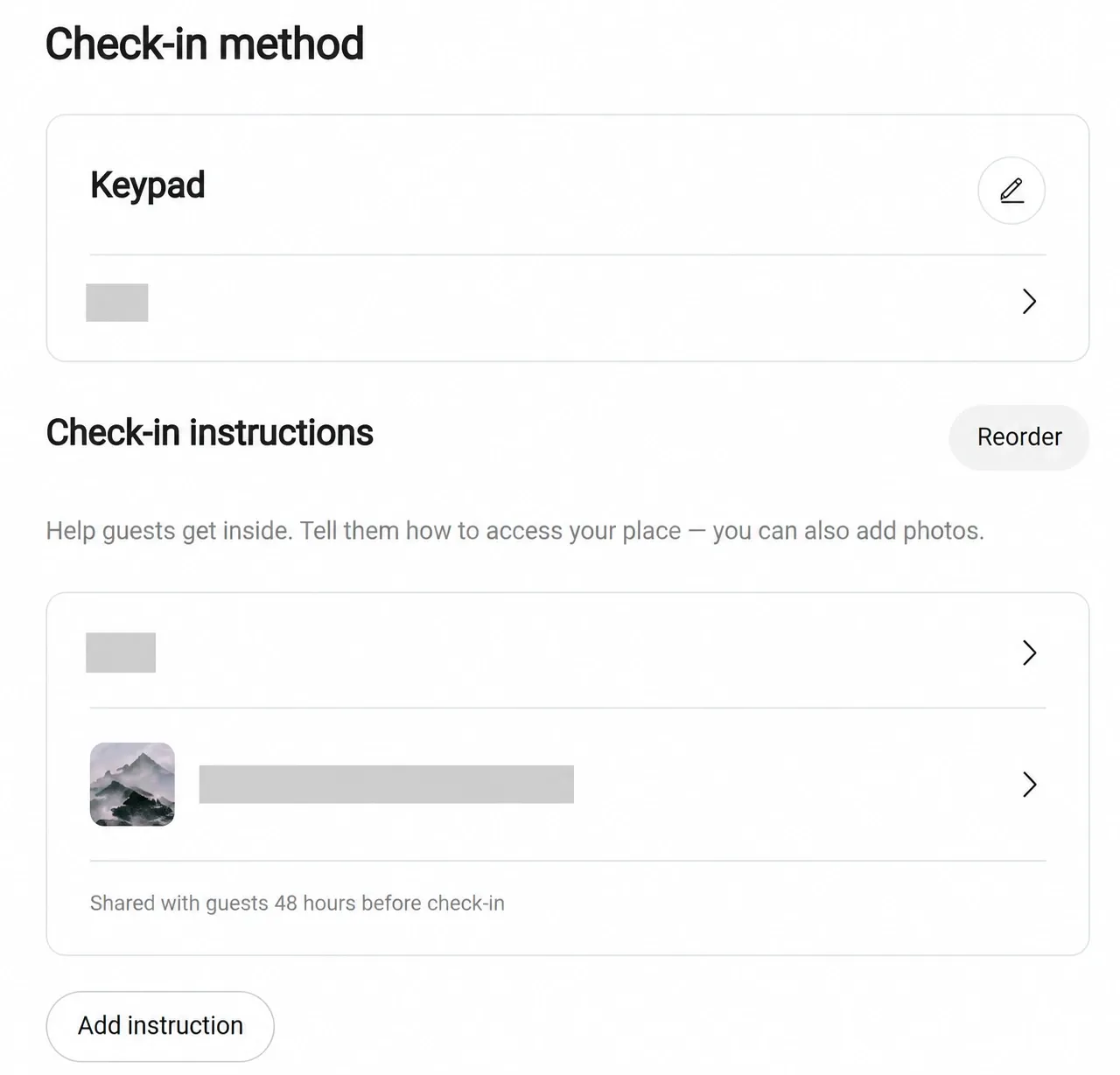
You can maintain check-in methods and illustrated guides explaining how to find the entrance, collect keys, and enter the property. Arrival directions and local transportation information are maintained separately to help guests plan their journey.
For departure, you can provide instructions covering towels, rubbish, appliances, and key returns, with locking requirements configured separately.
Keeping these details current helps guests understand what to do at each stage of their stay. Check-in guides communicate access arrangements; they do not include smart-lock device integration.
Maintain Safety Disclosures and Accessibility Details
The integration also supports information that helps guests assess whether a property meets their needs.
Property managers can maintain disclosures about stairs, noise, shared spaces, pets on the property, monitoring devices, water features, and other safety considerations. These disclosures explain property conditions, while house rules communicate expected guest behavior.
For accessibility features, you can maintain supported property and space details, submit supporting photos, and view Airbnb’s review status from Smart Order.
Airbnb reviews accessibility submissions and determines approval. Uploading a supporting photo does not automatically mean the feature has been approved.
Handle Reservations and Booking Requests
Airbnb reservations flow into Smart Order, allowing property managers to view booking information and track related status changes in the PMS.
For applicable Request to Book reservations, you can accept or decline the request from Smart Order. Whether a reservation enters this workflow depends on Airbnb’s rules and the listing’s settings; support for requests does not mean all bookings can be switched to manual approval.
Track Host-Initiated Cancellations Through Confirmation
Host-initiated cancellations follow a sequence designed to keep the Airbnb and PMS reservation status aligned:
- Submit a synchronized cancellation request from Smart Order.
- The system confirms that Airbnb has cancelled the reservation.
- Smart Order then cancels the corresponding PMS reservation and sends a system notification with the result.
This distinguishes a submitted request from a completed cancellation. Cancelling only the local PMS reservation does not cancel the Airbnb booking. Airbnb penalties and availability restrictions may apply.
Manage Airbnb-Specific Promotions
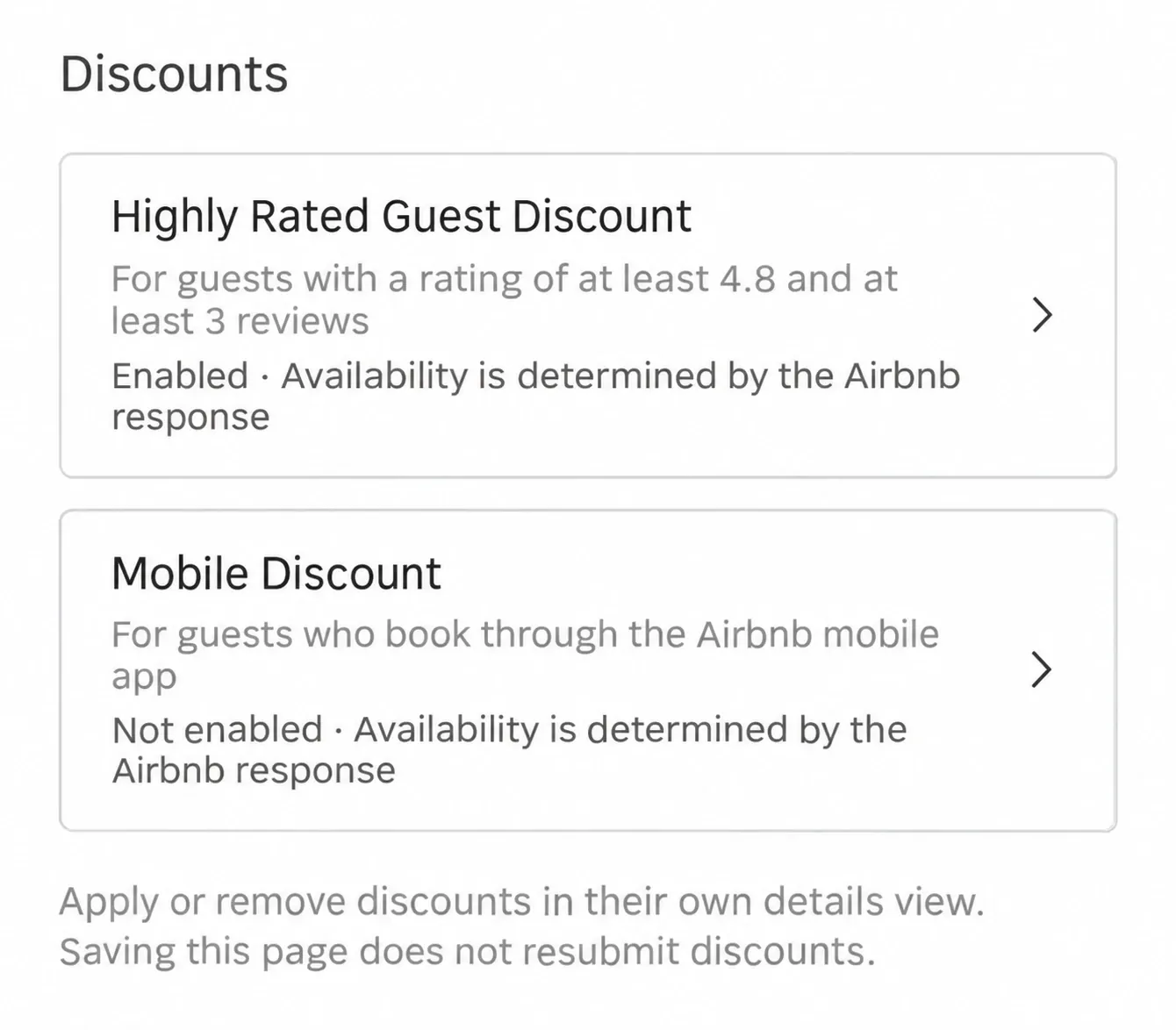
Smart Order supports two Airbnb promotional options, each managed independently:
- Top-rated guests discount: Enable or disable the promotion and manage applicable dates for guests who meet Airbnb’s eligibility criteria.
- Mobile discount: Enable or disable the promotion and manage applicable dates for eligible Airbnb mobile bookings.
Eligibility, discount percentages, and date restrictions follow Airbnb’s rules. These promotions do not create custom guest segments, and the mobile discount does not apply to every reservation placed on a phone.
Bring More Airbnb Operations into Your PMS
With this integration update, Smart Order brings a broader range of Airbnb management tasks into one workflow—from maintaining listing photos and booking conditions to preparing guest instructions, handling reservations, and managing eligible promotions.
Property managers can keep more of their Airbnb information up to date within Smart Order, with available actions determined by their account authorization, synchronization configuration, and Airbnb’s requirements.
Manage More Airbnb Listing Tasks in Smart Order
Contact the Smart Order team to learn how these features can support your API-connected Airbnb listings. Create an account to get started.