1. Confirm the reservation in the correct tiket.com Extranet property before changing inventory or creating a PMS record.
2. Search by Itinerary ID through tiket.com, the channel manager, and every PMS reservation status.
3. Identify whether the break is delivery, mapping, import validation, or an arrivals-view filter.
4. Retry only from the failed handoff, then confirm that one reservation exists and inventory changed once.
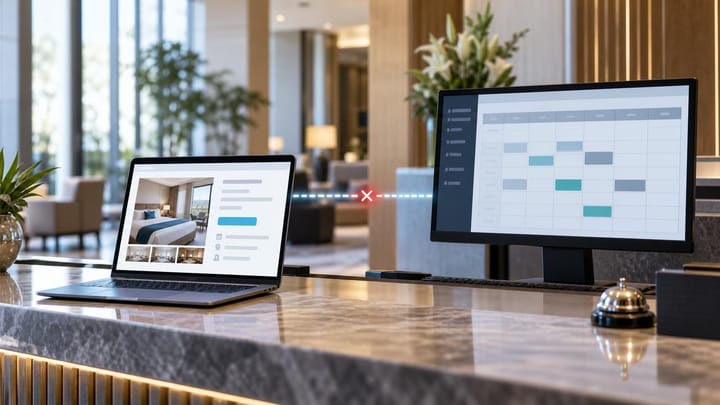
A tiket.com booking not showing in PMS is still a live booking if tiket.com has confirmed it. The failure may sit between the Extranet and channel manager, between the channel manager and PMS, or inside a PMS import queue. The reservation may also exist but be hidden from the arrivals view.
Do not start by resending or manually entering the booking. Confirm the channel record, trace the same identifier through each system, and protect the guest without creating a second reservation.
Confirm the Booking in the Tiket.com Extranet
Sign in to the correct property in the desktop Extranet. Open Bookings > Search Bookings, then search by Itinerary ID or guest name. Expand the date range and review confirmed, modified, and cancelled statuses rather than relying only on today's dashboard.
The Lignum by tiket.com app provides another verification path. Open Reservations, switch between Check-In and Booking, select the relevant date range, and search by guest name or Itinerary ID. Tiket.com's reservation search guidance and Lignum reservation guide describe these current partner-side checks.
Open the reservation and record the property, Itinerary ID, booking status, creation and modification times, stay dates, room, rate plan, occupancy, guest details, payment instructions, and special requests. Use the channel record to establish whether the guest has a valid booking; use the PMS as the operational destination.
If tiket.com cannot find the booking, recheck the property and identifier before acting on a guest screenshot or forwarded email. If tiket.com shows it as confirmed, protect the stay even while delivery remains unresolved.
Trace the Reservation Handoff
A connected booking normally moves from tiket.com to a channel manager or connectivity provider, through product mapping, into the PMS import service, and finally into the arrivals view. Test that chain with one Itinerary ID.
- Search the connectivity provider for the tiket.com Itinerary ID and booking timestamp.
- Check whether it was received, queued, delivered, rejected, or retried.
- Capture the provider's message ID, destination property, response, and error text.
- Search the full PMS by Itinerary ID, provider reference, guest name, booking date, and stay date.
- Inspect pending, failed, duplicate, quarantined, cancelled, archived, and unassigned records.
- Compare all timestamps in one time zone before deciding where the delay occurred.
If tiket.com has the booking but the provider does not, the break is upstream of the provider. If the provider delivered it and the PMS rejected it, investigate the import error. If the PMS contains it outside Arrivals, correct the filter or operational status instead of importing it again.
Smart Order's hotel channel manager keeps incoming OTA references tied to mapped room inventory and the PMS reservation path, making it easier to locate the last successful handoff.
Trace Tiket.com Bookings Before Retrying
Connect incoming reservations, mapped rooms, and PMS inventory so staff can isolate one failed handoff without creating a duplicate booking.
Check Connection and Product Mapping
Confirm that the tiket.com connection is active for the correct property and that the reservation-delivery direction is enabled. A recent successful rate update does not prove that inbound reservations are working; the two flows may use different services.
Compare the tiket.com property, room, and rate-plan identifiers with the channel-manager mapping and active PMS products. Pay special attention after a room was renamed, a plan was cloned, a product was deactivated, or the property was reconnected. Matching display names are not enough.
Check occupancy, child settings, meals, cancellation terms, pricing model, and currency. A provider may receive the reservation but reject it because the combined room-plan product has no valid PMS destination or because a required value is unsupported.
Do not remap a live room simply to force one reservation through. Confirm the physical inventory pool and commercial conditions, save the old mapping, obtain approval, and test the corrected mapping on a low-risk product.
Check PMS Import and Arrivals Rules
Read the exact PMS rejection before changing data. Common causes include an inactive property, missing room or rate mapping, invalid occupancy, duplicate external ID, unsupported characters, missing required guest fields, a closed business date, or a modification arriving before the original reservation.
If no rejection appears, search beyond the default arrivals list. Check property scope, arrival range, business date, timezone, reservation status, room assignment, source filter, and user permissions. A modified booking may have moved outside today's window, while a cancellation may remain only in history.
Preserve a partial import if the source ID already exists. Repair or replay that connected record rather than creating a second booking that cannot receive later modifications or cancellations.
Protect the Guest and Inventory
When tiket.com confirms the booking, the front desk needs an operational safeguard while the technical investigation continues.
- Search every system one final time using the Itinerary ID.
- Hold the correct physical room through the hotel's approved exception process.
- Create a temporary PMS record only when policy requires it for an imminent arrival.
- Label it pending tiket.com sync reconciliation and include the external reference.
- Copy dates, room, rate, occupancy, payment method, cancellation terms, and inclusions accurately.
- Disable duplicate confirmation, payment, access-code, and review automations on the temporary record.
- Assign an owner and deadline for merging or retiring it after recovery.
Do not cancel a confirmed channel reservation or ask the guest to rebook because an internal handoff failed. Do not reduce inventory independently in several systems. Record one temporary control, then reconcile it when the connected booking arrives.
Email is a useful fallback alert but not proof of PMS delivery. Tiket.com sends new-booking emails to users with Administrator or Reservation roles; its booking-email guidance explains how role, address, or blacklist issues can stop those messages. Fix email routing separately from the integration incident.
Retry Once and Prove Recovery
Ask the connectivity provider whether it receives push notifications, retrieves reservations, or uses another approved method. The recovery action must match that connection.
Correct the specific error first. Then replay or retrieve the original event once, using the same Itinerary ID. Before retrying, confirm that no delayed delivery or later modification is already queued. Several staff repeating the same action can produce duplicate PMS records or process messages out of sequence.
Recovery is complete only when:
- one PMS reservation contains the correct tiket.com and provider references;
- room, plan, dates, occupancy, price, payment instructions, and status match the Extranet;
- inventory has decreased exactly once across the shared pool;
- a temporary hold or manual record has been reconciled without losing notes or tasks; and
- a later modification or cancellation can still update the same connected record.
Escalate with the property ID, Itinerary ID, room and plan identifiers, timestamps with time zone, provider message ID, mapping screenshots, PMS error text, inventory before and after, and every action already taken. For same-day arrivals, last-room inventory, multiple missing bookings, or a growing queue, escalate immediately while operations protects the guest.
Keep Recovered Arrivals in One Front-Desk View
Bring connected reservations and room availability into one operating calendar so delayed tiket.com bookings do not remain on a separate manual list.
Frequently Asked Questions
Where should staff first check a missing tiket.com booking?
Check the correct property in Bookings > Search Bookings or in the Lignum Reservations area. Confirm the Itinerary ID and status before changing the PMS.
Can rates sync while reservations fail?
Yes. Outbound rates and availability may use a different direction or service from inbound reservation delivery. Verify both flows independently.
Should the front desk create the booking manually?
Only when an approved exception procedure requires immediate protection. Mark it for reconciliation, prevent duplicate automation, and search for a delayed connected reservation before night audit.
Why is the booking missing only from Arrivals?
It may be under another property, date, status, room assignment, timezone, or permission scope. Search the whole PMS by external reference and guest name.
What proves the issue is fixed?
One connected PMS reservation matches tiket.com, availability changed once, temporary controls are reconciled, and future booking events can update the same record.
A missing tiket.com booking is resolved when the guest is protected and the reservation is traceable end to end. Confirm the channel record first, repair only the failed handoff, and close the incident with one clean PMS booking.
