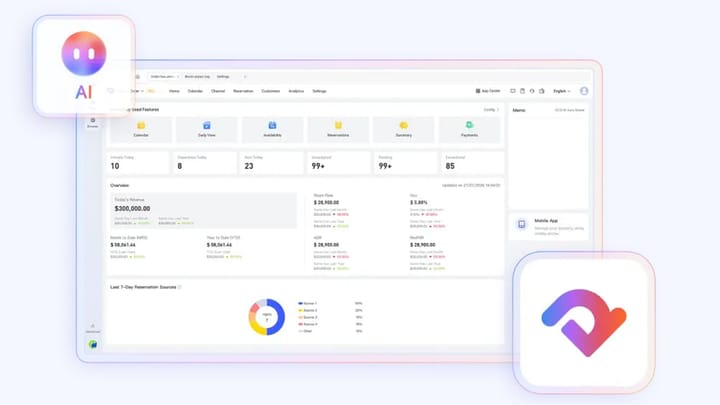
1. AI Desktop is Smart Order’s hotel AI workbench, built around operating goals rather than software menus.
2. A hotel AI agent can organize work across PMS data, supported OTA extranets, browser pages, and local files.
3. Read-only tasks can return findings directly; sensitive changes should be previewed, confirmed, executed, and logged.
4. AI Desktop supports hotel judgment instead of replacing it: people set the goal, authority, and final decision.
AI Desktop for hotel operations is a workspace where owners and employees describe the result they need in ordinary language. A hotel AI agent interprets the goal, plans the work, uses approved tools, and returns a result that the user can review.
That is different from adding a chatbot to a property management system. A chatbot answers a question. AI Desktop is designed to organize a hotel task that may require reservation data, an OTA page, a spreadsheet, and a final approval.
What Is AI Desktop?
AI Desktop is the official name of Smart Order’s AI workbench for hospitality businesses. It provides one desktop entry point for hotel and vacation-rental work that would otherwise be spread across PMS menus, booking-channel extranets, browser tabs, reports, and local documents.
The PMS remains the source of truth for reservations, rooms, rates, inventory, operating metrics, and the reports already stored there. AI Desktop sits above that operating foundation. It gives the hotel AI agent a controlled place to understand a request, retrieve relevant information, and organize the next steps.
An owner might ask it to review today’s arrivals and identify exceptions. A revenue manager might request a weekend rate review. An OTA operator might ask for unresolved channel issues. The request begins with the required outcome, not with instructions to open five menus.
In the overseas version, the current PMS Assistant scope includes:
- checking the signed-in account, authorization status, manageable properties, and current property information;
- finding reservations and stay orders, viewing order and occupant details, and creating, editing, or cancelling reservations;
- processing supported check-in and check-out tasks;
- querying room types, rooms, buildings, room groups, local inventory, and stop-sell status;
- querying and changing property room rates, rate plans, and stop-sell status, plus viewing rate-change records; and
- retrieving revenue, cash flow, order volume, channel sales, occupancy, ADR, RevPAR, and reports already available in the PMS.
The hotel must first sign in to its PMS inside AI Desktop. The assistant can work only with properties available to that signed-in account. Local inventory is currently mainly query-focused; supported inventory adjustments are primarily for overbooking inventory, so a general request to “change inventory” should not be treated as universally executable.
Why Hotels Need More Than a PMS or General AI Chat
A modern PMS records what is happening at the property. It may show a reservation, an occupied room, a rate-plan change, local inventory, or an operating metric. Staff still have to find the right screen, interpret the record, compare it with another system, and decide what to do.
General AI can summarize text and draft content, but it normally begins with information that a user pastes into a conversation. When the task depends on current hotel data, channel pages, role permissions, or a local reconciliation file, employees remain responsible for moving the information between systems.
A hotel AI workbench closes part of that execution gap. It brings the goal, available data, supported tools, review point, and result into one task. The value is not simply a faster answer; it is less manual handoff between the answer and the operational outcome.
How a Goal Becomes an Executable Hotel Task
Start with a specific outcome: “Review today’s arrivals and flag reservations that need action.” AI Desktop turns that request into a working sequence instead of asking the user to choose a module first.
The hotel AI agent identifies the required scope, checks whether essential information is missing, and prepares a plan. It may retrieve arrival records, inspect reservation, occupant, or room-assignment details, group the exceptions, and explain why each item needs attention. The result is returned with enough context for the user to verify it.
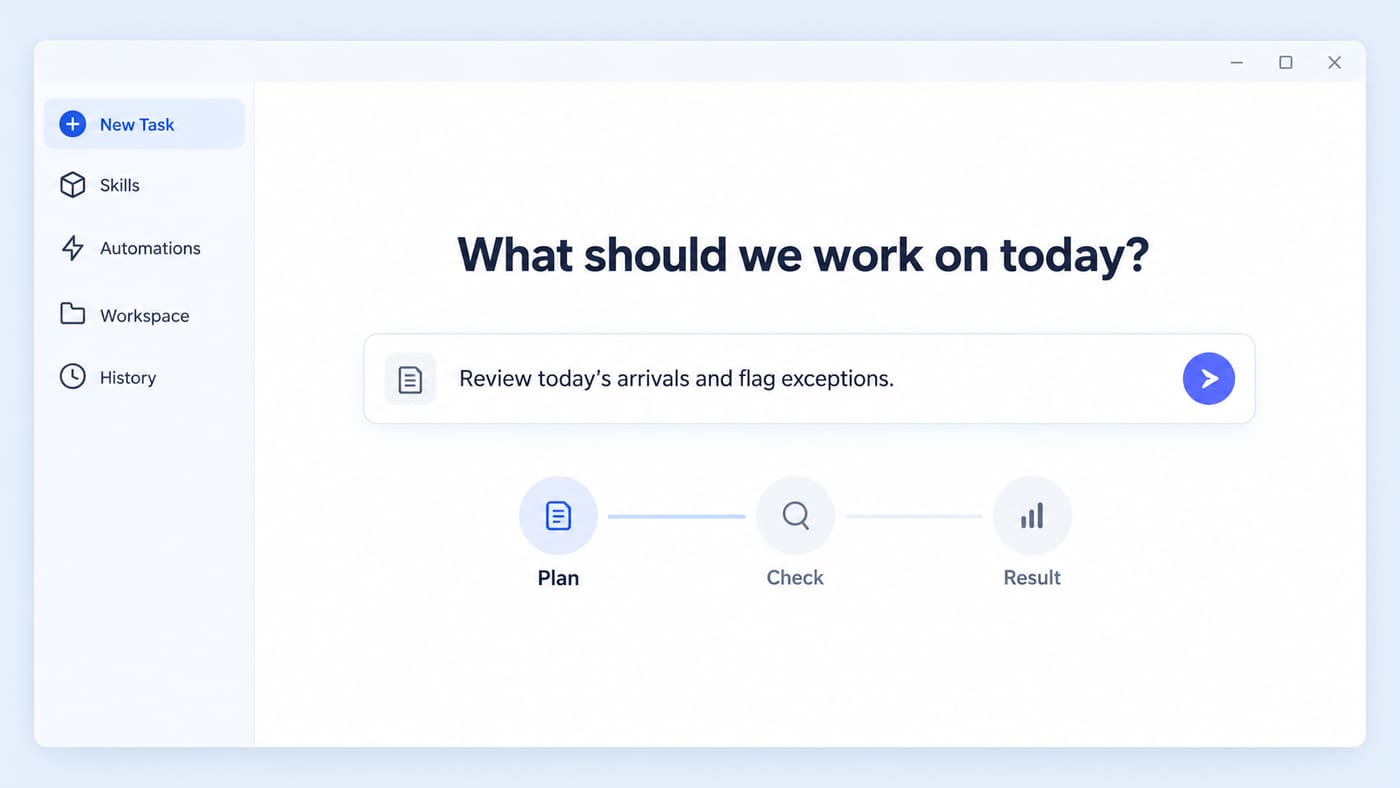
The same pattern applies to longer work. A weekly review can combine PMS performance data with an OTA check and a spreadsheet template. AI Desktop coordinates the steps while keeping the original sources distinct.
Smart Order’s hotel management software provides the reservation and operating foundation behind these workflows. AI Desktop makes that foundation easier to use through goal-led tasks.
Start With One Real Hotel Task
Use Smart Order to connect daily hotel records with a clearer, goal-led operating workflow for your team.
The Four Layers Behind the Hotel AI Agent
AI Desktop organizes four operating layers without pretending they are the same system.
The first layer is the AI workbench. It holds the conversation, task plan, working context, intermediate results, and the final deliverable. Staff can begin a new task, reuse an approved skill, or keep related documents inside a workspace.
The second layer is the hotel AI agent. It interprets the goal, selects an appropriate path, and determines whether the task is read-only or requires an approval. If a request is ambiguous about property, date, room type, or channel, the correct response is to obtain that missing context before acting.
The third layer contains the available tools. These can include controlled PMS capabilities, an AI-enabled browser for supported OTA extranets, and local files such as spreadsheets, PDFs, images, and operating templates.
The fourth layer is the hotel’s real operating data. Reservations, room information, local inventory, rates, channel records, operating metrics, and PMS reports must remain traceable to their source. AI does not turn an estimate into a transaction simply because it appears in the same workspace.
Where AI Desktop Fits Into Daily Hotel Operations
The best first use cases are frequent, time-consuming, and easy to verify. They also produce a clear result without giving AI unnecessary authority.
For front-desk and operations teams, that can mean preparing an arrivals exception list, reviewing reservation and occupant details, checking rooms without assignments, or preparing a controlled check-in or check-out task.
For revenue and OTA teams, AI Desktop can help assemble a rate review, check supported extranets for visible discrepancies, organize promotion conditions, compare channel information, and highlight changes that require a manager’s decision. Availability depends on the connected systems, account permissions, and supported channel workflows.
For management and finance, useful tasks include preparing a daily operating summary, organizing a weekly performance review, classifying guest-feedback themes, collecting reconciliation evidence, and converting an approved template into a repeatable multi-property workflow.
Marketing teams can also use the workbench to turn verified property details into listing copy, campaign ideas, or content briefs. The operating record should supply the facts; AI should organize and express them without inventing amenities, distances, policies, or performance claims.
Human Control, Permissions, and Auditability
Hotel automation needs different controls for reading and changing data. A request to show today’s arrivals is not equivalent to changing a room rate or rate plan, editing a reservation, processing check-in or check-out, or adjusting stop-sell status.
For a write request, the assistant first queries the current state, then shows a preview for confirmation before execution. The preview should identify the property, date, reservation, room or rate plan, current value, proposed value, affected system, and intended action. Nothing should be written until an authorized user accepts that scope.
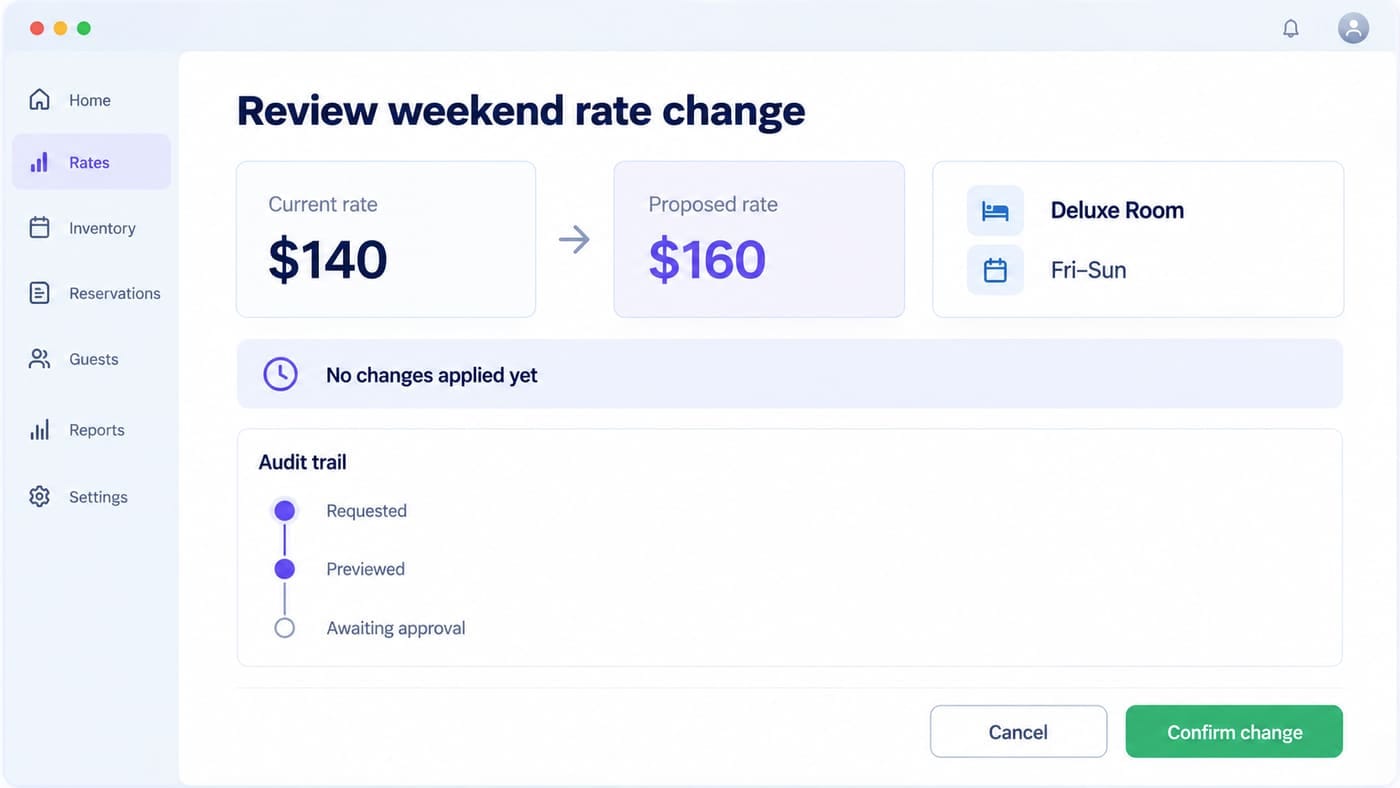
The employee’s existing access still matters. Natural-language input does not expand the authority of the PMS account currently signed in. Task history should preserve the request, sources used, preview, confirmation, execution result, and any later correction.
Some rate, inventory, and configuration changes may take effect asynchronously. Staff should reopen the relevant PMS page after a write action and treat the final PMS state—not the initial execution message—as authoritative.
This makes AI Desktop useful for accountability as well as speed. When a result looks wrong, the hotel can review which data was used and where the task stopped instead of treating the AI output as an unexplained answer.
How to Start Using AI Desktop
Choose one low-risk workflow with a measurable baseline. Record who currently performs it, how long it takes, which systems are opened, what is copied manually, and how the result is checked.
A daily report, arrivals review, guest-feedback summary, or channel audit is usually safer than beginning with rate or reservation changes. Run the task with real property data, verify every output, and document the correction path.
Once the workflow is reliable, define the role that can start it, the information it may access, the step that requires approval, and the evidence that proves completion. Only then should the same skill be reused across more employees or properties.
AI Desktop changes how staff enter hotel software, but it does not remove operating discipline. The strongest deployment begins with one task that matters, makes its controls visible, and expands only after the hotel can verify the result.
Frequently Asked Questions
Is AI Desktop a replacement for a hotel PMS?
No. The PMS remains the data and transaction foundation. AI Desktop provides a goal-led workbench that can use approved PMS capabilities and combine them with other task inputs.
Is AI Desktop only a chatbot?
No. It can organize multi-step hotel work across available tools and return a reviewable result. The exact actions depend on supported connections and user permissions.
Can a hotel AI agent change rates or inventory?
It can query and modify supported room rates and rate plans, query or adjust stop-sell status, and show rate-change records. Local inventory is mainly query-focused, with adjustments currently centered on supported overbooking inventory. Every write request must show the current state and proposed change for confirmation, and staff should verify the final result in the PMS because some changes may appear asynchronously.
Does AI Desktop work for vacation rentals and small properties?
Yes. Independent hotels, inns, hostels, B&Bs, boutique properties, and vacation-rental teams can begin with one repeatable task rather than implementing every possible workflow at once.
Can AI Desktop guarantee higher revenue?
No software can guarantee a commercial result. Evaluate it through time saved, exceptions found, error rates, task completion, and whether operating decisions are implemented more consistently.
