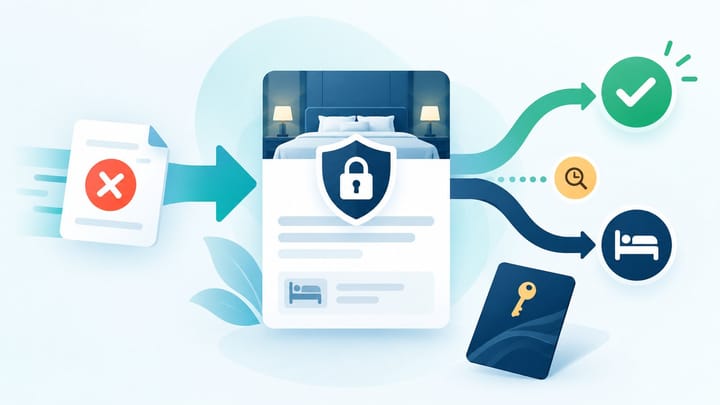
1. A guest request does not automatically change a non-refundable booking into a free-cancellation booking.
2. Verify the exact reservation terms, payment owner, reason, and response deadline before deciding.
3. Record the decision in the Agoda booking and confirm the final reservation and payment status before updating the PMS.
An Agoda free cancellation request on a non-refundable rate is a request for an exception, not proof that the original booking terms have changed. The hotel can consider the guest's circumstances, but it should not promise a refund before confirming who collected the money and how the booking will be cancelled.
The goal is to reach a fair, consistent decision without creating three different versions of the reservation in Agoda, the PMS, and the hotel's payment records.
This workflow is about handling the request before a decision is final. It is separate from cancellation refund reconciliation, which finance performs after a cancellation, refund, or payout adjustment has already occurred.
Start With the Reservation, Not the Guest's Message
Open the booking in Agoda Partner Portal and confirm the booking ID, stay dates, room and rate plan, current status, cancellation terms, and payment arrangement. Read the terms attached to this reservation rather than relying on the current rate-plan settings, which may have changed since the booking was made.
Check whether Agoda collected the guest payment or the property is expected to collect it. This determines who can process a refund and what the hotel should promise. A property should not tell a guest that money has been refunded when the property did not collect the payment.
Also check the response deadline shown with the waiver request. Treat that deadline as an operational task with a named owner. Letting the request expire can create an avoidable guest complaint and leave staff unsure whether the hotel accepted or declined.
Follow This Hotel Response Workflow
Use one decision path for every non-refundable exception. This keeps front desk, reservations, management, and finance aligned.
- Verify the policy and booking status. Confirm that the reservation is active, the rate is actually non-refundable, and no earlier cancellation or amendment has already changed the booking.
- Understand the reason without promising an outcome. Ask for the minimum information needed to assess the request. Separate a change of plans from a documented emergency, travel disruption, duplicate booking, booking error, or hotel-caused problem.
- Calculate the hotel's real exposure. Check the room value, expected payout, commission treatment, chance of resale, proximity to arrival, and any costs already committed. Do not use the guest's quoted total as the hotel's expected revenue.
- Apply the hotel's exception rule. Decide who may approve a full waiver, partial waiver, date change, credit, or decline. High-value or peak-date exceptions should not depend on whichever employee sees the message first.
- Respond through the booking request. Approve or decline using the action shown in Agoda Partner Portal. Keep the wording clear and neutral. If the hotel offers an alternative, state that it is subject to Agoda processing and guest acceptance.
- Confirm the final status before changing the PMS. Verify whether the booking remains active, has been cancelled without charge, or has been changed. Then update the PMS only if the connected update has not already arrived.
- Leave an audit note. Record the decision, approver, reason category, financial effect, guest communication, and final Agoda status. Finance and the next shift should be able to understand the outcome without reconstructing the conversation.
This process prevents a common mistake: the hotel agrees informally, removes the booking from the PMS, and later discovers that Agoda still shows an active reservation or that the refund was never initiated.
When cancellation decisions live only in messages, the next shift may protect the wrong room or promise the wrong payment outcome. Smart Order keeps the reservation, guest notes, and team follow-up together so the approved decision is visible before staff change availability or payment records.
Keep Cancellation Decisions With the Booking
Give managers and front desk staff one shared reservation record for guest requests, decisions, and follow-up actions.
Decide When an Exception Makes Business Sense
A waiver may be reasonable when the hotel caused the problem, cannot honor the booked room, received a duplicate reservation caused by a clear booking error, or has approved a documented exception under its policy. A manager may also consider resale probability and long-term guest value, but these are commercial choices, not automatic entitlements.
Declining may be appropriate when the booked terms are clear, the hotel can honor the stay, the request is a simple change of plans, and the room is unlikely to resell. Apply the same rule to similar cases so staff do not create inconsistent promises.
A middle option can sometimes protect both sides. The hotel might approve a date change, partial waiver, or credit where the account and contract allow it. Do not invent an alternative that cannot be completed through the booking record.
For exceptional events that may affect many guests, stop handling cases ad hoc. Management should set one temporary rule, define evidence requirements, and give staff approved wording.
Write a Clear Guest Response
If the hotel agrees, use direct wording: "We approve the cancellation-fee waiver for this reservation. Agoda must complete the cancellation and confirm any refund to you. Please wait for the updated booking confirmation before assuming the reservation is cancelled."
If the hotel declines, use equally clear wording: "We reviewed the request against the non-refundable terms attached to the reservation. The hotel is unable to waive the cancellation charge, and the reservation remains active unless Agoda confirms a different final status."
Do not blame the guest, the OTA, or an employee. Do not say "refund guaranteed" or give a bank processing date unless the responsible payment party has confirmed it.
Check Payment and Inventory After the Decision
An approved waiver is not complete until the reservation status, room inventory, and payment record agree. Confirm that the room returned to sale only once and that the PMS did not create a duplicate cancellation or refund entry.
If the request is declined, confirm the reservation remains active and the room is still deducted. Add a note for front desk so the guest is not treated as cancelled at arrival.
Finance should review any later payout deduction, refund, or commission adjustment against the booking ID. That is the point where the separate reconciliation process begins.
Frequently Asked Questions
Must a hotel approve free cancellation on a non-refundable Agoda rate?
No. A request asks the property to consider an exception. The reservation terms remain the starting point unless a qualifying event, contract rule, or approved hotel decision changes the outcome.
Can the hotel refund the guest directly?
Only when the property collected the payment and the booking arrangement permits it. If Agoda collected the money, the hotel should approve or decline the request through the Agoda process and let the payment owner handle the refund.
Should front desk cancel the booking in the PMS first?
No. Confirm the final Agoda status first. Removing an active booking from the PMS can return the room to sale and create an overbooking.
What if the guest contacts the hotel directly?
Record the conversation, avoid promising a refund, and direct the final request through the Agoda booking process so the reservation and payment records can be updated correctly.
What should the hotel keep for finance?
Keep the booking ID, original cancellation terms, decision, approver, final status, payment owner, and any later refund or payout adjustment.
