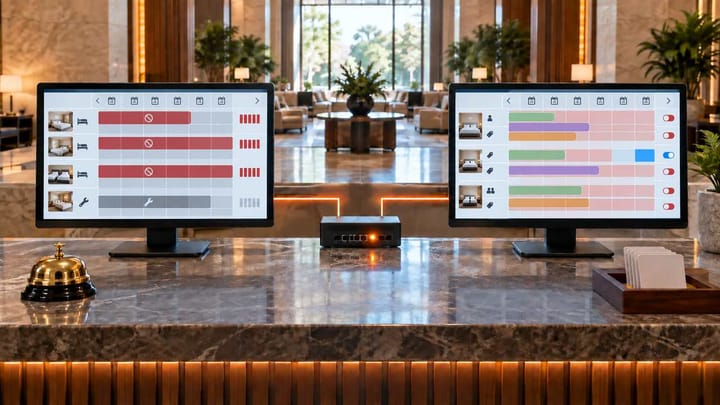
1. Close the affected Agoda room and dates from your connected PMS or channel manager.
2. Do not reduce the same inventory separately in several systems.
3. Recheck the exact room, stay dates, occupancy, and rate plan on Agoda.
4. Find out whether another rate plan or separate allotment is still open.
If Agoda still shows a room when your PMS is sold out, treat it as an immediate overbooking risk. Stop further sales first. You can investigate why the numbers disagree after the affected room and dates are protected.
The quickest diagnosis comes from four questions: Are you checking the same room type? Are you checking the same dates and guest details? Is another rate plan still open? Does Agoda have inventory outside the PMS pool?
Stop Agoda Sales Before You Troubleshoot
Use the system your hotel normally uses to update Agoda. If Agoda is connected through your PMS or channel manager, close the exact room type and dates there. Agoda advises connected properties to manage availability through their designated connectivity platform.
- Confirm which Agoda room and stay dates are still bookable.
- Set that room to zero availability or apply the approved stop-sell in the connected system.
- Record who made the change and the time it was made.
- Search Agoda again using the same property, room, dates, occupancy, and rate plan.
- If the room remains bookable, contact your software provider immediately and follow your hotel's emergency channel-closure procedure.
Do not close the same inventory separately in the PMS, channel manager, and Agoda Partner Portal. Repeating the adjustment can remove too many rooms or leave the date closed after the problem is fixed.
Escalate immediately if this is a same-day arrival, the last physical room, several affected dates, or more than one Agoda room type.
Check the Same Room Type and Stay Dates
Many apparent inventory mismatches begin with two screens showing different products or search conditions. Complete these checks before changing a room connection or closing the whole property.
Is It the Same Room Type?
Compare the Agoda room that a guest can book with the room category that is sold out in the PMS. Names alone are unreliable. “Deluxe Double,” “Deluxe Room,” and “Deluxe City View” may be separate products even when staff use one name for all of them.
Open the room connection or mapping screen in your PMS/channel manager and confirm which PMS room supplies the Agoda room. If Agoda is selling a room connected to a different PMS category, correct the operational assumption before changing inventory.
Also check whether two Agoda room types draw from the same physical rooms. The PMS may show one category as sold out while Agoda is selling another linked category from the remaining shared pool.
Is It the Same Date and Search?
Use the same check-in date, check-out date, number of guests, number of rooms, and property. A room may be unavailable for two adults but open for one adult, or closed for a two-night stay but available for a different length of stay.
Continue to Agoda's final room and rate selection instead of relying on a search-result label. Record the exact room, rate plan, cancellation terms, meal plan, and time of the test. If the mismatch appears only under one search combination, the cause may be a restriction or a different rate plan rather than extra room inventory.
When every connected channel uses the same room pool, a hotel channel manager can send one PMS availability change to Agoda without asking staff to repeat the adjustment in separate systems.
Keep Agoda Inventory and PMS Availability Together
Connect room availability and Agoda updates in one workflow so a sold-out date does not depend on repeated manual changes.
Check Other Rate Plans and Separate Allotments
After confirming the room and dates, check where the visible Agoda offer gets its availability. A sold-out room can remain bookable through another open rate plan or an inventory allocation that the PMS does not control.
Is Another Rate Plan Still Open?
One room type may have several Agoda rate plans, such as refundable, non-refundable, breakfast, room-only, mobile, or member rates. Closing one price or restriction does not always close every plan attached to the room.
Open each rate plan for the affected room and dates. Confirm whether it shares the same room inventory and whether a stop-sell applies to all connected plans. If only one plan remains bookable, fix that plan or its connection instead of closing unrelated rooms.
Does Agoda Have Separate Inventory?
Check the property's Agoda agreement and operating setup for guaranteed availability, a separate allotment, wholesaler inventory, another Agoda property ID, or another distribution partner. This inventory may remain available even when the PMS shared pool reaches zero.
Do not remove a contractual allotment as if it were an ordinary PMS room. Confirm its release rules with the person responsible for distribution or revenue, then contact Agoda support if the contract or Partner Portal does not explain the available room.
Fix the Cause Without Creating Another Mismatch
Once the four checks identify the affected product, fix only that cause. Avoid changing every room mapping or reopening the entire connection to solve one date.
Check the Connection and Recent Changes
Look for a visible disconnected status, authorization warning, room or rate-plan connection warning, or recent synchronization error in the PMS/channel manager. Check whether anyone recently created, renamed, copied, deactivated, or reconnected the affected room or rate plan.
Review recent manual changes in Agoda Partner Portal as well. A manual quantity, stop-sell, or reopening can conflict with the value sent by the connected system. If Agoda closes correctly and later reopens, identify what changed after the successful close instead of repeating the same adjustment.
Do not remap a live room by guesswork. Confirm the physical room category, affected dates, and intended Agoda product first. A wrong change can expose a different room or interrupt future reservations.
Give Support a Clear Incident Record
If the mismatch remains, send one support case with:
- the hotel name and Agoda property ID;
- the affected room, rate plan, dates, and guest search conditions;
- the PMS quantity you expected and the Agoda quantity you observed;
- screenshots from the PMS/channel manager and the final Agoda offer;
- the time and time zone of the stop-sell or zero-availability update; and
- every manual change or emergency control already applied.
Tell support where the values first disagree: the PMS, channel manager, Partner Portal, or guest-facing Agoda offer. The support team can check the technical delivery records; hotel staff do not need to diagnose message formats or queues.
Confirm Agoda and the PMS Match Again
Do not close the incident after one screen changes. Search the same Agoda property, room, dates, occupancy, and rate plan again. Confirm that every plan using the sold-out room is unavailable unless a separate allotment is intentionally selling.
Next, make one controlled inventory change for a low-risk future date. Confirm that the updated quantity reaches Agoda without another manual edit. Restore the correct value and check it again.
When the next booking or cancellation arrives, confirm that PMS availability changes once and Agoda receives the new quantity. Only then remove temporary holds, reverse emergency closures, and close the support case.
Keep a short incident note for the next shift. It should state the affected room and dates, the control still in place, who owns the follow-up, and when the next verification is due.
Frequently Asked Questions
What should I do first if Agoda shows a sold-out room?
Close the exact room and dates through the PMS or channel manager that normally updates Agoda. Record the action, then test the same room, dates, occupancy, and rate plan on Agoda.
Why can one Agoda rate plan remain open?
The room may have several rate plans with different restrictions or connections. Confirm whether every plan shares the same inventory and whether the stop-sell applies to all of them.
Can Agoda have inventory that is not in the PMS pool?
Yes. A guaranteed allotment, wholesaler, another property ID, or separate distribution agreement may supply availability outside the normal PMS pool. Confirm the contract before closing it.
Should I update Agoda manually when I use a channel manager?
Use the connected PMS or channel manager for normal availability updates. Make a manual Partner Portal change only under an approved emergency procedure, because a later automated update may overwrite it.
How do I know the mismatch is fixed?
The exact Agoda product is no longer bookable, all related rate plans show the intended availability, a later PMS change reaches Agoda automatically, and temporary controls have been removed safely.
For hotel managers, the sequence is simple: stop the sale, compare the same room and dates, check every open rate plan, confirm separate allotments, and prove that the next inventory change reaches Agoda.
