1. Preserve the old and new room-and-rate links before making another change.
2. Compare when Booking.com created the booking with when the new mapping and availability actually took effect.
3. A successful update can still target the wrong product; verify both the retired path and the replacement path.
An overbooking appears after the hotel changes a room or rate connection. The team suspects the change, but the timing alone does not prove what failed. The reservation may have been created earlier, the old product may still be open, or the new link may draw from the wrong rooms.
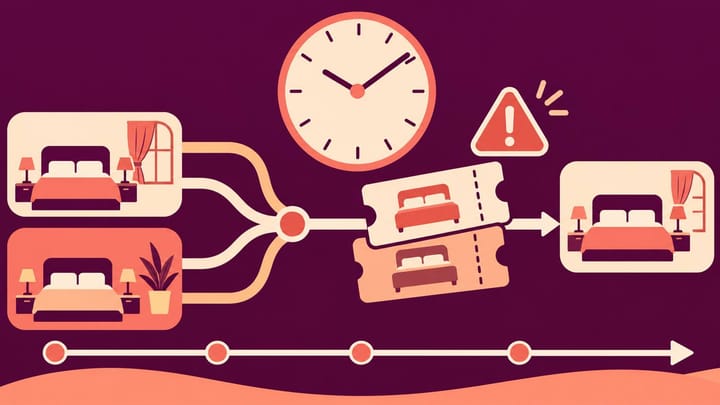
Use a Booking.com channel manager timeline audit to identify which offer was saleable at the decisive moment. Mapping means the link between a hotel room or rate and its matching channel product.
Protect the Guest and Preserve Both Versions
If the hotel cannot accommodate the confirmed stay, involve the manager and Booking.com support immediately through the hotel's overbooking procedure. Do not wait for the audit to finish before arranging the guest response. Do not delete or cancel a genuine booking to make the room count look correct.
Protect the affected product and nights through the approved sales-control workflow. Record any emergency Extranet override and check its result. Keep valid unrelated rooms selling where it is safe to do so.
Before another mapping edit, save the previous and current relationships. Include the property, hotel room type, Booking.com room, rate plan, physical room pool, and effective change time. Names alone are weak evidence when a product was renamed; retain the product references available to the team or provider.
Separate a room mapping change, which may move the inventory source, from a rate mapping change, which may redirect price, terms, or closure controls. Several rates for one room do not create several physical rooms. A wrong rate link can expose an unclosed offer without creating a new inventory pool.
If the current calendar no longer reflects what was sent before the change, ask the provider for history rather than guessing. In Smart Order's channel-management workspace, compare mapped products with remaining inventory before sending the correction. That lets the manager specify which room-and-rate path must change instead of repeatedly switching links.
Trace the Offer Back to Its Room Pool
Review mapped channel products and hotel availability in Smart Order before correcting the room or rate connection involved in an overbooking.
Build the Timeline Around the Booking's Creation
Use one disputed Booking.com reservation and its actual booked product. Ask support for missing event times; hotel managers do not need to read connection code. Keep full dates and time zones, and distinguish confirmed times from staff estimates.
- Record the last known correct mapping and availability before the change, including the physical capacity behind it.
- Record when the old path was closed or retired, and whether Booking.com accepted the closure for the intended room and rate.
- Record when the replacement mapping was saved and when the first intended availability, price, and restriction updates were accepted for it.
- Record Booking.com's original booking creation time and the room-and-rate product sold. Separately record when the hotel received or imported it.
- Add intervening cancellations, modifications, manual edits, and later availability updates that could explain the offer reopening or changing quantity.
Do not substitute “saved at 10:00” for “accepted by Booking.com at 10:00.” A local change can precede the effective channel result. Likewise, a success against another product does not demonstrate that the disputed product was closed.
Consider a hypothetical change: the old offer is closed at 10:00, the replacement link is saved at 10:03, and correct replacement availability is accepted at 10:05. A booking created at 09:59 but received at 10:06 predates that transition. Its late appearance is not proof the new mapping reopened sales.
A booking created at 10:04 needs a different question: which product was live during the transition? If it used the old offer, inspect whether that offer was actually closed. If it used the new offer, establish what availability it held before the 10:05 update. These are hypotheses to verify, not automatic blame assignments.
Interpret the Failed Path Before Choosing a Fix
The Old Room or Rate Was Still Saleable
Compare the sold product's reference with the retired path. A new mapping does not itself prove every old offer was removed from sale. One forgotten flexible, breakfast, or independently managed plan may explain the booking.
Close the obsolete path through the appropriate control without destroying its existing reservation history. Confirm how future modifications and cancellations for older bookings will be handled before removing any live relationship.
The New Product Used the Wrong Room Pool
Compare the capacity behind the new link with what the guest bought. If a sold-out Deluxe room was fed by a Standard room's remaining availability, the transferred number can be accurate for the wrong product.
Correct the relationship after confirming physical equivalence and current bookings. Do not compensate by inventing extra Deluxe capacity or moving guests into a lower category without agreement.
Quantity Was Reintroduced by Another Event
Check whether a cancellation, reservation modification, or manual update followed the accepted closure. An event occurring after the mapping change can explain the reopening without the mapping itself being wrong.
Correct that event's treatment or conflicting update source. Reverting a valid mapping would not fix an unrelated reopening rule and can break current reservation routing.
The Evidence Does Not Establish a Cause
Document the missing interval or product reference. Keep the affected sales protected and give the provider the timeline, old/new links, accepted update references, and booking details. A current screenshot cannot reconstruct an unrecorded earlier state.
Verify Both Paths Before Returning to Normal Sales
Recount actual capacity and valid stays through the front desk reservation calendar. Include maintenance holds and bookings from other sources. Correcting a link does not create a physical room for the guest already overbooked.
Then confirm the old product is closed where intended and the replacement product has the correct quantity, rate, conditions, and restrictions. Use the same occupancy and stay dates that exposed the incident, plus an ordinary sale date that should remain open.
Run any booking, modification, and cancellation test through an approved safe arrangement. Verify the reservation reaches the intended hotel room and rate and inventory changes once. Do not expose a sold-out date merely to prove a point.
Retain the evidence supporting the cause, the correction, and any remaining uncertainty. Remove emergency overrides only after the normal update source is verified, and record which person approved reopening. The completed audit should explain the path the guest actually booked—not merely show that today's mapping screen looks correct.