1. A no-show costs twice: the room sits empty and unsold, and the revenue that should have been collected at booking was never secured
2. Small hotels with manual no-show handling — a phone call the morning of, a check of the inbox before night audit — are absorbing losses that automation prevents
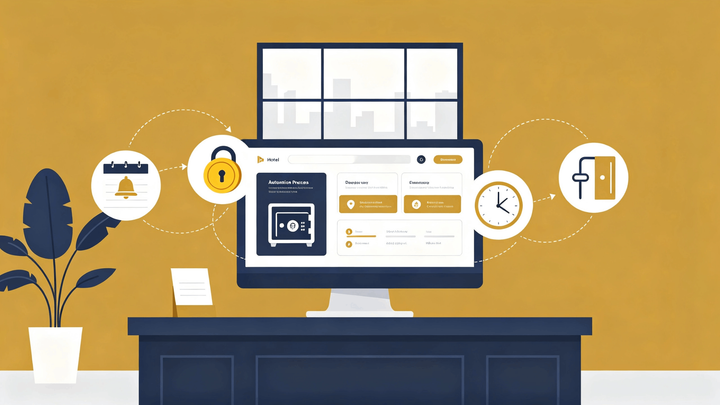
3. No-show automation has four components: deposit holds at booking, a pre-arrival reminder sequence, cancellation window policy, and automatic room release rules
4. The goal is not to catch no-shows after they happen — it is to prevent them and to free the room for resale before the check-in window closes
The Cost Structure of a No-Show
A no-show at a small hotel is not just a missed booking — it is an inventory failure on two fronts. First, the room was removed from availability when the reservation was confirmed, preventing other guests from booking it. Second, if no deposit was collected and no payment was secured, the stay produces zero revenue.
The double cost is what makes no-show policy worth automating. A property managing 15 rooms that sees two no-shows per week — an unremarkable rate for a property relying on OTA bookings without deposit requirements — is absorbing significant revenue loss compounded over a season.
Manual no-show management works when occupancy is low and bookings are few. At any meaningful scale, it fails because the timing is wrong: the steps that prevent no-shows need to happen days before arrival, not on the day itself.
Deposit Holds: Securing Revenue at Booking
The most direct no-show prevention is a deposit collected at the time of booking. A guest who has already paid 30–50% of the stay total has a financial incentive to show up or cancel through the proper channel — not simply fail to arrive.
For OTA bookings, the deposit mechanism depends on the platform. Booking.com, Airbnb, and other channels have their own payment handling and no-show policies. For direct bookings, the property controls the deposit structure entirely.
A PMS with payment integration can trigger a deposit charge automatically when a direct booking is confirmed — without staff manually processing a card. The amount, timing, and terms are set once in the policy; the system applies them to every qualifying booking.
For bookings where a full deposit is not appropriate — longer stays, corporate accounts, loyalty guests — a card-on-file hold achieves a similar result. The hold is not a charge, but it confirms a valid payment method exists and creates friction for a guest who might otherwise simply not show up. The hold amount should cover at least one night's rate.
Pre-Arrival Reminders: The Sequence That Reduces Silent No-Shows
Many no-shows are not deliberate — they are the result of guests who forgot the reservation details, got the check-in date wrong, or lost the confirmation email. A pre-arrival reminder sequence resolves these cases without manual intervention.
The effective sequence uses two touchpoints: one sent 72 hours before arrival and one sent 24 hours before. The 72-hour message confirms the reservation, reiterates the check-in time window, provides access instructions or parking details, and notes the cancellation deadline. The 24-hour message is shorter: a same-day confirmation with check-in instructions and a contact number for last-minute questions.
The 72-hour touchpoint is where most soft no-shows are prevented. A guest who sees the confirmation three days out and realizes they have the date wrong, or has forgotten the booking entirely, has time to either arrive or cancel. That cancellation — even if it triggers a penalty — is still better than a no-show, because the room is returned to availability before the check-in window closes.
A PMS with automated messaging sends both messages on schedule for every reservation, regardless of how busy the front desk is on those days.
Automate Deposit Holds and Pre-Arrival Reminders in One System
Smart Order lets you set deposit policies and automated message schedules for direct bookings — so every guest receives a reminder 72 hours and 24 hours before arrival without manual follow-up from the front desk.
Cancellation Windows: Policy That Protects Revenue
A cancellation window defines how far in advance a guest can cancel before forfeiting their deposit or being charged a cancellation fee. For small hotels, two to three days before arrival is the practical minimum — enough time to relist the room and collect a new booking before the dates pass.
For peak season and high-demand periods, a longer cancellation window — five to seven days — protects the property during periods when a last-minute relist has a reasonable chance of converting before the room goes empty.
The cancellation deadline should appear in three places: the booking confirmation, the 72-hour reminder message, and the property's direct booking page. A guest who arrives at the deadline without realizing it creates a dispute. A guest who knew the deadline and chose not to cancel is a policy enforcement case, not a miscommunication.
For OTA bookings, the cancellation policy is set in the channel's extranet settings. It should match the property's direct booking policy where the platform allows. Mismatched policies — stricter on direct, looser on OTA — create situations where a guest simply books a new stay elsewhere rather than contacting the property.
Automatic Room Release: Freeing Inventory Before the Night Closes
When a guest does not arrive by a defined time — typically 30 to 60 minutes after the check-in window closes — the room should return to available inventory automatically. For a property running near capacity, a late no-show released by 9pm can still generate a same-night walk-in booking. A no-show that stays blocked in the system until the following morning cannot.
The release rule is a PMS setting, not a staff action. The time threshold is configured once — "if no arrival recorded by 9:00pm, return room to available status" — and applies automatically to every reservation that triggers it. The front desk is notified of the release, and the reservation is flagged as a no-show for payment processing and records.
Late-arriving guests who called ahead and confirmed their estimated arrival should have a notation on their reservation so the automatic release rule does not apply to them.
What the No-Show Record Should Capture
A no-show that is not properly recorded is a no-show that cannot be charged and cannot be analyzed. The record should include the guest name, booking source, reservation dates, deposit or hold status, and the time the room was released.
Payment processing follows the record. If a deposit was collected, it is retained under the cancellation policy. If only a hold was placed, the property charges the no-show fee at that point — within the authorization window for the held amount.
The no-show record also feeds reporting. A property tracking no-shows by source channel over 90 days can see whether OTA bookings are producing a disproportionate no-show rate compared to direct bookings — a signal that the OTA's cancellation policy is too permissive and worth tightening.
Track No-Shows by Channel and Set Deposit Rules in One Place
Smart Order records every no-show against its booking source, applies deposit policies automatically, and releases rooms on schedule — so the front desk handles arrivals, not no-show follow-up.
FAQ
How do small hotels handle no-shows automatically?
No-show automation runs through four steps: a deposit or card hold collected at booking, a pre-arrival reminder sequence sent 72 and 24 hours before check-in, a cancellation window policy that defines when guests can cancel without penalty, and an automatic room release rule that returns inventory to available status when no arrival is recorded past a defined time. A PMS executes each step on schedule without manual intervention.
What is the best deposit policy for preventing hotel no-shows?
A deposit of 30–50% of the stay total, collected at direct booking confirmation, is the most effective single intervention. For OTA bookings, the cancellation policy in the channel extranet should be set to non-refundable or partial-refundable rather than free cancellation up to arrival. A card-on-file hold is the minimum acceptable alternative when a full deposit is not practical.
How far in advance should a hotel send no-show reminder messages?
Two messages cover most scenarios: one at 72 hours before check-in and one at 24 hours. The 72-hour message is the more important — it gives guests with incorrect dates or forgotten bookings time to cancel before the penalty window closes. The 24-hour message handles last-minute questions and confirms access details. Both should be automated through the PMS so they send on schedule regardless of front desk workload.
What is a room release rule in hotel management?
A room release rule automatically returns a reserved room to available inventory when a guest does not check in by a defined time. The threshold is typically set 30–60 minutes after the close of the standard check-in window. The reservation is flagged as a no-show, any applicable cancellation charge is processed, and the room becomes bookable again for same-night walk-ins or future dates. Without an automated release, a no-show room stays blocked until staff manually removes it.
Should hotels set the same cancellation policy on OTAs and direct bookings?
Yes, with adjustments for what each platform allows. A consistent policy across channels prevents guests from discovering they could have cancelled penalty-free on Booking.com while facing a two-day penalty on a direct booking. Where the OTA's policy structure does not match the property's preferred terms exactly, the property should set the OTA policy as close to direct as possible — typically a 48–72 hour non-refundable deposit or a strict cancellation window during peak periods.
