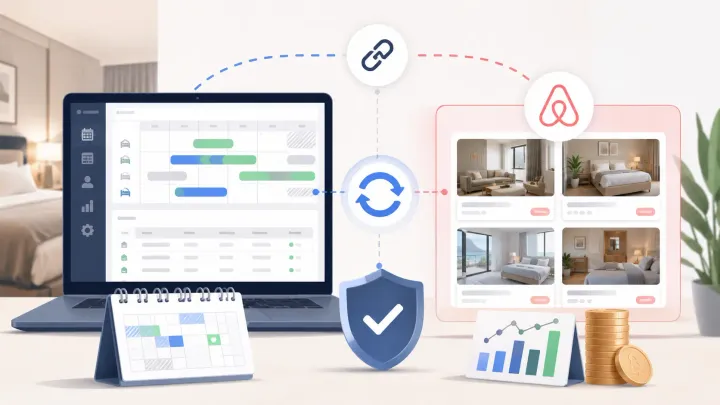
1. A hotel PMS and Airbnb integration should have one source of truth for availability, rates, restrictions, messages, and listing content.
2. Calendar availability can look correct while nightly rates, minimum stays, or listing details remain wrong, so test each data type separately.
3. Verify the guest-facing Airbnb listing after every mapping change, then monitor failed updates and reservation modifications after launch.
A hotel PMS and Airbnb integration should do more than import reservations. It must keep sellable rooms, nightly prices, stay restrictions, guest conversations, and listing details aligned without staff editing the same field in two places.
The costly mistakes are often subtle. A room may be available on the correct dates but priced from the wrong rate plan. A three-night minimum may apply in the PMS but not on Airbnb. An automated check-in message may use an old door code. The connection can be active while the guest-facing result is still wrong.
This guide focuses on preventing those operational errors. For a step-by-step iCal setup, use a calendar sync guide instead. A direct PMS connection has a wider job.
What a Hotel PMS and Airbnb Integration Actually Syncs
Airbnb offers software-connected hosts different sync approaches. Depending on the provider and connection settings, a host may synchronize all listing details or only pricing and availability. That choice determines where staff should make changes.
With pricing-and-availability sync, the PMS or channel manager normally controls the calendar, rates, and supported restrictions. Listing copy, photos, fees, and some booking settings may still be managed in Airbnb. With full sync, the PMS can become the source for more listing content.
Do not assume that “connected” means every field moves both ways. Ask the provider for a field-level scope before onboarding. For each field, record its source, direction, expected delay, and fallback owner.
The operating rule is simple: one field should have one authoritative editor. If the PMS controls base rates, staff should not also adjust those dates in Airbnb unless the documented workflow allows an Airbnb-specific override.
Prevent Calendar Errors Before They Become Double Bookings
Calendar sync begins with correct mapping. Each Airbnb listing must connect to the intended PMS property, room type, and unit. Hotels need extra care when Airbnb sells a room type while the PMS tracks several physical rooms underneath it.
Test more than a normal reservation. Block a room in the PMS, create a direct reservation, receive an Airbnb booking, modify its dates, and cancel it. After each event, check the PMS calendar and the public Airbnb calendar. Inventory should decrease and return exactly once.
Pay attention to states that are not ordinary confirmed bookings. Pending requests, preparation time, owner blocks, maintenance closures, and same-day cutoffs can affect availability differently. Confirm which states the integration sends and how the PMS displays them.
Airbnb says reservations normally reach connected software instantly, although some can take longer. If a reservation is missing, check the listing’s connection status and escalate to the software provider with the listing, confirmation code, and event time. A front desk should never “fix” a missing reservation by creating duplicates in several systems.
When a guest books through Airbnb, the reservation should enter the PMS, the assigned inventory should fall, and connected channels should receive the new availability. A hotel channel manager makes that booking loop visible from one control point instead of relying on staff to close dates manually.
Keep Airbnb Availability and Rates in One Booking Loop
Connect Airbnb reservations to Smart Order so the PMS calendar updates and the remaining room inventory can be distributed from one operational view.
Stop Rate Mistakes at the Source
A correct calendar does not prove the price is correct. Rate errors usually come from the wrong mapping, conflicting pricing tools, currency assumptions, tax settings, or an Airbnb markup applied twice.
Choose one rate source. It may be the PMS, a revenue management tool connected through the PMS, or another documented pricing layer. Avoid having the PMS, Airbnb Smart Pricing, and a third-party dynamic pricing tool all write to the same dates without a clear priority.
Run guest-facing searches for ordinary weekdays, weekends, peak dates, and far-future dates. Compare the nightly amount and total stay price with the PMS. Check occupancy supplements, cleaning fees, discounts, taxes, currency conversion, and host-only service fees separately. The public checkout total can reveal a mistake that is not visible in the host calendar.
Use a controlled test whenever you change a rate mapping. Push a distinctive test rate to a low-risk future date, confirm it appears on Airbnb, and then restore the correct value. Record the update time. If the old rate remains, investigate the connection rather than repeating edits in both systems.
Treat Minimum Stay as a Separate Sync Test
Minimum-stay restrictions often fail independently of price and availability. A date can be open at the right rate while Airbnb still accepts a one-night stay that the hotel intended to sell for three nights.
Test minimum stay by arrival date, not only by looking at the calendar. Search for one-, two-, and three-night stays beginning on the restricted date. Repeat the test across a date range because some systems apply a minimum to the arrival night while others evaluate every night in the stay.
Also verify maximum stay, closed to arrival, closed to departure, booking lead time, preparation time, and same-day booking cutoff when those rules matter. Not every PMS connection supports every restriction. Unsupported rules need a named owner and an Airbnb-side review schedule.
After a restriction change, check both a date that should be rejected and a nearby date that should remain bookable. This catches broad rule pushes that accidentally close more inventory than intended.
Keep Guest Messages Attached to the Right Reservation
Message sync is operational, not cosmetic. A unified inbox is useful only when the conversation is attached to the correct guest, property, stay dates, and reservation status.
Test a new inquiry, a confirmed-booking message, a reservation modification, and a cancelled stay. Confirm replies sent from the PMS appear in the Airbnb thread and that messages written in Airbnb return to the shared inbox. Staff should know whether attachments, special-request fields, co-host replies, and translated messages are supported.
Automation needs guardrails. Check-in instructions should send only after the required trigger, such as confirmed payment or a defined time before arrival. Cancellation should stop future messages. A date change should recalculate the schedule rather than sending instructions for the old arrival.
Use property-specific variables for door access, Wi-Fi, parking, and contact details. Preview every template with a real test reservation. A perfectly delivered message is still a failure if it contains information from the wrong listing.
Decide Where Listing Content Lives
Listing content sync can include titles, descriptions, amenities, photos, house rules, policies, fees, and check-in settings, but the exact scope varies by software and sync mode. Airbnb’s software-sync guidance distinguishes full listing sync from pricing-and-availability sync, so confirm the selected mode before editing.
With full sync, a PMS update may overwrite changes made directly in Airbnb. With limited sync, staff may incorrectly expect a PMS amenity or photo update to appear on the listing. Both mistakes come from unclear ownership.
Create a content register for each listing. Record where staff edit the title, description, amenities, photos, fees, taxes, cancellation policy, and booking settings. After any bulk change, inspect the live listing on desktop and mobile.
Do not push content merely because the integration allows it. Airbnb-specific copy may convert better than a generic description reused across channels. If the PMS is the content source, keep channel-specific fields where supported and review the rendered listing rather than only the source text.
Use a Five-Part Go-Live Check
Run the connection in a low-demand window and test one listing before expanding to the rest of the property. Save screenshots, reservation IDs, timestamps, and expected results so a failed check can be reproduced.
- Calendar: Create, modify, and cancel bookings from Airbnb and another source; verify inventory changes once.
- Rates: Compare PMS values with guest-facing nightly rates and checkout totals across several date types.
- Minimum stay: Search lengths that should fail and pass; test arrival rules and nearby dates.
- Messages: Send messages in both directions and verify automation stops or reschedules after changes.
- Listing content: Confirm the chosen sync mode, edit one safe field, and inspect the public listing.
For the first 48 hours, review every new, modified, and cancelled Airbnb reservation. Check the next 30 days for inventory, rate, and restriction mismatches. After that, keep a daily exception review for failed pushes, disconnected listings, unmapped rates, and unanswered messages.
Smart Order can keep the relevant workflow narrow: an Airbnb booking enters the PMS, the room calendar changes, and the team sees the reservation and remaining availability in the same place. Managers can then correct a rejected update or mapping issue before another guest books against bad data.
FAQ About Hotel PMS and Airbnb Integration
Can a hotel PMS sync everything with Airbnb?
Not always. Airbnb supports full listing sync and pricing-and-availability sync, but the fields available depend on the connected software and configuration. Obtain a current field-level list from the PMS provider and assign an editing source for every unsupported field.
Should rates be changed in the PMS or Airbnb?
Change them in the declared rate source. If the PMS sends rates to Airbnb, routine Airbnb-side edits can be overwritten or create conflicting outcomes. Keep any channel-specific markup, discount, or override documented and test the final guest price.
Why is the Airbnb calendar correct but the minimum stay wrong?
Availability and stay restrictions are separate data types. The connection may support one but not the other, the rule may be mapped incorrectly, or another system may overwrite it. Test bookable stay lengths on the public listing and check the connection scope.
Does Airbnb messaging work through every PMS?
No. Inbox features vary. Verify two-way messages, reservation association, attachments, automation triggers, co-host activity, and cancellation behavior before relying on the PMS as the team’s only inbox.
Make Every Synced Field Verifiable
The safest hotel PMS and Airbnb integration is not the one with the longest feature list. It is the one your team can verify.
Define a source of truth for calendars, rates, minimum stays, messages, and listing content. Test each stream separately. Check the Airbnb guest view, not only the PMS dashboard. Then monitor exceptions with enough evidence to diagnose them quickly.
That process prevents a connected listing from quietly selling the right room on the wrong dates, at the wrong price, under the wrong rules.
