1. Confirm the booking reference, stay dates, room, guests, total price, payment status, and agreed cancellation terms.
2. A confirmed reservation does not automatically mean the guest has paid in full.
3. Adapt the four templates below using verified reservation details; send access instructions according to your property's check-in process.
Booking confirmation emails are more than just a formality. After a guest has booked a room, this email is one of the first direct communications between them and the hotel. Whether you run a boutique hotel, a bed and breakfast, or a short-term rental apartment, a clear hotel confirmation email gives the guest a record they can check before arrival.
Examples of hotel booking confirmation email templates
Replace every bracketed field with verified details. Use these templates for confirmed reservations, with full dates, explicit currencies, and local property time.
Standard template (basic confirmation)
Hi [Guest Name],
Your reservation at [Property Name] is confirmed.
Reservation: [Number]
Check-in: [Full date], from [Time, local property time]
Check-out: [Full date], by [Time, local property time]
Stay: [Number of nights]
Room: [Number of rooms and room type]; [Number of guests]
Included: [Confirmed meal plan and extras]
Total: [Amount and currency, including agreed taxes and charges]
Payment received: [Verified amount and currency, or no payment received]
Balance: [Amount and currency, due date, agreed method, and who collects it]
Cancellation or changes: [Booked terms, deadline with time zone, and contact route]
Address: [Property Address]
Questions or corrections? Contact [Property Email / Phone].
We look forward to welcoming you.
[Property Name] Team
Luxury hotel template (personalized greeting)
Dear [Guest Name],
Thank you for choosing [Hotel Name] for [Occasion, if shared]. Your [Room Type] reservation is confirmed.
Reservation: [Number]
Arrival: [Full date and local check-in time]
Departure: [Full date and local check-out time]
Stay: [Number of nights]
Accommodation: [Number of rooms and room type]; [Number of guests]
Services reserved: [Confirmed inclusions, with service dates and times]
Total: [Amount and currency, including agreed taxes and charges]
Payment received: [Verified amount and currency]
Balance: [Amount, currency, agreed due date and collection method]
Cancellation or changes: [Booked terms and deadline with time zone]
If you would like us to arrange [Optional Service], please contact us for availability and pricing.
With warm regards,
[Name], Guest Experience Team
[Hotel Name], [Address], [Email / Phone]
Self-check-in template (arrival instructions sent separately)
Hi [Guest Name],
Your reservation at [Property Name] is confirmed.
Reservation: [Number]
Check-in: [Full date and local time]
Check-out: [Full date and local time]
Stay: [Number of nights]
Accommodation: [Room or unit type and quantity]; [Number of guests]
Address: [Full Property Address]
Included: [Confirmed inclusions]
Total: [Amount and currency, including agreed taxes and charges]
Payment received: [Verified amount and currency]
Balance: [Amount, currency, agreed due date and collection method]
Cancellation or changes: [Booked terms and deadline with time zone]
We will send your self-check-in instructions through [Verified Channel] by [Date and Time]. Follow [Required Check-in Steps] before access is activated.
For arrival assistance, contact [Property Email / Phone].
[Property Name] Team
Group booking template
Hi [Group Organizer Name],
We are pleased to confirm the following group reservation.
Group reference: [Number]
Check-in: [Full date and local time]
Check-out: [Full date and local time]
Stay: [Number of nights]
Address: [Full Property Address]
Rooms and guests: [Room quantities and types]; [Guest count]
Included: [Agreed meals and services]
Total: [Amount and currency, including agreed taxes and charges]
Deposit received: [Verified amount and currency]
Balance: [Amount, currency, due date, payer, and agreed method]
Rooming list due: [Agreed deadline, if applicable]
Cancellation or changes: [Group contract terms and deadlines with time zone]
Please contact [Name / Email / Phone] about rooming-list changes or additional services.
We look forward to welcoming your group.
[Name], [Property Name]
Check template fields against the reservation. When a guest asks about a changed date or room, Smart Order's Unified Inbox displays booking details alongside the conversation for staff to check before replying.
Keep Guest Replies Aligned With Booking Details
Create a Smart Order account to manage guest conversations with reservation details in view and reusable message templates for your team.
Why confirmation emails matter in hotel bookings
Guests want to check their booking, rate, and arrival time. A friendly confirmation provides that record and clarifies cancellation terms. It does not replace the agreed policy or guarantee fewer cancellations.
The email is also an early expression of your brand voice. Make it sound like the hotel guests will experience: welcoming, clear, and reliable.
Key elements to include in a hotel booking confirmation email
1. Clear and Relevant Subject Line
The subject line should immediately tell the recipient what the email is about. Keep it short, direct, and branded. For example: Booking Confirmed - [Hotel Name] [Reservation Number]. This helps guests locate the email later.
2. Personalized Guest Information
Begin with a friendly greeting using the guest's name. If someone booked on behalf of another person, distinguish the staying guest from the organizer or payer. Use only the personal information needed for the message.
3. Reservation Details
Make the core information easy to skim: booking reference, check-in and check-out dates and times, number of nights, room type and quantity, guest count, and confirmed meal plans or extras. Separate requests from guaranteed inclusions; an unconfirmed early arrival is not a promised early check-in.
4. Payment and Cancellation Details
Show the total and currency, applicable charges, verified payment received, and remaining balance. State who collects any balance, when, and by which agreed method. A card guarantee or authorization is not the same as a completed payment.
Adapt the payment line to the actual booking:
- Fully paid: Payment received: [Amount and currency]. Remaining balance: [Zero, if verified].
- Deposit paid: Deposit received: [Amount and currency]. Balance: [Amount, due date, and agreed payment method].
- Pay at property: No payment collected by the property. [Amount and currency] is due at [Agreed Time] using [Accepted Method].
Include the cancellation or modification terms booked by the guest, with the applicable deadline and time zone. Do not introduce a different policy after confirmation. Never ask guests to email unprotected full card numbers; use your approved payment process.
5. Hotel Contact Info and Location
Make it easy for guests to reach you. Include the full hotel name and address, phone number, and a monitored email address. If reception operates limited hours, explain how guests can contact someone outside those hours.
6. Arrival Instructions
Include check-in and check-out times, parking or key-collection information, and late-arrival arrangements where relevant. Keep detailed access instructions separate if they depend on identity checks, payment, or time-limited credentials. Say when and how guests will receive them rather than promising immediate access.
7. Upsell Opportunities
You can mention optional upgrades, transfers, dining, or local experiences after the essential details. Label them as optional, subject to availability, and separately priced where applicable. Do not present an offer as a service already reserved.
8. Thank You and Closing Note
End the email on a warm, welcoming note. Thank the guest for choosing your property and explain how to report an error or ask a question.
Tips for writing a professional and friendly confirmation email
Write like you speak at the front desk: warm, clear, never stiff. Use short paragraphs so guests can scan on a phone. Keep your hotel's colors and logo consistent, but let the reservation details lead.
Avoid jargon such as folio when bill is clearer. Test the email on mobile and check the plain-text version. Use full month names to avoid confusion between day-first and month-first dates.
Check before sending a hotel booking confirmation email
Use the latest confirmed reservation, not an old enquiry or an earlier email thread.
- Confirm the reservation is accepted. If it remains pending, acknowledge the request without saying it is confirmed.
- Match the email to the current reservation: dates, nights, rooms, guests, extras, address, and reference.
- Verify payment received, balance, and the booked cancellation terms. For an online travel agency (OTA) booking, check who collects payment before requesting money.
- Check the recipient and what the OTA or another staff member has already sent. Send useful property-specific information without contradicting the original confirmation.
- Preview the final message. Check that no placeholders remain, dates and weekdays agree, and service appointments fall within the agreed schedule.
Common mistakes to avoid
- Leaving out the reservation number, full dates, or currency.
- Calling an unpaid booking paid in full.
- Hiding cancellation terms or changing them after booking.
- Treating room requests or optional extras as confirmed.
- Sending outdated access details or contradicting the OTA's payment instructions.
- Letting promotions obscure the information guests need first.
Frequently Asked Questions
How should you confirm a changed reservation?
Retain the booking reference where your system allows. Identify the change and show revised dates, total, payment position, and terms. State that this confirmation replaces the earlier version, rather than presenting it as a new booking.
Is a booking confirmation email a payment receipt?
Not automatically. It confirms reservation details; it should only state that money was received when the payment is verified. Provide the appropriate receipt or invoice separately when needed, following your property's process and applicable requirements.
Conclusion
A clear and friendly hotel booking confirmation email helps guests understand what they booked and what happens next. Keep the templates consistent, but verify the details for each reservation before sending.
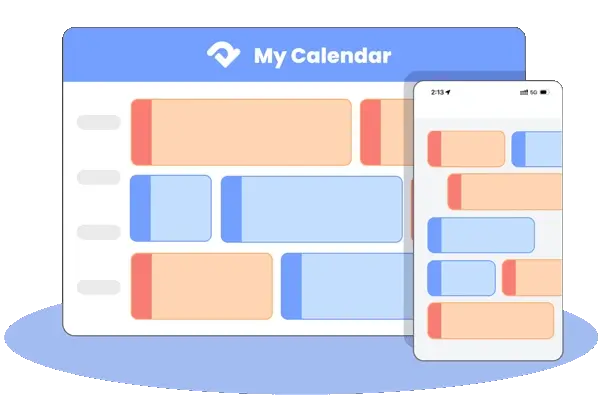
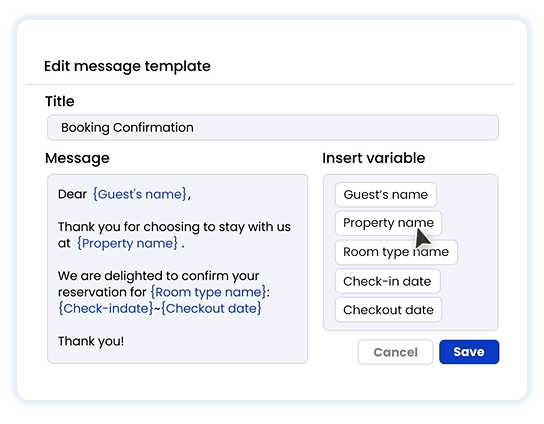
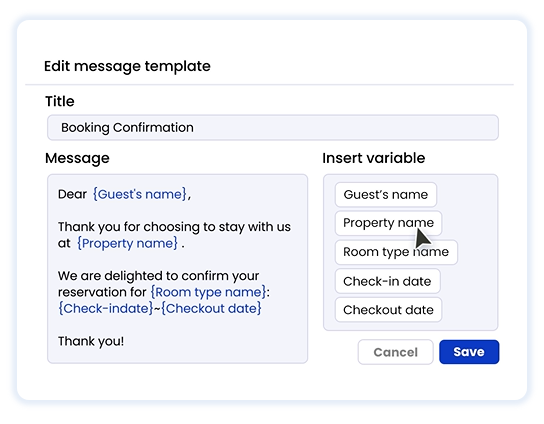
For follow-up questions, staff need current booking details. In Smart Order PMS, supported OTA and direct reservations update the calendar and availability. The Unified Inbox pairs conversations with booking details and lets staff customize reusable guest message templates.
Keep Guest Communication Consistent
Set up your property in Smart Order and help your team answer booking questions with the current reservation details in view.