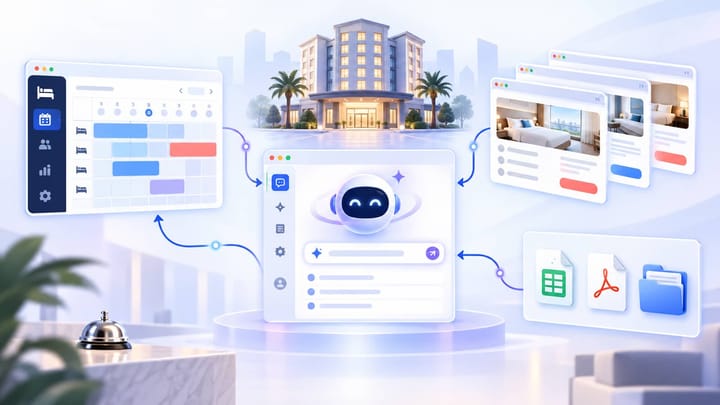
1. The PMS supplies authoritative reservation, room, rate, inventory, operating-metric, and report records.
2. The AI browser works with supported OTA extranets under the hotel’s existing access and channel permissions.
3. Local files provide templates, statements, spreadsheets, images, and working evidence that do not belong in the PMS.
4. AI Desktop coordinates the task, but every source keeps its own role and sensitive changes remain reviewable.
Hotel AI automation becomes useful when it can work across the systems where hotel operations actually happen. A manager may start with PMS data, verify an OTA page, compare a local spreadsheet, and deliver a report or controlled change from the same task.
Smart Order AI Desktop provides the workbench for that coordination. It does not merge every source into one untraceable answer. The hotel AI agent plans the task, calls available tools, preserves source context, and returns a result or change preview for review.
Why Cross-System Hotel Work Breaks
Hotel software is usually connected at the data level but fragmented at the employee level. Reservations live in the PMS, public offers appear in OTA extranets, settlement details arrive as statements, and operating templates remain in local folders.
A rate investigation illustrates the problem. The revenue manager checks the PMS source rate, opens the channel manager, searches the OTA as a guest, signs into the extranet, reviews an active promotion, and records the conclusion in a spreadsheet. The systems may all be functioning, but the work still depends on manual switching and copying.
This creates three common risks: staff compare the wrong room or rate plan, evidence loses its booking or date context, and a recommendation is not converted into an owned next action. AI Desktop addresses the coordination layer rather than pretending a new database will replace all existing tools.
AI Desktop Acts as the Task Control Plane
The workbench begins with the operating goal. “Check why the public weekend price is lower than our floor” is more useful than a sequence of menu directions because it defines the result that needs to be proven.
The hotel AI agent software identifies the required sources, missing context, action sequence, and approval boundary. It may need the property, channel, room type, rate plan, occupancy, stay dates, market, device, currency, and tax display before the comparison is valid.
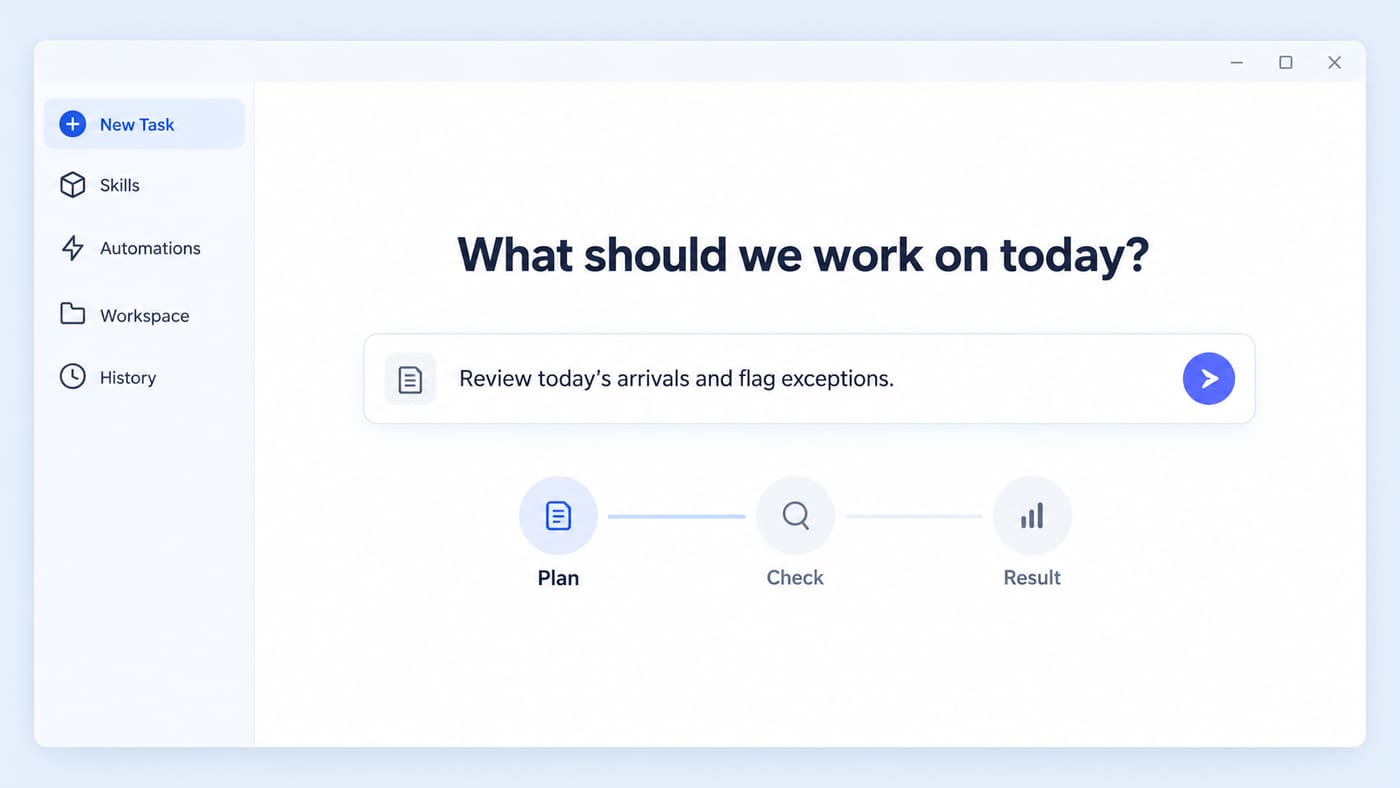
Each tool call should answer a specific part of the task. PMS data establishes the stored operating value. The OTA page shows the channel-side configuration or guest-facing outcome. A local file supplies a statement, template, or approved threshold. AI Desktop organizes these observations without silently treating one as a substitute for another.
Smart Order’s connected hotel channel manager keeps mapped rate and availability data flowing to supported channels. AI Desktop adds a goal-led layer for investigation, comparison, and controlled follow-through.
Coordinate Hotel Work From One Goal
Bring PMS records, channel checks, and reviewable operating tasks into a clearer Smart Order workflow.
How AI Desktop Uses PMS Data
The PMS is the operating source for reservations and stay orders, occupant details, rooms and room structures, local inventory, stop-sell status, room rates, rate plans, operating metrics, and the reports stored in the PMS. AI Desktop retrieves this information through supported, permission-controlled capabilities rather than asking staff to export and paste it for every task.
Read-only requests can return a result directly. Examples include showing today’s arrivals, viewing reservation and occupant details, finding a room or room group, checking local inventory, reviewing rate-change records, grouping sales by channel, or reporting occupancy, ADR, and RevPAR.
Current supported PMS write tasks include creating, editing, or cancelling a reservation; processing check-in or check-out; changing property room rates or rate plans; and adjusting stop-sell status. For each request, the agent first queries the current state and then presents the exact property, dates, reservation, room or rate plan, existing value, and proposed action. Execution begins only after the user confirms that preview.
This scope does not imply unrestricted inventory or room-status control. Room types, rooms, buildings, and room groups are queryable, but a general room-status write is not part of the current overseas PMS Assistant scope. Local inventory is also mainly query-focused; inventory adjustment is primarily available for supported overbooking inventory.
The hotel must already be signed in to the PMS inside AI Desktop, and the assistant can act only on properties available to that signed-in account. Some rate, inventory, and configuration writes may take effect asynchronously. Staff should reopen the relevant PMS page and treat its final state as authoritative; a successful command alone does not prove that the intended record or downstream channel has updated.
How AI Desktop Works With OTA Extranets
OTA extranets expose information that is not always represented fully inside a PMS connection. Promotions, campaign eligibility, account notices, guest-facing merchandising, payment statements, content quality, and some restriction controls may remain channel-specific.
The AI browser gives the hotel agent a controlled web environment for supported channels. For overseas hotel teams, relevant workflows can include Booking.com, Agoda, Expedia, and other available channel tools. Exact capabilities depend on the market, property account, connected workflow, user role, and current extranet interface.
A safe channel task separates observation from action. The agent can inspect the visible rate, active promotion, open inventory, or pending item and return evidence. If the requested workflow supports a change, it should prepare the exact scope and wait at the defined confirmation point.
Do not assume that a successful PMS update proves the OTA result. Confirm the received value in the channel environment and, where the task concerns selling price, test a like-for-like guest search using the same stay dates, occupancy, currency, market, meal plan, cancellation terms, taxes, and device conditions.
How Local Files Enter the Workflow
Many hotel decisions depend on files that should not be forced into PMS fields. These include payout statements, owner reports, operating budgets, promotion approvals, brand templates, rate-floor worksheets, inspection images, and exported historical records.
AI Desktop can use a designated workspace to read and organize relevant files alongside live operating data. A finance task might match an OTA statement with PMS booking references. A marketing task might combine an approved property fact sheet with a content template. A multi-property review might place every hotel’s result into the same management format.
File provenance matters. The task should identify the filename, period, property, version, and whether the document is authoritative or only a working draft. “Budget.xlsx” without a property or date is not a reliable control input.
Do not place raw card data, unnecessary guest identifiers, passwords, or unrelated employee information into a general AI workspace. Give each role access only to the files and fields required for the approved task.
What an End-to-End Task Looks Like
Consider a request to review a low public OTA price. AI Desktop first defines the product being compared: property, room, rate plan, occupancy, dates, market, currency, tax display, and cancellation terms.
Next, the hotel AI agent retrieves the source or mapped rate from the PMS environment. It inspects the supported OTA extranet for active promotions or channel-specific settings, then checks the guest-facing result under matching conditions. If management has supplied a rate-floor worksheet, the agent compares the final selling value with that approved threshold.
The output should separate facts, interpretation, and proposed action. Facts show the values observed in each source. Interpretation explains the likely cause, such as a stacked promotion or a different rate-plan condition. The action specifies exactly what could be changed and where.
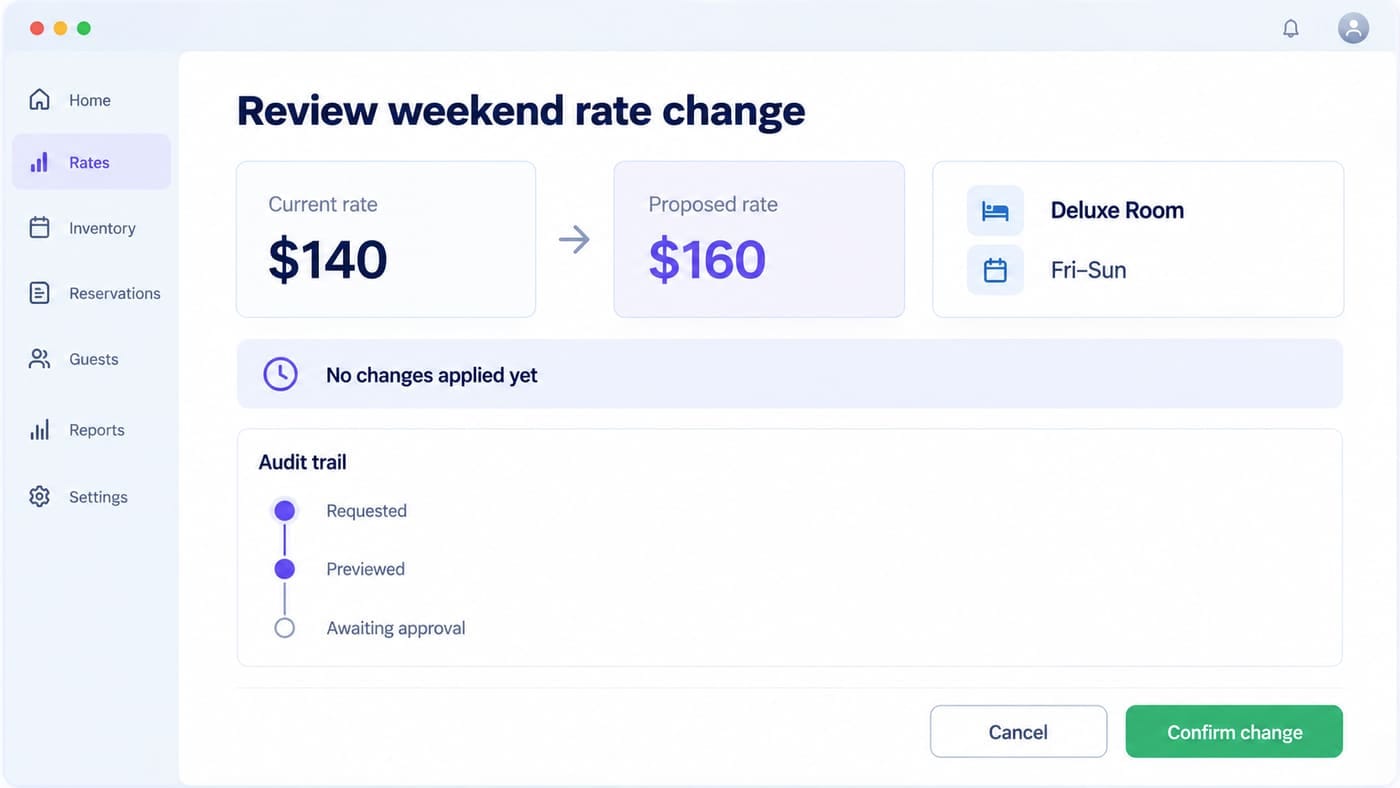
After approval, the agent executes only the supported action, verifies the saved state, and records the result. If the task cannot prove the final guest price, it should stop with an unresolved check rather than declare success.
Controls for Reliable AI Hotel Operations
Reliable AI hotel operations require explicit boundaries. Define which tools a role can use, which properties it can access, which tasks are read-only, and which actions require confirmation.
Keep an audit trail that connects the request, task plan, sources, intermediate findings, preview, approver, execution response, and PMS verification. This is essential when a price, stop-sell setting, reservation, or operating report is disputed later.
Handle failures at the step where they occur. If the PMS record is unavailable, do not guess from the OTA. If the extranet session has expired, do not treat an old screenshot as current. If two files conflict, identify both versions and request the correct authority.
Start with one low-risk workflow such as a daily report, arrivals exception check, channel audit, or statement comparison. Measure the original handling time, system switches, missed exceptions, review effort, and correction rate. Expand only when the hotel can verify both the result and the control path.
Frequently Asked Questions
Does AI Desktop replace the channel manager?
No. The channel manager synchronizes supported reservation, rate, restriction, and availability data. AI Desktop coordinates tasks that may use those records alongside extranet and file evidence.
Can AI Desktop work with every OTA function?
No. Availability depends on the supported channel, market, account permission, interface, and workflow. Confirm the capability before assigning an automated action.
Can the hotel AI agent use spreadsheets and PDFs?
It can use supported local files placed in an approved workspace. Label every file by property, period, and purpose, and avoid unnecessary sensitive data.
What happens before AI changes hotel data?
The assistant first queries the current PMS state, then shows a preview with the exact property, reservation or product, dates, current value, proposed action, and destination system. The user must confirm before execution. Staff then verify the final state in the PMS, especially when a rate, inventory, or configuration change may take effect asynchronously.
What is the best first hotel AI automation?
Choose a frequent, low-risk task with an output that staff can check quickly. Daily summaries, arrival exceptions, review classification, and channel audits are practical starting points.
