Disconnect a channel from your PMS

Follow the steps below to disconnect Smart Order PMS from the channels. The disconnection from Airbnb in this guide is used as an example.

Go to Channel > List > Configure > Click Disconnect

Step 1: Go to Channel List and Open Configuration Settings
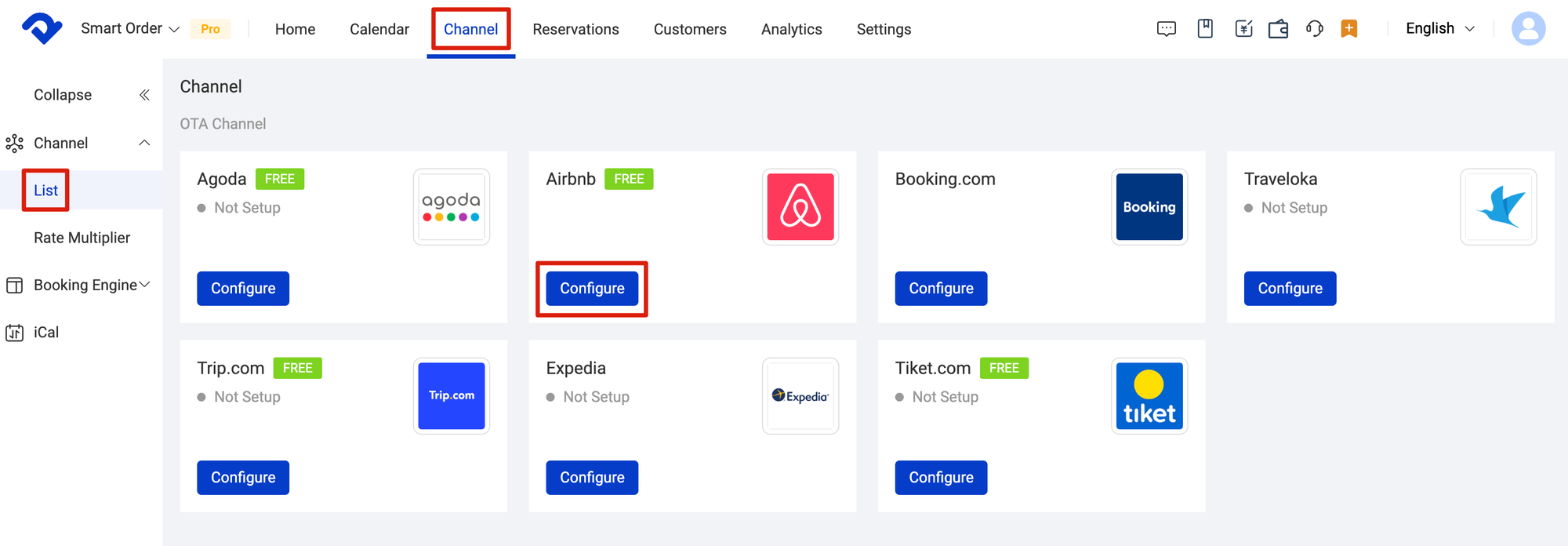
Go to Channel List and Open Configuration Settings

Step 2: Disconnect the Channel from Your PMS
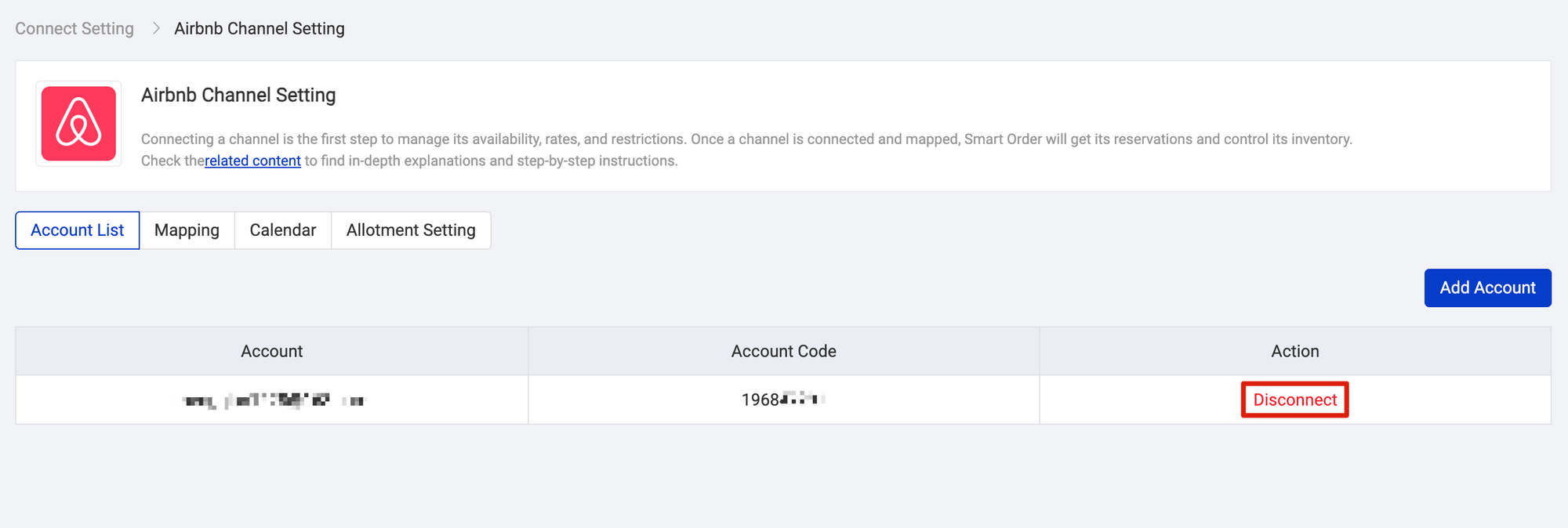
Disconnect the Channel from Your PMS

Related Articles

Frequent Questions

Derived rate plan Derived rates plans inherit their pricing and restrictions from their parent rate plan on OTA extranet, which means our platform does not send any inventory updates to OTA for these rates; the channel blocks the values being sent. You need to change the price as set up

Channel multi-mapping

What is multi-mapping? The channel manager’s room mapping functionality allows multiple channel rates to be mapped to, and managed by, a single channel manager room rate. This is known as multi-mapping and it provides flexible mapping options to help you simplify your setup. When to use multi-mapping? Multi-mapping is

Perform a bulk update

You can use Bulk Update to quickly and easily perform extensive updates to rates and restrictions across your room type and channels for one or more date ranges and specific days of the week. Navigation overview The inventory grid is where you manage the day-to-day pricing, and restrictions for your

How to set up the extra person rate

Follow the steps below to set up extra person rate. Operating Steps 1. Go to Settings: Next to the menu at the top, click "Settings." 2. Choose Rate Plan: Tap "Rate Plan" in the "Settings" section. 3. Select Occupancy Rate: Click on "Occupancy

Add and edit rate plan

Step 1 - Create a rate plan Create the rate plan first. Click on Settings > Rate Plan > Click Add New Rate Plan > Type in the Rate Plan Name > Set Default Minimum Stay > Set Default Maximum Stay > Choose Manual/Derived > Select Room Types >

Set up rate multiplier for a channel

Part 1 - Definition A Rate Multiplier is a percentage-based tool that dynamically adjusts base room rates, simplifying pricing management by scaling fixed rates. The Rate Multiplier in the Smart Order PMS is channel-specific. For instance, you can offer a 5% discount from your base rate exclusively for Booking.com
