DEVELOP WITH SMART ORDER
Smart Order
Open API
Connect your own applications to the Smart Order hotel property management system (PMS). Bring reservation data into internal tools, build your own direct booking experience, and connect guest messaging with your AI workflows.
For hotel teams and developers. Tell us about your integration in the demo form.
Three ways to build with Smart Order
Connect your internal operations, direct booking experience, and guest communication to the Smart Order hotels your application is authorized to access.
Internal workflows
Retrieve reservation information with the PMS API for your own finance, reconciliation, and reporting tools.
Direct booking
Use CMS and Booking APIs to build a booking experience for your own website or app.
Guest messaging
Handle conversations through the IM API and connect third-party or your own AI capabilities.
Bring reservation data into your internal workflows
Use the PMS API to retrieve reservation information from Smart Order for your own finance, reporting, and internal management tools. Support reconciliation and operational reporting with workflows built around your business.
Smart Order reservations
Reservation information from authorized hotels.
PMS API
Retrieve the data your internal workflow needs.
Your internal tools
Use the information for reconciliation and reporting.
Your finance team can reconcile bookings against its own records. Your system defines the reconciliation rules and processing logic.
Build a booking flow around your business
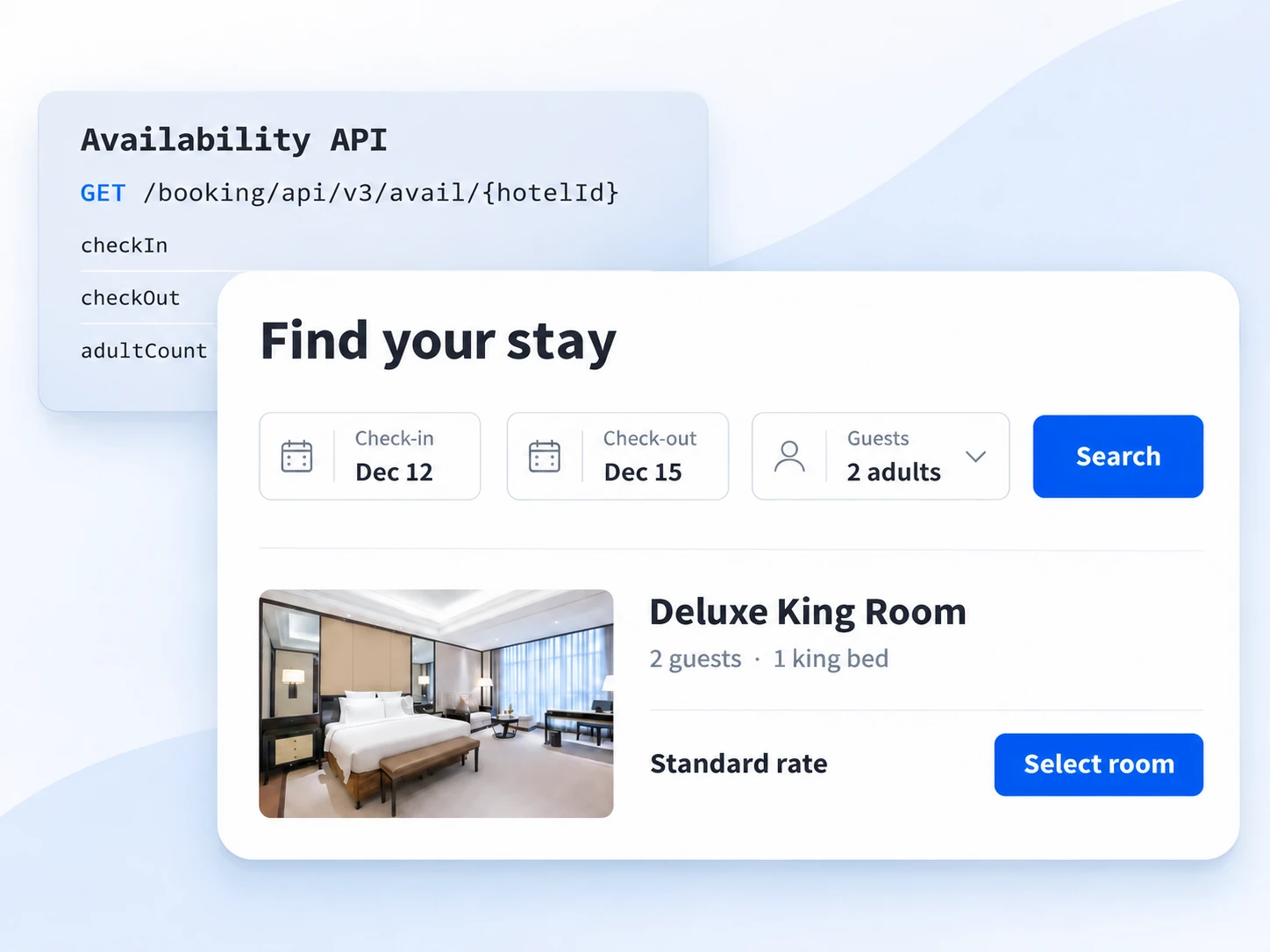
Build your own direct booking website or app instead of using the Smart Order Booking Engine. CMS APIs provide hotel, room, product, and rate information; Booking APIs connect your interface to availability and reservation operations.
View calendar
Display room availability across a date range to help guests choose their stay dates.
Check availability
Check available rooms, products, and rates for the guest’s selected dates.
Confirm bookings
Create the reservation in Smart Order through your own website or app.
Payment Optional
Add a payment step through your chosen payment provider, and record the payment against the reservation in Smart Order.
Your application provides the guest interface and business logic. API access covers authorized Smart Order hotels, rather than a global hotel inventory.
im.message.createdim.message.updatedPlan your API connection
Discuss your internal tools, direct booking, or guest-messaging workflow with Smart Order. Confirm the application credentials and hotel access your integration needs.
Get application credentials
Contact Smart Order to discuss your integration, obtain application credentials, and confirm hotel access.
Obtain an access token
Use OAuth 2.0 client credentials to obtain a server-to-server access token.
Connect to authorized hotels
Call APIs for the hotels your application is authorized to access.
Let’s discuss your integration
Tell us about your internal tools, custom booking experience, or messaging and AI workflow. Our team can help you explore API capabilities and access requirements.
Open API questions, answered
What is the Smart Order Open API?
The Smart Order Open API supports three main uses: retrieve reservation information through PMS APIs for internal workflows; build a direct booking website or app with CMS and Booking APIs; and handle guest conversations with IM Messages and Webhooks, with optional third-party or your own AI integration. Access is limited to authorized hotels.
Is there an additional fee to use the API?
API access is included at no additional cost for Smart Order Professional plan customers. Contact our team to confirm your plan and arrange the application credentials and hotel access your integration requires.
How do I get API access?
Contact Smart Order to discuss your integration, obtain application credentials, and confirm hotel access. A Smart Order account lets you explore the platform; API integration also requires application credentials and hotel authorization.
How does authentication work?
Smart Order uses OAuth 2.0 client credentials for server-to-server integrations. Your application obtains an access token and uses it to make API requests for authorized hotels.
How is the Open API different from a ready-made integration?
A ready-made integration connects a supported tool through an existing connector. The Open API lets your developers build a custom connection for your own booking experience or guest-service workflow.
Can I use reservation data for financial reconciliation?
Yes. Retrieve reservation information through the PMS API for your own finance and reporting tools. Your application implements the reconciliation rules and matches bookings against your own records.
Can I build my own booking website or app?
Yes. CMS APIs provide hotel, room, product, and rate information, while Booking APIs support availability queries and operations for bookings created through your own direct booking website or app. You build the interface and booking logic instead of using the Smart Order Booking Engine.
Can I manage reservations through the API?
No, not all reservations. You can manage bookings created through your own direct booking website or app. OTA reservations are read-only: you can retrieve their information for internal workflows, but cannot modify or cancel them through the API.
How does optional payment work?
Your application can process payment through your chosen payment provider and add the payment record to the reservation in Smart Order. Recording a payment in Smart Order is separate from processing the transaction.
Does the API support webhooks?
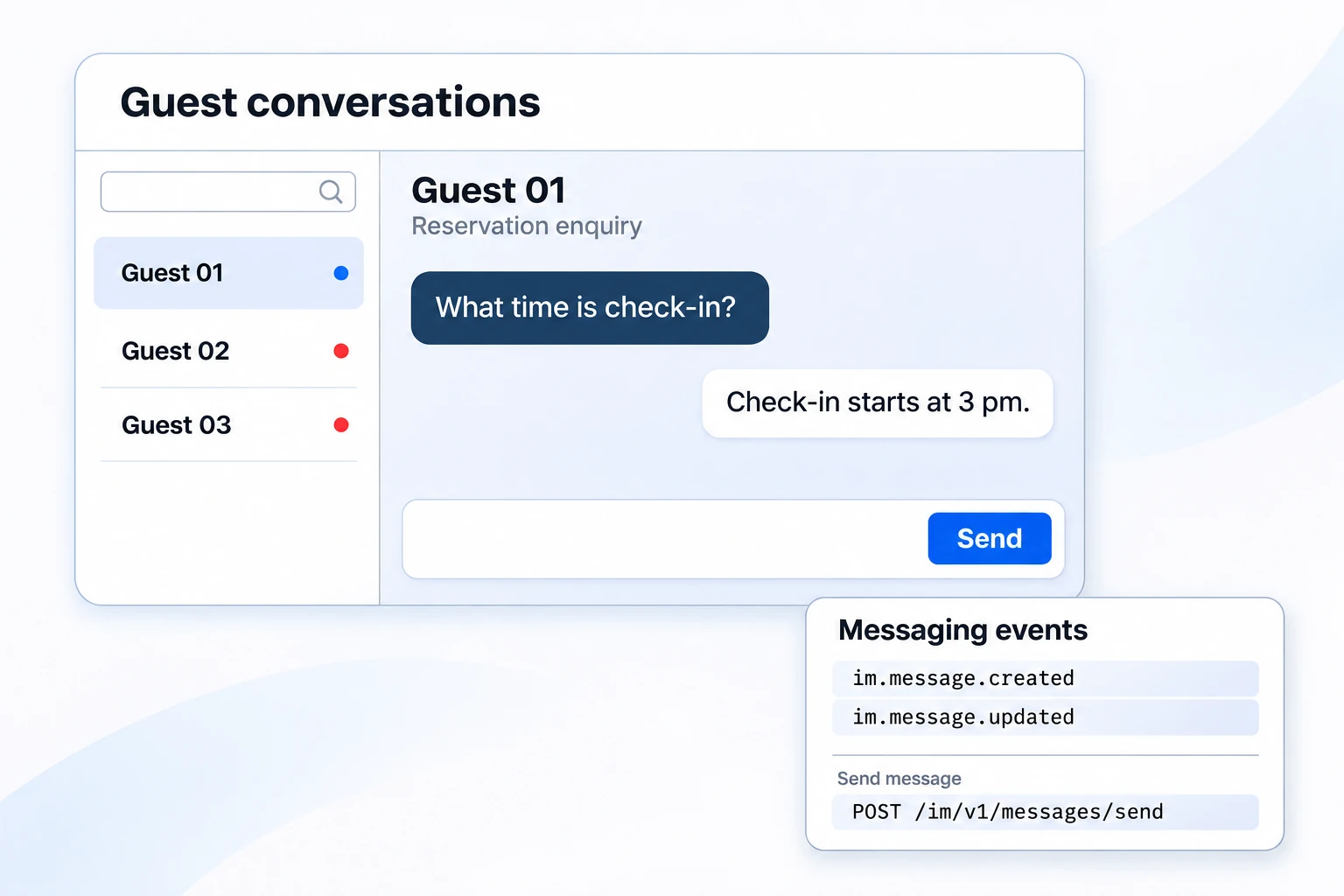
The webhook reference currently lists two messaging events: im.message.created and im.message.updated. Your application can use these callbacks to trigger its own follow-up workflows.
Can I add AI replies to guest messaging?
Yes. Connect a third-party AI service or your own AI to your application, retrieve conversation context through the IM API, and send suggested or automated replies through the messaging endpoint. Your application provides the AI integration and response logic.
What’s the difference between the Booking API and the Booking Engine?
The Booking Engine is Smart Order’s ready-made booking interface for direct guest reservations. The Booking API lets you build your own booking website or app, with your own interface and booking flow.
Using the Booking API establishes an independent sales channel in Smart Order. You need to apply for an API account for your app, and the app name will be used as the channel name.
The Booking API is intended for bookings made through that channel. To retrieve existing reservations across channels for internal workflows such as reconciliation or reporting, use the PMS API.
Can I proactively message guests on Booking.com or other OTAs through the API?
No. The current messaging API only supports replying after a guest has sent a message. It cannot initiate a new conversation with a guest on Booking.com or other connected OTAs. There is currently no alternative API endpoint for proactive messaging.
Build your next connection with Smart Order
Create your Smart Order account to explore the platform. Contact our team to discuss API credentials and hotel access.