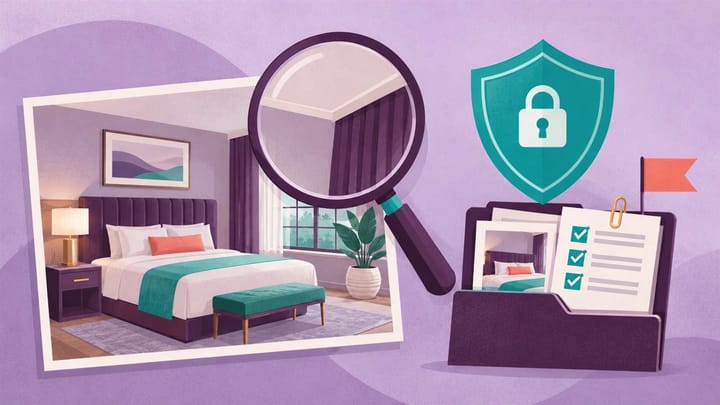
1. Identify the exact guest photo and the concern, not just the negative review around it.
2. Separate a possible content-policy issue from a genuine service problem that the hotel needs to fix.
3. Submit a focused request through Partner Portal and record the outcome; reporting does not guarantee removal.
A guest photo of a stained curtain and a photo showing a readable registration form need different responses. The first calls for a service check. The second calls for a privacy assessment as well as an internal investigation.
When using the Agoda extranet, now called Agoda Partner Portal and previously YCS, start with what the image actually shows. The aim is a fair, specific review request, not a promise to erase criticism.
Verify Which Photo You Are Looking At
Guest review photos belong to guest-submitted review content, not the hotel's own image collection. They may appear beside a review or in a guest-photo gallery. Gallery placement does not make them property-controlled images.
Before anyone changes the hotel's photo collection, save the page location and identify the exact image. Note the review date and any displayed room or stay details. If several photos accompany one review, mark which one raises the concern. Do not assume all of them require the same action.
Next, check the hotel's records for relevant context. A room move could explain why the pictured bathroom differs from the originally booked room. An older photo could show a condition that existed before renovation. Neither difference alone proves that the image is false.
Use a front desk reservation record to check the booked stay and room assignment where available. Match more than a displayed name before linking a public review to a guest. If you cannot establish a reliable match, leave the identity unconfirmed.
A mistaken stay match can send the team after the wrong problem. When the Agoda reservation is available in Smart Order, check its dates and room details before assembling the request. The hotel can then describe the relevant stay context without guessing who posted the image. The content-review decision remains with Agoda.
Check the Stay Context Before Escalating a Photo
Review reservation dates and room details in Smart Order so your team investigates the right stay before preparing a content concern.
Is This a Content Concern or a Service Complaint?
Possible review grounds include sensitive personal information, unrelated or clearly misleading images, inappropriate content, or legal and safety concerns. An unflattering but genuine stay photo is not normally removable merely because it is negative.
Describe the visible issue precisely. “The image includes readable guest contact details” gives a reviewer something concrete to assess. “This photo damages our reputation” does not explain what is wrong with the content.
For a suspected wrong-property photo, compare identifiable features rather than relying on unfamiliar furniture. Check whether the hotel previously changed its layout, operated another building, or replaced fixtures. Current marketing images cannot establish what every room looked like during a past stay.
Consider this hypothetical case: a guest photographs a damaged bedside cabinet, and the hotel replaces it the next day. The repair is useful evidence of service recovery, but it does not make the original photo inaccurate. Record the repair separately rather than using it as proof that the guest fabricated the complaint.
If an image exposes personal details, restrict access to the evidence immediately. Do not copy it into an open staff chat or repeat the details in a public reply. A manager should assess the concern without declaring that every visible face or name automatically requires deletion.
Submit a Photo-Specific Request in Agoda Partner Portal
Use Need Help in Partner Portal. Include the property name and ID, a screenshot, the location of the image, the reason for review, and supporting context. Agoda assesses whether removal is appropriate.
Prepare the request before opening a support conversation:
- Capture enough of the page to identify the image and its surrounding review. Record when and where you saw it.
- Retain an unchanged original securely. If useful, make a separate annotated copy pointing to the disputed detail; do not alter the original.
- State the concern in one clear sentence. Distinguish what you can demonstrate from what remains uncertain.
- Submit through the private support route, sharing only the information necessary for assessment. Save the request text, attachments and any reference provided.
Menu labels may vary by property type and account configuration. Do not select an unrelated support issue simply because you expect it to receive a faster response.
Adapt this request wording to the actual facts:
“Please assess the guest photo attached to [review date or visible identifier] for [property name and ID]. It appears at [page location]. The specific concern is [observable issue]. Attached are the original screenshot and [relevant supporting evidence]. Please review this image for possible removal and advise the outcome. This request concerns the identified photo, not automatically the entire review.”
Replace every placeholder before sending. For sensitive material, explain the concern without reproducing the personal details throughout the message. Never attach unrelated identity documents or a full guest list to strengthen a narrow photo complaint.
Record the Decision Without Losing the Service Follow-Up
Keep a simple case note with the photo location, concern, submission date, responsible manager, support reference and latest response. Set an internal follow-up date appropriate to the risk; do not treat it as an Agoda response deadline.
If support requests more evidence, answer in the existing case where possible. If the request is declined, read the reason before resubmitting. Additional factual evidence is more useful than repeating the same demand through several conversations.
When removal is confirmed, revisit the location you recorded and note what is visible. If the image still appears, report that specific location in the case rather than assuming the entire request failed. If the photo remains, record that outcome honestly and keep any service correction moving.
Guest communication and content moderation should remain separate. Use a unified guest messaging inbox for supported-channel conversations about the stay, not as a substitute for the photo-review request. Never make a refund or service remedy conditional on removing criticism.
Where a public response is available, keep it brief and focused on the service issue. Do not reveal booking details, identify staff unnecessarily, or accuse the reviewer of dishonesty while facts remain uncertain.
Close the hotel's case only when the manager has recorded both outcomes: what happened to the reported image, and what the hotel did about any underlying problem. A support acknowledgement alone answers neither question.