Introduction
Managing an Airbnb property is rewarding, but it all starts with one simple yet crucial action: accessing your dashboard. Whether you are a seasoned property manager or a new host, the Airbnb host login process is your gateway to managing bookings, communicating with guests, and checking your earnings. Many people feel confused because Airbnb doesn't provide a completely separate website for hosts.
This guide explains how the Airbnb hosting login works on desktop and mobile devices. It also covers common login problems, security recovery steps, and practical tips for managing listings efficiently after signing in.
If you need fast instructions, follow these steps:
1. Visit Airbnb.com
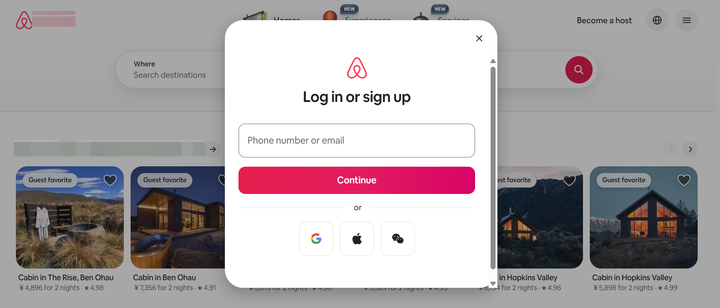
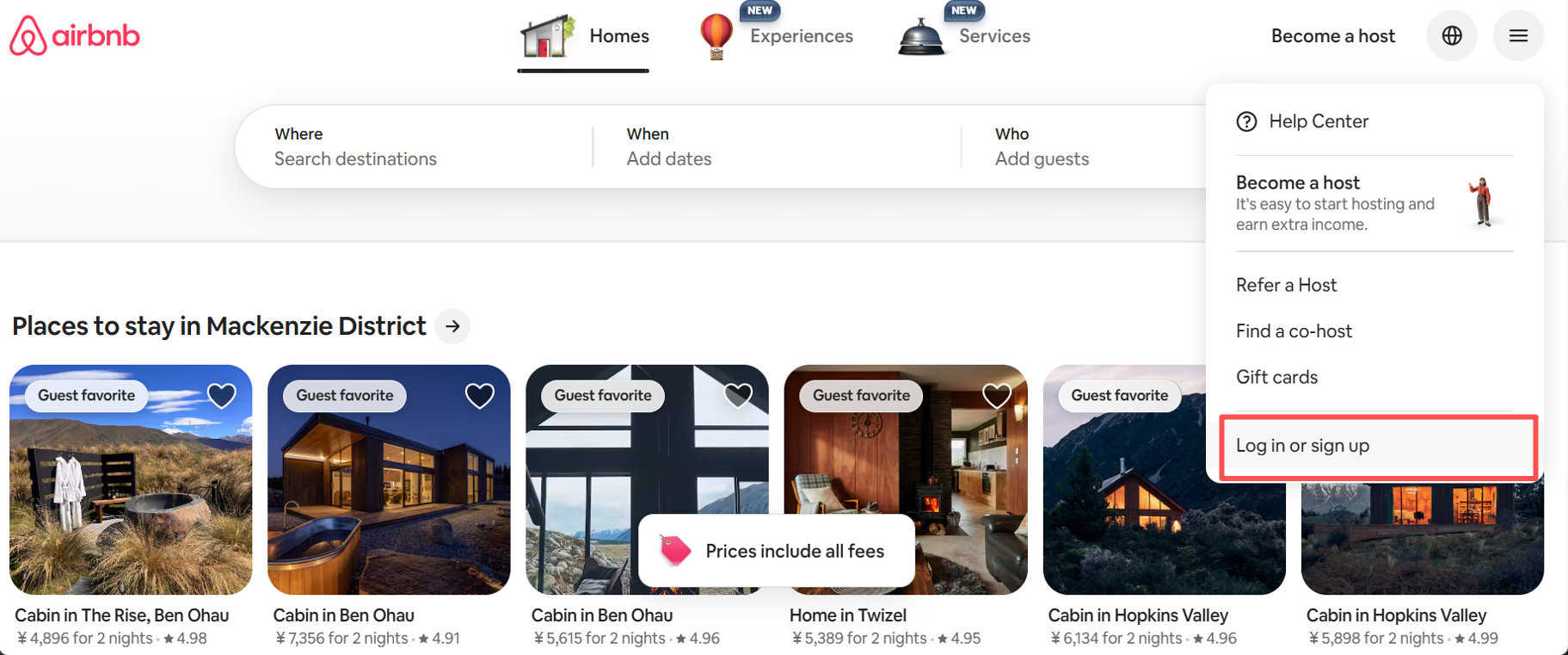
2. Click Log in or sign up
3. Enter your email, phone number, or third-party account login
4. Enter your password or verification code
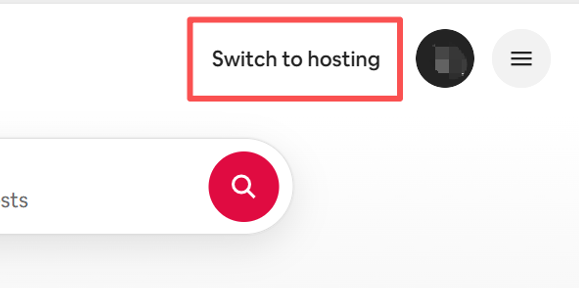
5. Switch to Hosting Mode to access your dashboard
After the Airbnb login as host, you will see your hosting dashboard where you can manage listings, calendars, and reservations.
What Is Airbnb Host Login?
Technically, there isn't a dedicated "host-only" URL. When you search for an Airbnb host login page, you will be directed to the standard Airbnb homepage. The platform uses a unified account system. This means your personal guest profile and your professional hosting profile live under the same login credentials.
The host Airbnb login experience is defined by the "Switch to Hosting" feature. Once you sign in with your email, phone number, or social media account, you toggle your view to access the Hosting Dashboard. This dashboard is where the magic happens—where you adjust pricing, update calendars, and manage your hospitality business. For hotel owners using professional software, understanding this manual entry point is vital for troubleshooting and direct guest interaction.
Airbnb Host Login Step-by-Step (Desktop & Mobile)
The host Airbnb login process works across desktop browsers and mobile apps. Each method provides access to the same hosting dashboard.
Airbnb Host Login on Desktop Web Browser
Many hosts prefer desktop access because it provides a larger calendar view and better tools for managing listings.
Steps to complete the Airbnb host login on desktop:
- Open your web browser and go to Airbnb.com
- Click the Log In button in the top navigation menu
- Enter your email address, phone number, or connected account
- Enter your password
- Complete any security verification
- Switch to Hosting Mode
After the Airbnb login as host, you will see your hosting dashboard with tabs including:
- Listings
- Calendar
- Reservations
- Messages
- Earnings
This interface allows hosts to manage availability and respond to booking requests efficiently.
Airbnb Host Login on iOS / Android App
The mobile app allows hosts to manage properties anywhere.
To complete the Airbnb hosting login using the mobile app:
- Install the Airbnb app from the App Store or Google Play
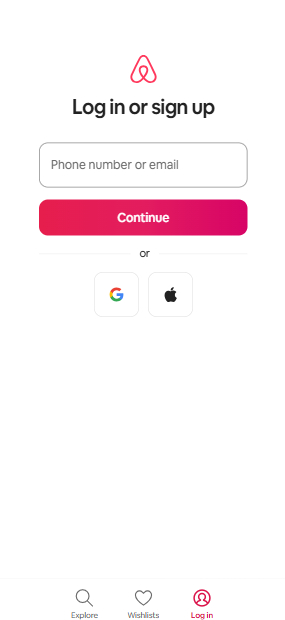
- Open the app and tap Log In
- Enter your account email, phone number, or connected login
- Enter your password or verification code
- Access your hosting dashboard
Once the host Airbnb login is successful, the app provides quick access to guest messages, reservation alerts, and booking requests.
Push notifications help hosts respond to guest inquiries faster, which can improve booking conversion rates.
First-Time Airbnb Host Login: Sign Up & Activate Hosting Mode
New to Airbnb? You'll need to create an account before you can log in as a host. The process is straightforward:
- Visit airbnb.com and click "Sign up." Enter your email address, phone number, or use third-party account login.
- Create a password (if signing up with email) and fill in your name and date of birth.
- Verify your account — Airbnb will send a code to your email or phone. Enter it to activate.
- Once your account is live, go to Airbnb.com home page and click "Get started" or "Become a host"to begin setting up your first listing.
- Follow the guided setup: describe your space, set your location, upload photos, configure your pricing and availability, and publish.
 Hannah Gong
One important rule: Airbnb only allows one account per person. Don't try to create a second account for hosting if you already have a guest account. Just log in with your existing credentials and switch to hosting mode.
Fix Common Airbnb Host Login Problems
Even experienced hosts occasionally encounter issues with the Airbnb host login. These problems are usually caused by incorrect credentials, browser conflicts, or security verification failures.
Understanding the cause can help restore account access quickly.
Why Your Airbnb Host Login Isn't Working
Several factors may prevent a successful Airbnb hosting login.
- Incorrect passwords are the most common issue. Multiple failed attempts may temporarily lock the account.
- Browser problems can also block login sessions. Outdated cookies or cache files sometimes interfere with authentication.
- Verification issues may occur when Airbnb sends a security code to confirm the login attempt. If the phone number or email address is outdated, the code may not arrive.
- Occasionally, temporary platform maintenance may affect the Airbnb login as host, though this usually resolves quickly.
Steps to Resolve Airbnb Login Failures
If the Airbnb host login page does not work, several troubleshooting steps may help.
- Start by resetting your password using the Forgot Password option. Airbnb will send instructions to your registered email address.
- Clearing browser cookies can also fix login conflicts. Opening the login page in a private browser window is another quick test.
- Mobile users should ensure their Airbnb application is updated to the latest version.
- Trying a different browser or device can also determine whether the issue is related to device settings.
These steps resolve most host Airbnb login problems without requiring direct support.
Recovering Your Account After an Airbnb Host Login Error
Some login issues require account recovery.
This may occur if Airbnb detects unusual login activity or multiple incorrect password attempts.
When this happens, the platform may temporarily restrict access to protect the account.
Hosts may need to confirm their identity before the Airbnb host login is restored. Verification steps can include:
- Confirming email ownership
- Entering a phone verification code
- Uploading a government ID
Following these steps helps restore account access securely.
How to Manage Multiple Listings After Airbnb Host Login
Once the Airbnb host login is complete, hosts can access the hosting dashboard where all listings are displayed.
Individual hosts with one property usually manage reservations manually. However, professional hosts and property managers often operate several listings across multiple booking platforms.
Managing multiple calendars manually can create problems such as double bookings or outdated availability.
Professional hosts typically use property management software (PMS) to simplify operations. These tools synchronize calendars, automate guest communication, and update prices across multiple platforms.
For example, a property manager operating ten vacation rentals may use a centralized dashboard to manage reservations from Airbnb and other channels at the same time.
Using a system like this after the Airbnb hosting login can significantly reduce manual work and prevent booking conflicts.
👉 Tip for property managers:
If you manage multiple listings or operate a small hotel, a PMS platform can automatically sync calendars, manage guest messages, and centralize booking data from different channels.
Airbnb Host Login FAQ
Is there a separate Airbnb host login page?
No. Airbnb uses one login system for both guests and hosts. After completing the Airbnb host login, users can switch to hosting mode to manage listings.
Is the Airbnb host login different from the guest login?
The login credentials are the same. When you login to Airbnb as host, the dashboard displays additional tools for listing management.
Can I log in to an Airbnb host from the mobile app?
Yes. The mobile application supports the full Airbnb hosting login experience. Hosts can manage reservations, calendars, and messages from their smartphones.
Is the Airbnb host login free?
Creating an Airbnb account and accessing the Airbnb host login page is free. Airbnb charges service fees only when bookings are completed through the platform.
Can I have multiple Airbnb host accounts?
Airbnb generally recommends using one account to manage multiple listings. Professional hosts managing several properties usually operate them under a single host Airbnb login.
