Airbnb Smart Pricing is free and easy to use, but it's built to maximize Airbnb's bookings — not your revenue. It works reasonably well for new or part-time hosts who want a hands-off starting point. For hosts serious about earnings: set a firm minimum price, manually override it for local events and peak dates, and consider a third-party tool like PriceLabs once you're managing more than one listing. Never let the algorithm run unsupervised.
Setting the right Airbnb prices is one of the hardest parts of being a host. Price too high and your calendar sits empty. Price too low and you leave money on the table. Many hosts turn to Airbnb Smart Pricing hoping it will solve the problem automatically.
But does Airbnb Smart Pricing really work? And when should you step in and adjust your rates yourself?
This guide answers the most searched questions about what is smart pricing on Airbnb, how the system works, and whether it helps you increase revenue.
What Is Airbnb Smart Pricing?
Airbnb Smart Pricing is a built-in dynamic pricing feature that automatically adjusts your nightly rate based on demand signals and listing data. The goal, according to Airbnb, is to help you stay competitive and attract more bookings without having to manually update prices every day.
You can turn it on or off at any time from your hosting dashboard under Pricing > Base Price. Once enabled, the tool will set your nightly rate within a minimum and maximum price range that you define. It won't go below your floor or above your ceiling — but within that band, it decides everything.
It's free to use, available to all hosts, and requires no third-party subscription. That accessibility is its biggest selling point. But "free" and "effective" aren't always the same thing.
Types of Airbnb Pricing
Understanding Smart Pricing makes more sense when you see how it fits within the broader landscape of Airbnb pricing strategies:
Dynamic Pricing — Rates change continuously based on demand, competitor availability, local events, and market conditions. This is the most revenue-optimized approach, but also the most time-intensive if done manually.
Seasonal Pricing — A simplified version of dynamic pricing. You set higher rates for peak travel periods (summer, holidays, major events) and lower rates during slow months. It's straightforward but misses the day-to-day fluctuations.
Weekend Pricing — Friday and Saturday nights naturally command higher demand. Many hosts set a blanket premium for weekends to capture that uplift without managing every date individually.
Early Bird Pricing — Discounted rates for guests who book far in advance. Useful for filling up your calendar early and reducing last-minute uncertainty.
Promotional Pricing — Temporary discounts used to fill gaps, attract first reviews, or recover from a slow stretch. Airbnb even highlights the markdown with a strikethrough price in search results, which can boost click-throughs.
Airbnb Smart Pricing attempts to blend elements of dynamic and seasonal pricing into one automated system. In theory, this is appealing. In practice, the results are mixed.
How Does Airbnb Smart Pricing Work?
The algorithm pulls together hundreds of data points related to your listing and the local market. Key inputs include:
- Your listing details — property type, location, number of bedrooms, amenities like a hot tub or ocean view, and your average guest rating
- Search activity — how many travelers are searching for dates in your area, and how often your listing gets clicked on
- Booking patterns — recent booking activity near you, including how similar listings are pricing and filling up
- Calendar availability — how many open nights you have and how far out they extend
The algorithm then recommends (or automatically sets) a nightly rate it believes will maximize your booking probability. It adjusts those rates daily as conditions change.
Here's the part that often surprises hosts: the algorithm is designed to maximize bookings, not necessarily revenue. Airbnb earns a service fee on every reservation, so the platform has a structural incentive to keep your calendar full — even if that means pricing your nights lower than you'd like.
You can override Smart Pricing on any individual date by selecting it in your calendar and manually entering a price. This is worth knowing, because there will always be dates where the algorithm simply doesn't know what you know — a local festival, a sold-out concert, a holiday weekend with unusually high demand.
Pros & Cons of Using Airbnb Smart Pricing
Where It Genuinely Helps
Saves time for casual hosts. If you're renting out a spare room occasionally and don't want to track market rates, Smart Pricing removes a real burden. You set the guardrails, and the tool handles the rest.
Helps new listings build momentum. A brand-new listing with no reviews is harder to sell. Smart Pricing tends to price aggressively at first, which can help generate those critical early bookings and reviews — even if the margins are slim.
Reacts to demand spikes you'd miss. The algorithm monitors search traffic constantly. If demand suddenly surges for a particular week (say, a city-wide conference gets announced), Smart Pricing may raise your rate before you've even noticed.
Reduces last-minute vacancy. By lowering rates as open dates approach, the tool tries to fill nights that would otherwise go empty. An empty night earns nothing — sometimes a discounted rate really is better than zero.
Where It Falls Short
It consistently prices too low. This is the most common complaint from experienced hosts, and it comes up repeatedly in host communities. The algorithm is tuned to favor occupancy, not revenue per booking. Many hosts find their suggested rates are noticeably below what they could actually charge.
It doesn't understand your property's unique value. A designer-renovated apartment, a stunning rooftop terrace, or a waterfront location — Smart Pricing often doesn't weight these differentiators meaningfully. Your listing may get priced similarly to a basic nearby unit that shares the same specs on paper.
It ignores local events and seasonal nuances. Planning a local food festival or a major sports final? The algorithm may not catch it in time, or may not react strongly enough. Hosts who manually monitor their market often outperform Smart Pricing during high-demand events.
It's Airbnb-only. If you list on Vrbo, Booking.com, or your own direct booking site, Smart Pricing can't coordinate rates across channels. Price parity becomes a manual headache.
The min/max range isn't seasonal. You can set one minimum and one maximum. You can't tell it "my minimum is $150 in summer and $90 in winter." That rigidity limits how much the tool can really optimize.
When Should Hosts Adjust Prices on Airbnb?
Smart Pricing or not, there are specific situations where manual intervention almost always pays off:
Local events and holidays. Concerts, sporting events, festivals, graduation weekends — these drive short-term demand spikes that algorithms often underestimate. If you know a 50,000-person event is coming to your city, set your price manually well in advance.
Peak travel windows. Think school holidays, long weekends, and major travel seasons. Don't rely on the algorithm to fully capture what you know about your own market's rhythm.
When your calendar is filling fast. If you're getting booked up unusually early for a specific period, that's a signal that demand is strong and your price may be too low. Raise it.
When you've been empty for too long. Conversely, if a set of dates has been sitting open for weeks, something isn't working. Consider a short-term promotion or a slightly lower floor to generate movement.
After a significant listing upgrade. New furniture, a renovated kitchen, added amenities — Smart Pricing won't automatically know your property is now worth more. Update your base price accordingly.
The week before check-in. Smart Pricing often drops rates significantly as unbooked dates approach. Before that happens, decide whether you'd rather hold the price or accept the discount. Don't let the algorithm make that call by default.
Should You Use Airbnb Smart Pricing for Your Listing?
The honest answer is: it depends on your goals and how hands-on you want to be.
For hosts renting a single property part-time, or those just getting started and trying to build reviews, Smart Pricing is a reasonable starting point. It reduces the learning curve and handles the basics. Just make sure your minimum price is set firmly enough that you're not giving nights away.
For professional hosts or anyone managing multiple listings, Smart Pricing typically leaves money on the table. The algorithm optimizes for Airbnb's interests as much as yours — and over time, that difference adds up.
What Real Hosts Are Saying
Host feedback on Smart Pricing has been consistently mixed, with experienced operators leaning negative. Here's a sample of what hosts across Airbnb's community forums and review platforms have shared:
"The most common complaint is that the recommended rates are absurdly low — owners frequently report that Airbnb suggests rates that are barely a fraction of what they usually rent for." — GoSummer host review summary
One host on the official Airbnb Community shared a pointed critique of the tool's design: "There is no indication of whether it is targeting max revenue or max profit. The former should drive lower pricing and 100% occupancy, the latter a higher price with lower occupancy." The lack of transparency around this distinction is a real limitation.
Another host who uses Smart Pricing noted a workaround that many experienced hosts recommend: "The most important thing about Smart Pricing is — don't use Airbnb's suggested minimum. Just double or triple that minimum and see how it goes. Never pay attention to any suggestions to lower your price."
And then there are those who've found a middle ground: "We use it and love it. It has increased our booking price on average of 7% and we're booked 92% of the time. I do watch for weekends when I know Smart Pricing might not catch an event — I override the prices when I think I can still get a premium."
The pattern that emerges: Smart Pricing can work, but only when you treat it as a base layer rather than a complete solution. Hosts who do well with it are those who actively override it for high-demand dates, set aggressive minimums, and stay engaged with their market.
Alternatives & Tools Beyond Airbnb Smart Pricing
If you're ready to move beyond the built-in tool, here are the most widely used alternatives in the short-term rental space:
PriceLabs — One of the most popular third-party tools, known for its granular customization. PriceLabs uses what it calls Hyper Local Pulse — a data model that accounts for local seasonality, day-of-week demand, how far out guests tend to book, local events, and supply/demand shifts. Pricing starts at around $19.99/month per listing. Hosts who make the switch often report meaningful revenue gains within the first few months.
Beyond (formerly Beyond Pricing) — A more enterprise-leaning option favored by property managers running multiple listings. It offers market benchmarking, revenue tracking, and direct integrations with major OTAs. Pricing is typically 1% of monthly revenue or a flat monthly fee depending on the plan.
Wheelhouse — Combines dynamic pricing with a comp set analysis feature that shows how your listing is performing relative to similar properties nearby. Useful for hosts who want market context alongside pricing recommendations.
Manual Pricing with Market Research — Don't underestimate this approach. Hosts who know their market deeply — who check competitor calendars regularly, track local events, and understand their own booking lead times — often outperform automated tools. It's time-intensive, but the revenue upside is real.
Property Management Software with Integrated Dynamic Pricing — If you're managing multiple listings across channels, a full PMS (Property Management System) with built-in dynamic pricing becomes more practical than juggling standalone tools. Many hotel management software platforms now offer Airbnb connectivity alongside channel management, calendar sync, and automated pricing — all in one place.
The key consideration when choosing any pricing tool: make sure it integrates with all your booking channels, not just Airbnb. A tool that only optimizes one platform while you manually update others will create more work, not less.
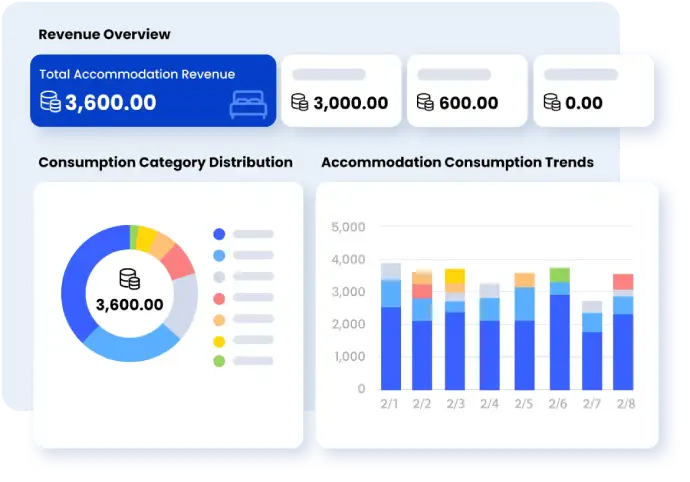
Stop Patching Pricing Tools Together — Manage Everything in One Place
Smart Order PMS connects your Airbnb, Vrbo, Booking.com, and direct bookings under one roof — with integrated dynamic pricing that updates across every channel automatically. No more tab-switching, no more rate mismatches, no more missed revenue.
FAQ
Does Airbnb Smart Pricing actually work?
It works in the sense that it responds to demand and fills calendars. However, it tends to prioritize occupancy over per-night revenue, which means many hosts earn less per booking than they could. For new or casual hosts, it's a decent starting point. For experienced hosts focused on revenue, it usually underperforms.
Why is my Airbnb Smart Pricing so low?
The algorithm is calibrated to maximize bookings on the Airbnb platform, not to maximize your revenue. It tends to price conservatively, especially for near-term unbooked dates. Setting a higher minimum price is the most direct way to prevent rates from dropping too far.
Can I use Smart Pricing alongside a third-party pricing tool?
No — you should use one or the other, not both. If both are active simultaneously, they will conflict: the third-party tool will push a price to your calendar, and Airbnb's system may immediately override it. Always disable Smart Pricing before connecting an external tool.
When should I override Smart Pricing?
Override it for local events, public holidays, peak travel weekends, or any date where you have specific knowledge the algorithm might not have. Smart Pricing struggles most with "one-off" demand spikes — things like festivals, conferences, or major sporting events that aren't baked into its historical data.
How do I turn off Smart Pricing on Airbnb?
Go to your listing's Pricing settings, find the Base Price section, and toggle Smart Pricing off. You can then set fixed rates manually or connect a third-party pricing tool.
