1. Most hotels send a booking confirmation and nothing else — that's the gap where guests disengage before they even arrive
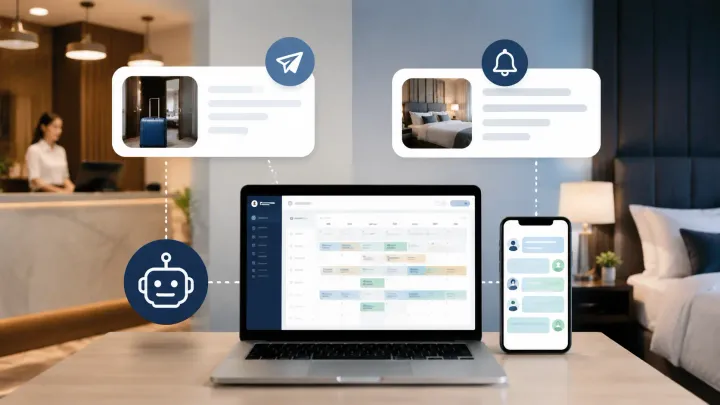
2. A PMS can trigger automated messages at four points: booking confirmation, pre-arrival, check-in day, and post-checkout review request
3. Each message in the sequence solves a different operational problem, not just relationship-building
4. Triggers are date-based or status-based — your PMS fires them automatically when conditions are met, for every reservation
Most Hotels Stop at the Confirmation Email
When a guest books through Booking.com or your direct website, they get a confirmation. That's expected. What most hotels don't send — and what guests actually want — is everything that comes after.
A pre-arrival message with parking instructions. A check-in day note with the door code. A post-checkout message asking for a review while the stay is still fresh. These aren't extras. They reduce front desk calls, prevent arrival confusion, and drive more reviews from guests who would otherwise forget.
A hotel PMS automates this entire sequence. Instead of remembering to send each message manually, you configure the trigger once — and the system handles it for every booking, from every channel, without staff intervention.
The Four-Stage Message Sequence
Stage 1: Booking Confirmation (Trigger: New Reservation Created)
The confirmation fires immediately when a reservation is created — whether it came through Booking.com, Airbnb, or your own website.
This message should include the reservation summary (dates, room type, guest count), total price and what's covered, cancellation policy, and a direct contact method for questions. Keep it factual. Guests scan confirmations — they don't read paragraphs at this stage.
For direct bookings, include payment instructions or a payment link. For OTA bookings, the OTA sends its own confirmation, but a separate hotel-branded message builds early loyalty and gives guests a direct line to you before arrival.
Stage 2: Pre-Arrival Message (Trigger: 2–3 Days Before Check-In)
This is the highest-value message in the sequence — and the most underused.
Send it two to three days before arrival while guests still have time to act on the information. Include check-in time and any early check-in options, directions or parking details, access code or self-check-in procedure, and a contact number for questions.
Here's why this matters operationally: a guest booked your property six weeks ago. They're packing the night before and can't remember whether check-in is at 2pm or 3pm. If you haven't sent a pre-arrival message, they call the front desk. If you have, they reread it. That difference compounds across every reservation during a busy weekend.
Automate Your Guest Message Sequence from One PMS Dashboard
When a reservation arrives in Smart Order from any OTA or direct source, the system can trigger pre-arrival, check-in, and review messages automatically — no manual work from your front desk.
Stage 3: Check-In Day Message (Trigger: Day of Arrival)
Send this on the morning of check-in. It functions as a real-time status update, not just a reminder.
Include confirmed check-in time, final access instructions or key pickup details, and a contact number or chat option for same-day questions.
For self-check-in properties, this message replaces the front desk interaction entirely. For staffed properties, it reduces the volume of "just confirming" calls throughout the day.
If your PMS tracks room readiness, the check-in day message can fire when the room is actually prepared rather than at a fixed clock time. A guest getting a message at 1:45pm saying their room is ready — rather than assuming the standard 3pm — is a meaningful difference in experience.
Stage 4: Post-Checkout Review Request (Trigger: 24 Hours After Checkout)
Wait 24 hours after checkout before sending the review request. Guests who receive a request while still in transit rarely respond. Those who receive it the following morning, when the stay is still vivid, convert at a significantly higher rate.
Keep this message short. Thank them for staying, mention a specific detail if possible (the room type, the dates — something that proves it's not a mass send), then include a direct link to your Google review page or OTA listing.
One request is enough. A single follow-up 48 hours later for non-responders is acceptable. A third message damages goodwill.
How PMS Triggers Actually Work
Manual messaging requires someone to remember, pull up the reservation, find the right template, and send it at the correct time. That process breaks down during busy check-in periods, staff changeovers, and high-occupancy weeks — exactly when consistent communication matters most.
A PMS automates this through reservation-based triggers. Each trigger is linked to either a date condition (X days before or after a specific date) or a status condition (when reservation status changes to confirmed, checked-in, or checked-out).
When a booking enters Smart Order from Booking.com or a direct reservation, the system creates the guest record and maps the reservation timeline. Message triggers run against that timeline automatically. The front desk doesn't initiate the messages — they appear in the guest's communication log with timestamps and delivery status.
This also means the sequence is consistent. Every guest gets the same pre-arrival information regardless of which staff member was on duty when the booking arrived, or how busy the front desk was that morning.
See How Smart Order Manages Guest Communication Across All Booking Sources
Every reservation that enters Smart Order — from Booking.com, Airbnb, or your direct booking engine — creates a guest record with a full communication timeline. Set your message triggers once and the system runs them for every future booking automatically.
What to Avoid in Automated Messages
Automated messages fail when they feel automated. Three patterns break the sequence.
Don't send messages that invite a response at a time when no one can respond. A check-in day message at 7am that asks "any questions?" is useless if your front desk opens at 9am.
Don't hardcode information that changes seasonally. If your parking situation, pool hours, or breakfast service varies by month, use dynamic fields or update templates before each season — not once at setup.
Don't use operational messages as sales channels. The pre-arrival message is not a place to mention restaurant specials or room upgrade offers. Guests notice the mismatch between informational tone and promotional content. If you want to upsell, build a separate optional message after the confirmation with clear intent.
FAQ
What is automated guest messaging in a hotel PMS?
It's a feature that sends pre-written messages to guests at defined trigger points — booking confirmation, pre-arrival, check-in day, and post-checkout — without manual action from staff. The PMS fires each message based on reservation dates or status changes.
When should hotels send the pre-arrival message?
Two to three days before check-in is the most effective window. It gives guests enough time to plan (parking, transportation, access) while keeping the stay top of mind. Sending it too early means guests ignore it; sending it the night before is too late for anything that requires action.
Can automated messages be sent to guests who booked through an OTA?
Yes. When an OTA booking enters your PMS, the system captures the guest's contact details and creates the reservation record. Message triggers run the same as for any direct booking. Note that some OTAs restrict communication outside their platforms — messages sent via your PMS go directly to the guest's email address.
How many messages should be in the automated sequence?
Four messages cover most properties well: booking confirmation, pre-arrival two to three days before, check-in day, and post-checkout review request. Longer stays may benefit from a mid-stay check-in message. Properties with strong repeat guest rates sometimes add a returning-guest welcome variation triggered by prior stay history.
Does automated guest messaging replace front desk communication?
No. It replaces routine, predictable communication — the kind that requires no judgment. Staff focus shifts to exceptions: late arrivals, special requests, complaints, and in-person service. The front desk becomes more responsive because it isn't fielding calls about check-in times and parking instructions all day.
What's the difference between a PMS messaging feature and a standalone tool?
A standalone tool requires separate data import or a third-party integration. A PMS with built-in messaging pulls guest and reservation data directly — no import, no sync lag. When a booking arrives, the sequence starts automatically without any additional configuration step.
