1. Check the payment instructions on the individual Booking.com reservation before asking the guest to pay.
2. Separate the guest's remaining balance from the money Booking.com still owes the hotel.
3. Correct the collection instruction without posting a payment that has not actually happened.
The guest says, “I already paid Booking.com,” but reception sees the full room balance due. Charging again could create a complaint. Marking the stay paid without checking could hide money the hotel still needs to collect.
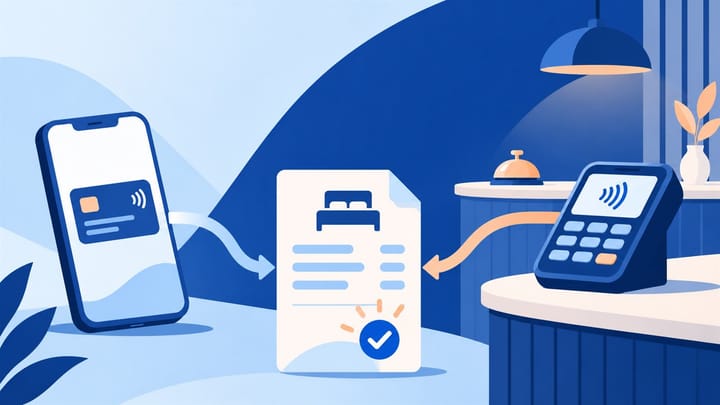
A Booking.com virtual credit card, a bank payout and a guest's own payment card serve different purposes. Start with the reservation's actual payment arrangement, not the card icon or a general “unpaid” label in your Property Management System (PMS).
Separate the Guest's Payment From the Hotel's Payout
For an online-paid reservation, Booking.com facilitates the guest's payment. The hotel may receive the eligible amount through a virtual credit card or bank transfer. Neither route means that reception should collect the same room charge from the guest again.
For a pay-at-property reservation, the hotel normally collects the amounts assigned to it under the booking terms. A guest card held with the reservation is not proof of a completed charge. Some arrangements also treat cancellation or no-show fees differently from the normal stay payment, so check the specific instructions rather than extending one rule to every charge.
Open the exact Booking.com reservation using its confirmation number. Check the property's identity, current dates, payment instructions, price breakdown and latest status. Then answer three questions in plain language: who collects the accommodation charge, how the hotel receives it, and which items remain payable at the property.
An expected virtual-card payment is not a successful card charge. Equally, an expected bank payout is not cash received at reception. Keep those distinctions visible when reviewing the front desk reservation and payment record.
A generic unpaid balance can otherwise trigger the wrong collection. In Smart Order, review the connected reservation beside recorded hotel transactions before deciding what is still due. Staff can distinguish a missing payment entry from a channel payout follow-up, rather than creating another guest charge to clear an alert.
Check the Payment Behind the Arrival Balance
Review the stay and recorded payments in Smart Order before reception requests another room payment.
Work Out the Amount Reception Should Collect
Consider a hypothetical two-night booking. The accommodation is EUR 300, a local charge of EUR 12 is explicitly payable at the property, and the guest later buys EUR 20 of parking. Booking.com confirms that it handled the EUR 300 accommodation payment.
Reception should investigate a EUR 32 property balance, not demand EUR 332. Finance separately follows the hotel payment due for the accommodation. Its amount may differ from EUR 300 because of the applicable deductions or payment arrangement; that difference is not automatically a debt owed by the guest.
Now change one fact: this is a pay-at-property booking, and the hotel has already collected a verified EUR 100 deposit. The remaining guest balance would be EUR 232 under these example assumptions. A deposit must be applied once, not ignored because it was taken before check-in.
These are examples, not Booking.com tax or fee rules. Use the actual reservation breakdown to determine whether taxes, deposits and extras are included, separately collected, refundable or merely authorized. A security hold is not a completed payment toward the room bill.
If the guest presents a paid confirmation but the reservation instructions remain unclear, ask a manager to verify it privately. Do not put the guest through a second payment simply because reception cannot yet see the hotel's payout.
Correct One Reservation Without Inventing a Receipt
Use a controlled correction rather than changing the payment method on every Booking.com reservation.
- Match the Booking.com confirmation to the existing PMS reservation. Include the booked room or rooms and current stay dates.
- Record the verified collector and the exact charges covered. Separate accommodation, property-collected items and later extras.
- Search hotel payment records for deposits, successful charges, pending attempts and refunds. Match references and amounts, not only guest names.
- Apply the hotel's approved treatment for the channel amount still receivable. Keep it separate from cash or card money actually collected by the hotel.
- Correct the guest-facing balance and collection note with the supporting reference, date and staff approval. Check that the next shift sees the same instruction.
Do not enter a fictitious cash payment to make the folio zero. Do not delete an existing transaction to make the method look consistent. If the posting is wrong, use the approved reversal or correction process so finance can still follow what happened.
Where the hotel genuinely needs to collect an outstanding amount, use its approved integrated hotel payment workflow and record the result against the reservation. That is a collection step, not a substitute for proving who owes the amount.
A missing payment instruction needs a connection or import check. A confirmed virtual card that cannot be charged needs a separate card-payment investigation. Keeping those problems apart prevents staff from repeatedly charging the wrong source.
Check the Arrival Instruction, Not Just the Balance
Read the pre-arrival message, payment reminder and reception note after the correction. A zero guest balance is little help if an old message still asks for the entire room payment. Remove or correct duplicate requests through the appropriate workflow.
Leave an operational note such as: “Accommodation handled online; EUR 12 local charge and EUR 20 parking remain due at reception. Channel payment follow-up assigned to finance.” Use only confirmed amounts and avoid putting full card details in ordinary notes.
If several new reservations have the same wrong label, give support a small sample of confirmation numbers and the differing instructions. Ask which payment information the connection supplies and how it should appear in the PMS. Do not change the property's Booking.com collection arrangement merely to repair one imported label.
The front-desk issue is resolved when staff can explain and collect only the genuine guest balance. Finance may still have work to do on the virtual-card charge or bank payout. Keeping that follow-up open protects the hotel's money without charging the guest twice.