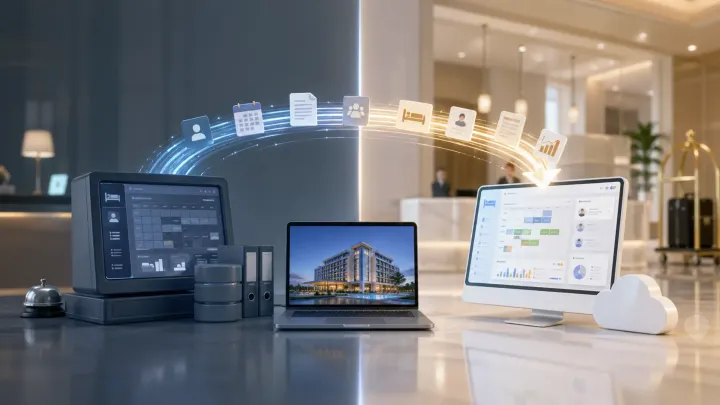
1. Most hotels delay switching because they fear losing reservation history and guest data — all of it is exportable before you leave
2. A safe migration follows a fixed sequence: audit what you have, export it, validate it in the new system, run both in parallel, then cut over
3. The biggest risk isn't data loss — it's going live on the new system without testing it under real reservation conditions first
4. The right hotel management software includes a structured onboarding and data import process that eliminates most migration risk
Why Hotels Stay on Software That No Longer Fits
The Hidden Cost of Staying Put
Every month a hotel runs on a system that doesn't fit its operation, it absorbs the cost in ways that don't show up as a line item. Staff spend extra time on manual workarounds. Front desk errors increase when the interface is slow or counterintuitive. OTA calendars fall out of sync when updates aren't automated. None of these are easy to quantify, but they compound.
The most common reason hotels don't switch is not price. It's inertia — specifically the fear that a migration will go wrong and take reservation history, guest records, or rate configurations with it. That fear is understandable, but it's based on a worst-case assumption rather than how modern hotel management software actually handles transitions.
What "Switching" Actually Means for Your Data
Your data doesn't live exclusively inside your current system. Every modern hotel property management system allows you to export guest profiles, reservation records, rate plans, and room configurations in standard formats — typically CSV or Excel — before you cancel the account.
What switching means in practice is a transfer, not a loss. You extract data from the old system, import it into the new one, and verify that nothing was dropped or corrupted before you go live. The migration is a process with checkpoints, not a one-way door.
What Data Needs to Move — and What Doesn't
Core Data That Must Transfer
Before you begin a migration, map everything that needs to carry over. The list is shorter than most hoteliers expect. Guest profiles — names, contact details, stay history, preferences — are the most important records to preserve. Future reservations are non-negotiable: any booking with a check-in date after your cutover must exist in the new system before you go live.
Rate plans, room type configurations, and tax settings also need to transfer accurately. An error in room type naming or a missing tax rate will create billing problems from the first check-in. Most hotel management systems allow you to import these via spreadsheet, and some providers send a setup specialist to handle it for you.
What You Can Rebuild Without Migrating
Staff user accounts, automated email templates, and third-party integrations don't need to be migrated — they need to be recreated, which takes far less time than a data transfer. Integrations with OTAs, payment gateways, and revenue management tools reconnect through the new system's settings panel, not through data import.
Historical reports are worth exporting for your own records, but they don't need to live in the new system. Most hotels keep a static archive of the previous year's data without importing it into the new PMS.
The Migration Process, Step by Step
A hotel management software migration that goes wrong usually skips one of four steps: auditing what exists before exporting, validating what arrived after importing, running both systems in parallel before cutting over, or testing under realistic reservation conditions before go-live.
Start by auditing your current data. Pull a full guest list, a full future reservation report, and a complete rate plan summary from your existing system. This is your reference — after import, you'll compare against it line by line to confirm nothing dropped.
Export everything in the formats your new provider accepts. Most hotel management systems request CSV files for guest records and reservations. Confirm the column mapping before you transfer: a mismatch between "First Name" and "Guest First Name" as column headers causes import failures that are easy to fix in advance and time-consuming to fix after.
After the import, validate against your audit. Check that guest counts match, that all future reservations appear with correct dates and room types, and that rate plans are displaying the right prices. Any discrepancy is easier to resolve at this stage than after your staff has started using the new system.
Onboarding That Covers the Migration
Smart Order's setup team handles data import, room configuration, and OTA reconnection as part of onboarding — so your first live day starts on a system that's already verified and ready.
Running Both Systems During the Transition
How Long the Parallel Period Should Last
Running your old and new hotel management systems simultaneously for one to two weeks before the hard cutover is not redundant work — it's insurance. During this period, you process new reservations in both systems and check that guest records, room assignments, and payment records match. If the new system handles a check-in incorrectly or a rate calculates wrong, you catch it with a safety net still in place.
One week is enough for a small property with straightforward room types and rate plans. Two weeks is safer for properties with multiple room categories, group bookings, or complex deposit policies. Properties switching mid-high season should allow the longer window.
What to Check Before You Switch Off the Old System
Before you stop using the old system, confirm three things. First, all future reservations exist in the new hotel management software with correct check-in dates, room types, and rates. Second, the channel manager is connected and actively receiving OTA updates — test this with a dummy availability change and confirm it reflects across Booking.com and Agoda within minutes. Third, at least two staff members have completed a check-in, check-out, and payment process in the new system under realistic conditions, not just a demo environment.
If any of these checks produces a problem, resolve it before the cutover, not after.
What to Look for in a New Hotel Management System
The ease of the migration you just planned depends heavily on the software you choose. A hotel management system that includes data import as part of onboarding removes one of the highest-friction steps. Ask your shortlisted providers explicitly: do they assign a setup specialist, do they handle the import, and what happens if the import contains errors.
Cloud-based hotel management software has a practical advantage over on-premise systems during a migration: you can access the new system from any device before your hardware is reconfigured. That means staff can train on the new platform at the front desk while the old system is still running on the same machine.
A built-in channel manager matters more after the migration than during it. When a reservation comes in through any OTA, the channel manager needs to update availability across all connected platforms instantly — Smart Order does this in real time, which eliminates the manual sync step that creates double-booking risk in the days after a system switch. Look for a hotel management system where the PMS and channel manager are the same product, not two tools connected by an API that can break.
For small hotels, the onboarding support model matters as much as the feature set. A system built for enterprise chains will have the import tools, but the implementation process may assume a dedicated IT team. Look for hotel management software designed for independent properties — the configuration is faster, the support is direct, and the staff training curve is shorter.
Built for Independent Hotels, Ready on Day One
Smart Order connects your front desk, channel manager, and booking engine in one place — with onboarding support designed for independent properties, not enterprise IT teams.
Hotel Management Software Switch FAQs
Will I lose my reservation history when I switch hotel management software?
No. Your reservation history is exportable from any modern hotel property management system before you cancel the account. Export a full history report as a CSV, keep a copy for your records, and import the future reservations — those with check-in dates after your cutover — into the new system. Past reservations don't need to be active in the new PMS; they can be archived externally and referenced if a guest dispute arises.
How long does a hotel management software migration take?
For a small independent hotel with straightforward room types and rate plans, the full process — audit, export, import, validate, parallel run, cutover — typically takes two to three weeks. Properties with more complex configurations, multiple room categories, or group bookings in the pipeline should allow four weeks. The limiting factor is almost never the import itself; it's the parallel testing period, which shouldn't be compressed.
Is it safe to switch hotel management software during peak season?
Off-peak periods are safer for cutover, but a well-planned migration can be executed during high season if necessary. The parallel-run period becomes more important, not less, when occupancy is high. Run both systems for two full weeks rather than one, and schedule your cutover date to avoid any period with a large group check-in or an event block that spans the transition.
What happens to my OTA connections when I switch systems?
OTA connections don't transfer — they reconnect. When you go live on the new hotel management system, the channel manager links your Booking.com, Agoda, Expedia, and other OTA accounts through the new integration. This typically takes a few hours per channel and requires you to accept the connection from within each OTA's extranet. Complete this before your cutover date and test availability sync the same day.
What should small hotels prioritize when switching hotel management software?
Prioritize onboarding support over features. A system with a dedicated setup specialist who handles your data import and OTA reconnection will get you operational faster than a feature-rich platform with self-serve setup. After that, look for a built-in channel manager — managing OTA sync through a separate tool adds a subscription cost and an integration dependency that creates its own failure points after the switch.
