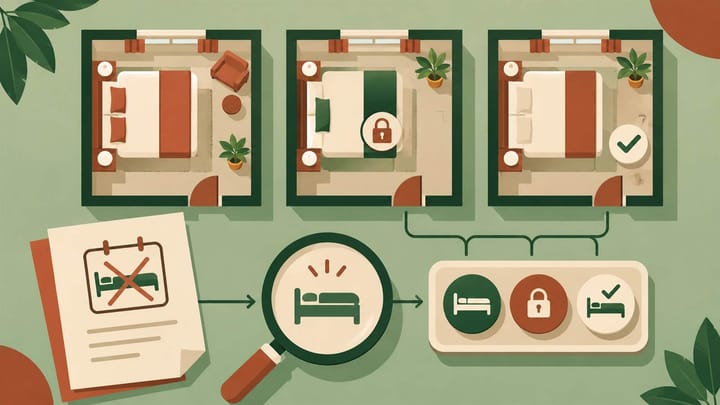
1. Verify the completed cancellation in Trip.com eBooking and identify the exact rooms and nights affected.
2. Compare actual remaining capacity with both the PMS and channel availability; one cancelled room does not mean adding one everywhere.
3. Correct the original reservation once and account for any delayed update or temporary hold before releasing more inventory.
A Trip.com cancellation arrives, but reception still sees the guest on the arrival list. Meanwhile, the cancelled night may already be available on a selling channel. Adding another room manually could turn a stale booking record into an overbooking.
Use the Trip.com extranet to establish the cancellation, then count the rooms the hotel can genuinely sell. The goal is not to make every screen show a larger number. It is to make the correct remaining capacity visible once.
Confirm What Was Cancelled in Trip.com eBooking
Sign in to the correct property and locate the reservation using its Trip.com confirmation number. Open the current booking rather than relying solely on a forwarded email. Check its status, original stay, room count and any available cancellation confirmation or time.
A cancellation request is not the same as a completed cancellation. A request to waive a fee can also leave the stay unchanged until the channel confirms the outcome. If the status is unclear, use Hotel Support through eBooking's online chat to confirm it before releasing the room.
For a multi-room order, establish whether the cancellation affects every room or only part of the booking. For shortened stays, identify the nights removed and the nights still occupied. Preserve the current confirmation and any remaining booking references.
Cancellation and payment are separate decisions. A room can be released while a fee or refund remains to reconcile. Do not keep a non-arriving guest on the active room list simply to preserve a financial follow-up.
Calculate Capacity Instead of Adding Back a Room
Consider a hypothetical four-room category. One room is out of service, leaving three sellable rooms. Three confirmed stays occupy those rooms on Friday, including the Trip.com booking that has now been cancelled.
After that full cancellation, two active stays remain. The correct sellable balance is one room: three usable rooms minus two occupied commitments. The out-of-service room does not become available because another guest cancelled.
Suppose the PMS still shows zero available, while Trip.com shows one. Correcting the stale PMS reservation should bring the PMS to one. Manually adding another room on Trip.com would make it two and exceed real capacity. This is an illustration of mismatched counts, not a claim that Trip.com always returns inventory automatically.
Check the front desk room and reservation calendar for the active stays, maintenance blocks and temporary holds behind the number. Repeat the calculation for each affected night; Saturday may have a different result from Friday.
A cancelled status alone cannot show whether someone already restored availability. In Smart Order, compare the original Trip.com stay with current room commitments before updating the shared count. Reception can identify a stale reservation or extra hold without treating cancellation as permission to add capacity twice.
Restore the Correct Capacity, Not an Extra Room
Review reservations and current availability in Smart Order before returning a cancelled stay's nights to sale.
Find the Missing Cancellation Step Before Correcting It
Search the PMS using the Trip.com reference, including cancelled, unassigned and manually entered records. A filtered arrivals view can hide the corrected booking, while a duplicate or manual copy still appears active. Do not cancel a different stay merely because the guest name matches.
If Trip.com confirms cancellation but the channel manager has no corresponding change, ask the channel-manager provider to check that booking. If the channel manager has the cancellation but the PMS remains active, ask the responsible PMS team to recover the status against the original record. These may be different views within one system rather than separate applications.
Provide the confirmation number, cancelled room/night scope, channel confirmation time with time zone, current capacity calculation and any action already taken. Include the manual reservation or temporary hold reference if one exists. Ask which record will be updated and whether a delayed cancellation can still arrive.
For a same-day or last-room case, assign one manager to the correction. Do not ask several employees to cancel records, release holds and increase channel availability in parallel. A short period of controlled protection is easier to reconcile than several undocumented additions.
Reconcile the Original Record Before Resale
Use the provider-supported recovery or approved manual correction. Keep the reservation history, Trip.com reference and payment entries available rather than deleting the stay from the PMS.
- Confirm the completed cancellation and exact room-night scope again.
- Update the intended original PMS reservation through the approved process, retaining any financial follow-up separately.
- Recount active commitments and holds after saving; check whether availability changed automatically.
- Account for temporary protection and earlier manual adjustments before removing or reversing them.
- Send the reconciled availability through the designated channel workflow, then inspect Trip.com's result.
For connected properties, use the hotel channel manager to distribute the current room count rather than making independent increases in several extranets. Check other connected selling channels too, especially if they share the same last room.
A later cancellation update should not release another unit from an already corrected reservation. Have support verify the original-record match, and review the affected dates if that delayed message arrives. Do not assume an imported cancellation and a staff correction are automatically harmless when combined.
Verify What the Next Guest Can Actually Book
Reopen the current Trip.com booking and PMS record. The cancelled scope should agree, while any remaining rooms or nights stay protected. Check that reception no longer expects the cancelled arrival or sends an outdated check-in or payment reminder.
Compare the final room count with a guest-facing search for the relevant dates and occupancy where practical. A minimum-stay or other sales rule can prevent a search even when a room is physically free. Keep that restriction separate from the cancellation count.
Leave finance the cancellation terms, approved fee or waiver, collection and refund references. None of those records should require recreating the cancelled stay as an active room commitment.
The resale decision is ready when the hotel can explain its remaining capacity, the designated channel update has been checked and no unexplained temporary adjustment remains. If the figures still disagree, keep the affected inventory controlled and escalate the specific difference—not the whole connection in general.