Changing Hotel PMS: Verify UTF-8 Exports and Exit Terms Before Signing
Before changing hotel PMS, require a tested, documented export for reservations, room/rate mappings, guest records you may retain, balances and transaction references. Ask for UTF-8 CSV or XLSX for tabular data plus a field dictionary, timezone/currency rules and stable IDs; obtain JSON/API access only if your next system needs it. These are selection requirements, not a claim that every format is available in Smart Order. Agree read-only access, export charges, retention/deletion, notice period and responsible support role in writing.
A small export acceptance file
Use five authorized test records: future stay, modified stay, cancellation, outstanding balance and a reservation with a non-Latin name. Confirm the exported identifiers reconnect related rows, dates preserve timezone, money includes currency and amendments are not silently flattened. Smart Order’s initial-setup guide documents importing future reservations through its Excel template for other channels; that is an incoming migration format, not evidence of an outgoing export right. Ask the vendor to deliver an actual permitted sample. If no machine-readable sample and written exit terms are available, retain that as a purchasing blocker rather than assuming a PDF report is portable data.
What Smart Order documents — and what your trial must prove
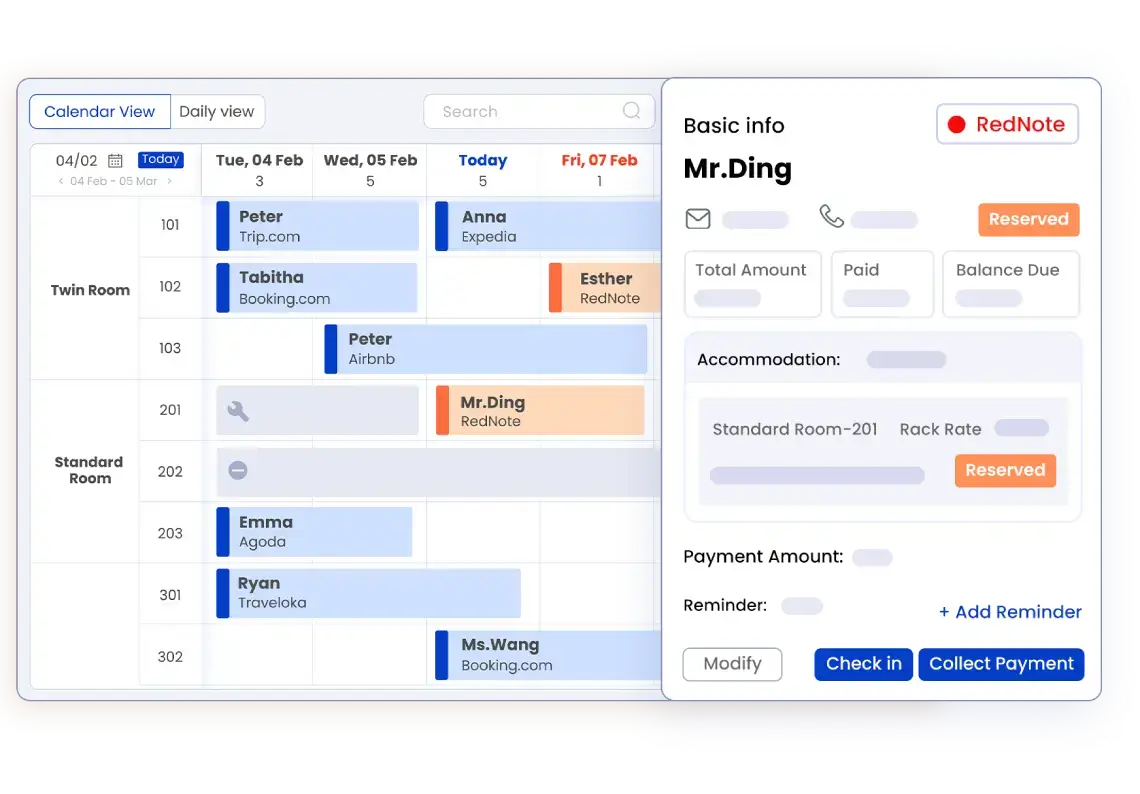
Smart Order publicly documents a central reservation calendar, payments connected to bookings and reporting functions. Those pages establish the operational data involved; they do not by themselves establish every export format or an unrestricted exit service. Ask support to demonstrate the exact export and explain which plan, role and process apply.
An acceptance checklist for this workflow
| Test | What to check | Evidence to keep |
|---|---|---|
| Reservations | Stable booking reference, channel ID, room/type, dates and status | Can staff reconcile the export to the PMS calendar? |
| Payments and balances | Reservation reference, transaction status, currency and allowed financial fields | Can you match a payment or refund without collecting unnecessary sensitive data? |
| Changes and cancellations | History available, cancellation state and date changes | Does the file distinguish a changed booking from a second booking? |
| Access and retention | Who can export, requested fields and retention/deletion process | Are permissions and responsibilities documented? |
| Migration and exit | Format, delivery process, dependencies and any service charge | Can your target workflow actually consume the sample? |
Run a controlled pilot
Create an authorized sample that covers a normal booking, modification, cancellation, deposit and outstanding balance. Avoid unnecessary real guest information.
Ask the vendor to export it using the role that your team will actually hold. Record any fields or actions unavailable to that role.
Open the file with your intended spreadsheet or migration tool. Check text encoding, date/time meaning, currency and stable references.
Reconcile sample counts and balances to the source records. Document missing fields and support ownership before approving migration.
Compare architectures fairly
Compare an integrated PMS and your current system on the export you will use, not on the presence of an export icon. A connector may expose a subset of fields, while a service-assisted export may have different scope and timing. Ask every vendor the same questions and retain the observed sample.
Limits that matter
This is an operational acceptance checklist, not a statement of legal retention or deletion obligations. Your property should set those requirements with the responsible advisers. Do not infer that a documented privacy policy guarantees a particular file format or migration service.
Verified product facts
| Parameter | Documented value / condition |
|---|---|
| Delivery | Web-based PMS with documented mobile-app access |
| Reservation view | Central calendar and room availability |
| Payments | Booking-linked deposits and payment records; provider terms apply |
| Channels | Room/rate/availability synchronization; exact connection must be verified |
These are documented software capabilities, not an independently completed hotel trial. Confirm the exact plan, account permissions, connections, provider fees and country availability for your property.
Frequently asked questions
What proves that an export is usable?
A sample opens in the target tool, retains required identifiers and reconciles to the source records and balances.
Should a test export include real guest documents?
Use only the minimum authorized data necessary for the test. Avoid copying sensitive documents into ordinary screenshots or workbooks.
Can we assume Smart Order exports a particular format?
No. Ask for a demonstration of your required fields, file format and role permissions. The general product pages do not verify every export detail.
What should we ask about leaving the service?
Ask what can be exported, who requests it, any charge, operational dependencies and the applicable retention/deletion procedure.
When should this test happen?
During the trial, before relying on the system as the sole record of live operations.