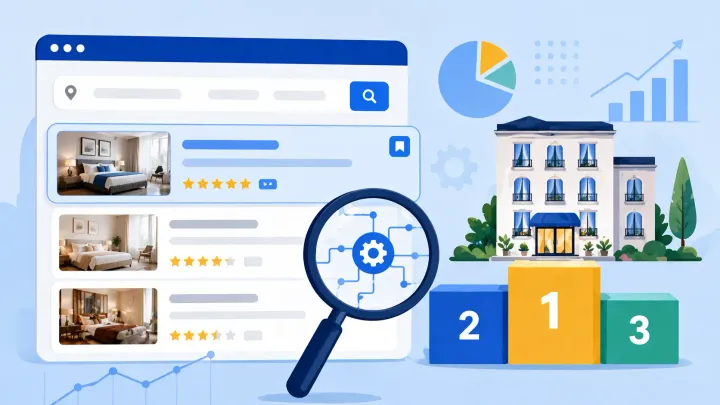
Booking.com ranks properties using a personalized relevance model, not a single public score — so your position shifts for every guest search. The eight inputs that matter most are: guest review score, availability, cancellation rate, content completeness, response rate, Preferred Partner status, Genius program participation, and price competitiveness. The most common ranking trap for multi-OTA hosts is the cancellation penalty caused by calendar desync — a double-booking on one channel forces a host-initiated cancellation on Booking.com, which the algorithm treats as a reliability signal against you.
What the Booking.com Ranking Algorithm Actually Is
Booking.com doesn’t rank properties the same way for every guest. The algorithm is a personalized relevance model — your position in search results shifts based on each guest’s travel dates, nationality, party size, active search filters, and past booking history.
A business traveler from Germany searching for a room in Amsterdam on a Tuesday sees a different ranking order than a family from Australia browsing the same city for a weekend in summer.
This matters for how you interpret your own position. Searching for your property and checking where you appear tells you your rank for that specific search, from your location, at that moment. It’s not representative of your average position across all the guests actually searching in your market.
Instead of tracking your own rank, use the Market Analytics section in your Booking.com extranet. It shows how your property is performing relative to your competitive set in terms of impressions, click-through rate, and conversion — which tells you more about ranking effectiveness than any single spot check.
The algorithm’s goal is straightforward: predict which property a specific guest is most likely to book and be satisfied with. Every factor Booking.com measures is a proxy signal for that prediction.
The 8 Factors That Determine Your Booking.com Ranking
1. Guest Review Score
Your review score is the most visible ranking input and one of the hardest to move quickly. Booking.com uses a 1–10 scale (not the 1–5 stars used on Airbnb and Google), with six sub-scores contributing to the overall: staff, cleanliness, location, facilities, value, and comfort.
The algorithm weights recent reviews more heavily than older ones. A strong historical average can be partially offset by a cluster of recent low scores — and vice versa, a recovery from a rough period shows up in ranking within a few months once newer scores dominate.
Rough visibility thresholds based on patterns across property types:
- Below 7.0: meaningful ranking suppression in most markets
- 7.0–7.9: competitive in budget categories, weaker in mid-range and above
- 8.0–8.9: solid visibility across most property types
- 9.0+: strong algorithmic signal; properties here rank well even without Preferred Partner status
The only way to raise your score is to address the specific sub-categories guests rate lowest. If cleanliness is pulling down your overall, auditing your cleaning process is more useful than generating more total reviews.
2. Availability
Properties with more open dates rank higher for those dates. The algorithm can only generate commissions on bookings that happen — a property that frequently shows as unavailable provides less value to the platform and gets deprioritized accordingly.
Keeping your calendar open for as many future dates as possible, even when you’re uncertain about some periods, generally improves ranking for those dates. You can always close dates later. Leaving inventory closed by default costs you more in ranking than the occasional late-close adjustment.
Last-minute availability matters more than most hosts realize. Booking.com’s mobile app is heavily optimized for same-day and next-day searches, and the algorithm surfaces properties with confirmed last-minute openings for those queries. Properties that never show last-minute availability are effectively invisible to a significant portion of mobile traffic.
3. Cancellation Rate (Invalid Cancellations)
Booking.com tracks host-initiated cancellations separately from guest cancellations and labels them “invalid cancellations.” Guest cancellations under your approved policy don’t affect your ranking. Host-initiated cancellations do.
The algorithm treats invalid cancellations as a reliability signal. A property that cancels confirmed bookings — even infrequently — is a worse outcome for the guest than one that doesn’t. Ranking suppression from invalid cancellations compounds with volume: a few per quarter is enough to move your position meaningfully in a competitive market.
For multi-OTA hosts, the most common cause of invalid cancellations isn’t deliberate — it’s calendar desync. If you list on Airbnb and Booking.com without a system connecting the two, a booking confirmed on Airbnb doesn’t automatically close those dates on Booking.com. A second guest books the same dates. You have to cancel one. Booking.com records it as an invalid cancellation regardless of the underlying cause. Smart Order’s channel manager closes your calendar across all connected OTAs the moment any booking confirms, eliminating the window where a second booking can land on the same dates.
4. Content Completeness and Property Score
Booking.com gives every property a completeness score visible in the extranet — typically shown as a percentage. This score reflects how thoroughly you’ve filled out your property profile: amenity checkboxes, description fields, photos, policies, and facility details.
Properties with higher completeness scores rank above comparable properties with lower scores, all else equal. Complete profiles convert better — guests have the information they need to book with confidence — and the algorithm rewards what converts.
Specific thresholds that matter:
- Photos: 20+ is the minimum threshold for competitive display; 30–40 covering all room types is better
- Amenities: Booking.com has hundreds of possible amenity tags — check your extranet’s Opportunities section for which ones apply to your property type and aren’t yet marked
- Descriptions: fill every available text field, not just the main summary
The Opportunities section in your extranet isn’t an upsell panel — it reflects actual gaps in your profile that the algorithm has identified as affecting your performance. Treating it as a to-do list is one of the highest-ROI ranking activities available to you.
5. Response Rate and Acceptance Rate
The impact of this factor depends on whether you use instant booking or request-only booking.
For instant booking properties, the algorithm doesn’t penalize you for acceptance rate — there’s nothing to accept, since bookings confirm automatically. What matters is how quickly you respond to guest messages after booking. Slow responses correlate with lower satisfaction scores, which eventually feed into your review score.
For request-only properties, acceptance rate is a direct ranking input. Declining reservation requests, or letting them expire, signals to Booking.com that your property isn’t reliably available for the guest profiles you’re declining. If you’re currently on request-only booking, switching to instant booking removes acceptance rate as a variable and typically improves ranking in the near term.
6. Preferred Partner Program
Booking.com’s Preferred Partner Program is a paid commission upgrade — typically 18–20% instead of the standard 15% — in exchange for a ranking boost and a “thumbs up” badge in search results.
The badge has two effects: it increases your click-through rate from search (guests recognize and trust the designation), and the program itself provides a direct ranking boost before the click. In competitive markets, the Preferred ranking advantage can be the difference between appearing on the first page of results or the second.
Whether the program is worth the higher commission depends on your occupancy data. The question to answer: does the incremental bookings generated by better ranking justify the additional 3–5% commission on every booking? For properties in high-competition urban markets or peak-season destinations, it often does. For properties that already run at near-full occupancy, the economics are less straightforward.
7. Genius Program Participation
Booking.com’s Genius loyalty program rewards repeat customers with discounts at participating properties. Enrolling means offering at least a 10% discount to Genius members — in exchange, your property gains filter visibility (guests can narrow results to Genius-eligible listings) and a ranking signal within those filtered searches.
Genius guests are Booking.com’s most valuable repeat customers by the platform’s own metrics: they book more frequently, leave more reviews, and tend to rate properties higher than first-time users. The trade-off is margin — a 10% Genius discount on top of a 15% standard commission brings your effective cost on those bookings to roughly 23–25%.
8. Rate Competitiveness
The algorithm compares your rates to similar properties in your market for the same dates. Properties priced significantly above comparable listings get deprioritized — not because Booking.com penalizes high prices, but because high relative prices predict lower conversion, and the algorithm optimizes for bookings that actually happen.
- Dynamic pricing: Properties that adjust rates based on demand signals — weekday vs. weekend, local events, booking window, seasonal patterns — fill their available inventory more consistently, and the algorithm rewards that conversion behavior.
- Rate parity: Booking.com’s standard terms require that you not offer lower rates on competing OTAs. In the EU, rate parity clauses have been legally restricted, but ranking signals around cross-platform price discrepancies still exist in many markets. In North America, the clause remains more broadly enforced.
What Booking.com Doesn’t Tell You About Ranking
A few things that meaningfully affect your ranking aren’t prominently documented:
- Your property score is a live ranking input. The completeness percentage in your extranet isn’t a cosmetic progress bar — it feeds into the algorithm. Booking.com displays it specifically because improving it benefits both your conversion and theirs.
- Market density changes everything. Ranking third in a market with 20 properties means appearing in the first row of most searches. Ranking third in a market with 500 properties might mean page one or page three, depending on filters and personalization. Pull your Market Analytics benchmark report and compare your click-through rate against your competitive set — not against an abstract ideal.
- Ranking changes take 2–4 weeks to surface. If you enable instant booking, complete your property score, or eliminate invalid cancellations, don’t expect the algorithm to reflect it immediately. Track your impressions and click-through rate in the extranet over 3–4 weeks to assess whether the change moved your metrics.
- The Opportunity banners are algorithm signals. Booking.com surfaces them because closing those gaps would improve your ranking and your conversion rate. Properties that systematically work through their Opportunity list tend to see measurable rank improvements over a quarter.
The Cancellation Rate Problem — Why It’s Usually a Calendar Issue, Not a Host Choice
Most hosts who accumulate invalid cancellations on Booking.com aren’t choosing to cancel bookings. They’re caught in a gap that opens up when you manage multiple OTA calendars without a synchronization system.
Here’s how it unfolds: You list your property on Booking.com and Airbnb. A guest books through Airbnb on a Thursday. You see the notification, but your Booking.com calendar hasn’t updated yet — it still shows those dates as available. Before you manually close them, a second guest books the same dates on Booking.com. You now have two confirmed bookings for the same dates and must cancel one. Booking.com records your cancellation as an invalid cancellation, regardless of the underlying cause.
This pattern compounds. One calendar sync gap leads to one invalid cancellation. Managing two or three OTAs with separate calendar systems means the gap between a booking arriving and you updating the others is always present. In busy periods — exactly when you want maximum booking velocity — that gap is when double-bookings happen.
Smart Order’s channel manager connects your Booking.com, Airbnb, and Expedia accounts so every booking immediately closes availability across all connected channels. There’s no manual step, no window between a booking confirming and other calendars updating, and no forced cancellations from sync gaps. Your Booking.com invalid cancellation rate stays at zero — not because you’re managing calendars more carefully, but because the exposure is eliminated at the source.
How to Improve Your Booking.com Ranking — Priority Order
This week:
- Open your extranet’s Opportunities section and complete every flagged profile gap
- Check your photo count — reach 20 minimum, add room-type coverage if missing
- If you’re on request-only booking, evaluate switching to instant booking
Over the next 1–3 months:
- Send Booking.com’s post-stay review request link to every guest (via Messaging in the extranet)
- If you list on multiple OTAs, set up calendar synchronization to eliminate invalid cancellations
- Enroll in the Genius program with at least 10% discount on a portion of your inventory
Quarterly review:
- Run the Market Analytics benchmark report — compare your click-through rate and conversion against your competitive set
- Evaluate Preferred Partner enrollment against your current occupancy and conversion data
- Audit your rate strategy to confirm you’re not consistently priced above comparable properties for the same dates
Address the controllable factors before spending on the paid programs. Eliminating invalid cancellations, completing your property score, and building a strong review sub-score in cleanliness and value will move your ranking more durably than a commission upgrade on a listing with underlying gaps.
Frequently Asked Questions
How does Booking.com rank hotels and vacation rentals?
Booking.com uses a personalized relevance model — not a fixed ranked list. Your position in search results depends on your review score, availability, cancellation rate, content completeness, response rate, pricing, and program participation, weighted against each guest’s specific search profile and booking history. Two guests searching the same city on the same dates can see different results.
Does enabling instant booking improve Booking.com ranking?
Yes, for properties currently on request-only booking. Switching to instant booking removes acceptance rate as a negative ranking variable, and properties with confirmed instant availability convert better — which the algorithm rewards. For properties already on instant booking, this isn’t a lever that remains available.
What is the Preferred Partner Program and is it worth the higher commission?
The Preferred Partner Program is a higher commission tier (typically 18–20% vs. the standard 15%) in exchange for a ranking boost and a “thumbs up” badge in search results. Whether it’s worth it depends on whether the incremental bookings from better ranking and higher click-through rates justify the additional commission per booking. Run the calculation against your actual occupancy data before enrolling — the answer varies significantly by market and property type.
How long does it take to see ranking improvements after making changes?
Most ranking changes take 2–4 weeks to surface in your extranet analytics. Algorithmic updates aren’t instantaneous — track your impressions and click-through rate over a 3–4 week window after making changes. Review score improvements take longer, since they depend on accumulating new guest scores after the operational change is in place.
Does Booking.com penalize properties for cancellations?
Yes. Booking.com tracks host-initiated cancellations as “invalid cancellations” and uses them as a ranking signal. Even a small number — especially if clustered within a short period — can suppress your listing’s position in competitive markets. Guest cancellations under your approved policy do not affect your ranking.
Does participating in Genius affect my Booking.com ranking?
Yes. Genius-enrolled properties gain filter visibility (guests can narrow search results to Genius-only listings) and a positive ranking signal for Booking.com’s loyalty segment. The trade-off is the 10% minimum discount on Genius bookings, which reduces your effective margin on those reservations. For properties with strong baseline demand, the incremental reach typically justifies the discount.
