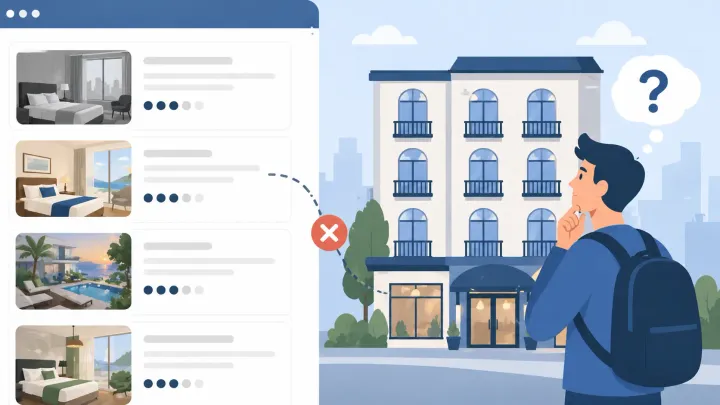
Why Impressions Don't Equal Bookings
Your Booking.com listing is showing up in search. You can see the impressions in your extranet analytics. But the clicks aren't coming — and neither are the bookings.
This is a different problem from low visibility, and it needs a different fix.
Visibility is about where your listing ranks. Click-through is about what guests see when they find it. A listing can appear on the first page of results and still get ignored if what it shows in those two seconds of scanning doesn't earn the click.
Every Booking.com search result card contains the same elements: a thumbnail photo, a property name, a nightly price, a review score and review count, a location tag, and sometimes amenity or program badges. That's your entire pitch before a guest ever sees your description, your room photos, or your policies.
The click decision happens there — before your listing is even opened.
Reason 1: Your Lead Photo Isn't Working
The thumbnail is the highest-impact element in your search result card. It's the first thing a guest's eye lands on, and it determines whether everything else gets read.
Most listing photos that fail to convert share the same problems: rooms that appear dark or cramped, cluttered surfaces in frame, photos taken from a corner rather than a doorway, or exterior shots used as the lead image when guests are searching for a place to sleep.
What earns clicks is different. Wide-angle shots taken from doorways or corners that show depth. Natural light from open windows or doors. A clean, uncluttered foreground. The best-performing thumbnail on any Booking.com listing is almost always the one that shows guests where they'll wake up — and makes that feel inviting.
The fastest self-audit you can do: search your destination on Booking.com the way a guest would, find your listing in the results, and compare your thumbnail cold against the two properties next to yours. If your photo looks darker, smaller, or less inviting at thumbnail size, that's why guests are scrolling past.
Reason 2: Your Property Name Doesn't Communicate Value
Property names appear directly in Booking.com search results, below the thumbnail and above the price. They're not just labels — they're the second decision point after the photo.
Generic names like "Apartment 3F," "Studio Room," or "Guest House" give guests nothing to hold onto. They don't communicate where the property is, what makes it worth clicking, or why it's different from the listing next to it.
Names that earn clicks do three things: they identify the property type, anchor it to a location, and include one specific feature that matters to the target guest. "Bright Beachfront Studio — 3 Min Walk to Old Town" tells a guest who you're for before they ever open the listing. That clarity earns the click.
Booking.com allows property name edits through the extranet under the property details section. It's one of the lowest-effort, highest-leverage changes you can make to your listing — and most hosts never touch it after the initial setup.
Reason 3: Your Price Looks Wrong for What's Shown
Nightly price appears next to your thumbnail in every Booking.com search result. Guests compare listings in the same price tier at a glance, and the price needs to look proportionate to what the photo is promising.
This creates a compounding effect that works against poorly photographed listings. A listing with weak photos and a high price signals poor value before the guest has any other information to go on. They skip it. The same price on a listing with strong, inviting photos reads completely differently — because the photo has already justified the rate.
The reverse also happens: a price that looks too low against professional-quality photos raises a different kind of suspicion. Guests notice when something seems off.
Pricing that earns clicks reflects seasonal demand, length-of-stay patterns, and last-minute windows accurately. When your Booking.com listing is managed separately from your other OTA channels, that accuracy is hard to maintain. Rates drift out of alignment as demand shifts, and guests searching on Booking.com see a price that doesn't reflect your actual market position.
Reason 4: Your Review Score or Count Is Too Low
Both the review score and the number of reviews display in search results. Guests can see them without opening your listing, and they use both to filter out risk before clicking.
A review score below 8.0 starts to close doors in competitive markets — not dramatically at first, but consistently. In destination searches where the average listing in your category sits above 8.5, a 7.6 next to a competitor's 9.2 ends the comparison before the guest gives either listing a second look.
The review count matters separately from the score. A listing with 200 reviews at 8.4 reads differently than a listing with 4 reviews at 9.5. Guests weight volume as a form of verification — more reviews means more guests have been through without a catastrophic experience.
For new listings on Booking.com, the absence of reviews is itself a click barrier. The priority during the first 30 days should be generating early reviews — through faster response times, proactive pre-arrival communication, and following up politely after checkout. Ten solid reviews change how a new listing reads in search results.
Reason 5: Your Listing Doesn't Read as Trustworthy
Guests have learned to scan Booking.com listings for trust signals before they click. This isn't irrational — fake and misleading listings exist on every major OTA, and guests have become quick at reading the signals that separate legitimate properties from risks.
The signals they look for are visible in search results: Genius program membership, review volume, professional-quality photos, and profile completeness. A listing that looks sparse — few photos, low review count, a generic name, a thin profile — triggers avoidance even in the absence of any negative reviews.
Listing on Booking.com vs Airbnb brings different trust mechanics, but both platforms reward listings that look actively managed and professionally presented. On Booking.com specifically, the Genius program badge carries weight with frequent travelers. It signals that the property meets minimum quality benchmarks and has been reviewed enough times to qualify.
How to Audit Your Booking.com Listing's Click-Through
Getting more clicks doesn't require a budget. It requires looking at your listing the way a guest does.
Step 1: Check your extranet analytics. Booking.com shows impression and click data under your property performance dashboard. If your impressions are reasonable but your click rate is low, the issue is in the card — not the ranking.
Step 2: Search your destination as a guest. Open Booking.com without logging in, search your destination for dates your property is available, and find your listing in the results. Compare your thumbnail, name, price, and score against the properties around you. This is the coldest, most honest audit you can do.
Step 3: Fix the highest-impact element first. In most cases, that's the lead photo. A single updated thumbnail taken with natural light from a doorway will outperform a professional-looking interior shot of a cluttered room every time.
Step 4: Rewrite your property name. If your current name is generic, update it to include a location anchor and one guest-relevant feature. This takes five minutes and has no downside.
Step 5: Stabilize your pricing across channels. If your rates on Booking.com are frequently out of sync with your other OTA listings, guests may be comparing your Booking.com price against Airbnb or Agoda prices for the same property and arriving at a skeptical first impression.
Keep Your Rates Competitive Across Every Channel
Smart Order's channel manager syncs your Booking.com pricing and availability with Airbnb, Agoda, and other major OTAs in real time — so your listing always shows market-accurate rates and stays competitive when guests are comparing.
FAQ
What makes a good Booking.com listing photo?
The most effective lead photo for a Booking.com listing is a wide-angle shot of the main sleeping or living area, taken from a doorway or corner to show depth, with natural light and no clutter in the foreground. At thumbnail size, brightness and spatial impression matter more than interior design. Guests are deciding whether the space looks livable and inviting — not evaluating the décor.
How many reviews do I need before guests trust my Booking.com listing?
Ten reviews is roughly the threshold where a Booking.com listing starts to read as verified rather than uncertain. Below ten, guests have too little data to calibrate risk, even if the score is high. Prioritize generating early reviews by responding to guests quickly, communicating proactively before arrival, and following up after checkout. The first ten reviews have a disproportionate impact on your listing's click-through rate.
Does Booking.com's Genius program improve click-through rate?
Yes, indirectly. The Genius badge appears in search results and signals to frequent travelers that the property meets Booking.com's quality benchmarks. Genius travelers — who account for a significant share of bookings on the platform — actively filter for Genius-eligible properties. Qualifying requires meeting minimum review score and booking volume thresholds. It's not a paid program, but the badge functions as a visible trust signal that improves clicks among the guest segment most likely to book.
Can I change my property name on Booking.com?
Yes. Log into your Booking.com extranet, navigate to the property details section, and update the property name field. Changes typically take effect within 24 hours. When rewriting your name, lead with the property type, include a location anchor, and end with one feature that distinguishes your listing — such as a proximity note, a view, or a standout amenity. Keep it under 60 characters so it doesn't get truncated in search results.
