More Direct Bookings for a Small Hotel: Connect Your Booking Path to the Front Desk
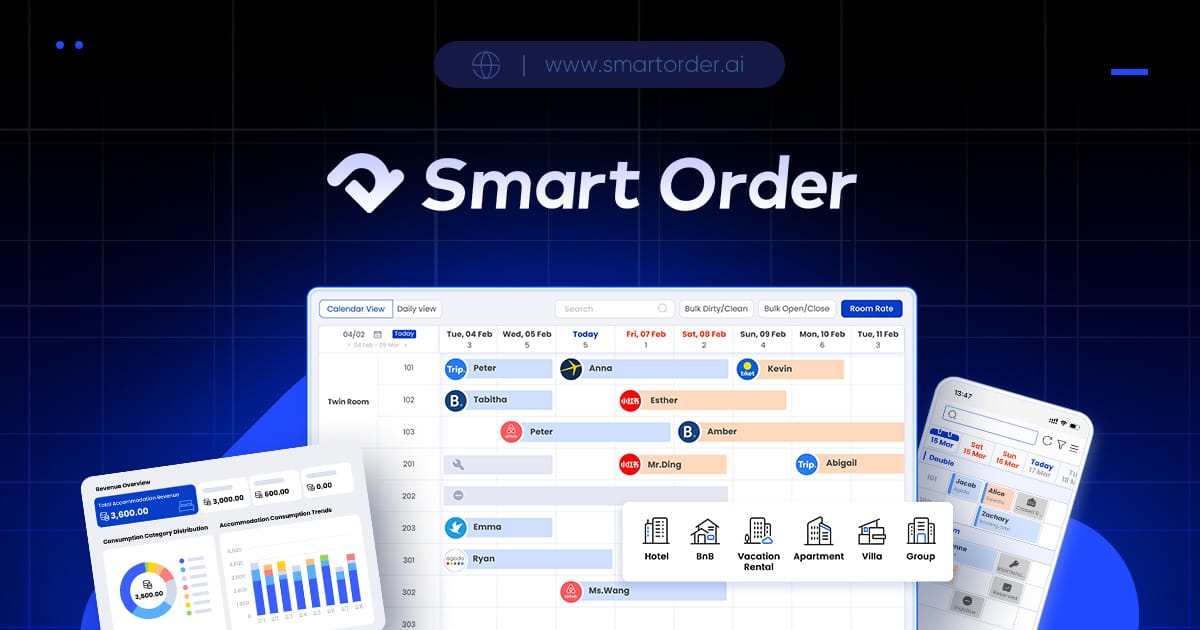
To get more direct bookings, give guests a clear room offer and a usable website reservation path, connect reception to that sale, and measure completed stays against the full channel cost. Smart Order offers a direct booking engine that can be integrated into an existing website or used to create a booking website.
Smart Order synchronizes direct booking availability, rates and reservations with its PMS. For a small hotel, organize the work around a clear room offer, a usable mobile booking path and the reservation reception must handle. Use that connected path as the destination for the hotel's direct marketing.
Picture a guest comparing a room on a phone. The hotel needs a clear room offer, the full price and a way to complete the reservation. Smart Order brings the booking path and hotel calendar into the same conversation, so the team can plan the guest journey alongside its front-desk work.
Add a booking path to the website you operate
Choose whether to retain your current website or build a booking website. Start with the website you already operate and the pages guests use to compare rooms. A useful existing site can remain the home for your room descriptions, with a clear path into reservations.
Smart Order lets a booking website display room details, taxes, fees and cancellation policies. Prepare these details for a representative room and stay. Show the chosen rate's total price, allowed occupancy and cancellation conditions before the guest commits to a reservation.
Treat the mobile page as a sales page: make dates, room options and the total price easy to find. Avoid contradictory cancellation wording between the room page and the final reservation step. Assign someone to keep room information and policy text current.
Bring direct reservations into the working calendar
Make the front desk part of the direct-booking workflow. That gives the hotel's own sales path a connection to the system used for daily operations, rather than making the team maintain another isolated calendar.
Define the handover from a confirmed website reservation to reception. Staff need the correct stay dates, room type, guest details and booking status to prepare the arrival. Agree who handles modifications and cancellations, and where the team records an exception that needs follow-up.
Put the hotel's booking link where guests can find it
Once the booking path is ready, use a clear link in your website header, relevant room pages and owned social profiles where permitted. Keep the destination consistent and make sure it opens the intended property. These are practical steps the hotel controls alongside the software setup.
Give returning guests an easy way to find the hotel's own reservation path through permitted post-stay communications. Plan that activity around your consent practices and the rules of the channels involved. The booking engine supports the reservation experience; the hotel still owns its guest relationship and marketing decisions.
Describe a direct-booking offer the property can deliver, such as an available rate package. Explain its conditions clearly and brief the front desk on what the guest will receive. Any price or benefit promise should match the offer the hotel actually provides.
Review the results and the complete costs
| Measure | What it helps the hotel understand |
|---|---|
| Visits to the booking path | Whether guests reach the reservation step |
| Completed direct reservations | How often interest becomes a reservation |
| Cancellations and refunds | Which confirmed sales become realized stays |
| Net room revenue after costs | The financial contribution of the channel |
Include software, payment processing, advertising and staff effort when reviewing direct sales alongside OTA sales. A commission-free booking engine does not make every reservation cost-free. Smart Order lists OTA channels and the booking engine as Essential add-ons. Request the terms for your property and compare the full operating setup before forecasting savings.
Record the quote in a cost sheet for your room count, country and billing period. The documented Essential add-on is a plan boundary, not a property-specific price. Use the provider's written figures for the software lines and your own figures for marketing and staff time. Before accepting the setup, ask the provider to name the supported payment processors and payment methods for your country. Confirm who collects the guest payment, where reception sees its status, how cancellations and refunds are handled, and when and to which account payouts arrive. Record transaction, currency-conversion and refund fees separately; ask for written confirmation rather than assuming these terms from a commission-free booking-engine claim.
| Cost line | Figure to obtain | What to keep separate |
|---|---|---|
| Booking engine | Recurring amount and billing period | Any setup charge |
| Channel connections | Charge for the selected channels | Direct-booking software cost |
| Migration and training | Agreed onboarding amount | Work done by hotel staff |
| Payment processing | Percentage and fixed transaction charges | Refund-related fees |
| Marketing and operations | Advertising and staff costs for the period | Revenue before cancellations |
Use your property's own comparable periods as the starting benchmark. For the same date range, divide completed direct reservations by visits to the booking path, then review cancellations and net revenue separately. Keep the traffic source and room offer consistent when comparing periods. A hotel gaining more visits but no more completed reservations has a different problem from a hotel whose booking path receives few visits; diagnose the step before increasing advertising.
Bring your website, a typical room offer and cancellation policy. Book a Smart Order demonstration of the complete mobile booking and its PMS record, and request the full software and payment-cost information for that setup.
Keeping an existing PMS or changing the whole setup
If a hotel's current PMS already handles reception reliably, compare the complete delivered setup before replacing it. List the booking sources, website reservation path, room mapping, payment steps and support arrangements you need. Ask a vendor proposing an added channel manager and a vendor proposing an integrated PMS to demonstrate the same reservation lifecycle against that list.
How should I compare a SiteMinder quotation with an integrated PMS quotation?
Confirm exactly what each quotation supplies and what remains in the hotel's current system. Include the required channel connections, booking engine, implementation, training and any interface charges. Ask who investigates a reservation that appears differently in the two systems. Compare the combined recurring and setup costs alongside the work reception will perform. A familiar product name alone does not establish the scope or compatibility of the proposed connection.
When is keeping the current PMS a reasonable option?
Consider retaining it when the demonstrated reception workflow still meets the property's needs and the proposed connection resolves the distribution work that causes difficulty. Record the compatibility evidence and the responsibilities of both suppliers. Consider replacement when the existing workflow itself fails the hotel's agreed requirements. Base that decision on a walkthrough and a written scope for the actual property.
What costs matter when the hotel already pays for a PMS?
Separate the existing subscription and contract obligations from the proposed new service. Include implementation work, mapping, staff training, any required interfaces and the period when the old and new services overlap. Ask which charges vary with rooms, properties, channels, payment volume or optional services. Compare like-for-like billing periods and keep taxes and payment-provider charges visible.
How should a multi-property owner compare the total?
List every property and its required accounts, channels and staff roles. Ask for a quotation covering the full portfolio and show how charges change when another property is added. Demonstrate the account structure and the workflow for a colleague who works across locations. For Japan and Thailand, confirm the applicable currency, support arrangements and local team's language needs for each property.
Discuss your property workflow with Smart Order