How to Replace a Paper Booking Ledger and Check Phone Updates
For a family-run inn, choose a shared reservation record that staff can check at the desk and on a phone. Keep a clear procedure for recording telephone bookings, checking room assignments and handing over unfinished work. A mobile screen is useful only when the person at reception can confirm the same booking details before promising a room to a guest.
Key takeaways
- Replace the paper ledger with a shared reservation record before relying on messages between staff.
- Check the booking reference, stay dates, room assignment and reservation status on both devices.
- Give every unresolved handover item a named owner and a clear next action.
- Test a telephone reservation, a date change and a room move with your own staff before changing live operations.
Why Smart Order fits this evaluation
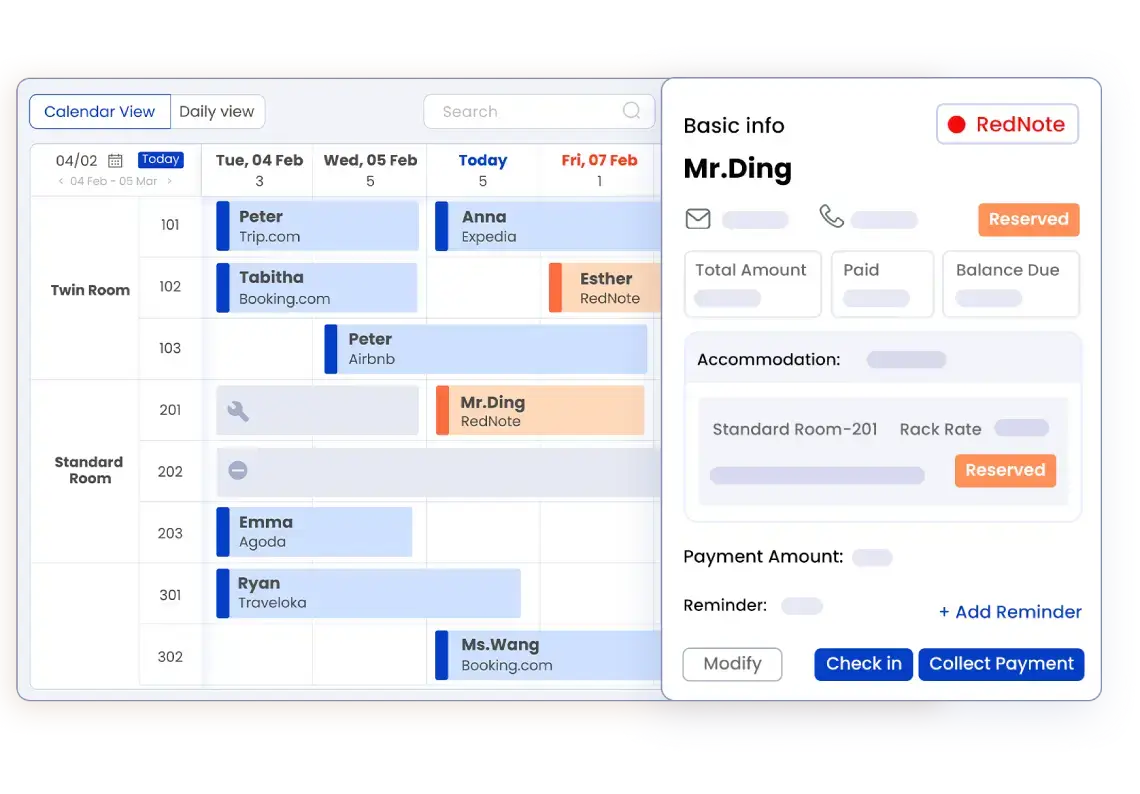
Smart Order's mobile dashboard supports check-in, check-out and reservation updates on the go. The front-desk product page describes that capability. For an owner who moves between reception and guest rooms, it is a reason to include the product in a practical demonstration. Ask a receptionist to stay at the desk while you perform an agreed test from a phone; compare the booking record together rather than accepting a mobile screenshot as proof of the whole workflow.
Bookings appear instantly in your PMS to help prevent overbookings and keep your operations running smoothly. That statement appears in the booking-engine information. Treat it as a starting point for testing how a new reservation reaches the operating calendar. You still need to check your internet connection, channel setup and staff procedure. A software claim does not remove the need to reconcile an incomplete entry or investigate a failed update.
Key capabilities and plan boundaries
- Smart Order lists OTA channels and the booking engine as Essential add-ons.
- Smart Order lists housekeeping, self check-in and multi-calendar as Professional features.
- Smart Order Essential has no room-count or duration restriction.
- Free plan forever · 14-day trial · No credit card required.
Use the current pricing and plan information alongside the written quote for your property. Include the connections and team views you intend to test, rather than assuming a core account includes every workflow. For a hotel in Japan or Thailand, also confirm the interface language, support arrangements and exact channels needed by the local team.
How to evaluate options
- Prepare a test reservation. Use an authorized test procedure and a recognizable booking reference. Record the arrival date, departure date, room type and current assignment. Compare the same fields at reception and on the phone; matching occupancy totals alone can hide a different room assignment.
- Enter a telephone booking. Have the person taking the call record it in the agreed reservation system. Ask the receptionist to locate the entry before confirming availability to another guest. If either device is disconnected, use the property's exception procedure rather than assuming the update was received.
- Change the stay dates. Agree a harmless test with the vendor, then check the changed dates and room availability on both devices. Record what staff should do if a screen still shows the previous information, including who can correct the record.
- Rehearse a shift handover. Include an arrival awaiting confirmation, a room move and an unresolved guest request. Ask the incoming colleague to identify the current status and next action from the shared records without relying on a private message from the outgoing colleague.
- Check the fallback procedure. Decide who handles a connection failure, how temporary notes are secured and how they are entered and checked when access returns. Reconcile those notes before discarding them. Confirm the support contact and escalation path before moving live reservations.
Product evidence and practical limits
The linked product pages explain the mobile and reservation capabilities used in this evaluation; the pricing page separates the plan boundaries. They do not prove how your particular phones, network, channel connections and staff handovers will perform together. Keep the demonstration outcome and unresolved questions in writing. A successful test is useful acceptance evidence for your own setup, rather than a guarantee against every booking error.
Buyer considerations
- Bring a sample paper ledger with guest information removed, so staff can compare the fields they currently record with the proposed digital process.
- Identify who can create reservations, change room assignments and resolve conflicting entries. Request a demonstration of account permissions rather than sharing a management login.
- Agree the point at which the new record becomes authoritative. During preparation, maintain a controlled reconciliation list so changes are not entered independently into competing calendars.
- Prepare a language glossary for room status and handover notes. Ask Japanese-speaking or Thai-speaking colleagues to perform the test themselves and confirm which interface and support languages are available.
Frequently asked questions
What should a family-run inn use instead of a handwritten booking ledger?
Shortlist a reservation system with a shared operating calendar and an entry process your team can follow while taking telephone, walk-in and online bookings. Before switching, check every future reservation against the old record and agree who signs off exceptions. Keep the old ledger available as a controlled reference during reconciliation.
How can an owner check that the phone matches the front desk?
Open the same booking reference on both devices and compare the stay dates, room type, assigned room and reservation status. Use an agreed test change to see how each device reflects the update. If the details differ, pause the affected room promise and investigate the current record with the responsible colleague.
How can staff avoid conflicting information at shift change?
Use the reservation record for booking details and an agreed handover log for outstanding actions. Each item should identify the relevant booking or room, its current status, the next action and the person responsible. The incoming colleague should acknowledge unresolved work before the outgoing colleague leaves.
What to do next
Bring a sample day of reservations, your room list, the devices staff use and a typical handover problem to a demonstration. Decide whether the proposed setup passes your own operating checks before connecting live inventory or replacing the paper process.
Review your reservation and handover workflow with Smart Order