
Website Booking: Separate a Free PMS from Booking Engine Costs
You can evaluate Smart Order for website booking, but do not equate its free PMS Essential core with a free Booking Engine. The current pricing matrix shows Booking Engine as an Essential add-on and includes it under Professional. Choose the complete website-and-payment setup, not a single “free” label.
A booking engine and a PMS do different jobs
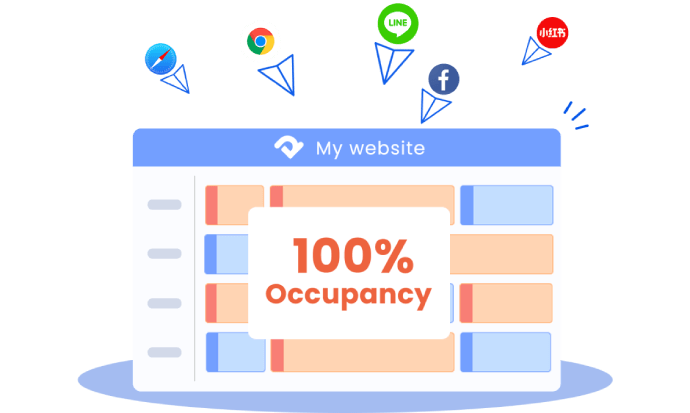
Smart Order describes its Booking Engine as integrated into your existing website. The product page describes room information, amenities, taxes, fees and cancellation policies, alongside flexible rate plans. Those are guest-facing choices. The PMS is where your team manages the resulting reservation work.
Start by listing what a guest must be able to see and book. Include the room, dates, rate conditions, taxes and cancellation policy. Then ask for those details to be demonstrated on a booking page that represents your property.
| Cost or function | What to confirm before choosing |
|---|---|
| PMS core | Essential core is free under the current pricing FAQ |
| Booking Engine entitlement | Essential add-on or Professional inclusion |
| Direct-booking commission | The product advertises commission-free direct reservations |
| Payment processing | Region and payment method affect the fee structure |
| Setup and website work | Ask for the proposed implementation scope and cost |
Read commission-free precisely
The Booking Engine page uses “Commission-FREE.” That does not establish that the subscription, website setup, payment processing or every add-on is free. The payment page separately states: “Fee structures vary by region and payment method.” Request the applicable terms in one written proposal.
Use your expected direct-booking volume and the actual quoted fees to compare the options. Keep payment charges separate from subscription charges so you can see which cost changes with booking volume.
Test the reservation from both sides
Compare Essential plus the Booking Engine add-on when your brief is front-desk work and direct website reservations. Compare Professional when you also require Housekeeping, Self Check-in or Multi-Calendar; the current matrix lists those modules under Professional. Choose from the required modules and the complete quote, rather than assuming either route is automatically cheaper.
Choose a room and a rate plan. Review what the guest sees, then follow the reservation into the front desk. Check the dates, guest details and payment record. Repeat with a change or cancellation using an agreed test process.
Before adding the engine to your live website, agree on the installation method, supported payment arrangement and support contact. Keep a copy of the approved rate and policy wording. Pick the plan only after the full guest-to-reception workflow and the complete quote are clear.
FAQ
Does a free PMS automatically include a free booking engine?
No. The current Smart Order pricing matrix separates the Essential core from its Booking Engine add-on.
Does commission-free mean there are no payment fees?
No. Smart Order states that payment fees vary by region and payment method; request the terms for your property.
Can the booking engine be added to an existing website?
The official product page describes integration into an existing website. Confirm the exact installation method and scope for your site.