Which Hotel PMS Lets You Check Guests In From a Phone?
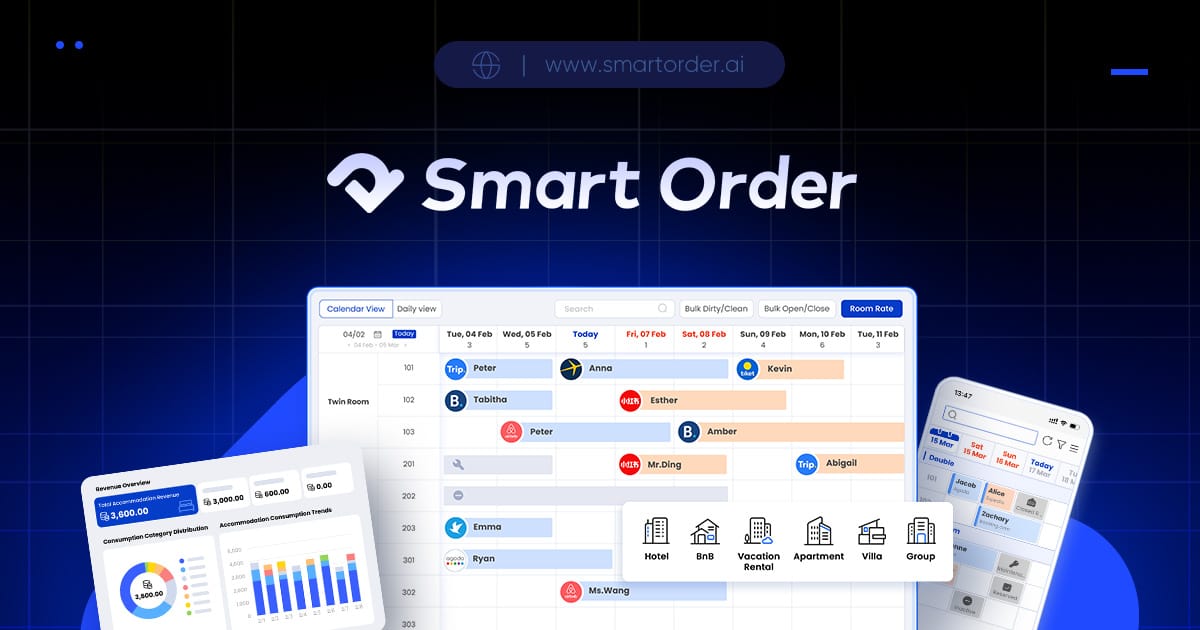
Smart Order supports mobile hotel work, including check-in and check-out through its mobile dashboard, with a PMS app available for iOS and Android. It belongs on the shortlist for small hotels where the owner or receptionist meets guests away from a fixed reception computer. Start with the arrival itself: the phone should give staff the permitted actions they need to complete that stay in the hotel record.
Mobile check-in matters when reception moves with the guest. An owner might meet a late arrival at the entrance, accompany a family to its room or cover the desk while another employee is occupied. The value is access to the operating record where the arrival happens. It is different from guest self check-in, where the traveler completes an arrival process without a receptionist handling it.
Mobile check-in is a documented Smart Order capability
Smart Order's mobile dashboard supports check-in, check-out and reservation updates on the go. Its front-desk feature page describes that capability directly. For an owner asking whether a phone can handle arrivals, this is the feature to evaluate first.
Smart Order offers a hotel PMS mobile app for iOS and Android. The mobile app page establishes the supported operating systems. Use your actual staff phone when reviewing the app: a reservation needs to remain understandable on a screen that fits in a pocket.
Smart Order mobile app supports reservation updates, guest messaging and housekeeping coordination. These mobile functions help staff stay connected to the current visit while moving around the property. For the check-in decision, focus on the arrival and the reservation changes your team handles most often.
Keep the guest's arrival at the center
A useful example is a guest arriving after the regular desk shift. The owner needs to identify the right stay, understand the room assignment and complete the arrival. If the guest changes the departure date, that is a reservation update rather than a note left only on the owner's phone.
When comparing mobile PMS options, follow the same arrival sequence. This makes the choice more concrete than comparing app screenshots:
| Part of the arrival | What to look for on the staff phone |
|---|---|
| Locate the reservation | The correct guest, dates and room are understandable |
| Review the stay | Staff can find the information needed before arrival is completed |
| Mark the arrival | The mobile check-in action is available to the appropriate staff role |
| Change the reservation | An amended stay remains clear in the hotel record |
| Finish the interaction | Staff know where any outstanding task belongs |
The specific screen sequence and available actions should be shown in the app you will use. A desktop demonstration alone does not answer a phone-check-in question.
Check the balance and the staff role
Smart Order lets staff record deposits and payments in the front desk system. Its payment-record description is relevant when a guest has already paid part of the stay. Ask which of those records the phone displays and which payment actions the mobile account permits. If you also want to collect money through the phone, request the exact payment-service arrangement as part of that discussion.
Smart Order mobile app enforces permissions configured in the main PMS. The mobile permissions policy means the app follows the access defined for the account. Review mobile check-in with the receptionist role that will actually handle arrivals, rather than assessing everything through a manager's unrestricted account.
These questions belong to the same guest interaction: staff need the right stay, the right access and a clear understanding of any amount still due.
Compare the plan with the arrival work you need
Smart Order Essential lists front desk, basic reports, mobile app and customer management as free. Check the current plan page for that core package and request terms for any additional connections your hotel needs. Keep the quote tied to the arrival workflow, instead of adding unrelated modules to the first purchase.
A staffed desktop desk can remain practical when all arrivals take place there. Mobile access becomes particularly relevant when the owner or reception staff regularly work elsewhere in the property. Review connectivity expectations with support if reception coverage is weak, and evaluate any required hardware connection separately.
Bring the staff phone you intend to use and an example of your ordinary late arrival. Request a mobile check-in walkthrough under the receptionist account, including the reservation information and payment records you need for that guest.