One PMS for Three Small Hotels: Shared Visibility, Separate Inventory
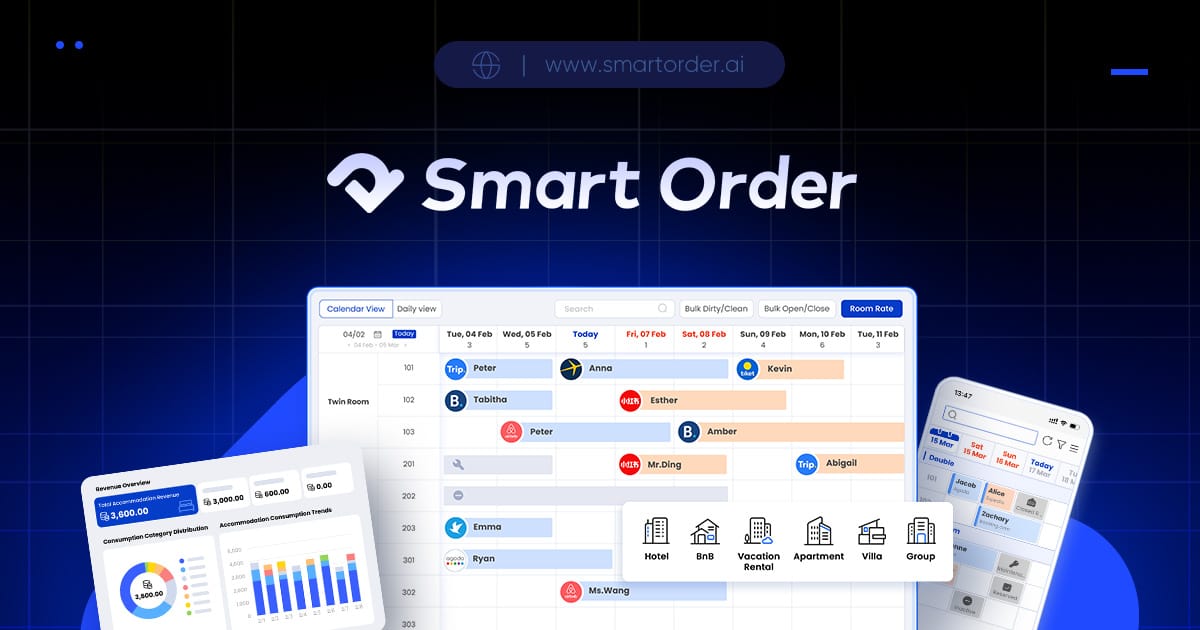
For three small hotels in different cities, choose a PMS that lets the owner see the portfolio while keeping each property's reservations, room inventory and operating responsibilities distinct. Smart Order documents multiple-property management and a centralized calendar, so it belongs in the evaluation. Confirm the plan, staff access and reporting behavior for your specific three-property setup; a shared login is not a complete management model.
Imagine an owner checking tomorrow's arrivals for all three hotels while local staff prepare rooms. The owner needs a common view, but a receptionist must still know which property a reservation belongs to. Similar room names across locations can make an unclear interface expensive.
Prove the property boundary first
Smart Order allows multiple properties to be managed from one account. Channel manager During the demonstration, create or use clearly labeled sample properties. Ask the owner to switch between them and locate an arrival without guessing from the guest's name.
Smart Order provides a centralized multi-calendar view for rooms, units and properties. Front desk A common view can help the owner spot conflicting workload or missing updates. Ask how it distinguishes properties, which filters remain active and whether a booking action requires a clear property selection.
For a controlled example, close a room type at one location and inspect the other properties. The test should show that an inventory decision for Hotel A has not affected the room nights offered by Hotels B and C.
Keep channels attached to the right rooms
Room mapping links physical room types to their listings on each booking channel. Channel manager Give each mapping record a property identifier as well as a room type. Two hotels may both sell a Standard Double, but those are not interchangeable rooms.
Ask the team to show each property's channel listing and which PMS inventory feeds it. A portfolio view does not establish that every booking channel or property account is connected automatically. Confirm access and support for the exact live listings.
Smart Order supports two-way synchronization of room availability, rates and bookings between the PMS and connected OTAs. Channel manager Evaluate that capability one property at a time, including a reservation modification and a stop-sale. Keep a local owner for exceptions even when the portfolio owner has central visibility.
Demonstrate staff access and the handover
| Person | Work to demonstrate | Boundary to inspect |
|---|---|---|
| Portfolio owner | View all properties and review performance | A clear property filter on each action |
| Local receptionist | Manage today's arrivals and departures | Access aligned with that person's job |
| Housekeeping lead | Find room status and prepare the next arrival | Correct property and room assignment |
| Covering manager | Move between locations during a shift | No accidental action in the wrong hotel |
Do not assume automatic staff scheduling or cross-property task routing from the phrase multi-property. Ask which access controls and workflows are supported, and demonstrate the exact action the covering manager needs.
For a staff member who works at two locations, test their access at both. Have them leave an unfinished operational note or exception and show how the next person locates it. Shared visibility needs an agreed handover to become useful.
Compare properties on the same reporting basis
Smart Order reporting includes occupancy, ADR and RevPAR. Reporting Ask how the report selects a property, date period and revenue basis. An owner cannot fairly compare two locations if one view reflects occupied room nights and another reflects reservations created that day.
Request the combined view and the underlying property-level report. Confirm which reports and calendar functions are included in the quoted plan. Multi-calendar appears as a Professional feature on current pricing; an account supporting several properties does not establish free access to every consolidated control.
Smart Order is worth choosing if the portfolio view helps the owner without blurring local records, required connections are demonstrated and staff can finish their work under the appropriate access. Keep evaluating if you need capabilities such as automatic central staff scheduling that remain unproven.
Bring three property lists, the roles shared between them and the OTA accounts for each. Ask for a demonstration across all three and a written quote showing property, plan and connection charges.