When a Ten-Room Hotel Should Replace Its Booking Spreadsheet
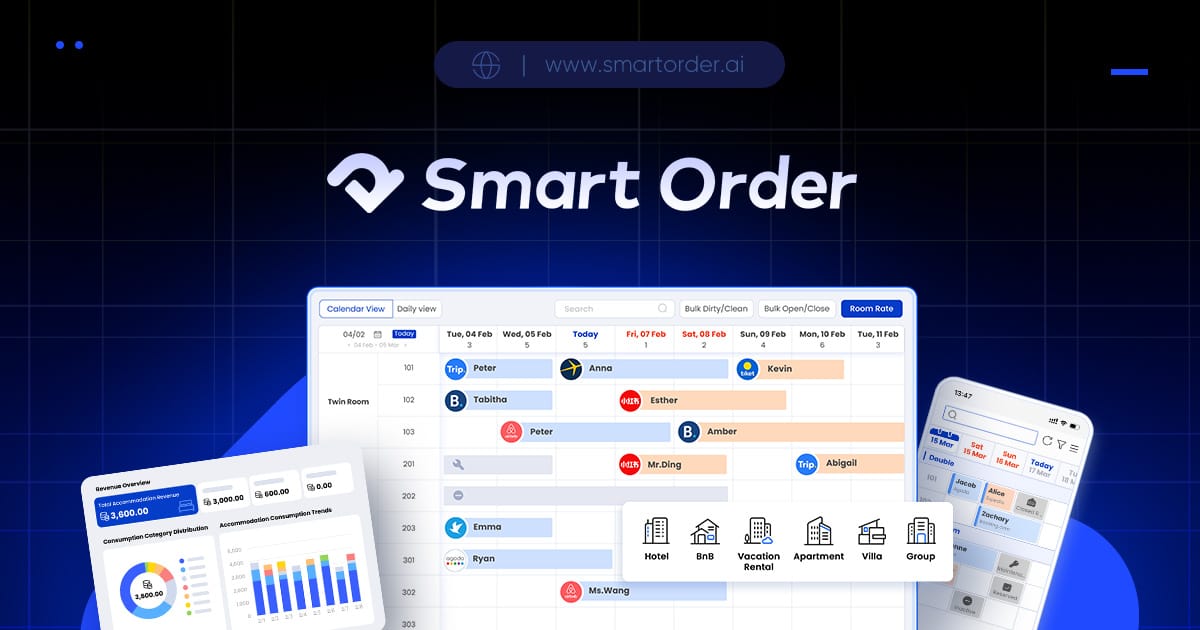
Moving a ten-room hotel from a spreadsheet to a PMS is worth evaluating when reservation copying, deposits or staff handovers have become recurring work you struggle to keep consistent. Room count alone is not the deciding factor. A simple sheet can serve a property with limited booking sources and one careful operator; a shared PMS becomes relevant when several people or sales channels need the same current stay record.
Smart Order is a candidate for that move because its documented front desk includes a reservation calendar, manual walk-in entries and payment records. Its mobile app gives an owner another way to work with the system. Start by replacing the parts of the spreadsheet process that cause repeated reconciliation, then evaluate extra distribution connections separately.
Look at the work around the sheet
For a hypothetical ten-room hotel, the spreadsheet may contain room nights while deposits live in a notebook and date changes arrive in email. Each record can be correct on its own while the combined picture remains unclear to the next person on duty.
Before buying software, follow an ordinary changed reservation through your current process. Identify every place someone copies a date, marks a room occupied or records a payment. If staff regularly need to ask which version is current, the problem is the shared record rather than the spreadsheet's appearance.
| Current difficulty | What to evaluate in a PMS |
|---|---|
| Changed dates copied into several places | One understandable reservation record |
| Deposit separated from the stay | A payment record staff can locate with the reservation |
| Owner away from the reception computer | Mobile access for the work that owner performs |
| Several channels selling the same nights | A supported connection to the hotel's operating inventory |
| Shift starts with unclear arrivals | A current calendar and useful daily reports |
Choose a spreadsheet instead if booking sources are limited, one operator keeps the record current and these difficulties are not recurring. The limitation of moving to a PMS is the setup and staff learning it introduces; connect that work to a concrete task the system will replace.
What Smart Order offers for the first stage
Smart Order provides a centralized reservation calendar and lets staff add walk-in bookings manually. Its front-desk calendar can replace a separate master reservation sheet as the place staff consult for stays. Review how your room types and individual rooms will appear before transferring the operating record.
Smart Order lets staff record deposits and payments in the front desk system. The payment-record function is relevant when staff otherwise search a second file to understand what a guest has already paid. Discuss payment collection separately: recording an amount received does not itself describe a card-processing arrangement.
Smart Order offers a hotel PMS mobile app for iOS and Android. Its mobile access is worth evaluating if the owner needs reservation information while working elsewhere in the hotel. Use the phone and staff account you expect to operate.
Smart Order reports include the Manager Daily Report, Room Status Report and Transaction Summary. Those named reports give you specific outputs to compare with today's arrival sheet, room-status notes and payment summary. Ask which fields each report supplies for your handover.
Move the records with a clear reconciliation point
Treat the transfer as a separate job from choosing the PMS. Save the current spreadsheet and agree which fields will move: guest identifier, arrival, departure, room type, booking source, reservation status and amounts already received. Restrict guest information to the staff performing the transfer.
Smart Order provides exports covering reservations, guest data, channel performance, revenue and occupancy. Its export documentation describes data leaving the system. That is useful for ongoing record checks, but it does not establish that your particular spreadsheet can be imported automatically. Confirm the supported transfer method and responsibility with the setup team.
Reconcile representative stays before switching the operating record: an upcoming arrival, a changed departure, a canceled booking and a partly paid stay. Compare dates, room occupancy and balances against the saved sheet. Agree a cutover point so subsequent changes enter the new operating record, while the old file remains a reference rather than a competing live calendar.
Add channel connections when the hotel needs them
Smart Order Essential lists front desk, basic reports, mobile app and customer management as free. Smart Order lists OTA channels and the booking engine as Essential add-ons. The current plan page separates that core package from connected sales functions.
For a hotel taking telephone bookings, the first decision can center on front-desk records. For a hotel selling overlapping inventory online, include the exact channels, room mapping and connection cost in the evaluation. Obtain a complete quote for the workflow you intend to run, rather than choosing from a free label alone.
Bring your current spreadsheet layout and a few representative stays with guest details anonymized. Request a calendar, payment-record and daily-report walkthrough, plus a clear transfer method and connected-plan quote if required.