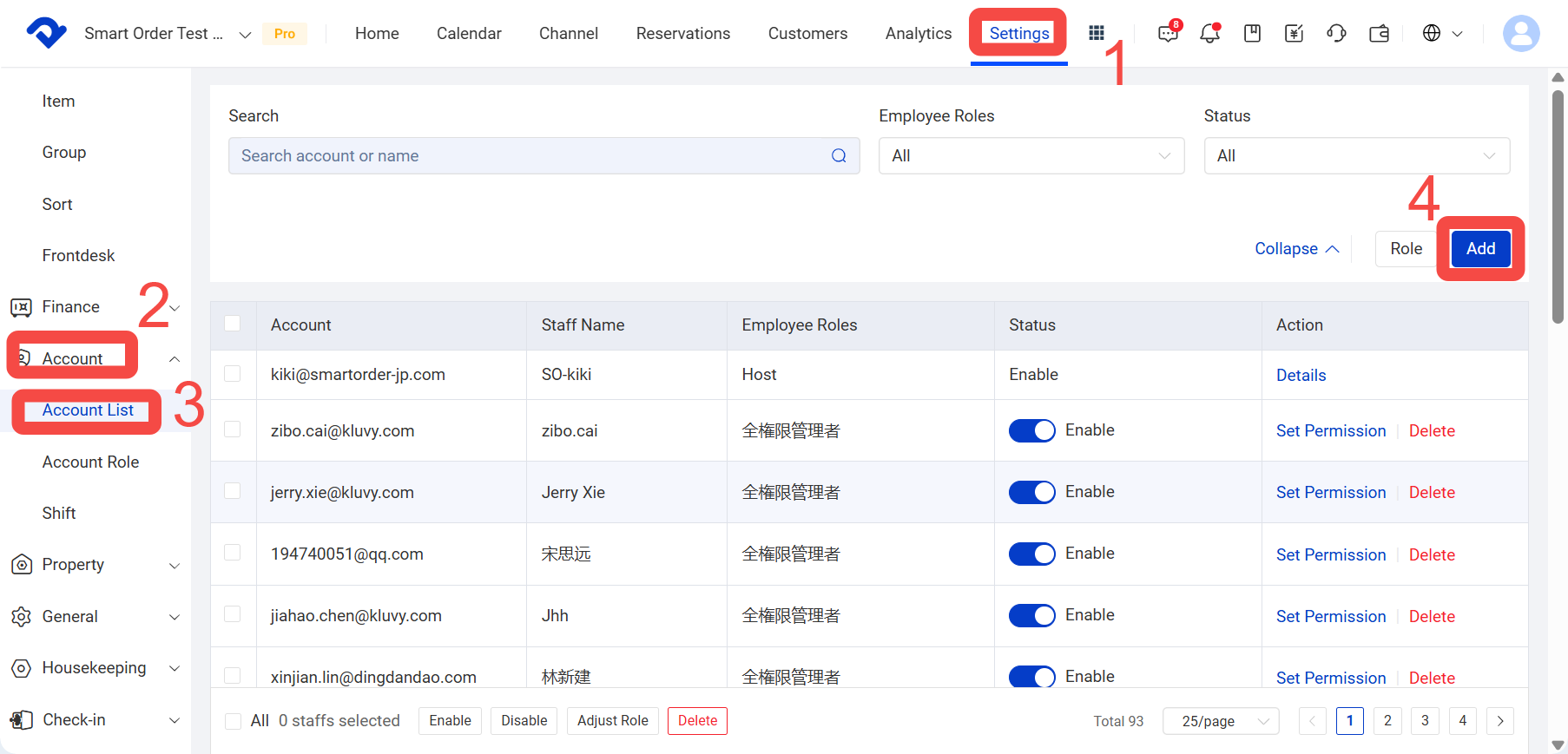
Path: Settings > Account > Account List > Add
Steps
- Click Settings.
- Click Account
- Click Account List.
- Click Add.
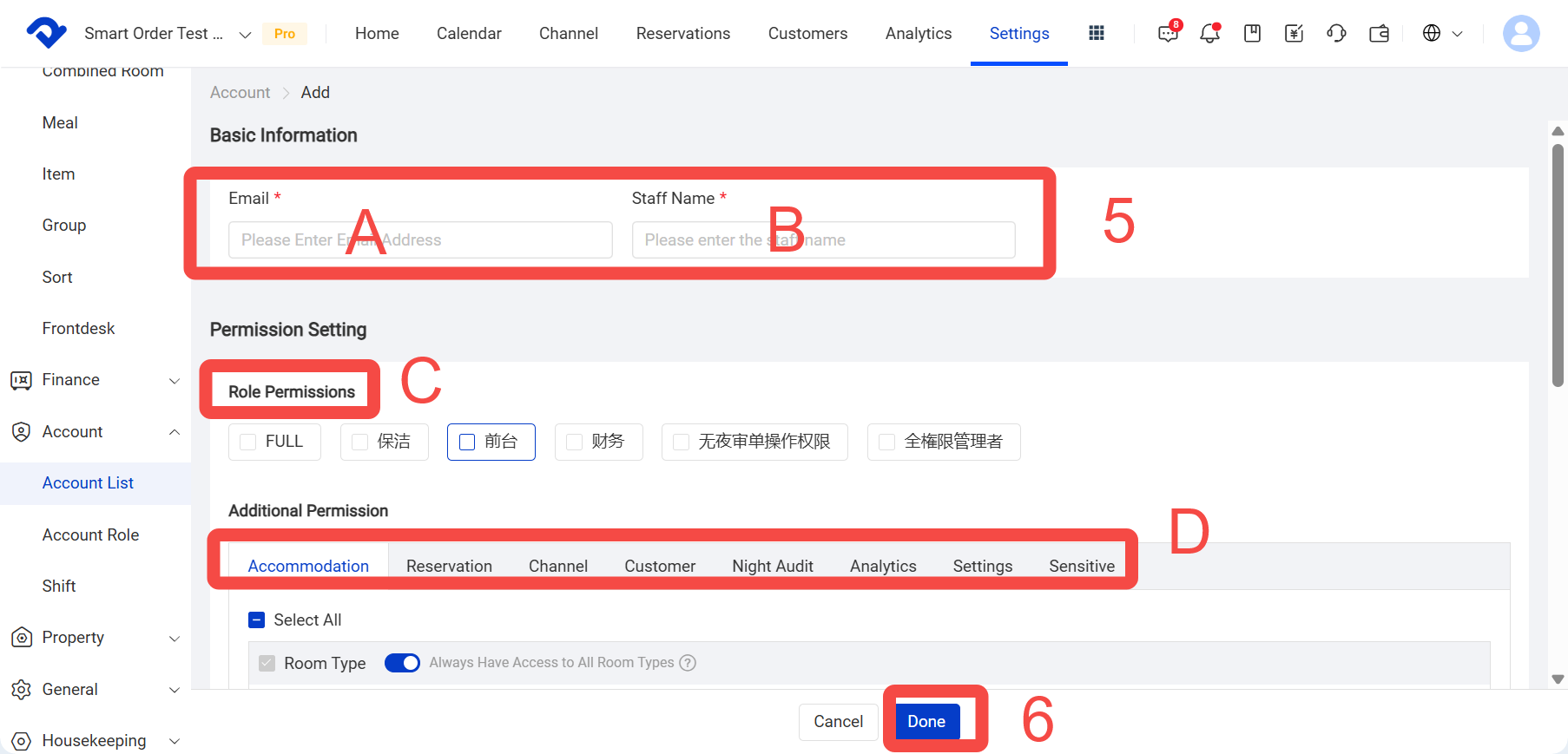
- Enter the employee’s email, name, and the required permissions, then click Save.
A. Employee email
B. Employee name
C or D. Select a role directly, or add other permissions - Click Done.