Set up a role type and customize its permission scope.
Steps
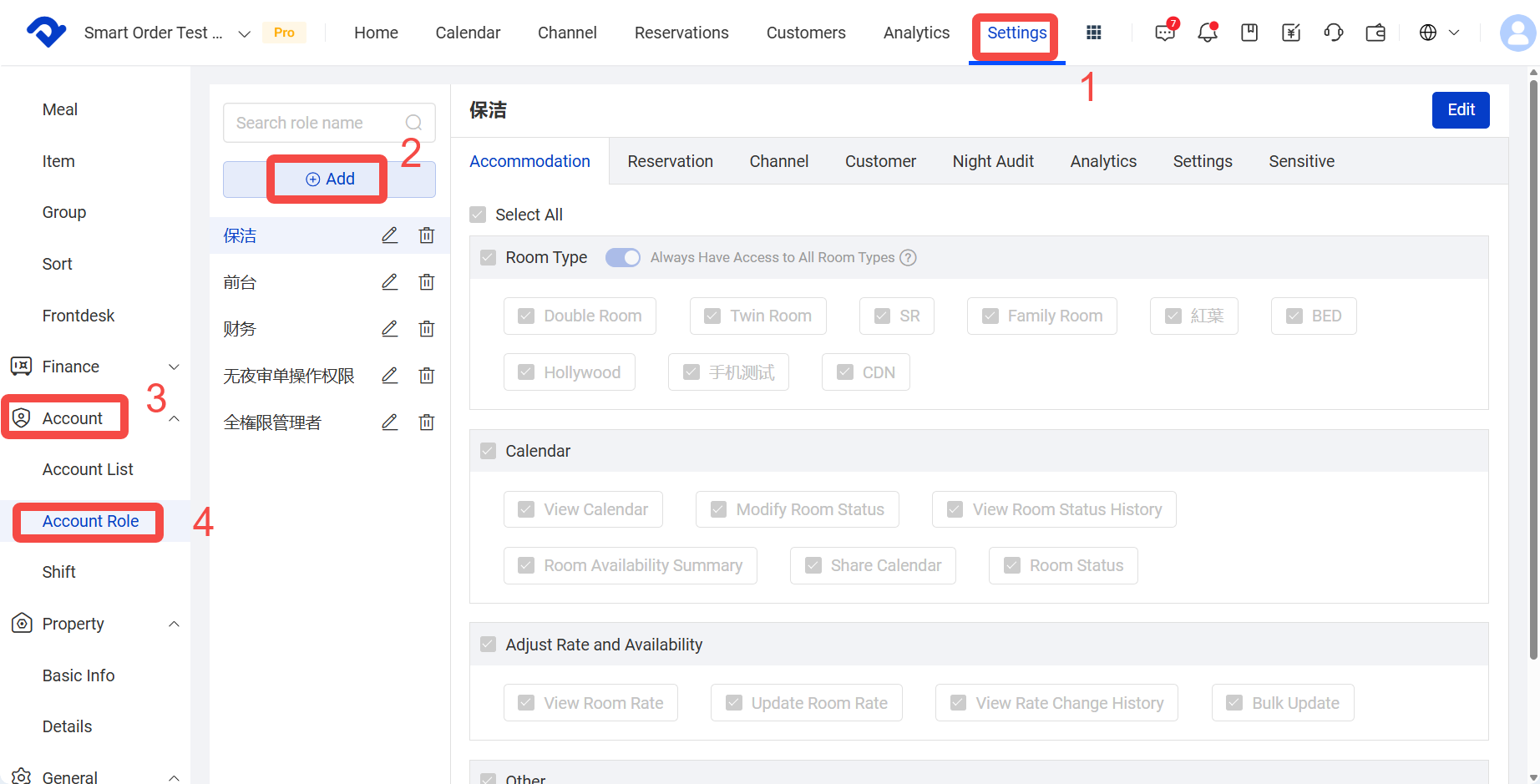
- Navigate to Settings > Account > Account Role
- On the Role Management page, click Add to create a new role.
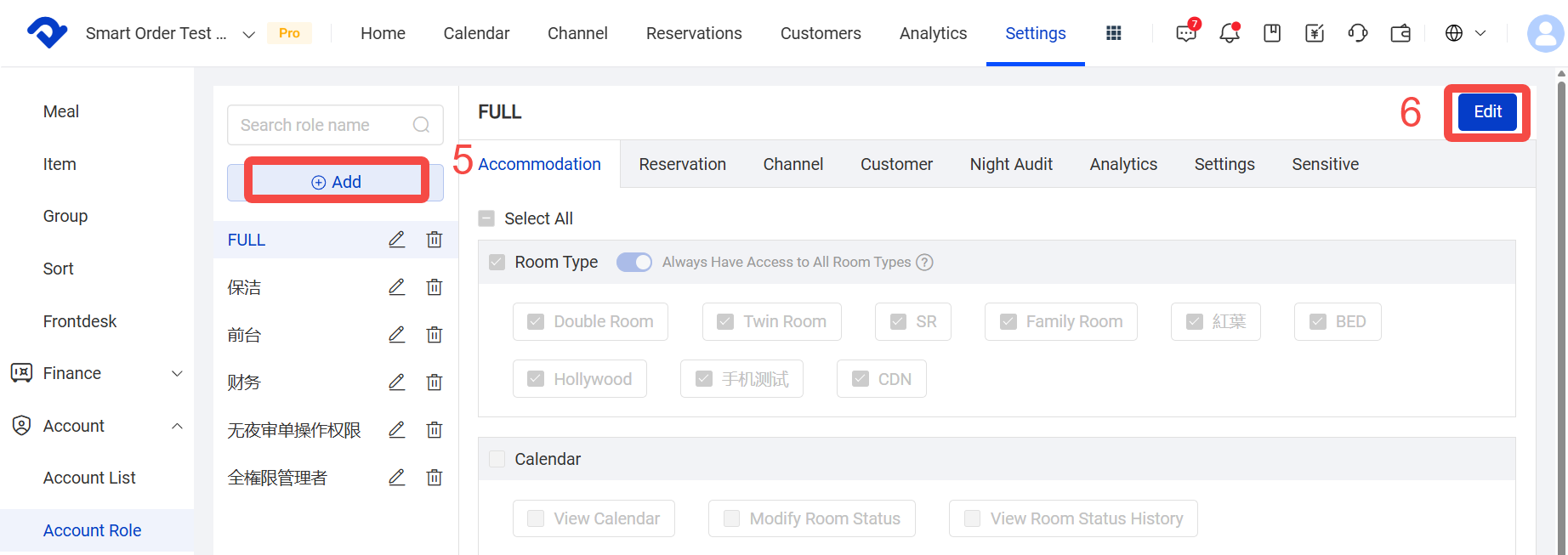
- Select the new role, such as [FULL].
- Click Edit.
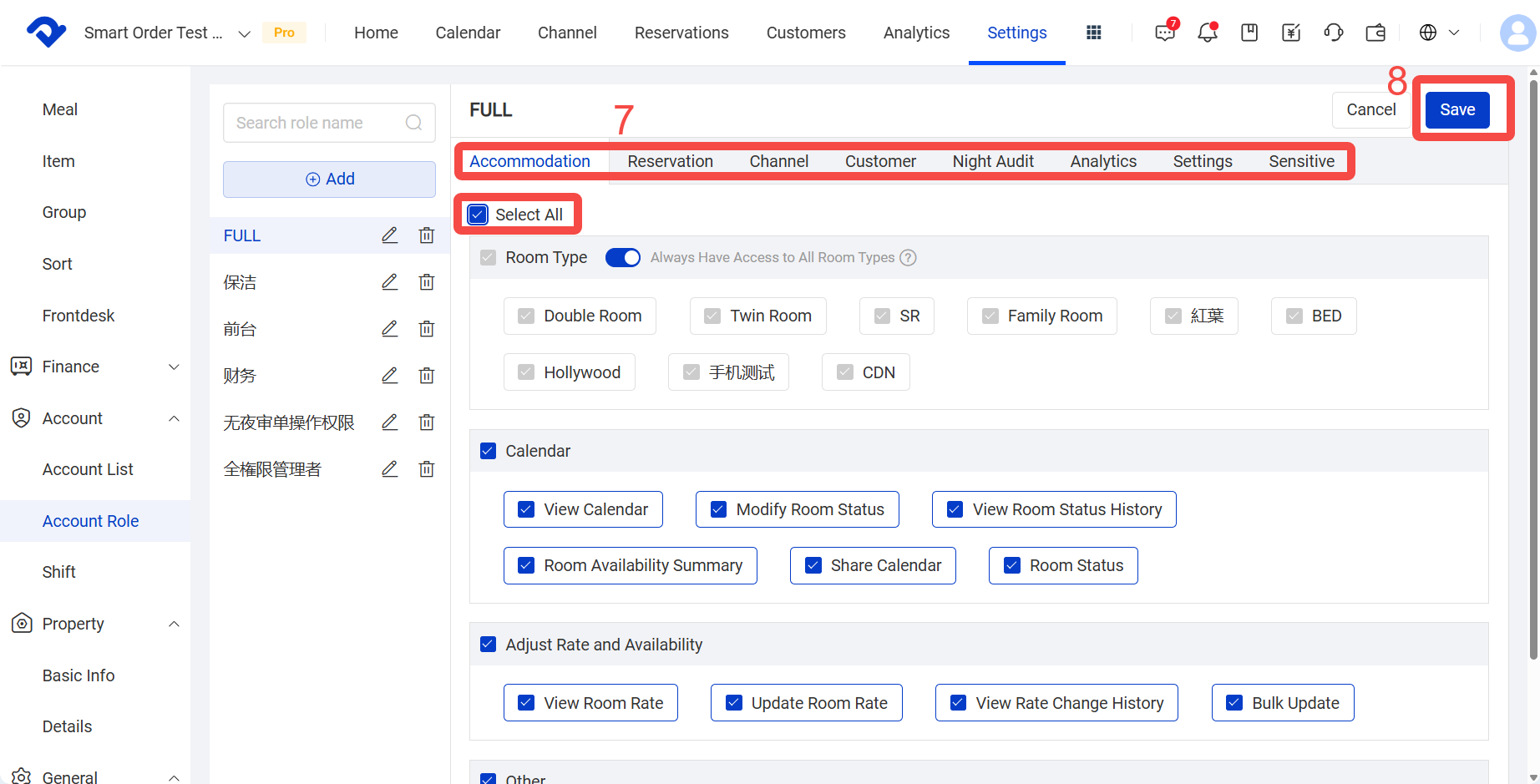
- Select each module and check the permissions you want.
- Click Save.