Managing room availability is essential to ensure accurate inventory and avoid overbooking.
Method 1 Close & open room(Manual for specific Selection)
Close room
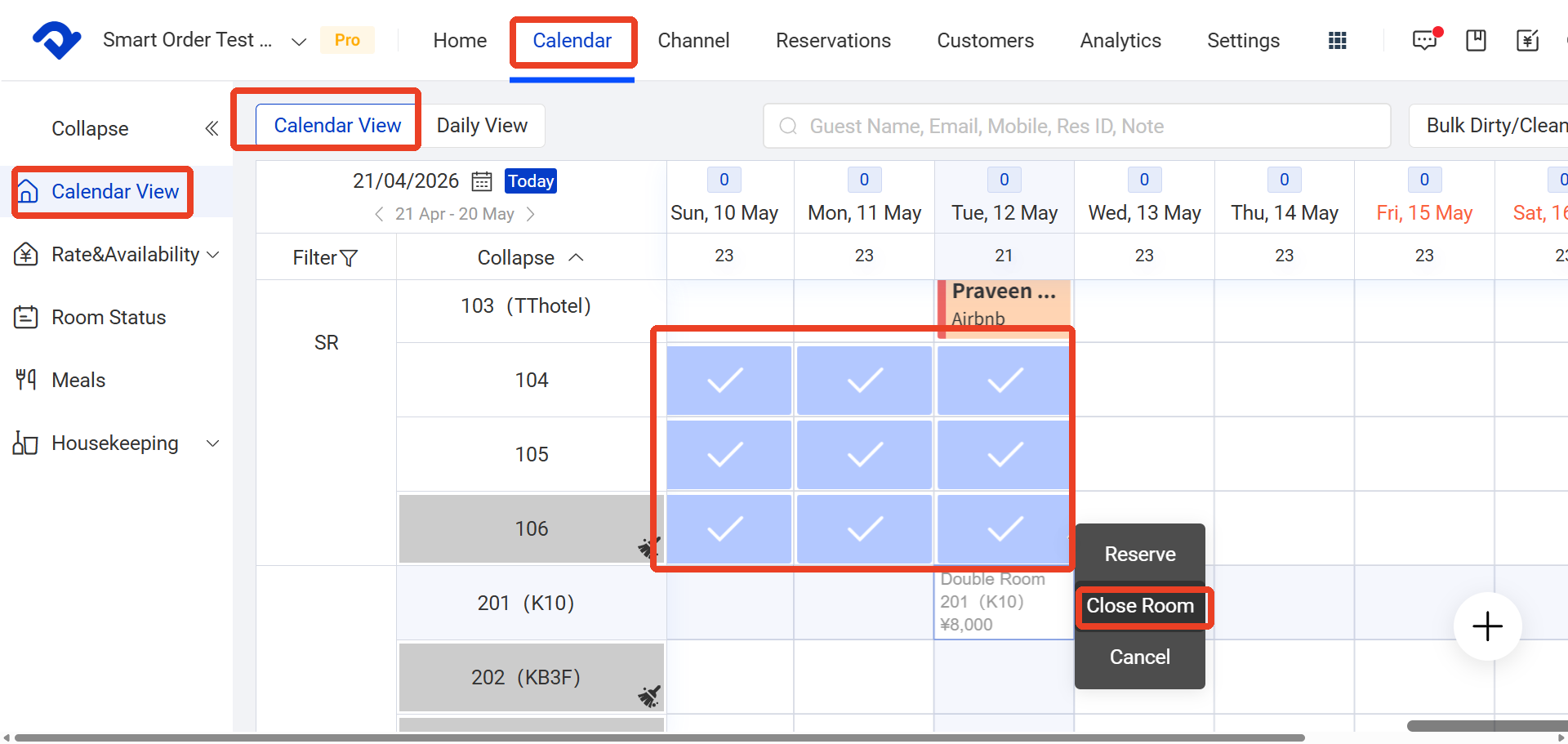
Path: Calendar → Calendar View → Close Room
- Go to Calendar
- Select the room you want to close
- Click Close Room
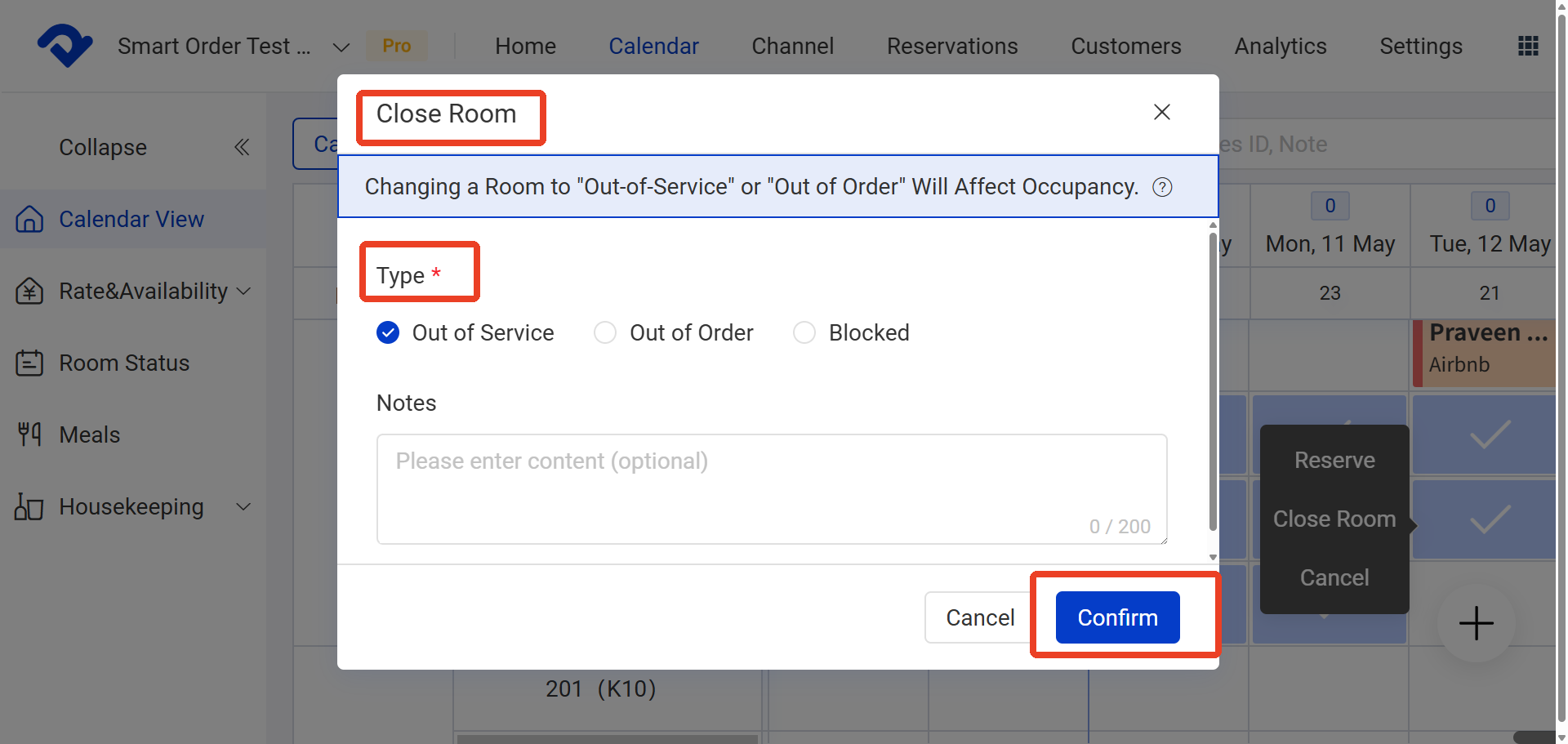
- Then Choose the room closure type based on your needs (Out of Service / Out of order / Blocked) and click Confirm
Open room
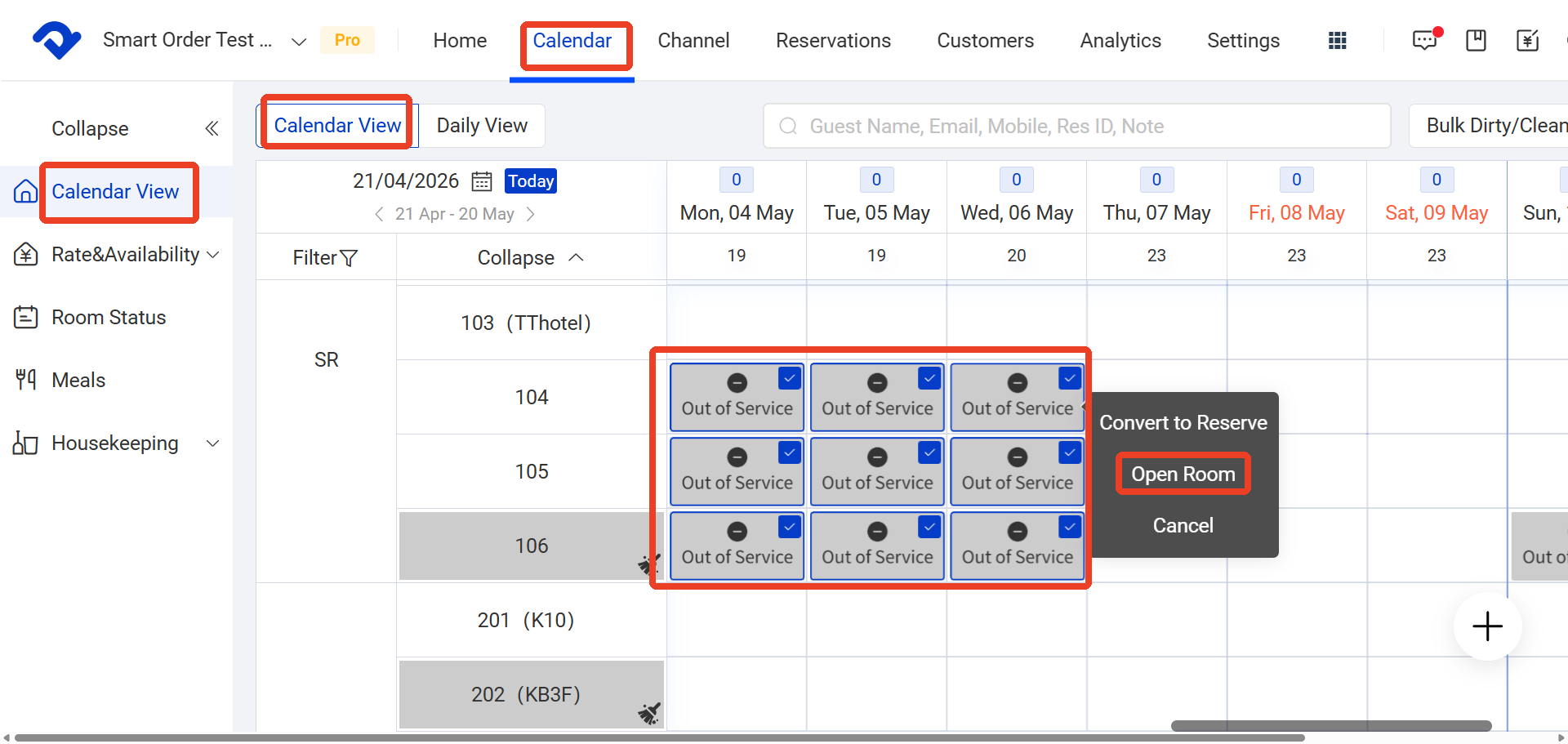
Path: Calendar → Calendar View → Open Room
- Go to Calendar
- Select the room you want to open
- Click Open Room
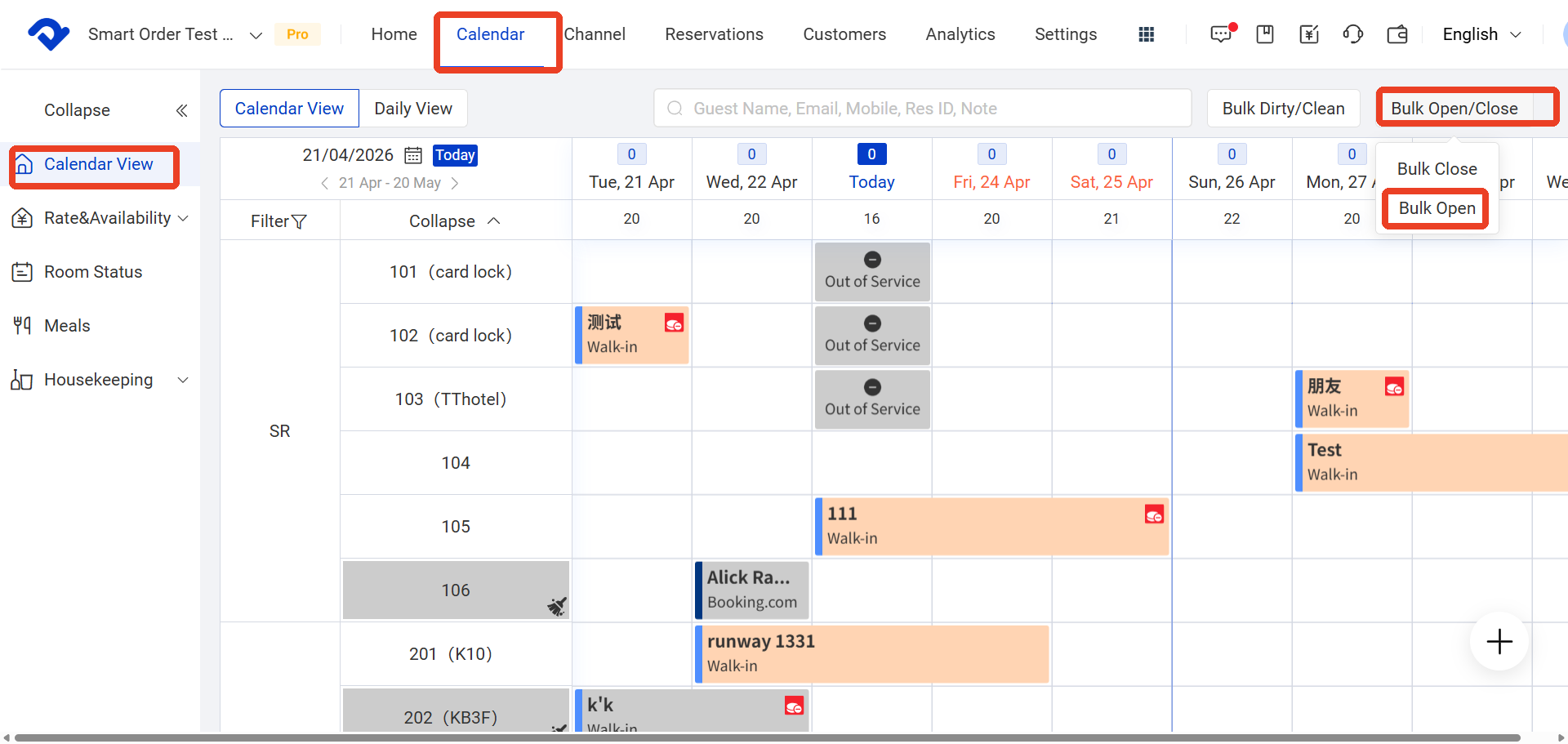
Method 2 (For Batch Close and Open Rooms)
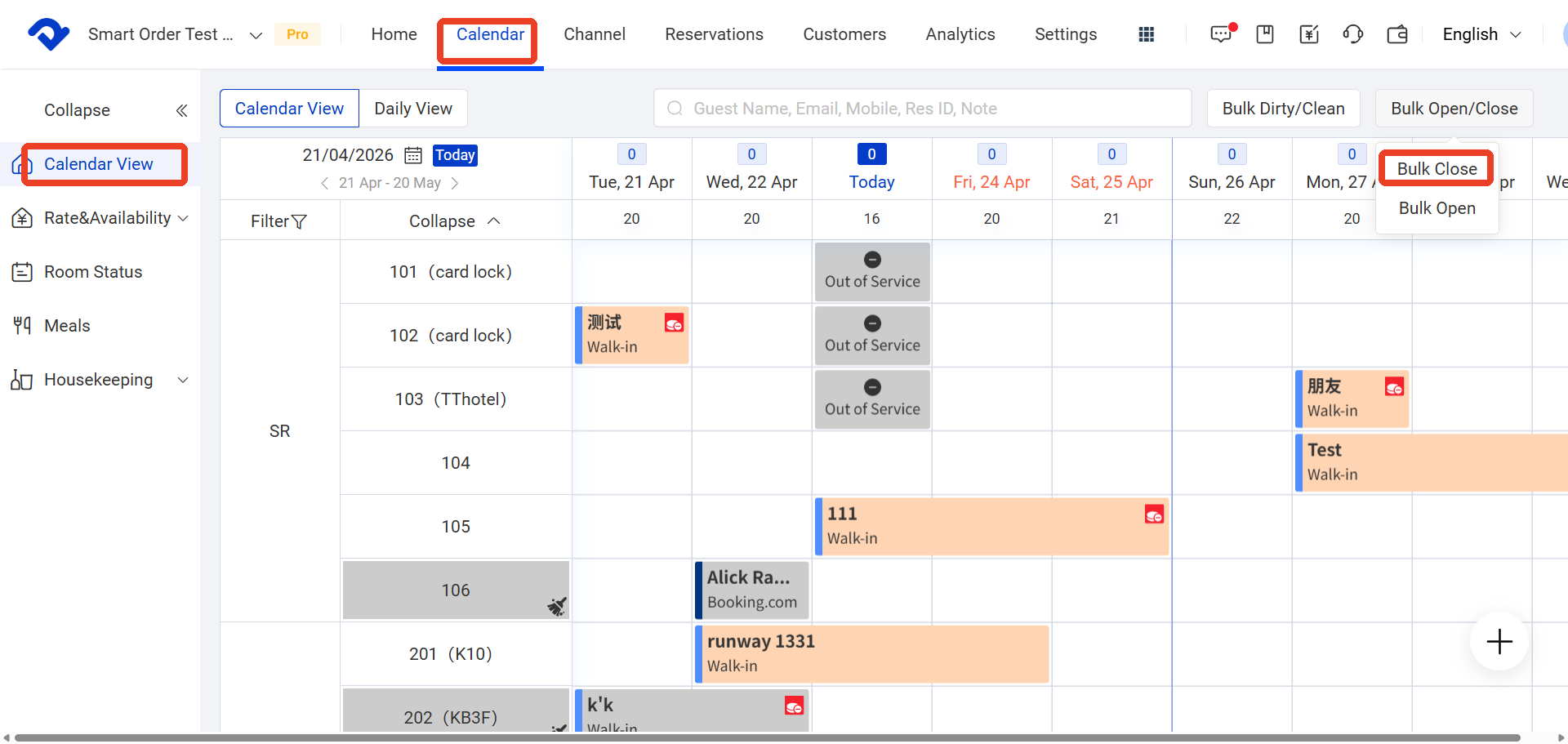
Batch Close Room
Path: Calendar → Calendar View → Bulk Open/Close → Open Rooms
- Go to Calendar
- Click Bulk Open/Close
- Select Close/Open Rooms
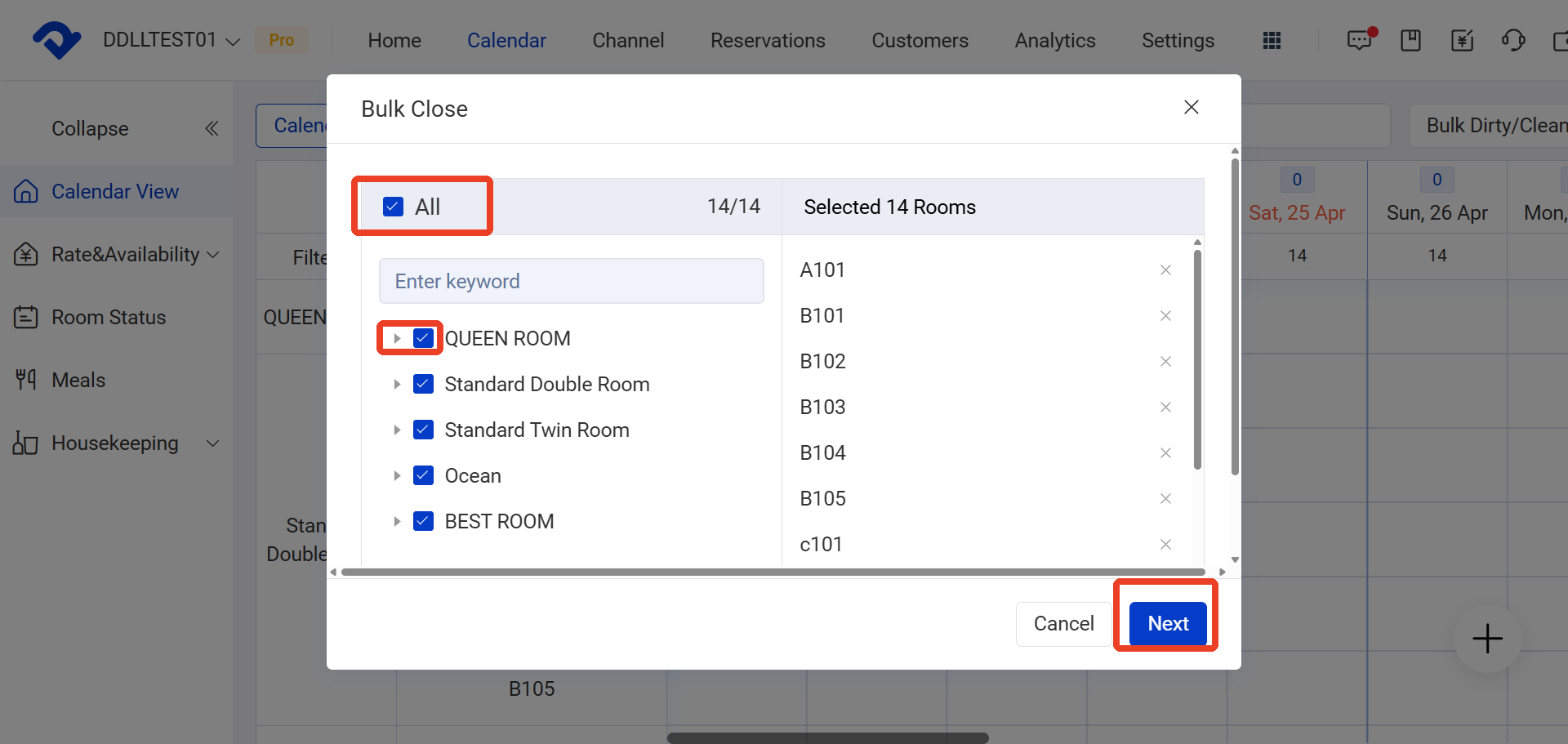
- Choose the room numbers
- Click Next
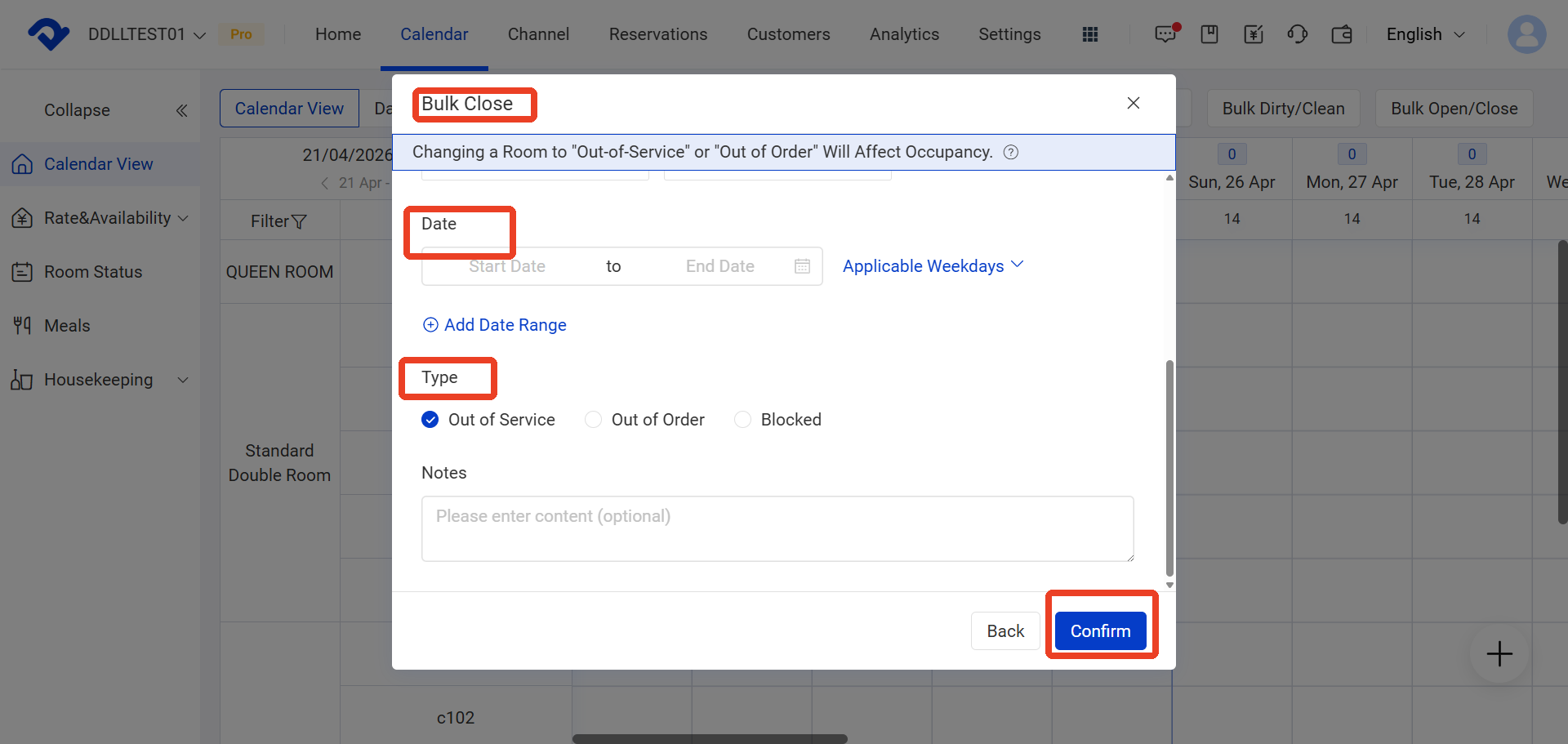
- Click Confirm
Fields Explanation:
- A. Rooms
- B. Date
- C. Applicable Days of the Week
- D. Notes