A. What is OBP?
Occupancy Based Pricing (OBP) is a pricing mode that automatically adjusts room rate based on the number of guests.
If you need to set additional charges based on the number of guests (e.g., charge extra when guests exceed the base occupancy).You can set up OBP here.
Once set up OBP in PMS, then all channels must also be managed and set up in PMS. Currently Airbnb, Tujia, and Hostelworld usually do not support this feature in PMS.
B. How to set up Occupancy Based Rates (OBP)
Settings → Rate Plan → Room Rates → Edit rate plan → Change pricing mode to OBP (Occupancy Based Pricing)
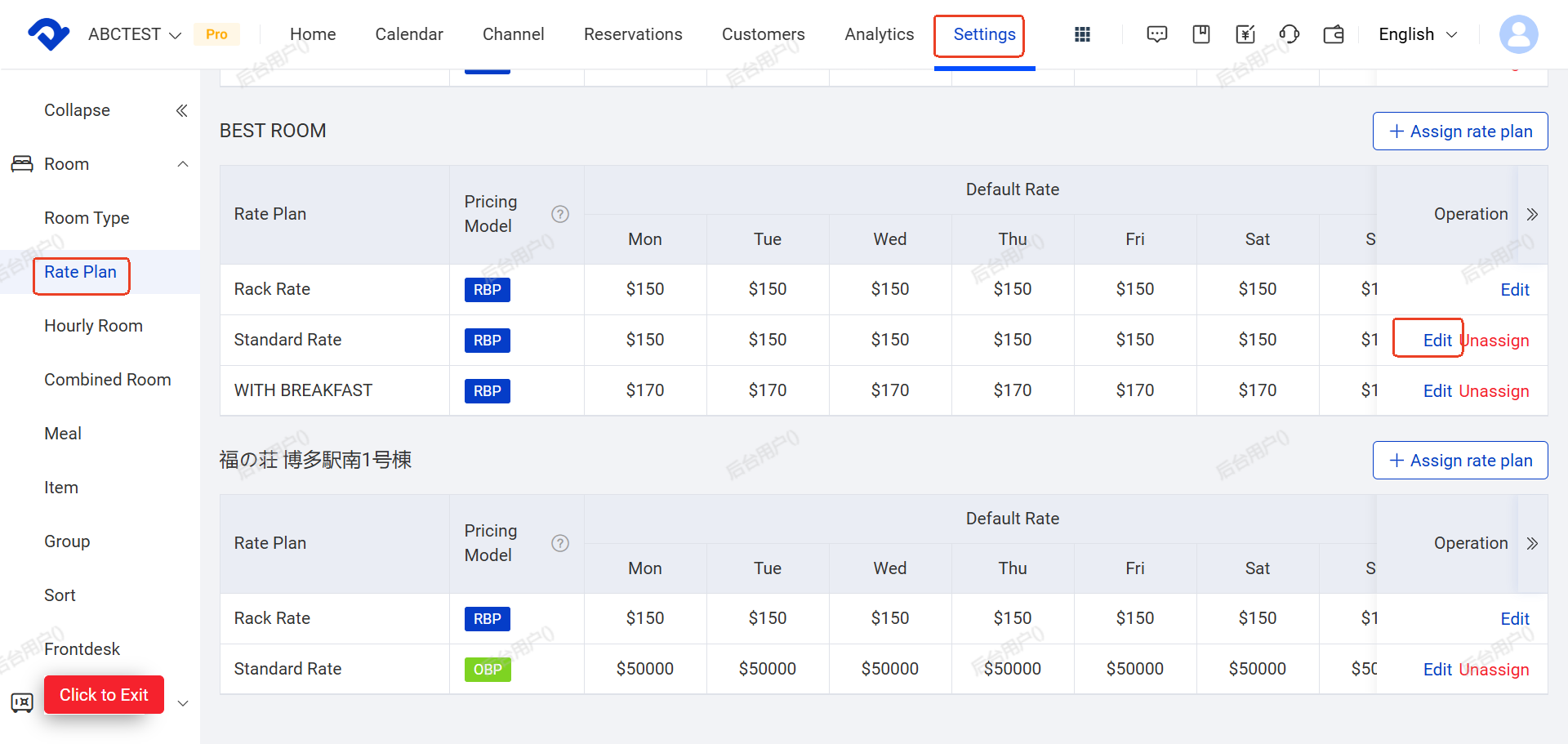
Note:
The price that you set up in Setting---rate plan page is just initial base price which the system automatically generates (typically covering up to 2 years).This is not the latest rate synced to channels or OTAs.To update any prices, please adjust them in Rate Grid first
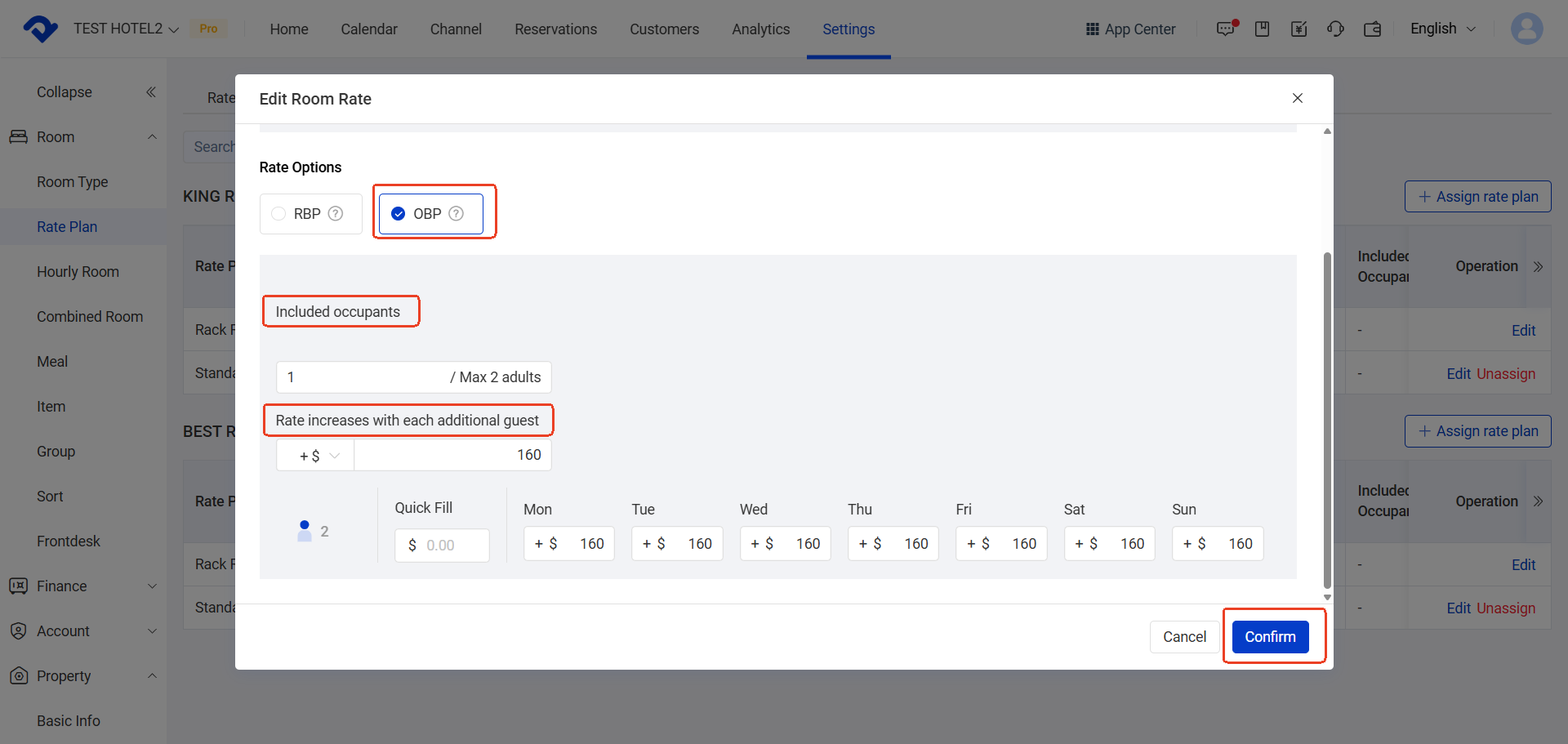
Note :
For OBP pricing is applied on top of the latest price set in : Calendar →Rate&Availability→ Rate Grid.
To update OTA prices, please also adjust them in Rate Grid first
C. How OBP Pricing Works
The system calculates the final price using the following logic:
Final Price = Base Price + Extra Guest Charges
- Base Price: Set in Calendar → Rate & Availability → Rate Grid
- Extra Guest Charges: Configured in OBP settings
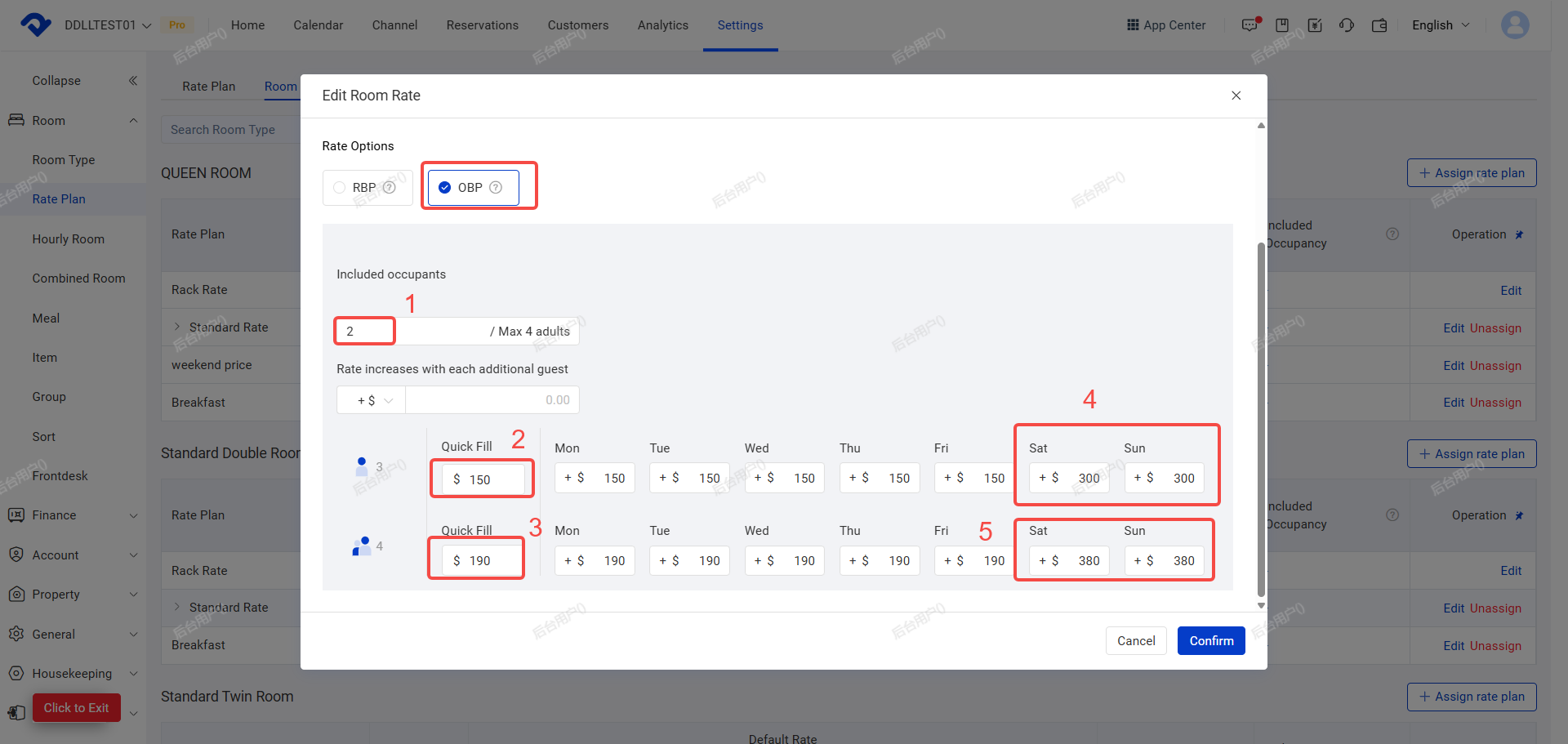
※ After selecting the pricing mode as OBP, a settings window will pop up. Please fill in the required information accordingly.
(A). Set Base Occupancy
- This is the number of guests included in the base price
- No extra charge applies within this limit
(B). Set Extra Guest Charges:
You can:
- Use bulk fill to apply the same price
- Set different prices for different days (e.g., weekdays price higer)
(c). Click Confirm to Save.
🧩 Pricing Examples
Example 1: Uniform Extra Charge
Base occupancy: 2 guests
Each additional guest: +150 USD
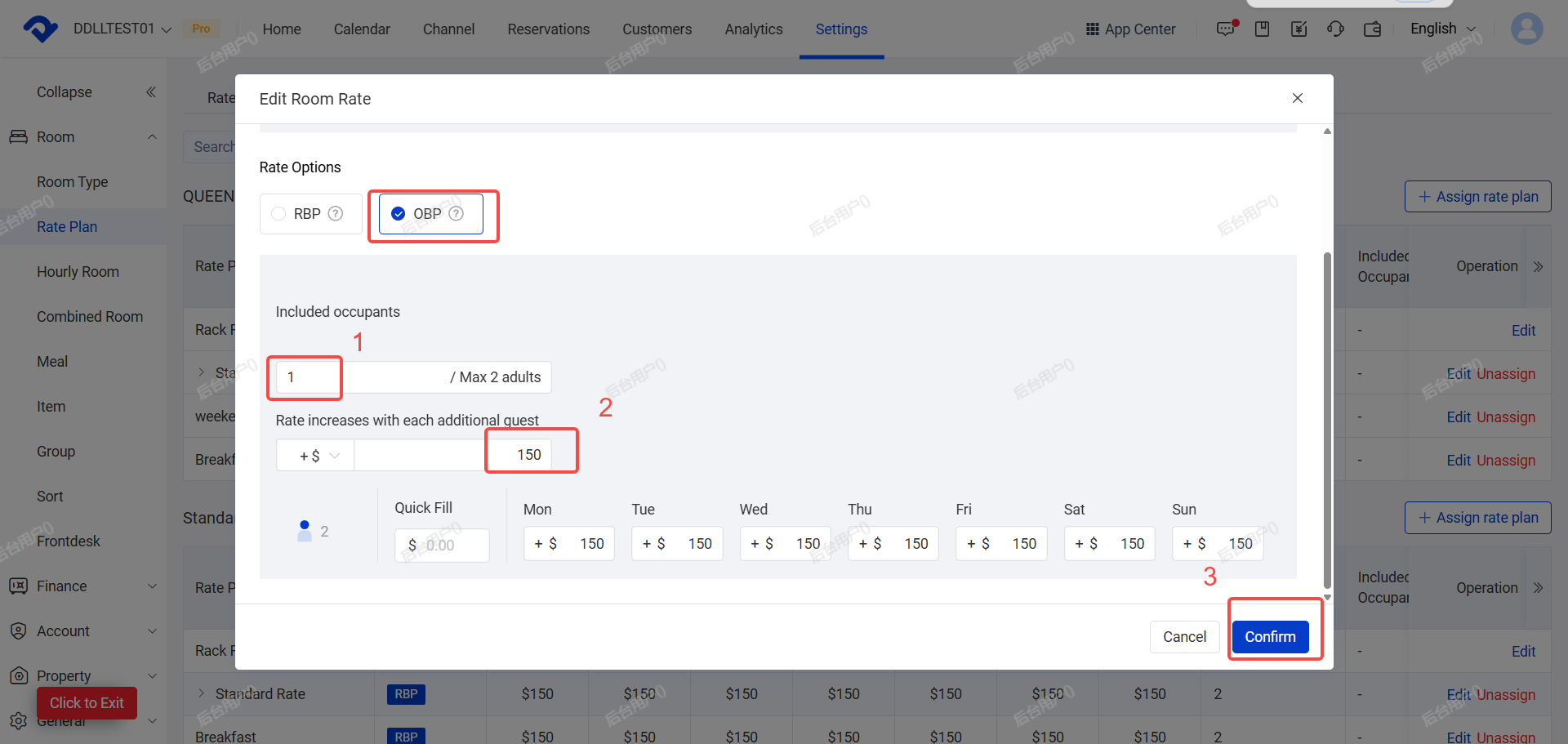
Example 2: Different Charges by Guest Count
Base occupancy: 2 guests
- 3 guests → Quick fill: 150USD
- 4 guests → Quick fill: 190USD
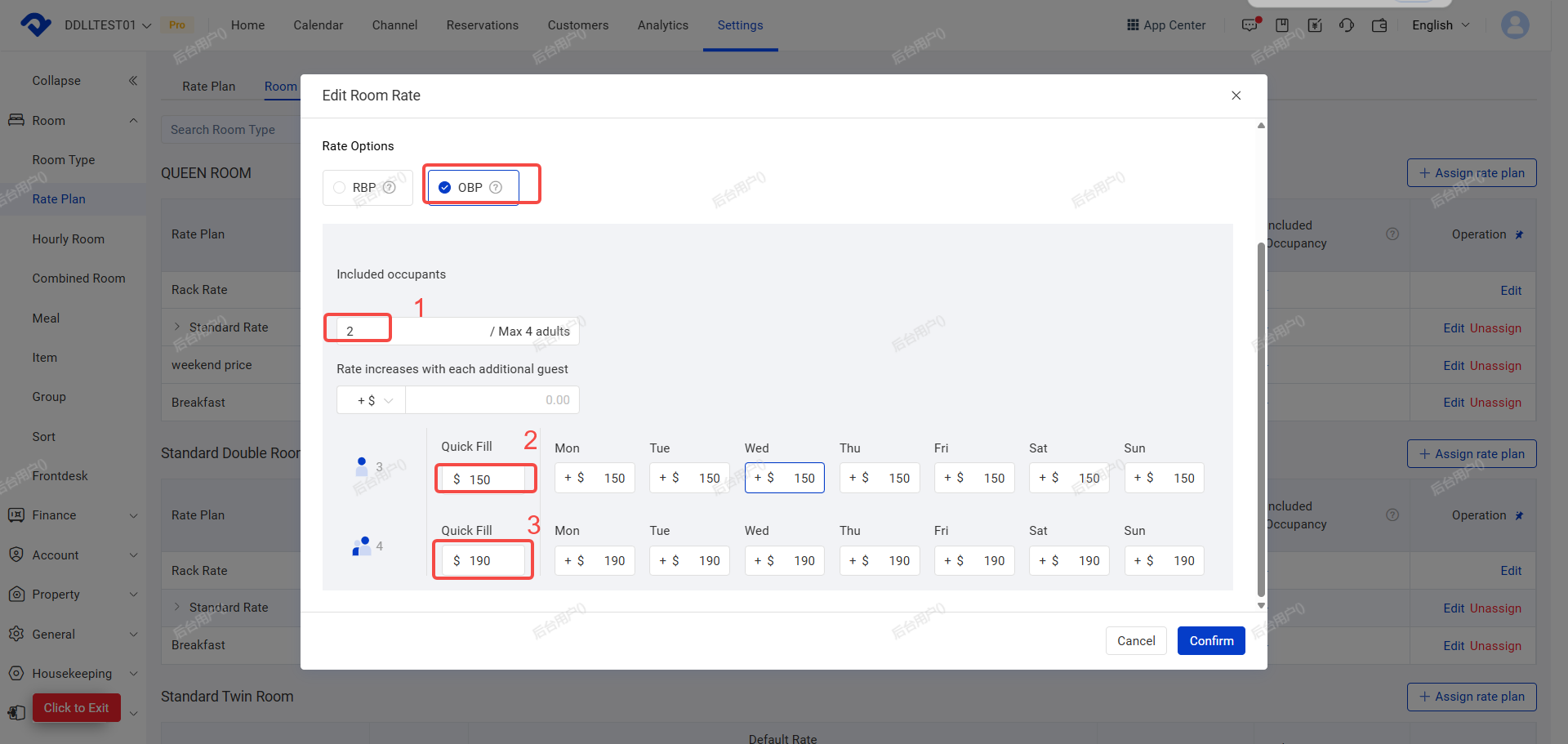
Example 3: Different Charges by Guest Count + Weekdays
Base occupancy: 2 guests
Weekdays (Mon–Thu):
- 3 guests → 150USD
- 4 guests → 190USD
Weekends (Fri–Sat):
- 3 guests → 300USD
- 4 guests → 380USD
Tips
- Use Quick Fill first, then adjust specific days (e.g., weekends)
- After setup price, review final prices in Each Channel calendar (eg.booking.com,agoda calendar) when finished direct channel connection.
