Operation Path:
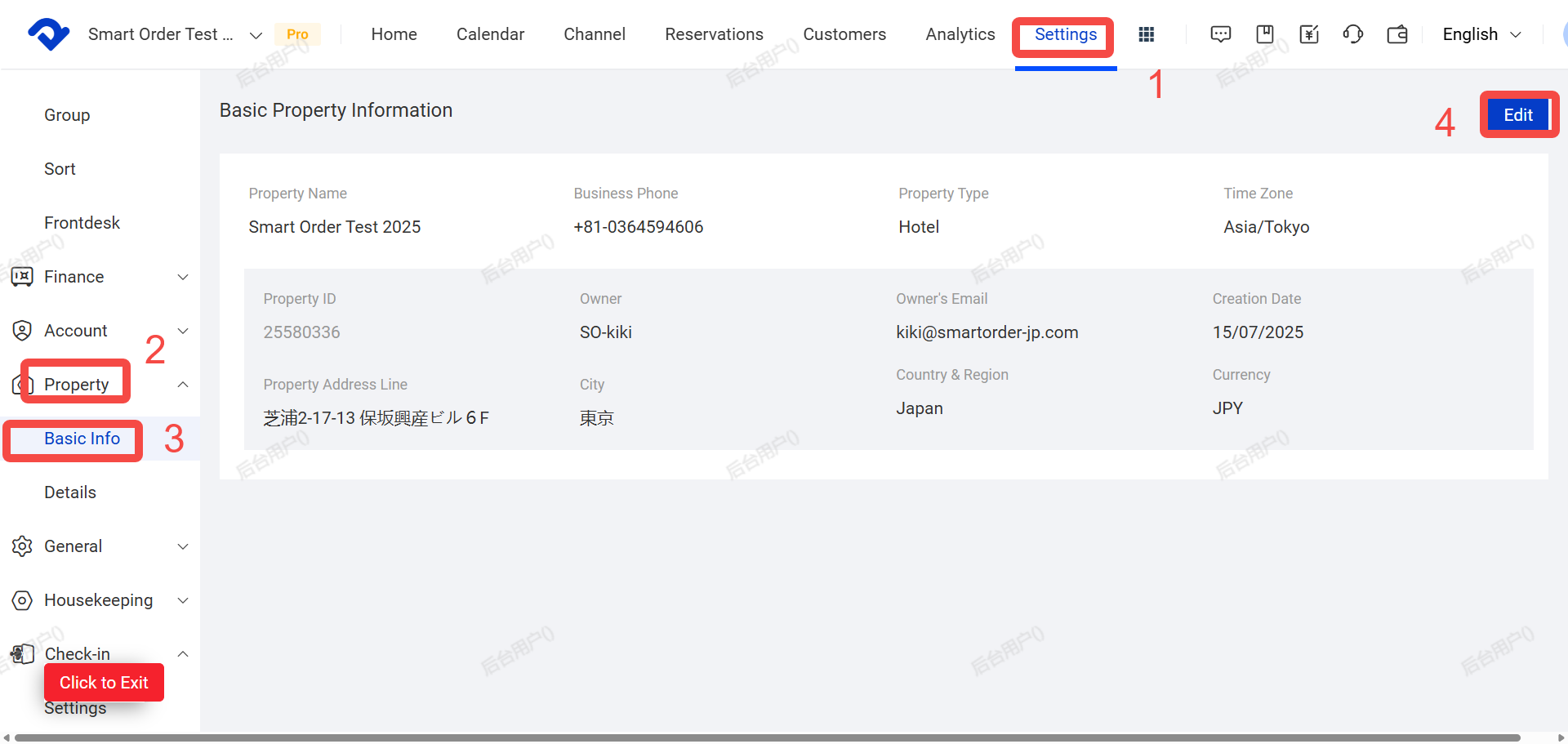
Settings → Property→ Basic Information / Property Details → Edit
一. System Property Basic Information
Follow these steps to update your store’s basic details:
- Click Settings
- Click Property
- Click Basic Information
- Click Edit
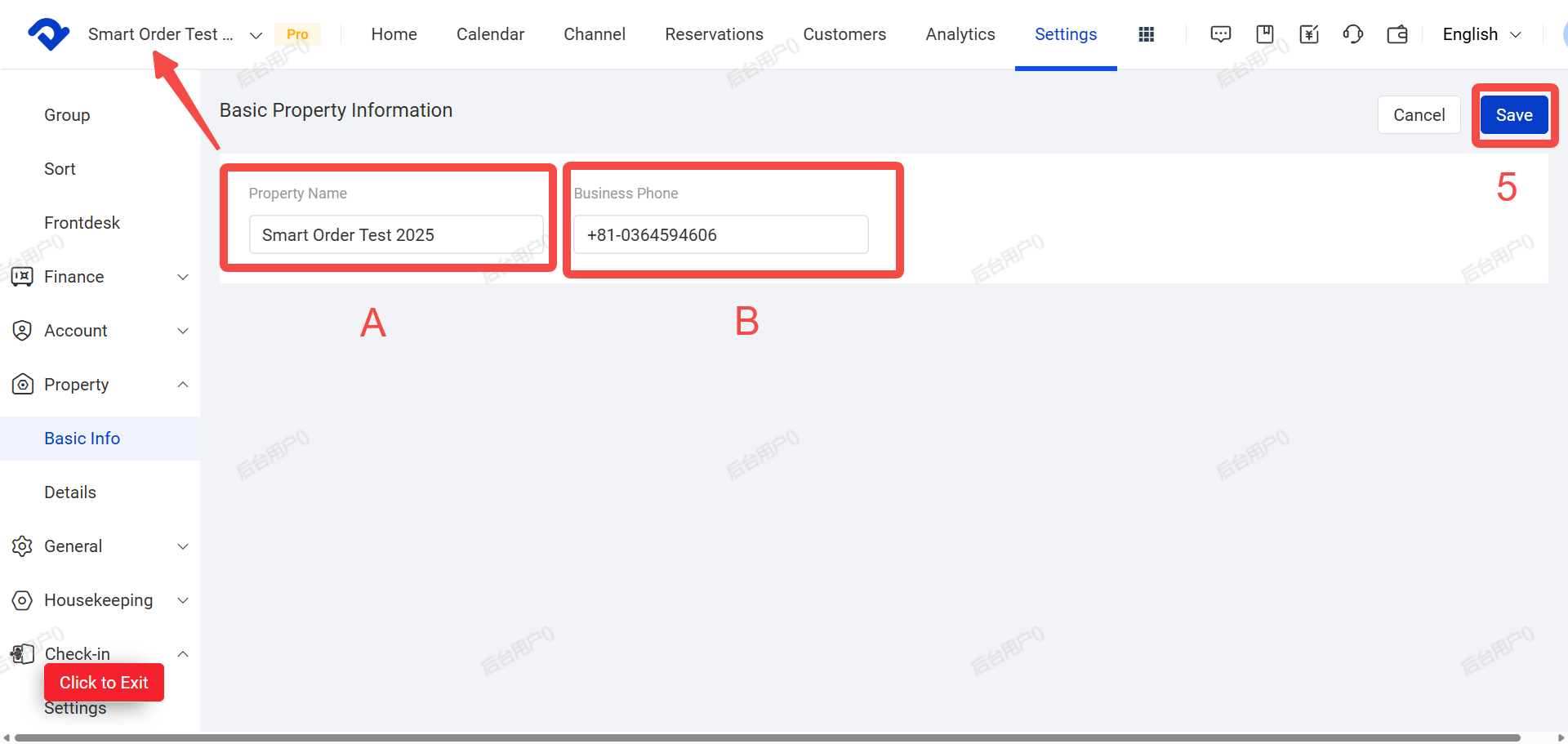
- Update the information as needed, then click Save
Key Fields:
- A. Store Name: The internal name of your store (e.g. Smart Order Test)
- B. Store Phone Number: This number will be displayed on your booking website and visible to guests during reservations
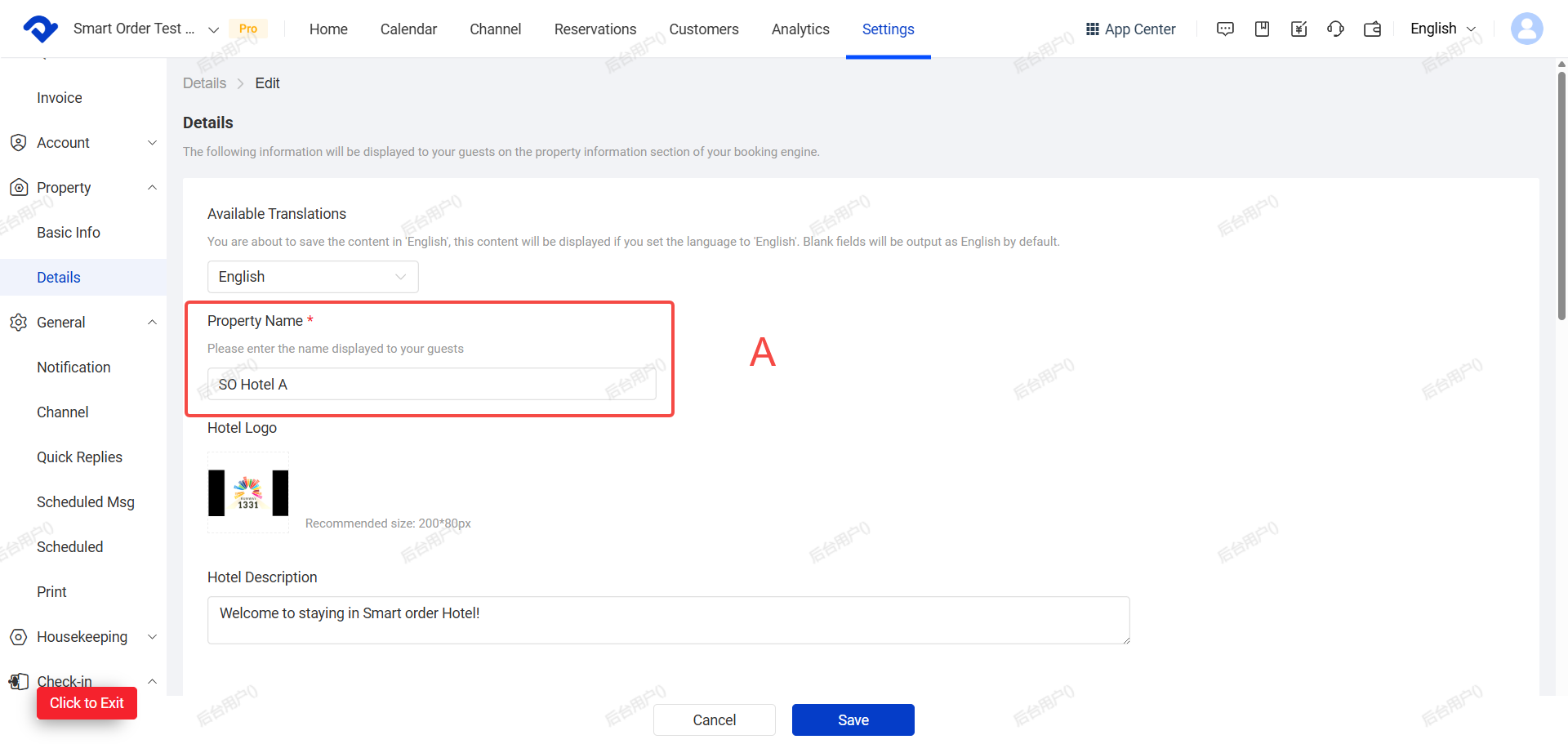
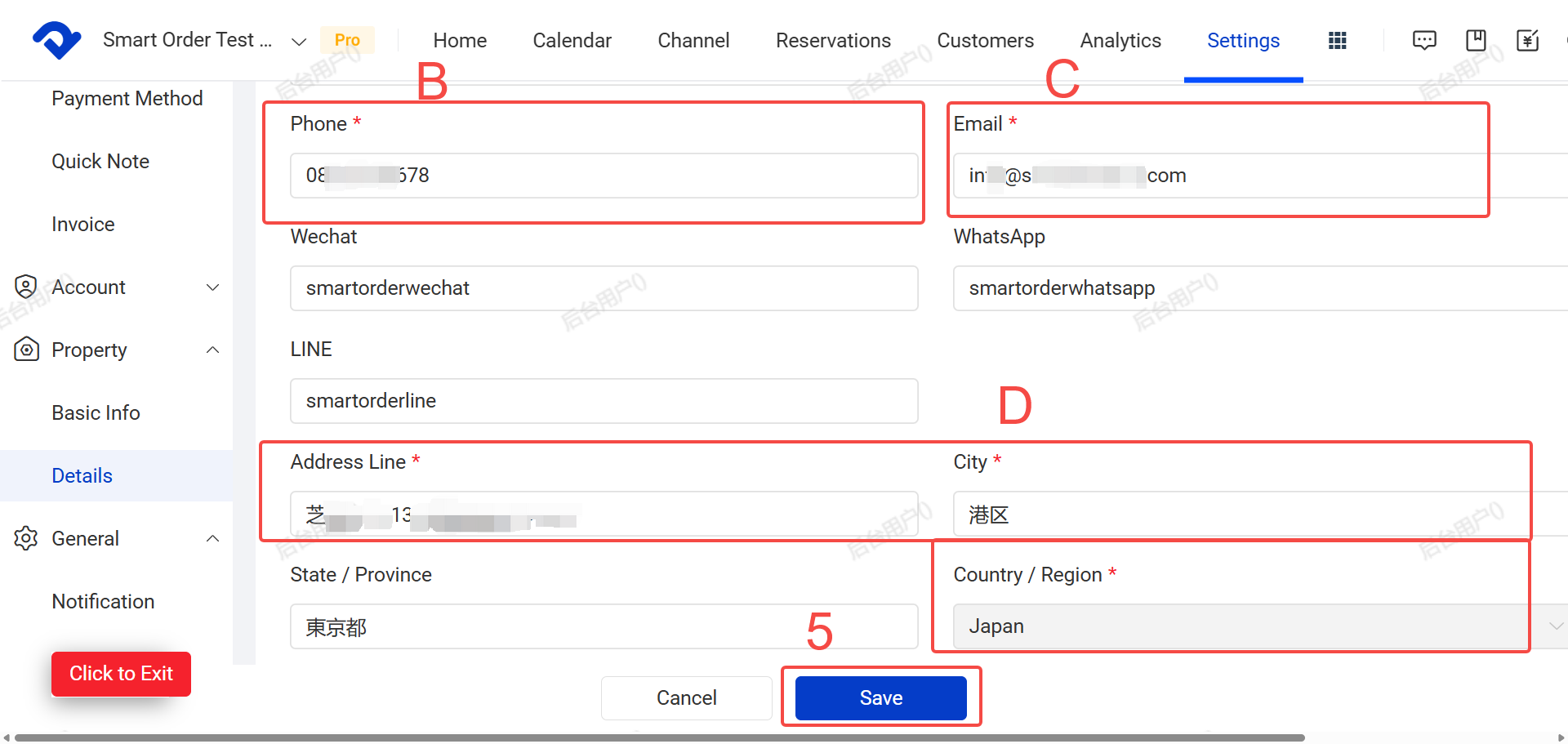
二. Property Details (For Multi-Group Property )
Property details are used in your Booking engine, self check-in, housekeeping, Scheduled messages etc. Please ensure all information is correct.
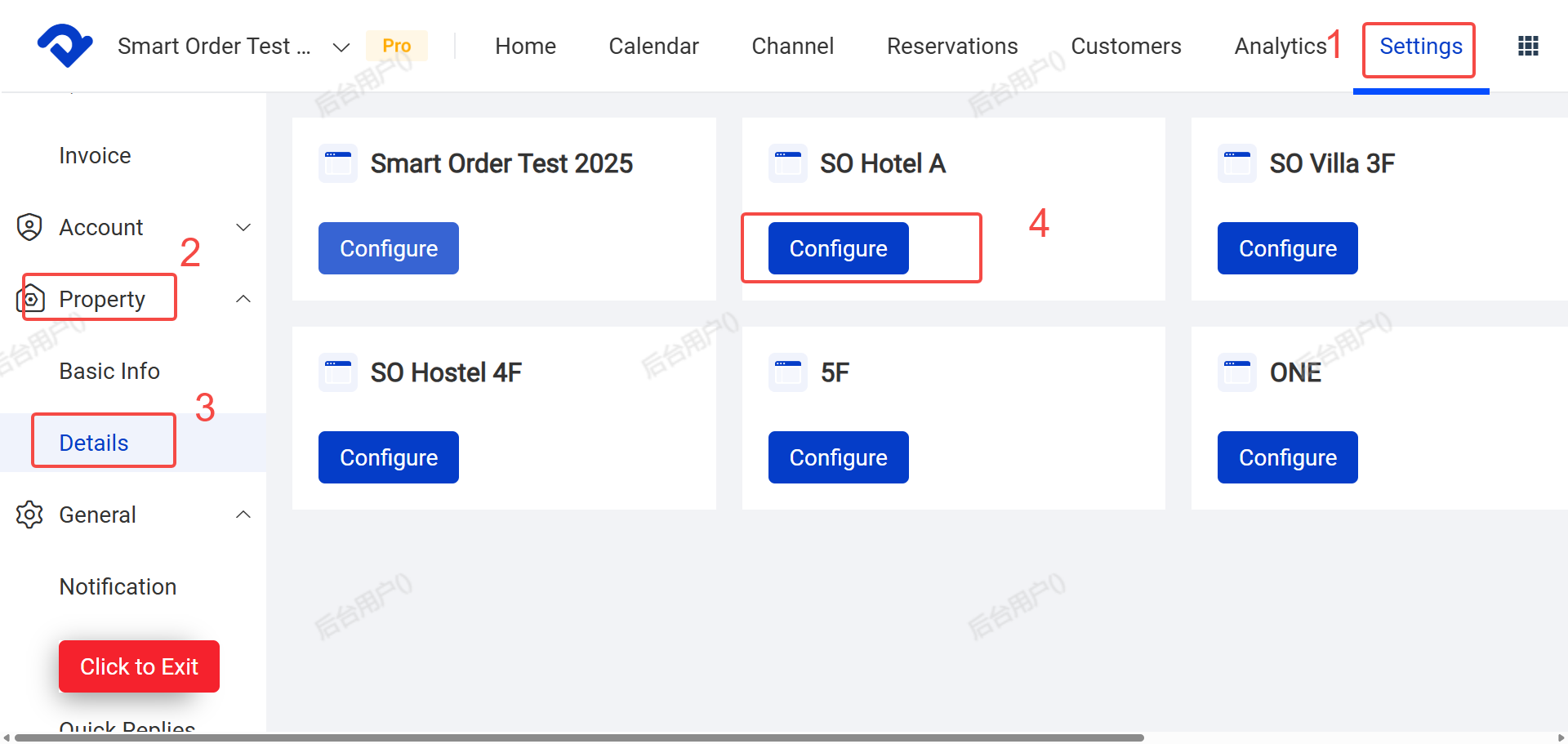
Steps to Update:
- Click Settings
- Click Property Settings
- Click Property Details
- Click Configure in the list of property group.
Key Fields:
- A. Property Name
- B. Contact Phone Number
- C. Email Address
- D. Address: Full address, City, State/Province
- Click Save