After setting up items (refer to the article [Consumption Item Settings]), you can add the corresponding items to orders.
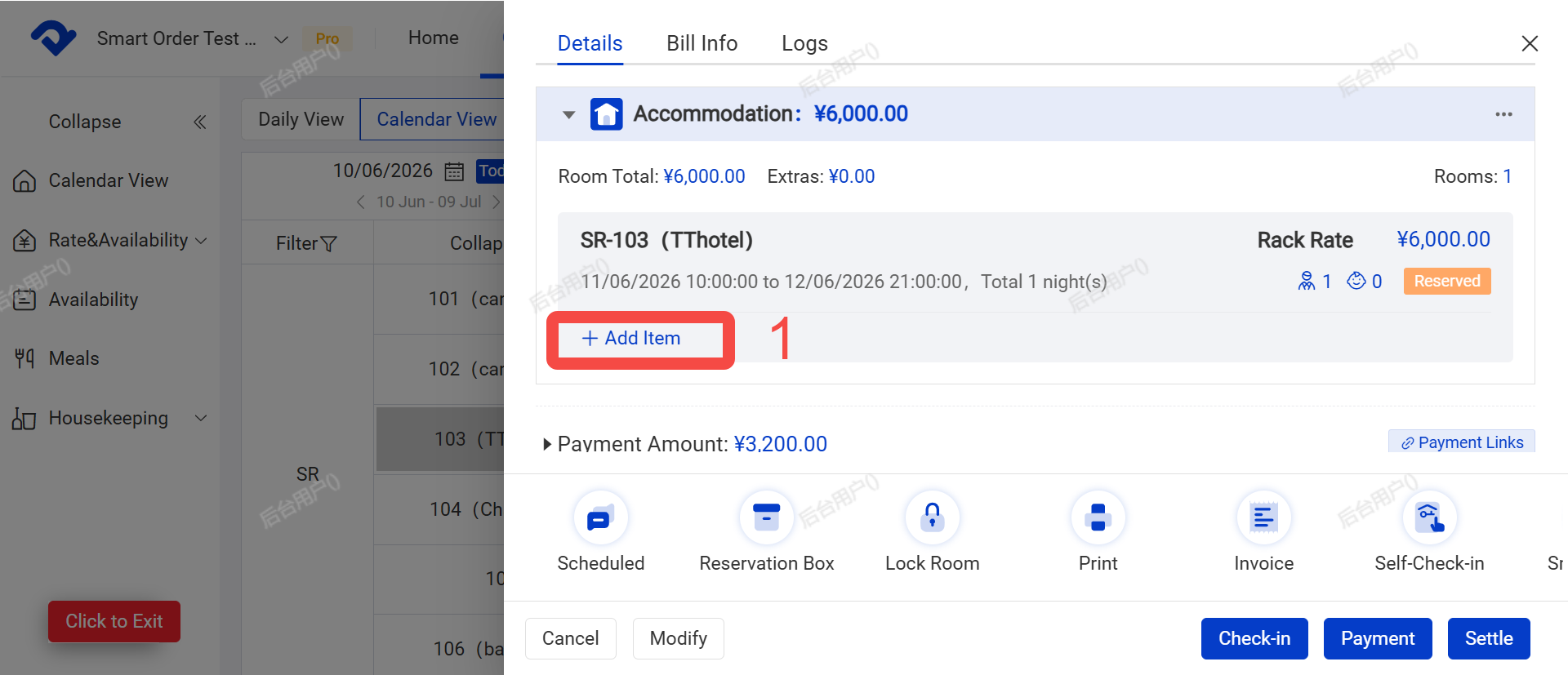
Path: Calendar > Calendar View >Select an Order > Add Item
Steps:
- Open the order and click [Add item].
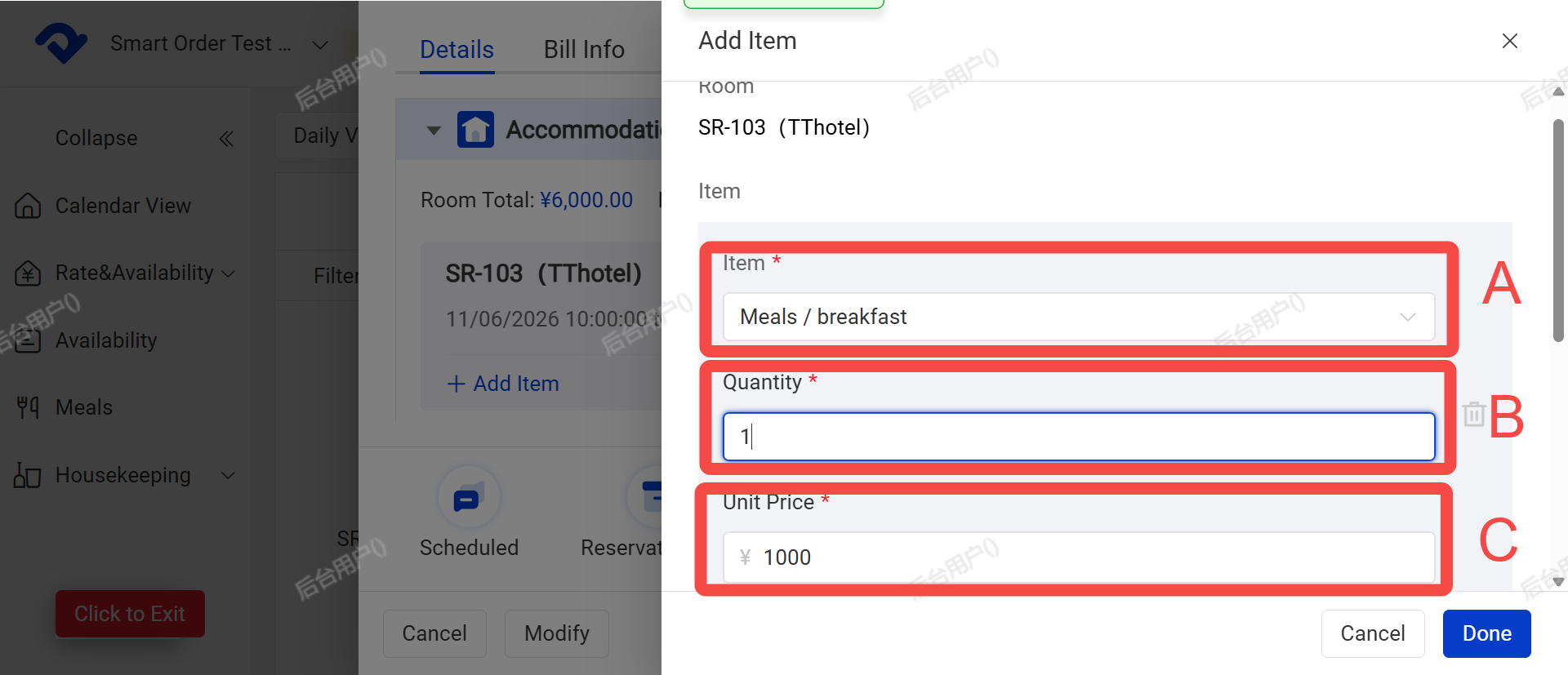
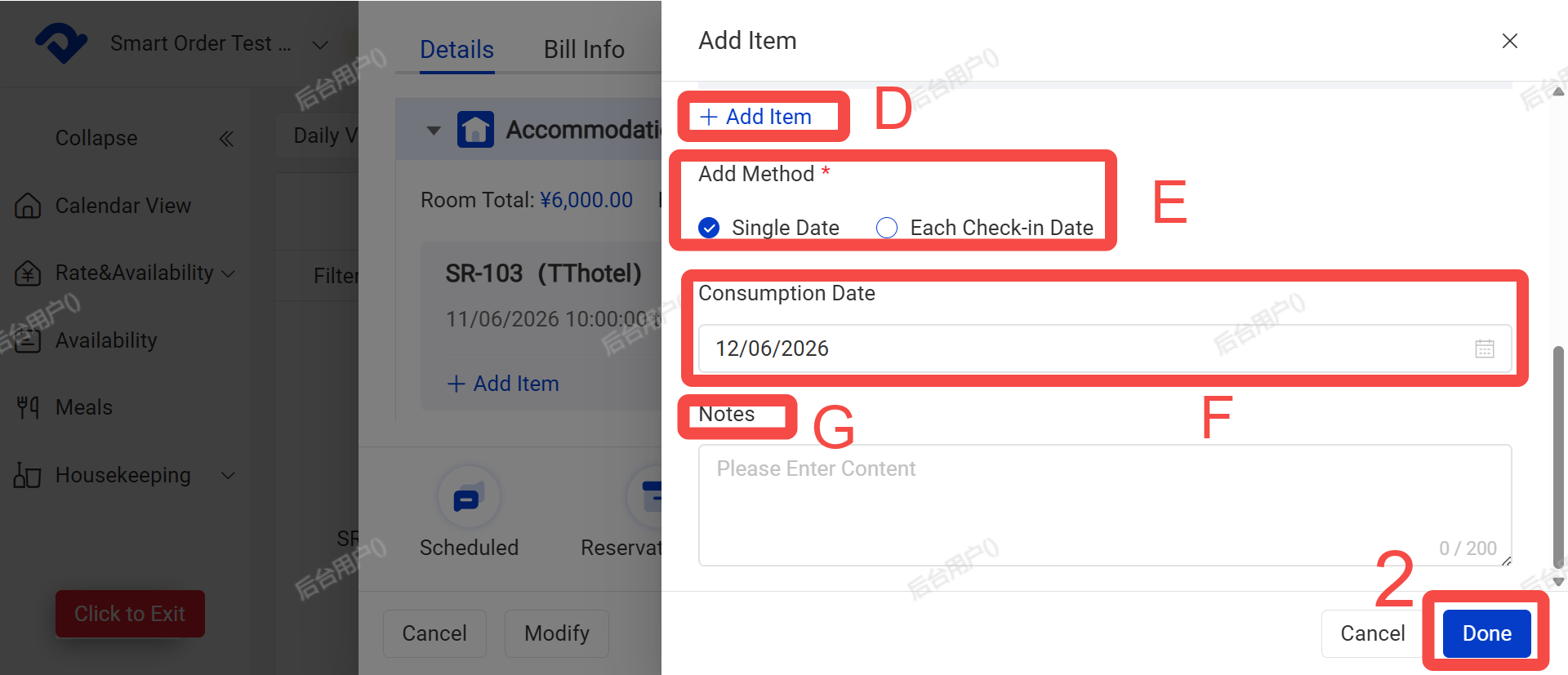
- Confirm the following information, then click [Done]:
- A. Item
- B. Quantity
- C. Unit Price
- D. You can add more items
- E. Addition Method:
- Select [Single Date] if the charge applies to only one date.
- Select [Each check-in day] if the charge applies daily during the entire stay.
- F. Consumption Date
- G. Notes