Payment Collection (Refund)
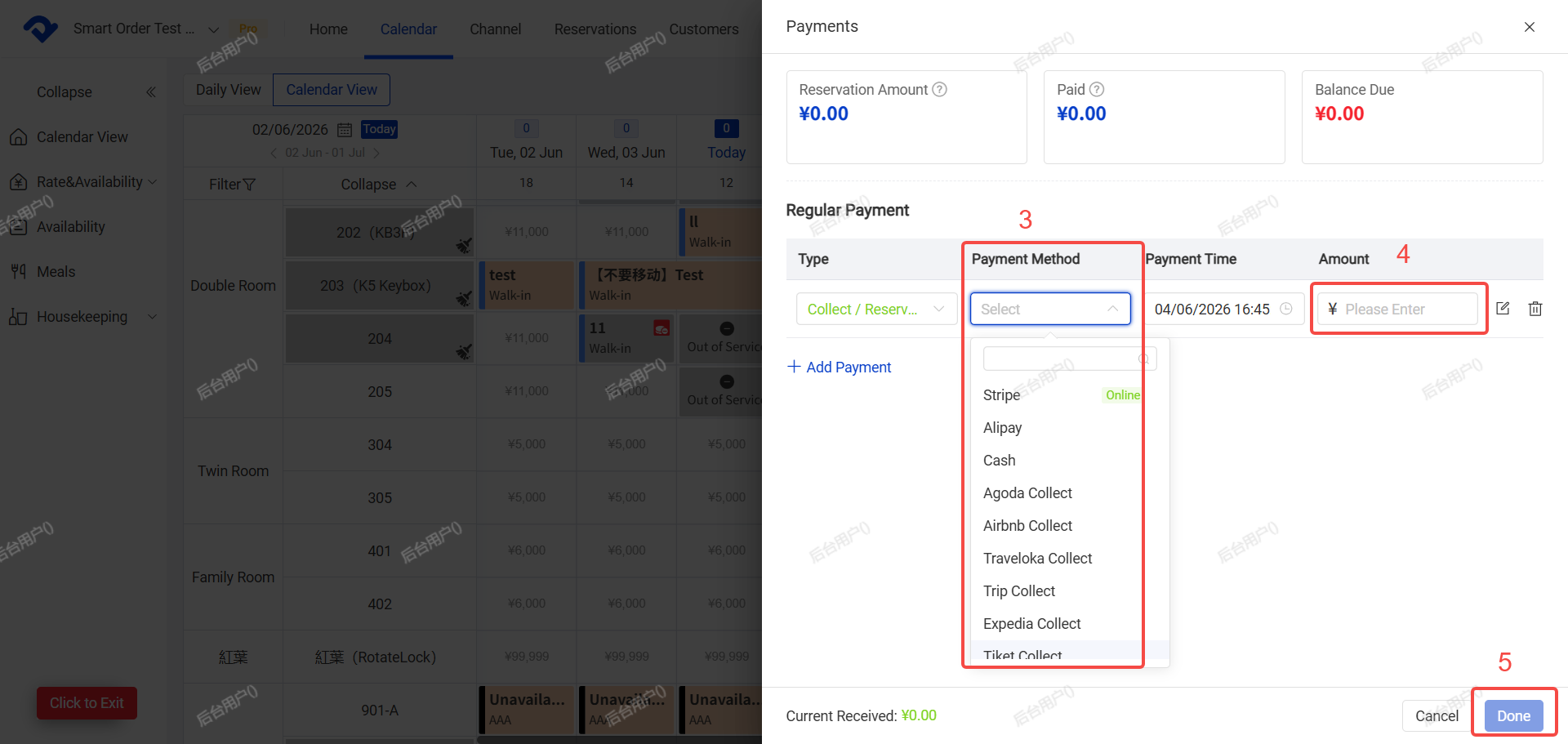
This function is used to record payments or refunds for room fees, extra charges, deposits, etc.
Note: Orders that have not been fully paid will show a red mark in the top right corner. You can add payment or refund records to balance the order.
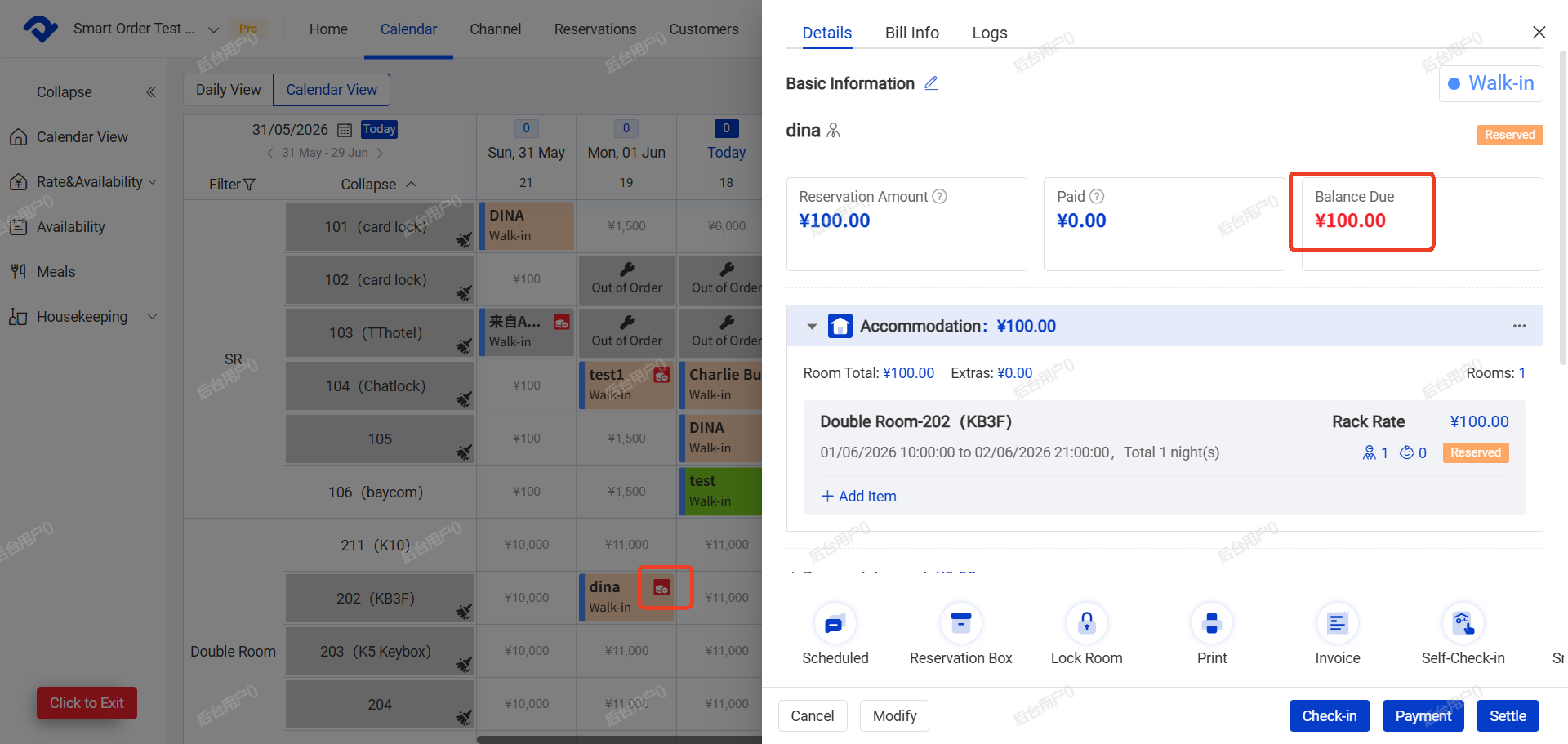
Steps:
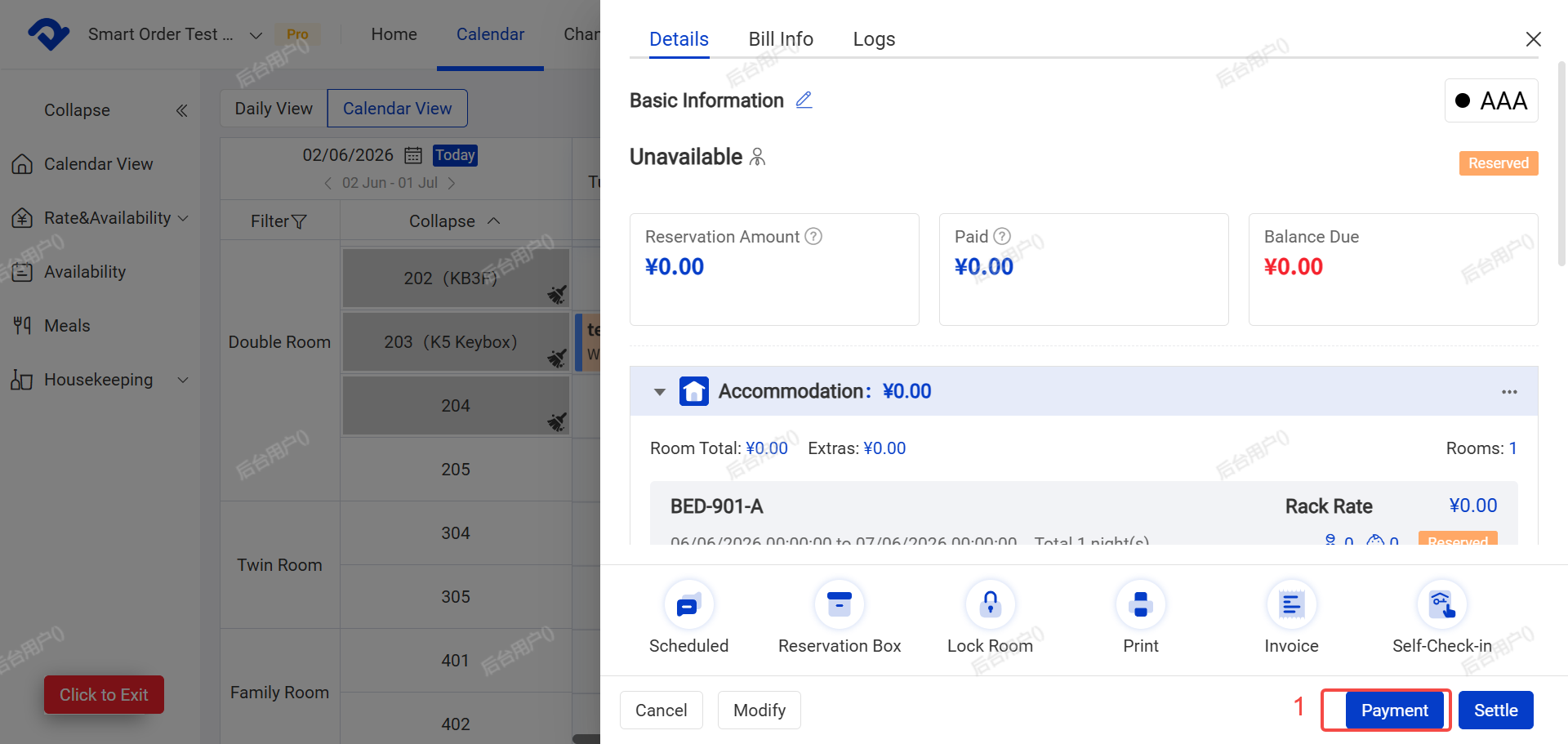
- Click Payment or Settle on the order.
- Select the category:Payment (reservation amount, Deposit, etc.)or Refund
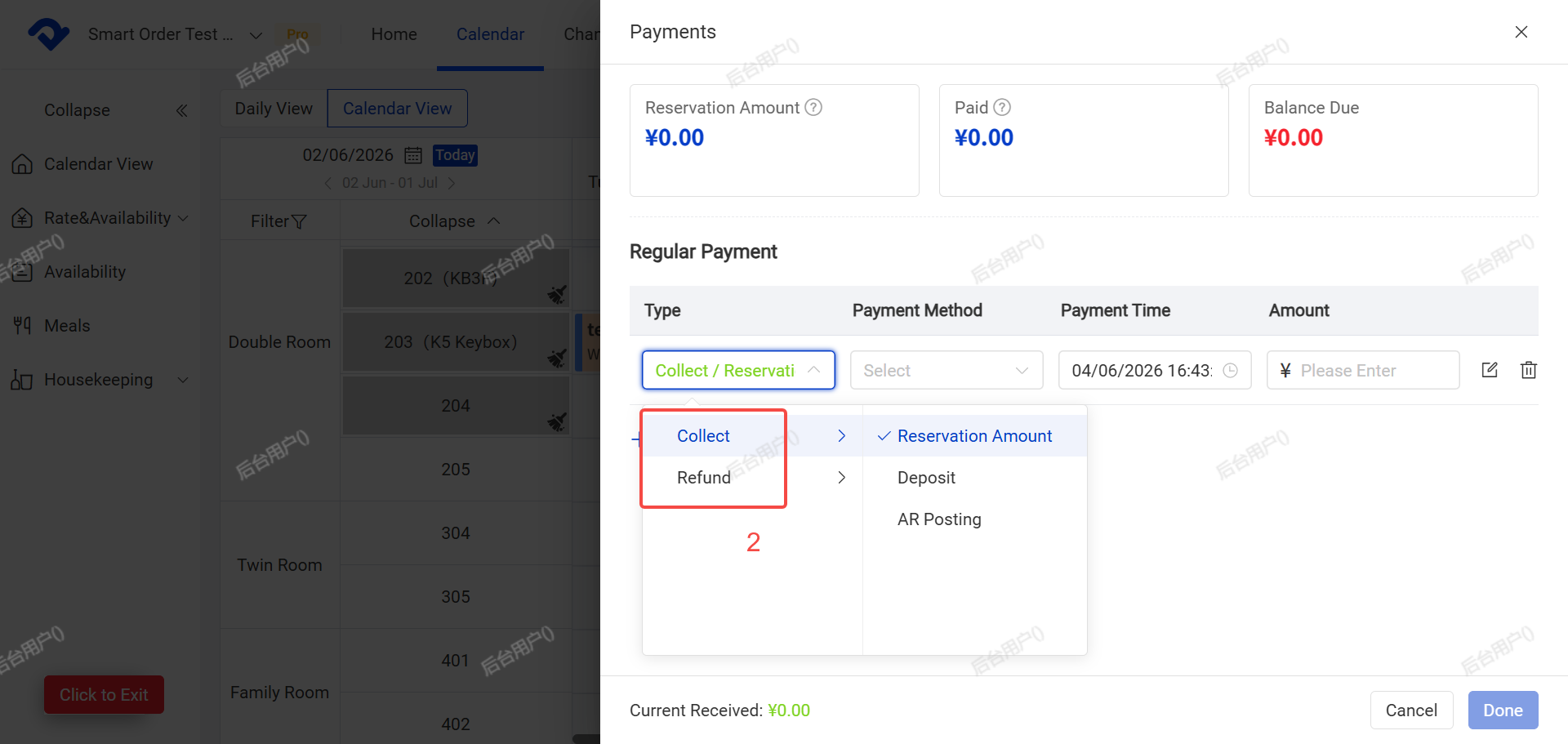
- Choose the payment method (supports custom payment methods).
- Enter and verify the amount.
A.You can add remarks if needed.
- Click Complete.
2. Settle
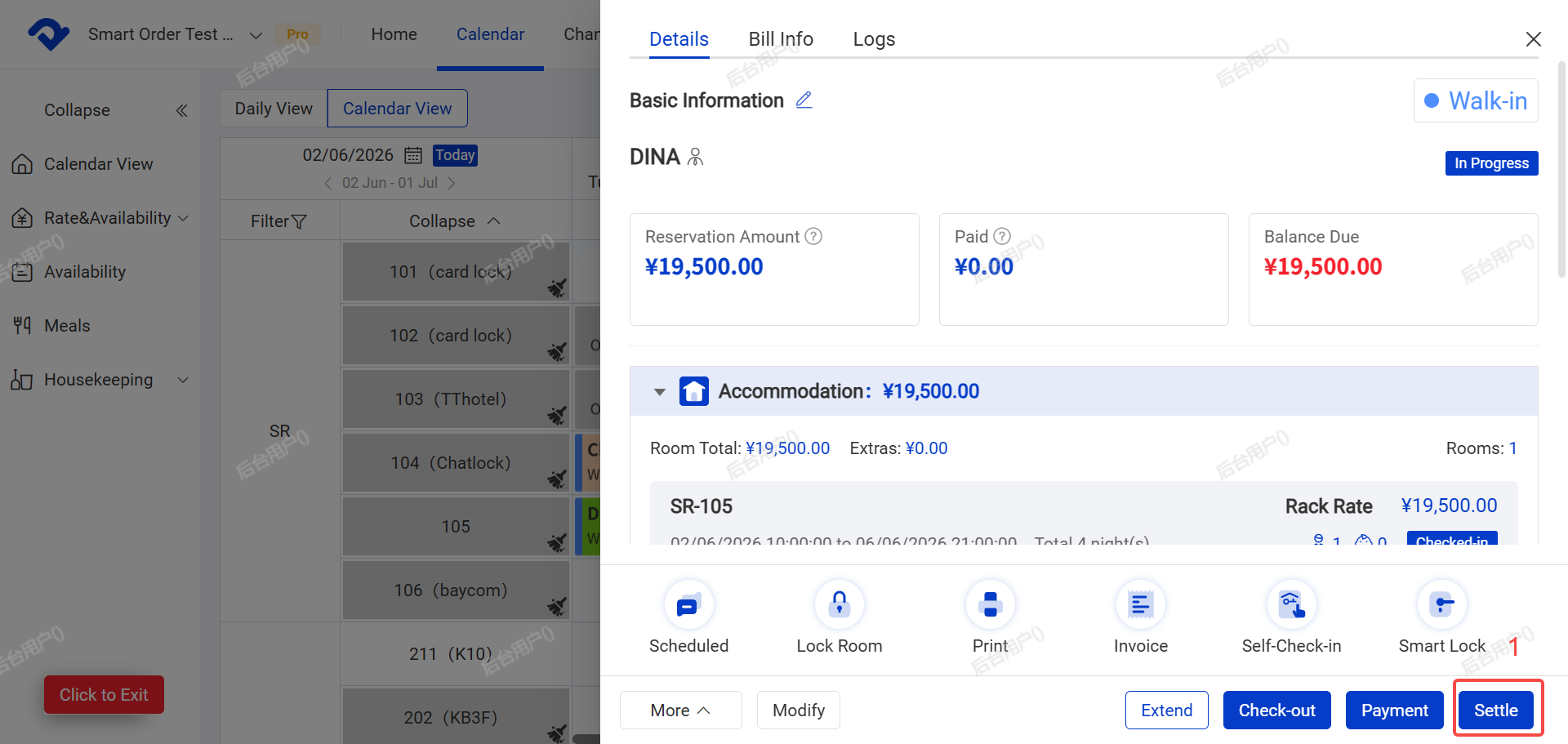
Important: You can only perform Settle after the guest has checked in. This function calculates the total order amount and closes the booking.
Steps:
- Click Settle on the order.
- Click Confirm.
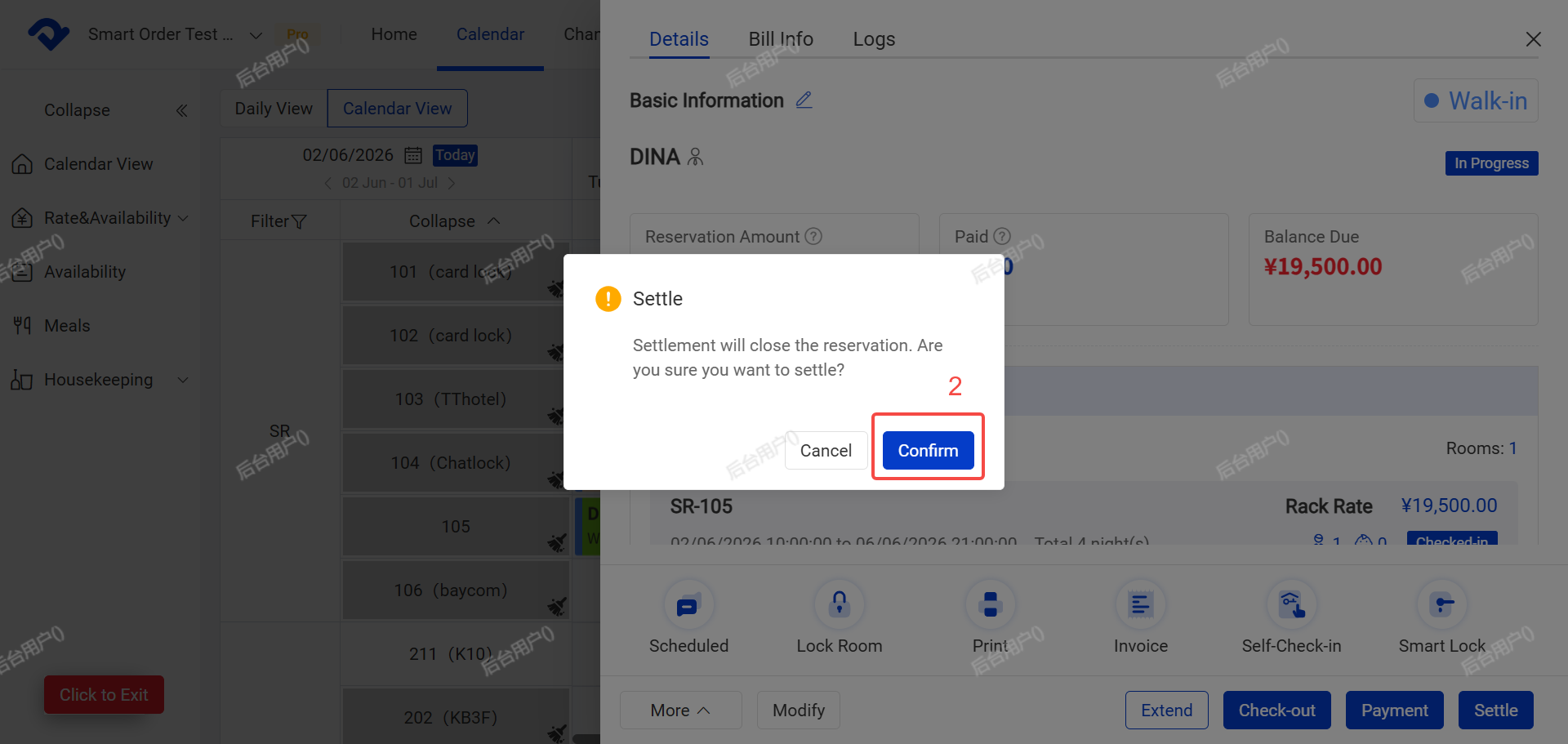
- The system will show different options depending on the actual checkout date vs. the scheduled checkout date
3.1 Early Checkout:You need to select how to charge for the room fee, confirm the amount, and then complete the checkout.
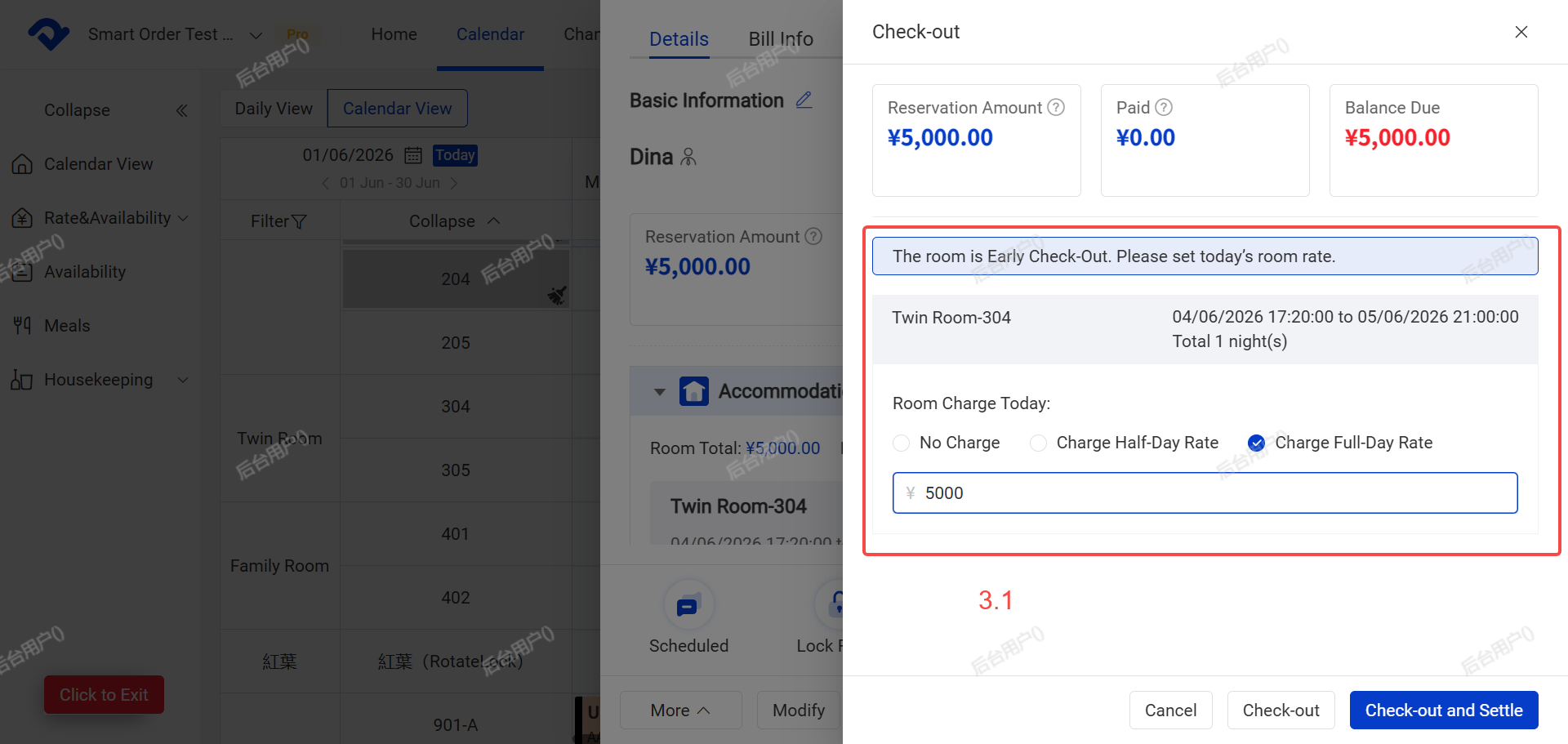
3.2 Normal Checkout
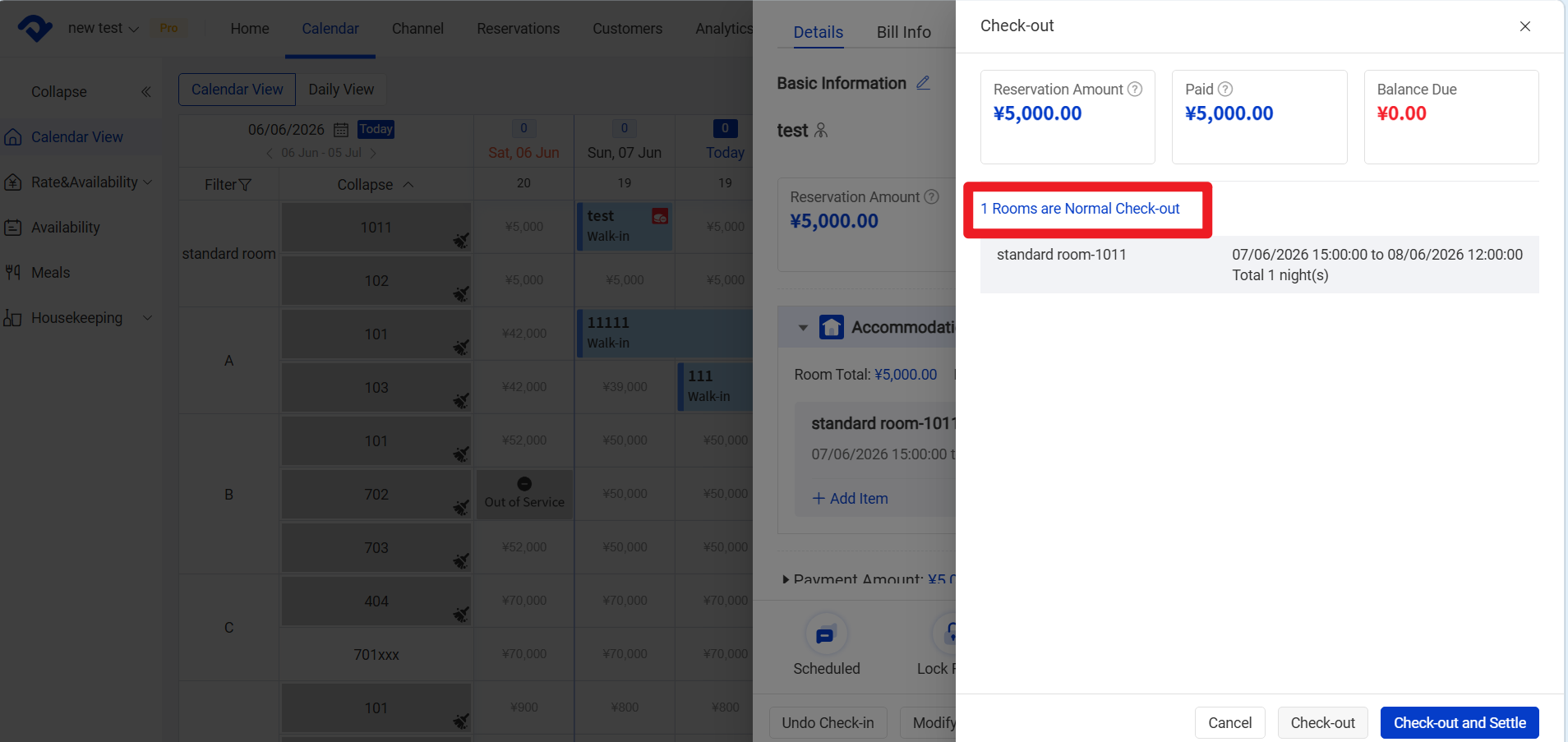
- Click Check out and Settle to finish.
After Settle:
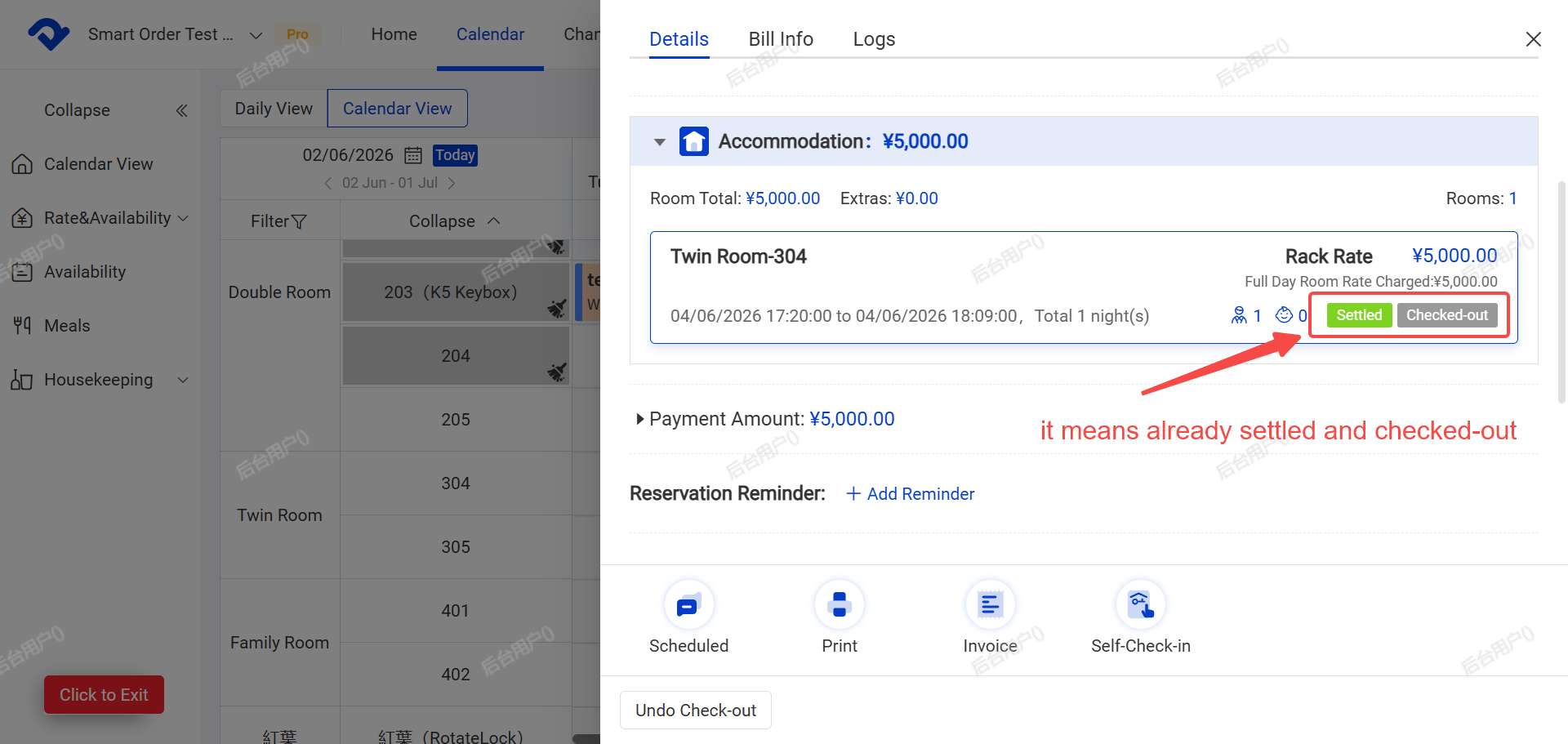
- The order status on the calendar will automatically change to Checked Out (default color is gray).